Lansing State Journal
- 91.00
- 3.0
- Installs
- 10.00K
- Price
- Free

Screenshots


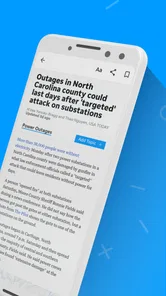



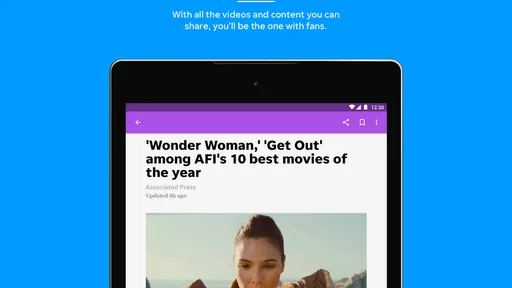
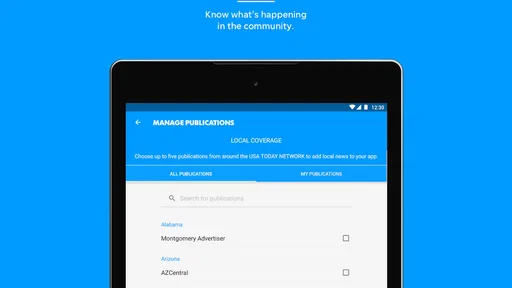
Analysis by Reviewed
I approached Lansing State Journal as a practical local-news app rather than as a complete replacement for every news source on my phone. It comes from USA TODAY Co. and sits in the News & Magazines category, with a focus that makes sense for readers who want Lansing-area reporting alongside broader coverage. The free download is aimed at Everyone 10+, although optional in-app purchases range from $14.99 to $69.99 per item.
My first impression is that the app is most useful when I treat it as a focused news destination. It brings local and national stories together, adds photography and video, and gives the Lansing State Journal brand a direct place on a mobile screen. That combination is more convenient than repeatedly searching through a browser, especially when I want local context instead of only national headlines.
How the app feels during everyday reading
I find the app easiest to judge by separating a quick headline check from a longer reading session: its Lansing focus gives the first a clear purpose, while photography and video make the second more involved. That distinction also helps me decide when a browser or a lighter reader would suit the moment better. Choosing the right format for the time I have is the practical question I would keep in mind as I read.
Speed expectations before a busy news session
The current version is 8.10.3, and the app requires Android 8.0 or later. Those details matter because the experience will depend heavily on the phone doing the work. On a reasonably modern device, I would expect ordinary article browsing to feel more comfortable than on an older handset that is already struggling with storage, memory, or background activity.
I would not judge this app by the same standard as a tiny text-only reader. Its identity includes large photography and rich video, so opening a visually complete story can demand more than simply displaying a headline and a few paragraphs. That is a worthwhile trade-off when images help explain a local event, but it also means that the quickest possible reading experience may come from a lightweight mobile website or a text-focused news reader.
For a short morning check, the app’s value is its focus. I can open it with a specific purpose: see what is happening around Lansing, scan wider stories, and decide which reports deserve more time. That is different from opening a general news aggregator and immediately facing a mixture of unrelated publishers, viral items, and algorithmic recommendations.
The practical speed trade-off is simple: a visually richer local-news experience can feel more informative, but it is not designed around the absolute minimum amount of content on screen.
More From Our News Desk

Weather by Xiaomi Review: Clear at a Glance, Less Clear Up Close

X Under Pressure: Can It Recover When Posting Goes Wrong?

Clash of Clans Is Won Between the Battles

Android Auto Makes the Case for Quieter Car Software

MobiOffice: Transforming Mobile Productivity with Seamless Integration

EA SPORTS FC™ Mobile Soccer: Redefining Mobile Sports Gaming
What happens during heavier use
The demanding moments are easy to identify even without turning the app into a technical benchmark. A long reading session that moves from article text to photography and then into video is naturally more intensive than checking one headline. If I am switching rapidly between several stories, the app also has more content to load and render than it would during a single-article visit.
This is where I would use a deliberate workflow. I would first scan headlines, open only the reports that matter to me, and leave video for when I have enough time and a stable connection. That approach avoids treating every story as if it needs to be consumed in full. It also makes the app feel less demanding because I am choosing when to engage with its richer media rather than letting every item interrupt a quick news check.
Photography is especially useful for local coverage because an image can provide immediate context that a short headline cannot. The downside is that visual presentation can make a page feel heavier than a plain article. Readers with limited data or an older phone should be selective about which stories they open, particularly when they are trying to catch up quickly.
Video creates a similar choice. It can add immediacy to a report, but it is not always the best format for a commuter, someone in a quiet office, or anyone trying to conserve mobile data. In those situations, I would read the written story first and treat the video as an optional second step rather than the main route through the app.
Reliability as a news habit
A news app earns a place on my home screen through consistency, not just through an attractive first look. Lansing State Journal has a clear purpose: it connects readers with the publication’s local identity while also covering national news. That makes it easier to build a repeatable habit than with an app that has no geographic center.
The published average rating is 3.0 from around 179 ratings, with around 91 written reviews. I would read that as a reason to keep expectations measured. It does not automatically make the app a poor choice, but it suggests that the experience may not satisfy everyone equally. I would install it and judge the day-to-day fit for myself rather than assuming that the app’s strong points eliminate every possible annoyance.
There is also a useful distinction between reliability of purpose and reliability of performance. The purpose is clear: local and national news, supported by visual and video content. Performance can vary with the phone, the operating system, available space, and network conditions. A reader who needs a news source to behave identically on an older device should be more cautious than someone using a current phone with plenty of room.
When I rely on a local-news app, I also want to know whether it works for both quick checks and deeper reading. This one is better suited to that two-level routine than a single-purpose headline widget: I can glance at what is new, then stay with a story when the subject deserves more attention. The important limitation is that the richer presentation may not be equally comfortable in every situation.
Older phones and device constraints
The Android 8.0 minimum makes the app accessible to a broad range of devices, but compatibility is not the same as an identical experience everywhere. A phone that can install the app may still have less memory, a slower processor, or a smaller display than a newer model. Those differences are most likely to be felt when moving through image-heavy stories or video content.
On a compact screen, photography can be a benefit because it breaks up dense text, but it can also push the written information farther down the page. I would use the app in portrait orientation for headline scanning and switch my attention to the article itself when I want to read carefully. That sounds minor, but it helps separate the browsing task from the reading task and keeps a visually busy news feed from feeling overwhelming.
Storage is another practical consideration. News apps are not usually the largest category of phone software, yet media-rich content can make free space and caching more relevant than they would be for a basic notes app. If a device is already close to full, I would avoid installing it without first clearing unnecessary files. That is not a criticism unique to this app; it is the natural cost of carrying photography and video alongside articles.
Battery expectations should also be realistic. A brief headline check should be a lighter activity than prolonged video viewing, repeated refreshing, or a long session of image-rich pages. I would not keep video running in the background while doing unrelated tasks. For readers who want the lowest possible resource use, a browser page with fewer visual elements may be a better fit.
Who will get the most from it
The strongest audience is someone with a personal connection to Lansing or an interest in the area who still wants national stories in the same place. That could include a resident checking local developments before work, a former resident keeping up with home, or a reader who prefers a regional publication’s framing over a broad national feed.
A realistic routine would be checking the app over breakfast, scanning local headlines first, opening one or two important reports, and saving the richer video experience for later. During a lunch break, I might use it again to see whether the news has developed. In the evening, photography and video become more useful because I am no longer trying to finish a quick update between other tasks.
The app is also a reasonable choice for readers who dislike the noise of general-purpose aggregators. A large aggregator can offer more sources, but that variety often comes with duplicated reports and less local identity. Lansing State Journal gives up some breadth in exchange for a more recognizable regional focus.
On the other hand, I would skip it if my main goal is worldwide coverage from many publishers, highly personalized topic tracking, or the smallest possible reading footprint. A general news aggregator will usually be better for comparing outlets in one place. A browser may be preferable for occasional readers who do not want another installed app. Someone who never reads local Lansing coverage is unlikely to gain enough from this particular destination.
Free access and the purchase decision
The app itself is free to download, which makes trying it straightforward. The presence of in-app purchases priced from $14.99 to $69.99 per item means I would pay attention to what I am being offered before completing any purchase. A free installation should not be confused with unlimited access to every possible part of a publication’s mobile experience.
My advice is to begin with the free experience and decide whether the local coverage, reading flow, and media presentation genuinely fit your routine. If the app becomes part of how you keep up with Lansing, then a paid option may be easier to evaluate because you will understand what you use and what you are willing to support. If you only open it occasionally, the purchase may be harder to justify.
This is also where the app differs from a completely open web search. Search engines can lead me to many articles without asking me to commit to one publication, while a dedicated publication app gives me a more direct relationship with that source. The benefit is focus; the cost is less variety and a need to think carefully about any optional payment.
How it compares with usual alternatives
Compared with a mobile browser, the dedicated app should feel more intentional. I open it for Lansing State Journal coverage instead of navigating through bookmarks, search results, and unrelated pages. That convenience matters when local news is part of my daily routine. The browser remains more flexible, though, especially when I want to compare several publications or avoid installing another application.
Compared with a national news aggregator, this app offers a stronger local point of view. An aggregator can be faster for scanning many subjects and may be better for international or specialized news. Lansing State Journal is more appealing when regional relevance matters more than maximum source variety.
Compared with a text-first reader, it places greater emphasis on photography and video. That can make a story more engaging and easier to understand, particularly when the visuals are central to the event. It can also make the experience less efficient for someone who wants only headlines and compact text. I would choose according to the moment rather than insisting that one format is always superior.
Small habits that improve the experience
I found that the app makes more sense when I separate discovery from consumption. First I scan the local and national mix. Then I choose a small number of stories for careful reading. This prevents the visual content from turning a five-minute check into an unplanned long session.
I would also avoid judging the app while using a weak connection. Video and large images are the most obvious parts of the experience to postpone when the network is unreliable. If an article is important, I would prioritize its written content and return to the media when conditions are better.
Finally, I would keep the app updated rather than holding onto an old release indefinitely. The installed version is 8.10.3, and staying current is the sensible way to benefit from the developer’s ongoing maintenance. On an older phone, I would still watch for signs of strain such as slow transitions or the app needing to reload after switching away for a while. Those observations tell me more about personal fit than a single download session.
My performance verdict
Lansing State Journal is a focused local-news app with enough national coverage and rich media to support both quick checks and longer reading sessions. I like its clear regional purpose, and I can see why photography and video would make certain reports more engaging than a bare headline feed. The free price also lowers the barrier to testing it on a compatible Android device.
My reservations are equally practical. The average rating of 3.0 suggests a mixed reception, and the experience may be less comfortable on older or resource-constrained phones, especially during media-heavy use. Optional purchases also mean that readers should understand the value of any paid choice before committing. People who want a minimal, ultra-light reader or a broad multi-source aggregator have better alternatives.
For me, the recommendation depends on location and reading style. If Lansing news is genuinely relevant and I enjoy seeing the reporting supported by photography and video, I would keep it installed and make it part of a measured daily routine. If I only need occasional headlines, or if my phone handles richer content poorly, the browser is probably the simpler answer. Overall, it is a worthwhile specialized news app for the right reader, but its best qualities are tied to that specific local focus rather than to being an all-purpose news solution.
Lansing State Journal Frequently Asked Questions
What is the Lansing State Journal app?
The Lansing State Journal app is a mobile news platform for keeping up with local events, breaking news, politics, sports, business, entertainment, and community stories in the Lansing, Michigan area. After installing it, readers can browse the latest headlines, open full articles, and use the app as a convenient alternative to visiting the publication’s website in a mobile browser.
Who publishes the Lansing State Journal app?
The app is published by USA TODAY Co. and is designed for readers who want to follow the Lansing State Journal on a phone or tablet. Its focus is news and magazines, with local and national news alongside photography and video content. It is a free app to download, making it straightforward to try before deciding whether its content and any paid options suit your reading habits.
Is the Lansing State Journal app free to download and use?
Downloading the Lansing State Journal app is free, but access to all content may depend on the publication’s subscription model. Some articles can be available without payment, while frequent reading, premium stories, or unlimited access may require a digital subscription. In-app purchases range from $14.99 to $69.99 per item, so check the purchase terms before confirming any payment.
Do I need an account or subscription to read articles?
You may be able to open selected Lansing State Journal stories without signing in, but an account or subscription can be required once you reach content limits or try to access subscriber-only articles. Creating an account is also useful for managing your subscription and restoring access across devices. Review the access rules and subscription options in the app before relying on it for regular reading.
What types of news and features are available in the app?
The app focuses on news relevant to Lansing and surrounding communities, alongside national news. Its content includes photography and video as well as written coverage. Depending on the current version, it may also provide breaking-news alerts, saved articles, personalized sections, and subscription management. Available categories and features can vary after updates or according to your location.
Pros
- Provides local news and updates focused on Lansing and surrounding communities.
- Offers coverage of local politics
- schools
- sports
- and regional events.
- Includes breaking-news alerts for important developments in the area.
- Digital access makes the newspaper convenient to read while traveling.
- Supports saving or sharing selected stories for later reference.
Cons
- Some articles may require a subscription or account to access fully.
- Advertising can make parts of the app feel visually busy.
- Coverage is primarily regional
- with limited appeal for non-local readers.
- Push notifications may become frequent unless carefully customized.
- Performance and content availability can vary with internet connectivity.













