

LANDR - Master & Release Music
- 205.00
- 4.6
- Installs
- 100.00K
- Price
- Free

Screenshots
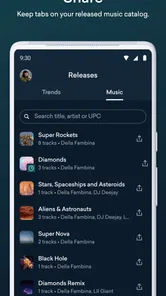
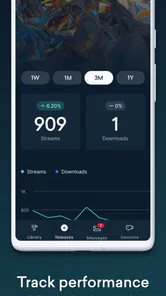
Analysis by Reviewed
I approached LANDR - Master & Release Music as a practical companion for making finished tracks easier to manage, polish and share. It sits in the Music & Audio category and comes from LANDR Audio, a developer better known for focusing on the part of music-making that begins after the rough recording: preparing audio for listeners, releases and everyday collaboration. The app is free to install, rated for Everyone, and its current version is 2.15.5.
My overall impression is that this is most useful when I want to move between the studio and the rest of my day without treating every task like a full desktop session. I can imagine opening it after recording a vocal, checking a track before sending it to someone, or organizing release-related work while away from my main setup. It is not a replacement for a complete digital audio workstation, but that is not where its strongest value lies. Its appeal is the bridge it creates between creating music and getting that music ready to leave the studio.
How LANDR fits into a real music workflow today
The clearest way to understand this app is to separate composition from finishing. If I am writing drums, editing several takes, building a detailed arrangement or shaping a complex mix, I still want the control of a dedicated desktop or mobile production environment. LANDR becomes more interesting once I have a song, demo or audio file that needs a more presentable result, a release path or a convenient way to share progress.
That distinction matters because “mastering” can mean different things to different musicians. For a beginner, it may mean making a home recording sound less quiet or uneven. For an independent artist, it may mean preparing a final version for listeners. For a producer, it may simply mean getting a reliable reference to send to a collaborator. The app can serve all three situations, but I would not expect it to replace careful mixing decisions made earlier in the process.
In everyday use, I would start with a clean export rather than sending an unfinished session straight into the app. That small habit makes the service more useful: fix clipping, unwanted noise and obvious balance problems before asking a mastering tool to polish the result. A master can improve the presentation of a good mix, but it cannot rescue every arrangement or repair every recording problem.
The mobile format is particularly convenient for decisions that do not require a large screen. I can review a track, compare a processed result with the source, think about whether a song is ready to share and keep release preparation moving while traveling. That makes it different from traditional desktop software, where the strongest tools often stay tied to a project file and a particular computer.
What the current release tells me about the product
The current build is version 2.15.5, and the app was released on January 20, 2023. I read those details as signs of an established product rather than a one-off experiment. The version number also suggests ongoing iteration, although I would avoid assuming that every update changes the core workflow. In practice, the important question is whether the current experience remains dependable for the tasks I actually need: preparing audio, managing release steps and sharing music without unnecessary friction.
More From Our News Desk

 Gmail
GmailGmail in a Busy Inbox: Who Benefits Most?
From first account to crowded workday, Gmail earns its place through dependable search and flexible sorting—but its best fit depends on how much inbox maintenance you can tolerate.

 Prime Video
Switching to Prime Video: What Changes in Your Viewing Routine
Prime Video can make a compelling second home for streaming, but switching means learning a different catalog, rental layer, and route from browsing to playback.

 Universal TV Remote Control
Universal TV Remote Control Works Best as a Reliable Backup
A phone remote earns its place through quick setup and reliable habits. Here is how to get more from Universal TV Remote Control—and where its limits show.

 Weather - By Xiaomi
Weather by Xiaomi Review: Clear at a Glance, Less Clear Up Close
Xiaomi’s weather app makes everyday forecasts quick to scan, but its calm surface can leave useful details and recovery paths harder to find than they should be.

 X
XX Under Pressure: Can It Recover When Posting Goes Wrong?
A resilience-focused review of X, examining setup, mistaken posts, interruptions, weak connections, and the gaps that matter when recovery needs to be dependable.

 Clash of Clans
Clash of Clans Is Won Between the Battles
Its raids are quick; its community is a long-term project of coordination, teaching, rivalry, and shared responsibility—with all the friction that entails.
Latest News



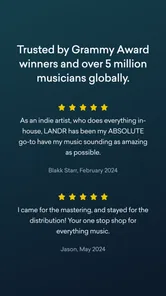
LANDR has reached over one hundred thousand installs and holds a 4.6 average from around three thousand seven hundred ratings. Those figures give me useful context: enough people have tried it for the overall score to mean something, while the app is still aimed more at independent creators than at the entire mass market of casual music listeners. I would still judge it by my own workflow, because a strong average cannot tell me whether its approach matches the way I produce.
The app’s store presence describes a service that brings mastering, distribution and sharing together. That combination is more significant than any single tool. Many musicians use one application to create, another to polish, a separate service to distribute and yet another place to send private previews. Bringing more of that path into one LANDR-centered workflow can reduce the number of handoffs, especially for someone releasing music without a label team.
At the same time, an all-in-one workflow creates a trade-off. Convenience is valuable, but it can make a creator less aware of which stage needs attention. I find it helpful to treat the app as a finishing and release workspace, not as an automatic quality guarantee. Before I approve anything, I would listen on headphones, ordinary speakers and a phone, then check the version I plan to share rather than trusting one playback setup.
Changes and evolution without overpromising
The presence of a current version gives existing users a reason to keep the app updated, particularly if they rely on mobile access during an active release. However, I would separate confirmed product facts from expectations. A newer version tells me the software has been maintained; it does not by itself prove that a specific feature has been redesigned or that every older workflow feels different.
That is an important point for musicians who have already built habits around LANDR. If the app is part of a release routine, I would update before beginning a time-sensitive project, then test the complete path with a non-critical track. This is a sensible way to discover whether navigation, file handling or account steps feel familiar before a deadline. It also gives me a chance to keep local copies of important masters and artwork instead of treating the app as the only place where a project exists.
For a new user, the product’s evolution is less about learning every historical change and more about understanding what the current app is designed to do. I would begin with one finished song, not an entire catalog. That lets me evaluate the sound, the amount of control I have and the release process without committing multiple tracks before I know whether the service suits me.
One useful but easy-to-miss distinction is the difference between a listening reference and a final delivery file. I often want a quick version to send to a friend, while a distributor or professional collaborator may need a carefully prepared master. Keeping those purposes separate prevents a casual preview from becoming the accidental “final” version. The app can support a streamlined workflow, but my file naming and backup habits still matter.
What existing users may notice in daily use
Someone already using LANDR will probably value continuity more than novelty. The strongest benefit is having a familiar place to revisit music after leaving the desktop. I can see this helping an artist who records at home in the evening, listens again the next morning and wants to share a more polished version before deciding whether to release it.
A realistic example would be a singer-songwriter with a finished mix on a laptop. On the way to a rehearsal, I could use the app to review the track and prepare a version for a bandmate. Later, after hearing the song in a different room, I might decide the vocal is still too buried. The important lesson is that mobile convenience should speed up feedback, not remove the feedback stage. I would return to the mix, make the musical correction, export again and only then treat the master as ready.
For producers working with several artists, the sharing side can also be useful as a checkpoint. Instead of sending an unfinished session that requires the recipient to own the same software, I can send a listenable reference and ask a focused question: does the chorus feel wide enough, is the vocal too bright, or does the ending need another bar? That makes communication more efficient than asking someone to react to vague progress.
There is also a psychological advantage to separating “creative work” from “release work.” When I open a production tool, I am tempted to keep changing the arrangement forever. A mastering and release environment encourages a decision: this is the version I am evaluating now. That does not make the decision correct, but it can help independent artists finish projects instead of leaving them in an endless draft state.
Still, existing users should keep realistic expectations about mobile editing. A phone is excellent for checking, approving and communicating, but it is not the ideal place for precise corrective mixing. If I hear a harsh frequency, a noisy edit or a timing problem, I would rather fix the source in my main production software than try to solve every issue through a finishing service.
Where the app is strong for different kinds of musicians
LANDR is a good match for independent artists who want a shorter path from completed mix to public release. It is also appealing to beginners who do not yet understand every technical step involved in preparing music. The guided nature of a focused service can feel less intimidating than opening a large workstation filled with controls that have little meaning at first.
It can help beatmakers and producers who frequently send ideas to clients. A cleaner reference can make feedback more useful, especially when the recipient is listening on ordinary consumer equipment. I would not use the process to hide a weak demo, but I would use it to make sure the musical idea is easier to judge.
It may also suit artists who work across devices. If my main recording setup stays at home but my decisions happen elsewhere, a mobile companion reduces the gap between those two moments. That is a specific advantage over a desktop-only mastering application, where the project may remain inaccessible until I return to the computer.
On the other hand, I would hesitate to recommend it as the primary solution for an experienced mastering engineer who expects deep manual control over every processing stage. A specialist may prefer dedicated software, detailed metering and the ability to make narrow technical decisions by hand. LANDR’s value is speed and accessibility, not the promise of unlimited engineering control.
I would also be cautious if I only want a basic audio player or a simple recorder. This is not the most sensible choice for someone who merely wants to listen to local music, cut a voice memo or play files without any release ambitions. Its usefulness becomes clearer when mastering, distribution or artist-to-listener sharing is part of the goal.
Costs, account decisions and practical trade-offs
The app itself is free, but it includes in-app purchases ranging from $5.99 to $69.00 per item. That means I would not treat the initial download as the full cost of using every part of the service. Before starting a serious release, I would read the purchase screen carefully and decide which stage I actually need. A musician preparing one single may have a different budget and requirement from someone planning a larger release schedule.
This pricing structure is one reason I would begin with a test track. It gives me a chance to understand the workflow before spending money on several songs. I would also compare the cost with the alternatives I already use. A desktop mastering plugin may involve a larger upfront purchase but offer more manual control, while a separate distribution service may provide a different pricing model. The cheaper-looking route is not automatically better if it creates extra work or limits the kind of release I want.
Another practical question is whether I want convenience or maximum ownership of the process. A unified service can save time and reduce technical decisions, but I should still keep my original mix, an unprocessed export and the final master in my own storage. That backup habit is more important than the app’s polished workflow. It protects me if I later want a different master, a remix, an instrumental version or a new delivery format.
Because the content rating is Everyone, the app is approachable for a broad audience, including younger creators using it with appropriate guidance. The rating does not change the need to understand purchases or release responsibilities. Anyone publishing music should still check their rights, credits and final metadata before sending a track out, regardless of which app handles the technical path.
Questions I would answer before installing
If I were asking whether this replaces a digital audio workstation, my answer would be no. I would use a DAW for recording, arrangement, detailed editing and mixing, then use LANDR for the finishing and release-oriented stages where its workflow makes sense. Someone who expects to build an entire song inside one mobile app may find the experience too limited compared with a full production environment.
If I wanted to know whether it is suitable for a first release, I would say yes, provided I approach it as a learning aid rather than an automatic button. Start with a well-balanced mix, listen to the result in more than one place and compare it with a few professionally released tracks in the same general style. That comparison helps me notice whether the master is actually helping or simply louder.
If I were concerned about using a phone, I would treat mobile access as a convenience rather than a requirement. The app is most useful when the phone extends my workflow, not when it forces me to make every technical decision on a small screen. I would prepare files carefully on the computer when needed, then use the mobile experience for review, communication and release tasks that are comfortable there.
If I were deciding between this and a traditional mastering service, I would ask how much personal guidance I need. LANDR can be attractive when I want a fast, repeatable process and do not want to wait for a person to handle every track. A human engineer is the better choice when the song has unusual dynamics, difficult production problems or a creative direction that automated processing may not understand.
Finally, if I were unsure about paying, I would not purchase a larger package until one complete workflow feels right. The free entry point lowers the barrier to exploring the app, while the in-app purchase range means I should make the financial decision based on actual release plans rather than curiosity alone.
Remaining gaps and what I would watch next
The main gap is the same trade-off that makes the app approachable: less hands-on control than a specialist desktop setup. I want a finishing tool to be fast, but I also want to understand why a result sounds different. When the outcome is not right, I may need to return to the mix rather than solve the problem inside the app. That is manageable for many independent artists, but frustrating for engineers who want to shape every detail themselves.
I would also watch how smoothly the app handles the transition between mastering, sharing and distribution as my catalog grows. One song is easy to evaluate. Several releases introduce more opportunities for confusion: alternate versions, clean edits, instrumentals, artwork, credits and final approvals. A service that feels simple at the beginning must remain clear when the project becomes more complicated.
Existing users should pay attention to whether updates improve clarity rather than merely adding more options. My ideal direction would be a workflow that makes file versions, release status and listening comparisons easier to understand without turning the mobile experience into a crowded control panel. Those are expectations, not promises, but they describe the areas that matter most to me as a creator.
I would also keep an eye on how well the product serves two different audiences at once: beginners who need confidence and experienced producers who need efficiency. If the interface becomes too technical, new users may feel lost. If it becomes too simplified, advanced users may outgrow it. The best evolution would preserve the quick path while offering enough context for people who want to make informed choices.
My recommendation after using it as a finishing tool
I see LANDR as a useful middle layer between making music and releasing it. Its free entry, mobile focus and connection to mastering, distribution and sharing make it more practical than a single-purpose audio utility for independent artists. The 4.6 average from thousands of ratings supports the impression that it has found a workable audience, but the real test is whether its streamlined approach fits my own standards and release habits.
I would recommend it to a musician who already has mixes, wants a simpler route to polished references and values being able to keep release work moving outside the studio. I would especially suggest starting with one song, keeping every original file, checking the result on several playback systems and treating any paid option as a deliberate purchase rather than an automatic next step.
I would skip it as my main tool if I need deep mastering control, detailed repair work or a complete recording environment. In those cases, a dedicated DAW, specialist mastering software or a human engineer may be the better investment. For everyone else, the app’s strength is not that it eliminates the craft; it makes the final stretch less intimidating. Use it to make decisions and finish projects, not to avoid listening critically.
That is why I would keep it in my toolkit. It does not replace the creative and technical work that gives a song its identity, but it can make the journey from a finished mix to a shareable release feel more organized. For an independent artist trying to turn scattered studio time into completed music, that practical connection is the reason to give it a serious try.
LANDR - Master & Release Music Frequently Asked Questions
Can I use LANDR to manage a release from my phone?
LANDR is designed to help users master, distribute, and share music, so it can support parts of a release workflow from a mobile device. The app is most useful for practical tasks such as preparing tracks and handling release-related steps while away from a studio. For detailed production and mix editing, a desktop setup may still be a better fit.
What devices and operating systems can run LANDR?
LANDR is a mobile app for Android and iOS, and the Android version requires Android 10 or later. Before downloading, check that your device meets the minimum operating-system requirement and has enough available storage for the app and your music files. A compatible phone or tablet makes it easier to use LANDR’s mastering, distribution, and sharing tools on the go.
Who develops LANDR - Master & Release Music, and is it suitable for all ages?
LANDR - Master & Release Music is developed by LANDR Audio and is rated for Everyone. It focuses on music creation and release workflows, making it relevant to independent artists, producers, and musicians as well as people exploring music tools. Users should still consider whether the app’s paid features and subscription or purchase options suit their needs before getting started.
What is LANDR - Master & Release Music used for?
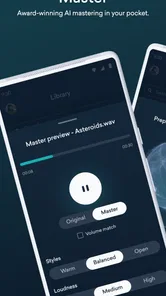
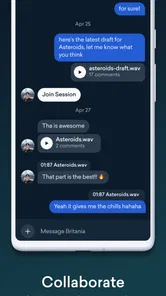
LANDR is a music production and distribution platform designed for independent artists, producers, and musicians. Its main tools include AI-assisted mastering, music release distribution, sample and plugin resources, and collaboration features. After testing the app, it feels most useful for creators who want to prepare tracks for streaming platforms without relying entirely on expensive studio services or complicated desktop software.
Does LANDR automatically master songs professionally?
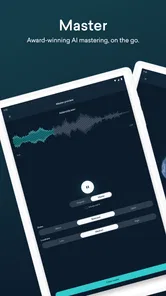
LANDR uses automated mastering technology to analyze a track and create a polished version based on factors such as loudness, dynamics, and tonal balance. It can produce useful results quickly, especially for demos, independent releases, and social media content. However, it should not be treated as a complete replacement for an experienced mastering engineer, since complex mixes may still require manual correction before release.
Pros
- AI mastering delivers polished results in just a few minutes.
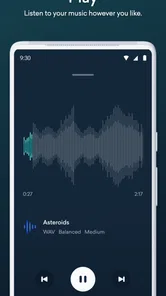
- Supports WAV and other high-quality formats for professional music workflows.
- Built-in release tools can distribute tracks to major streaming platforms.
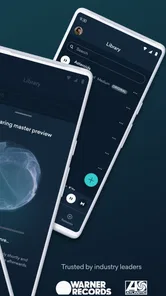
- Cloud storage makes projects accessible across supported devices.
- Useful reference tracks help compare your master with commercial releases.
Cons
- Best mastering results may require experimenting with several intensity settings.
- Distribution and premium mastering features require a paid subscription.
- Uploading large
- lossless files can take time on slower connections.
- Advanced users may find the automated controls less flexible than desktop plugins.
- Some release services and features vary by country and subscription tier.











