

KYOTO Player
- 197.00
- 3.6
- Installs
- 1.00M
- Price
- Free

Screenshots

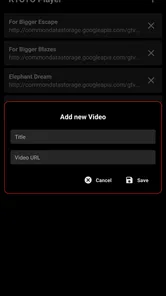
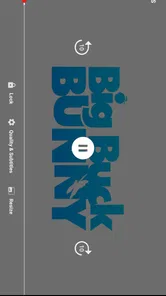
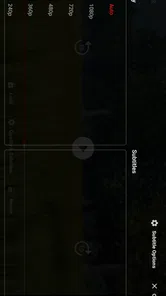
Analysis by Reviewed
I’d start with one important distinction: KYOTO Player is presented as an online video player, so I’d consider it when I want to watch videos through the app rather than assume it is a full replacement for every media tool on my phone. That focused role is useful if I want a separate place for online viewing, but it also means I would keep my usual player for tasks it already handles well.
A straightforward place for online video
The main appeal is easy to understand: I can open a video-focused app when I want to watch something online without making my general library player the center of the experience. In practice, that can make a small but helpful difference when I’m switching between locally stored files and videos I’m viewing over the internet. Keeping those jobs separate makes it easier to return to the right kind of viewing without treating every video as part of one library.
That distinction also sets a sensible expectation. I would not choose KYOTO Player on the assumption that “player” means a broad collection of editing or media-management tools. It sits in the video players and editors category, but its store summary points to online playback. If online viewing is the reason I’m looking for an app, that focus is more relevant than a long list of features I may never use.
For an everyday example, imagine I’m taking a break and want to watch an online clip, then later return to a video saved on my device. A dedicated online player gives me a clear option for the first task, while my existing gallery or file player can remain the simple route for the second. This kind of division is not essential for everyone, but it can make a phone feel less cluttered when different sources of video are mixed together.
Where it fits among other players
Compared with the video app already included on a phone, a separate player is worth trying only if its online-video focus suits the way I watch. The built-in option is often the path of least effort for opening a local file; a streaming service, meanwhile, is usually the natural choice for content inside that service’s own catalog. KYOTO Player makes most sense in the space between those habits: I would test whether it handles my online viewing routine more conveniently, rather than expect it to replace every app that can show a video.
One practical tip is to judge it against a real task, not a quick glance at its icon or name. Try opening the kinds of online videos you actually want to watch, and notice whether the app makes it easy enough to get from choosing a video to settling in to view it. If that path feels awkward, switching back to the browser or the app where you found the video may be quicker. A separate player earns its place by saving friction, not simply by being another option on the home screen.
I would also think about when and where I expect to use it. Online video depends on having a workable connection, so this is a better fit for a break at home or another place where I can comfortably get online than for a commute where I need dependable offline playback. If I often save videos for travel, I would prioritize a player or service that clearly supports that workflow instead of relying on an online-focused app.
More From Our News Desk

 Gmail
GmailGmail in a Busy Inbox: Who Benefits Most?
From first account to crowded workday, Gmail earns its place through dependable search and flexible sorting—but its best fit depends on how much inbox maintenance you can tolerate.

 Prime Video
Switching to Prime Video: What Changes in Your Viewing Routine
Prime Video can make a compelling second home for streaming, but switching means learning a different catalog, rental layer, and route from browsing to playback.

 Universal TV Remote Control
Universal TV Remote Control Works Best as a Reliable Backup
A phone remote earns its place through quick setup and reliable habits. Here is how to get more from Universal TV Remote Control—and where its limits show.

 Weather - By Xiaomi
Weather by Xiaomi Review: Clear at a Glance, Less Clear Up Close
Xiaomi’s weather app makes everyday forecasts quick to scan, but its calm surface can leave useful details and recovery paths harder to find than they should be.

 X
XX Under Pressure: Can It Recover When Posting Goes Wrong?
A resilience-focused review of X, examining setup, mistaken posts, interruptions, weak connections, and the gaps that matter when recovery needs to be dependable.

 Clash of Clans
Clash of Clans Is Won Between the Battles
Its raids are quick; its community is a long-term project of coordination, teaching, rivalry, and shared responsibility—with all the friction that entails.
Latest News



A small test that answers practical questions
When I try an online player, I want to know more than whether a video starts. I check whether I can return to the same viewing routine without having to rethink the process each time. For KYOTO Player, I’d use a short, familiar clip as a test: open it from the place I normally encounter online videos, watch for a moment, leave the app, and then try again later. That gives me a realistic sense of whether keeping a separate player saves effort or simply adds another step.
I’d also pay attention to the handoff between finding a video and watching it. If I usually discover clips in a browser, the useful question is whether using this app feels natural from that starting point. If I have to copy links, search around, or repeatedly switch between apps, the convenience may disappear. I would not assume a particular import method; I’d simply try my normal route and see if it works smoothly enough to become a habit.
A second useful check is to compare a short clip with a longer video. Brief viewing can hide small annoyances because there is little time to notice interruptions in your routine. A longer session makes it easier to judge whether the controls and return path suit how you watch. I’d test this while relaxed rather than during a rushed moment, because a player that feels acceptable when I have time may be frustrating when I only have a quick break.
What Makes KYOTO Player Stand Out?
Let's dive right into what makes the KYOTO Player a must-have on your smartphone. Imagine having an intuitive interface that lets you navigate through your media files with the grace of a seasoned sea captain steering through familiar waters. That’s right, the app’s design is user-friendly, catering to both tech-savvy users and those who have just joined the world of smart devices. It’s like the app understands your needs before you even realize them!
Now, let's talk about its seamless integration. The KYOTO Player doesn’t just play your media files; it elevates your experience. It supports a wide range of formats, which means you can enjoy your favorite tunes or videos without worrying about compatibility issues. Whether you’re a fan of MP3s, MP4s, or even the less common formats, this app has got you covered.
Features That Make You Go "Wow!"
One of the standout features of the KYOTO Player is its playlist creation ability. Picture this: you’re on a long journey, and you want to create a playlist that matches your mood. With KYOTO Player, you can easily organize your media files into playlists, ensuring that your travel vibes are on point.
Moreover, the app includes a handy equalizer, allowing you to customize the sound output to match your unique taste. Whether you’re into bass-heavy beats or prefer a softer acoustic sound, the equalizer is your best friend. It’s like having a mini DJ console right in your pocket!
Another cool feature is the sleep timer. Ever fallen asleep while listening to soothing tunes, only to wake up to the sound of blaring rock music? With the sleep timer, you can set the app to stop playing after a certain period, ensuring that your sleep isn’t rudely interrupted. Sweet dreams guaranteed!
What to keep in mind during everyday use
Those music-focused tools also make the app’s overall role less straightforward than its online-video focus suggests. Playlists, an equalizer, and a sleep timer are most useful when I’m listening for a while, while an online video session is usually about choosing something specific and watching it. I’d treat these as extra reasons to explore the app, not proof that it should replace a dedicated music library or a service I already use every day.
For a practical evening routine, I might use the sleep timer while listening as I wind down, then use the online-video side at another time when I want to watch a clip. The trade-off is that every added use makes it more important to check which part of the app actually works well for me. If I only need a reliable way to open links, music extras may not matter; if I want one app for several casual media habits, they may make a trial more worthwhile.
I’d be cautious about treating format support as a promise that every file or source will behave perfectly. Compatibility can depend on the video or audio itself and how it is accessed. Rather than moving a large collection or changing my routine immediately, I’d start with a couple of files or online videos I already know. That low-effort trial helps me spot whether the app fits my actual material before I rely on it for something important.
My Personal Take
I've been using the KYOTO Player for a couple of weeks now, and it has genuinely transformed my media consumption experience. I love how it blends functionality with simplicity, making it an app that anyone can appreciate. It’s as if the app becomes a part of your daily routine without you even noticing it.
In a world brimming with media players, the KYOTO Player stands out by offering features that are both practical and delightful. It doesn’t just play your media; it enhances it, and that’s what makes it special. So, if you’re on the hunt for a reliable media player, I highly recommend giving KYOTO Player a whirl. Who knows, it might just become your new favorite app too!
Who should give it a try?
I’d put this app on the shortlist for someone who regularly watches online videos and wants a dedicated player to try, especially if their current routine involves bouncing between a browser and a general-purpose player. KYOTO is made by KYOTO, is free, and is rated for Everyone, so there is little commitment involved in testing whether it fits. It has an average rating of 3.9 from around 3,100 ratings, with about 139 written reviews, and more than a million installs. Those figures suggest a modest, established audience rather than a reason to assume it will suit every phone or viewing habit.
The app was released on June 23, 2024, and version 1.1.9 is the current version. It runs on Android 7.0 or newer, which makes it an option for people using older Android devices as well as newer ones. I’d still check how it behaves on the particular phone I plan to use: compatibility is a starting point, while a comfortable viewing routine is what decides whether I keep it.
Who gets the most from a separate player?
I think the strongest fit is someone whose online viewing is scattered across places rather than centered on one subscription catalog. For example, if I take a lunch break and want to watch a clip I have already found, a separate player is worth testing when it makes that viewing feel more deliberate than leaving the clip open among browser tabs. The key benefit is not a larger library; it is having a distinct route for a particular kind of viewing.
Someone who watches almost everything inside a single streaming service will probably gain less. That service already organizes its own shows and films, and its own app is generally the more direct place to resume them. Likewise, a person who mostly watches downloaded files may be better served by the phone’s built-in player or a file-focused alternative. I would choose KYOTO Player for the online part of my routine, not because every video habit needs a dedicated app.
It may also suit a household where different people prefer different ways to watch, provided each person is comfortable trying a separate app. A simple, low-pressure test is to use it for one ordinary viewing occasion rather than migrating all media habits at once. If it feels clearer and quicker, keep it in the rotation; if it makes a familiar task more complicated, there is no reason to force the change.
Make the trial useful
To decide quickly, I’d use the same short routine on several occasions: open an online video I already know I want to watch, pause and resume it, then return to it later in the day. That simple check tells me more than browsing menus without a purpose. I’d also try it on both a strong connection and the connection I typically have when away from home. The difference can reveal whether the app is convenient for my real schedule, rather than just in ideal conditions.
If I’m choosing between KYOTO Player and a familiar streaming app, I’d first ask where the video comes from. A service with its own catalog is usually better for finding and organizing that service’s shows; a browser may be simpler for a one-off link. KYOTO Player is a more plausible choice when I specifically want an online video player as a separate part of my routine. If I mainly watch downloaded files, need offline access, or want editing tools, I’d stick with an option built around those needs.
My recommendation is therefore practical rather than universal: try KYOTO Player if online viewing is a regular task and you want to see whether a dedicated app makes it smoother. Keep it only if it earns a clear place beside the browser, streaming apps, and local-file player you already use. That is the fairest test of a focused player—and a better reason to install it than expecting one app to do everything.
KYOTO Player Frequently Asked Questions
Is KYOTO Player free to download, and what does it cost to use?
KYOTO Player is free to download, so you can try the app without paying an upfront purchase price. Its listed price is free, which is useful to know before installing it. The app is a video player focused on online videos, and the free price makes it accessible to users who want to explore that purpose without first committing to a paid download.
What is KYOTO Player and what platforms is it available on?
KYOTO Player is a versatile media player designed to provide seamless playback of various audio and video formats. It supports high-definition videos and streaming capabilities, making it a popular choice among media enthusiasts. The app is available on both Android and iOS platforms, ensuring a broad reach for users across different devices.
Can KYOTO Player handle multiple file formats?
Yes, KYOTO Player is renowned for its ability to handle a wide range of audio and video file formats. Whether it's MP3, MP4, AVI, or any other popular format, KYOTO Player ensures smooth playback and high-quality performance. This flexibility makes it a preferred choice for users looking to manage diverse media libraries efficiently.
Does KYOTO Player support streaming from online sources?
Absolutely, KYOTO Player supports streaming from various online sources, providing users with access to a vast array of content directly within the app. This feature allows users to stream their favorite shows, movies, and music without the need to download files, making it a convenient option for on-the-go entertainment.
Is there a cost associated with using KYOTO Player?
KYOTO Player offers both free and premium versions. The free version provides basic functionalities, suitable for everyday media playback. However, for enhanced features such as ad-free experience, advanced streaming options, and additional customization settings, users can opt for the premium version, which comes at a reasonable subscription cost.
Pros
- User-friendly interface for seamless navigation.
- High-quality audio playback enhances listening.
- Supports multiple file formats for versatility.
- Customizable themes and appearance options.
- Offline mode for uninterrupted enjoyment.
Cons
- Limited free features compared to other apps.
- Occasional crashes on older devices.
- Premium version is relatively expensive.
- Lacks advanced playlist management tools.
- No integration with popular streaming services.











