Knots 3D
- 1.96K
- 4.9
- Installs
- 1.00M
- Price
- $5.99

Screenshots
Analysis by Reviewed
I think a knot guide earns its place on a phone when it helps at the moment you need it: hands busy, rope in front of you, and no patience for guessing which end goes where. Knots 3D is built around that practical problem. It is a paid Books & Reference app from Nynix LLC, priced at $5.99, and its 4.9 average from around 27,000 ratings suggests that people who want a dedicated visual reference find it useful. I’d consider it less a casual read and more a pocket guide for learning and checking knot techniques.
What the one-time price needs to earn
The clear cost is $5.99. I would treat that as the purchase price for a focused reference tool, rather than assume there is a free tier or any particular subscription arrangement. That distinction matters if you only need one knot for a single task: a free video or a quick web search may be enough. If you expect to return to knot instructions across camping, boating, fishing, crafts, or household jobs, a purpose-built guide has a stronger case for being worth paying for.
The app has been available since January 7, 2012, and its current version is 10.3.0. It is rated Everyone and requires Android 7.0 or later. Those details make it straightforward to assess basic suitability, though age rating is not a promise that every knot is appropriate for every safety-critical use. For climbing, rescue, or load-bearing work, I would learn from qualified instruction and follow the relevant equipment guidance rather than rely on an app alone.
Getting to Know the Ropes
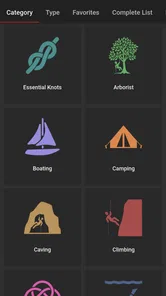
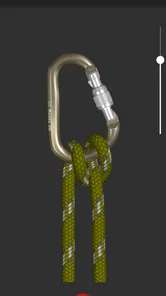
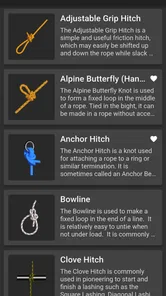
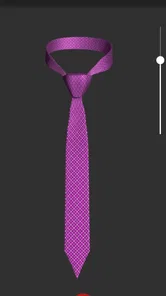
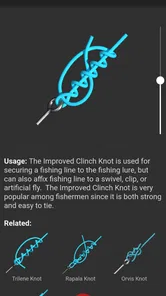
When you first open Knots 3D, you're greeted with a sleek and intuitive interface that just screams, "Let's get knotty!" The app boasts a collection of over 150 knots, each with a detailed 3D animation that you can rotate and zoom. It's like having a personal knot-tying tutor who never judges your fumbling fingers.
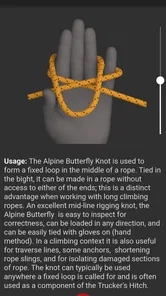
What really sets this app apart is the way it makes the learning process interactive. You can pause and play the animations, follow step-by-step instructions, and even practice tying knots in real-time. It’s like a hands-on workshop minus the pressure of messing up in front of an audience.
Features That Tie Everything Together
One of the standout features of Knots 3D is its comprehensive library. Whether you're a seasoned sailor, a camping enthusiast, or just someone who wants to impress friends with your knot-tying prowess, this app has got you covered. From basic knots like the square knot to more complex ones like the constrictor knot, there's something for everyone.
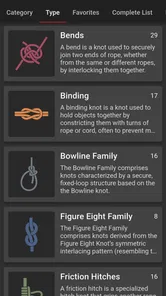
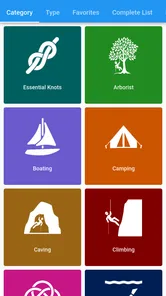
Another nifty feature is the ability to search for knots by category or name. Need a reliable fishing knot? Just type it in, and the app will present you with a selection tailored to your needs. It's like having a knot encyclopedia at your fingertips.
More From Our News Desk

Weather by Xiaomi Review: Clear at a Glance, Less Clear Up Close

X Under Pressure: Can It Recover When Posting Goes Wrong?

Clash of Clans Is Won Between the Battles

Android Auto Makes the Case for Quieter Car Software

MobiOffice: Transforming Mobile Productivity with Seamless Integration

EA SPORTS FC™ Mobile Soccer: Redefining Mobile Sports Gaming
Learning beyond the animation
The most useful way I’d use a 3D view is to stop treating it like a video and inspect the rope’s path. Rotate the model before copying a step, then pause at the point where the working end crosses or passes behind another section. That small habit helps answer a common question: why does a knot that looks right on a flat diagram keep coming out wrong in your hands? The answer is often the direction of a crossing, which a movable view makes easier to check.
I’d also learn one knot at a time with the same cord I plan to use later. First follow the animation slowly, then put the phone aside and try from memory; reopen the instructions only to find the step you missed. This turns the app from a display into a practice reference. A short piece of contrasting cord can make crossings easier to see, while a longer line is more practical for knots that need room to dress and tighten.
A Knotty Adventure
Using Knots 3D is like embarking on a knotty adventure. The app not only teaches you how to tie knots but also provides insights into their history and practical applications. Did you know that the bowline knot has been used for centuries because of its reliability and ease of untying? These little nuggets of information add depth to the learning experience, making it more than just a tutorial.
And let's not forget the app's offline capability. Whether you're out in the wilderness with no signal or just want to disconnect from the digital world, Knots 3D has your back. You can access all the content without the need for an internet connection, ensuring you're always ready to tackle any knotty challenge.
Where a pocket guide beats a quick search
Picture a simple evening task: I’m packing a tent, realize I’ve forgotten how to secure a guyline, and would rather not scroll through several videos with different camera angles and terminology. A searchable knot library is useful here because I can look up a likely knot, inspect its structure, and practice it before I’m outside. The offline access is especially handy once I’m away from a reliable connection; it makes preparation at home and checking in the field part of the same routine.
Compared with a general web search, the app’s advantage is having knot instructions gathered in one place and shown as a manipulable model. A video can be better when I need to hear an instructor explain tension, rope choice, or a safety caveat, while a book can be easier to browse if I prefer still diagrams and notes. I wouldn’t expect the app to replace either source in a high-risk situation. For everyday learning and quick visual reminders, though, its focused format is more convenient than hunting through unrelated results.
Good fit, with sensible limits
This is a strong fit for curious beginners who want to understand how the rope travels, and for campers, anglers, boat owners, and craft hobbyists who need occasional reminders. Experienced knot users may still appreciate the breadth of a reference library, but they may get less value if they already know the handful of knots they use and rarely need to learn more. Likewise, if you learn best from a live teacher correcting hand position, an animated guide cannot give that personal feedback.
One practical limitation is that seeing a knot clearly is not the same as knowing whether it suits a particular rope, material, load, or job. Before relying on a knot, check that it is appropriate for the task and test it safely; do not treat a neat animation as proof of strength. The app can help with the tying sequence, but judgment about real-world use still belongs to the person handling the line.
Making the reference useful in everyday tasks
A practical way to get value from a broad knot library is to build a small personal routine rather than browse at random. When a knot comes up in a project, search by its name if you know it; if you do not, use the category as a starting point and compare the likely options before committing. I would save the name of a knot that worked well in a note outside the app, along with the job and cord I used. That simple record helps distinguish “I tied this once” from “I know which method suited this particular task.”
For example, if I’m preparing a parcel with cord, I can practice a suitable tie on a spare length before using it on the actual package. If it slips or is awkward to undo, I can pause and inspect the crossings instead of tightening harder and hoping. That is a small but important benefit of a visual reference: it encourages me to diagnose the structure. It does not decide whether a knot is appropriate, but it can make practice more deliberate and repeatable.
How it compares with other ways to learn
Most alternatives solve a slightly different problem. A printed knot book can be browsed without a screen and may be easier for someone who likes annotated still images, but a flat illustration can leave the direction of a strand ambiguous. A video gives continuous motion and, when well taught, a human explanation, yet rewinding to a precise crossing or finding a consistent tutorial can take time. A general search is convenient for a single question, but results may vary in terminology and presentation.
The app’s specific strength is the combination of a searchable reference and a model that can be inspected from different angles. That is most useful when the obstacle is spatial understanding, not when the real question is which knot is safest for a particular material or load. I’d use it alongside a trusted book or instructor if I were learning a larger set of techniques, and I’d choose a qualified person over any screen for work where a mistake could cause injury.
Questions worth settling before buying
Is it useful if I am a complete beginner? I think so, provided I’m willing to practice with real cord and not expect the animation to correct my hands. The ability to pause and examine a route can make an unfamiliar sequence less intimidating, but repetition still matters. If I only want a quick answer and dislike hands-on learning, a short demonstration video may be a better fit.
Can it replace an instructor or a safety manual? No. It can show how a knot is tied, but the right choice depends on the job, line, material, and conditions. For a decorative craft or an ordinary household task, a visual reminder may be enough to get started; for climbing, rescue, or other consequential use, I would seek instruction and follow authoritative equipment guidance.
Do I need an internet connection every time I use it? The app’s offline access is a meaningful convenience, so I can consult its content away from a connection. I would still prepare before leaving home: identify the knot I expect to need and practice it in a calm setting rather than first learning it when the weather is poor or my hands are cold.
Is the $5.99 worthwhile if I only need one knot? Probably not for me. A free tutorial or a book I already own may be enough for a one-off job. The purchase makes more sense when I expect to revisit the reference, want to learn several techniques, or value being able to examine the rope path without searching through scattered results.
Who will get the most from it
I’d recommend it most to people who regularly encounter unfamiliar knots but do not need a professional course: campers who want to prepare before a trip, anglers who revisit different line connections, boat owners doing ordinary line-handling tasks, and hobbyists who use cord in their projects. It also suits visual learners who find a still picture hard to translate into a three-dimensional sequence. The ability to replay a step privately is useful when you want to learn at your own pace without feeling rushed.
I would skip it if my knot needs were narrow and predictable, if I strongly preferred a human demonstration, or if I wanted the app to tell me whether a knot was safe for a particular load. The app is a reference, not a substitute for experience or task-specific advice. Its value is strongest when the user already knows the practical context and needs help remembering or understanding the tying sequence.
Wrapping It All Up
In a world where apps come and go, Knots 3D stands out as a timeless tool for anyone interested in the art of knot tying. Its user-friendly interface, extensive library, and engaging features make it a must-have for adventurers and hobbyists alike.
Whether you're tying a knot for fun or out of necessity, this app ensures you do it with confidence and flair. So, why not give it a whirl and see how it transforms your knot-tying skills? You might just find yourself saying, "Knot bad at all!"
My buy-or-skip verdict
With over a million installs and an Everyone rating, it has clearly reached a broad audience, but popularity alone would not decide it for me. I’d pay the $5.99 if I expected to revisit several knots, valued the 3D perspective, or wanted a reference that works offline. I’d skip it if I needed only one basic knot, preferred free tutorials, or required expert guidance for safety-critical work. For the right person, its value is not simply the size of the library; it is the ability to check a rope’s route when memory and flat diagrams are not enough.
Knots 3D Frequently Asked Questions
Is Knots 3D useful for learning before I have any experience with rope?
Yes. Knots 3D is intended to make knot instructions easier to follow by showing the tying process in 3D. You can rotate and zoom in on a knot, then revisit its steps and examine the shape from different angles. That can make it a helpful starting point for someone who has never tied many knots, though practicing with real rope is still important.
Can I practice at my own pace, or do I have to follow a fixed lesson path?
Knots 3D lets you explore individual knot demonstrations and return to instructions when you need another look. This makes it possible to learn at your own pace rather than relying on a single viewing. You can pause to inspect a step, rotate the model, and then try it with rope. The app works as a visual reference, while your own practice helps build familiarity.
How much does Knots 3D cost, and what should I know before buying it?
Knots 3D costs $5.99, so it is worth considering whether its visual knot-tying lessons match what you want from a reference app. Its focus is practical: learning knots through 3D demonstrations rather than reading descriptions alone. The app is rated for Everyone, and it is published by Nynix LLC. Check that your device meets the minimum operating-system requirement before downloading.
What is Knots 3D and how does it work?
Knots 3D is a comprehensive application that allows users to learn and practice tying a wide variety of knots. With a 3D interactive interface, users can rotate and zoom in on each knot to understand the tying process better. This app caters to different skill levels, providing detailed instructions and visual aids to help users master the art of knot tying. Its store summary highlights learning more than 200 knots in 3D, making the app useful as a visual reference as well as a learning aid.
Is Knots 3D suitable for beginners?
Yes, Knots 3D is designed to be user-friendly, making it suitable for beginners as well as advanced users. The app includes step-by-step instructions and detailed animations, allowing beginners to follow along easily. Moreover, users can learn at their own pace and revisit any knot instructions as needed, ensuring a comprehensive learning experience. Being able to examine a knot from different angles can also help when a step is difficult to follow at first.
Pros
- Intuitive user interface for easy navigation.
- Wide variety of knots with detailed instructions.
- High-quality 3D animations enhance learning.
- Offline access for knot tutorials.
- Regular updates with new knots and features.
Cons
- Limited free features; most are paid.
- No community sharing for user-created knots.
- Occasional lag on older devices.
- Requires storage for 3D animations.
- Lacks interactive learning assessments.











