KING 5 News for Seattle/Tacoma
- 1.74K
- 4.0
- Installs
- 100.00K
- Price
- Free

Screenshots

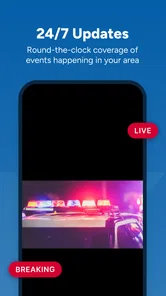
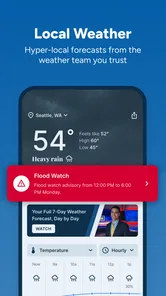


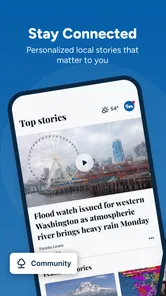
Analysis by Reviewed
When I want a quick view of what is happening around Seattle and Tacoma, I would rather open a local newsroom app than sort through a general national feed. KING 5 News is built for that narrower job: local news, weather, sports, and traffic in one place. I found it most useful when I needed immediate regional context, not an endless stream of headlines from everywhere.
The app is free, aimed at Everyone, and developed by TEGNA. It belongs in the News & Magazines category, with a 4.0 average from around 5.6 thousand ratings and roughly 1.7 thousand written reviews. Those figures suggest a solid, established audience rather than a tiny experiment. It has passed the 100 thousand install mark, and the current release is version 50.21.0 for devices running Android 7.1 or newer.
What KING 5 News feels like in daily use
My first impression was that the app makes more sense as a local utility than as a replacement for every news source. Its value comes from proximity. A national news app may explain a major story, but it will not necessarily tell me how an event affects a commute across the Puget Sound area, whether a local sports result matters to the community, or what weather conditions are developing close to home.
The four main subject areas give the app a practical rhythm. News is useful when I want regional reporting; weather helps with short-term planning; sports serves users following local teams and events; and traffic is the section I would check before leaving for work or an appointment. I do not need all four every time, which is why the focused local approach works better for me than a broad feed packed with unrelated stories.
A realistic example is a weekday morning when I am deciding whether to leave early. I can check the weather first, look for a traffic disruption, and then scan the top local headlines before heading out. That sequence is more useful than opening a general news app, reading an international headline, and still having to search separately for Seattle-area conditions.
The main trade-off is scope. If I want deep national analysis, international coverage, a large opinion section, or a wide range of specialist publications, this is not the app I would choose. Its strength is being close to the region, so users expecting a complete news universe may find the experience intentionally limited.
Trust starts with knowing what the app is for
I think trust is easier to judge when an app has a clear purpose. KING 5 News does not present itself to me as a private journal, a social network, or a universal search engine. It is a local news product from TEGNA, and that gives me a straightforward expectation: I am opening it to read and watch regional coverage, check weather, follow sports, and understand traffic conditions.
More From Our News Desk

Weather by Xiaomi Review: Clear at a Glance, Less Clear Up Close

X Under Pressure: Can It Recover When Posting Goes Wrong?

Clash of Clans Is Won Between the Battles

Android Auto Makes the Case for Quieter Car Software

MobiOffice: Transforming Mobile Productivity with Seamless Integration

EA SPORTS FC™ Mobile Soccer: Redefining Mobile Sports Gaming
That clarity matters because it helps me decide what information I want to share with the app. I would be comfortable using it as a quick information source, but I would still treat any news app as a place where I choose my own level of personalization carefully. I do not need to sign up or customize everything immediately just to see whether the coverage suits me.
The app’s long presence also makes it feel familiar rather than newly launched. It was released on December 17, 2010, and the current version shows that the product continues to be maintained. I would not treat longevity as proof that every aspect is perfect, but it does make the app easier to approach as an established local newsroom companion.
The average rating is respectable, although it is not a reason to stop thinking critically. Ratings tell me that many people find the app useful, while the written reviews can reveal friction that a store score hides. In practice, I would judge it by whether the local coverage, loading behavior, alerts, and presentation fit my routine instead of assuming the rating guarantees a flawless experience.
What I can verify before giving the app more access
One of the most important habits with any news app is to examine the choices shown during setup rather than tapping through automatically. With KING 5 News, I would pay attention to whether the app asks for notification permission, location access, or other device privileges, and I would make each decision based on how I plan to use it. A person who only wants to read articles may not need every optional convenience.
That approach is especially sensible for local news because some features can be useful without being essential. Weather and traffic are more relevant when the app can tailor information to a place, but I may prefer to enter or select a location myself if that option is offered instead of granting continuous location access. The practical question is not whether a permission sounds convenient; it is whether the benefit is worth the access on my particular phone.
I also look for visible controls inside the app and in Android settings. Notification permission can usually be adjusted at the operating-system level, so I can allow alerts only if they genuinely help me. If breaking headlines become distracting, I would reduce or disable them rather than uninstalling the app immediately. That is a small but important form of user control.
Because the app is free, I would be especially attentive to the choices around personalization and advertising wherever they appear. Free news services commonly need a sustainable business model, but I still want clear explanations and understandable controls. I would not assume that free means private, nor would I assume that a permission request is automatically unreasonable. I would read the wording, check the Android permission screen, and revisit settings when my habits change.
Another useful step is to keep the app updated through the official store. Version 50.21.0 is the current release listed for this review, and updates can change layouts, controls, compatibility, or permission prompts. I would recheck settings after a substantial update instead of assuming that an old choice still reflects how I want to use the app.
Data-sensitive moments deserve a slower decision
The most sensitive moment for me would be enabling location-related access for weather or traffic. Location can make regional information more convenient, but it also connects the app more closely to my movements. If I am mostly interested in Seattle and Tacoma generally, selecting a fixed area or checking conditions manually may be a better balance than allowing access all the time.
I would also think carefully about notifications. A weather warning or major traffic interruption can be genuinely useful, especially when I am commuting. At the same time, frequent headline alerts can create pressure to open the app repeatedly. I prefer a small, purposeful set of alerts rather than granting every notification category and discovering later that my phone is constantly buzzing.
Account-related prompts are another point where I would pause. If the app offers optional registration for a more personalized experience, I would first use the basic product and decide whether the extra control is worth creating an account. I would avoid entering personal details simply because a prompt appears. The best workflow is to understand what the account adds, whether it can be removed, and which parts of the app remain available without it.
I would apply the same caution to sharing information through any interactive feature. A local news app may encourage feedback, comments, or sharing, but I would remember that a public contribution is different from private reading. I would avoid posting identifying details about my home, commute, family, or current location unless there is a clear reason to do so.
These are not accusations about KING 5 News; they are sensible boundaries for using a free, connected mobile service. I can evaluate the visible permission prompts, privacy explanations, account screens, and settings directly on my device. If those choices are clear, I feel more comfortable. If a prompt is vague or difficult to decline, I treat that as friction and limit access until I understand it.
How much control does the reader really have?
For me, user agency begins with the ability to use the app on my own terms. I want to decide which sections I read, whether alerts reach me, whether location is enabled, and whether I create an account. A local news app is most helpful when it supports quick checking without making personalization feel compulsory.
My preferred setup would be conservative at first. I would install the free app, browse the news, weather, sports, and traffic areas, and then enable only the notifications that solve a real problem. I would leave location disabled until I know whether manual regional selection is adequate. After a few days, I could make an informed decision based on convenience rather than guessing during the first launch.
This staged approach also helps separate the app’s editorial usefulness from its optional extras. If I enjoy the local coverage but do not want alerts, I should still be able to keep using it as a reading tool. If I need traffic information every morning, I can decide whether a more tailored experience justifies the additional access. The important point is that one decision should not force all the others.
I would also keep an eye on battery use, mobile data, and interruption levels during normal use. Video-heavy news coverage can be less comfortable on a limited data plan, so I would prefer Wi-Fi for longer viewing and use headlines or short checks when I am away from home. This is not a reason to reject the app, but it is a practical consideration for anyone who expects to consume a lot of local coverage on cellular data.
People who share a device with family members should consider notification previews as well. A headline appearing on a lock screen can reveal what someone is reading or expose sensitive news topics. Adjusting preview behavior in Android settings is a simple way to retain the useful alerts without displaying their full content publicly.
Where it beats general alternatives, and where it does not
Compared with a national news aggregator, KING 5 News gives me a more focused starting point for Seattle and Tacoma. I spend less time filtering out stories that do not affect my area, and the combination of weather and traffic makes it more practical for daily planning. A general aggregator is better when I want multiple publishers, broader viewpoints, or a single place for national and international news.
Compared with a weather-only app, this one is more rounded. I can move from conditions to local reporting without changing apps. The specialist weather app may still be better for detailed forecasts, maps, alerts, or technical meteorological tools, depending on what I need. I see KING 5 News as a convenient local overview rather than a replacement for every dedicated service.
Compared with social media, the app is a calmer way to check regional information because I am not depending entirely on an algorithmic stream or user reposts. Social platforms can surface eyewitness material quickly, but they can also mix rumors, commentary, and unrelated posts. I would use them as an additional source, not as my only way to understand a developing local event.
Compared with a mobile browser, the app should be more convenient for repeated checks, especially when I want a familiar local destination. The browser is still preferable if I want to avoid installing another app, limit permissions, or compare several publishers in separate tabs. For occasional readers, the browser may be enough; for someone who checks regional news most mornings, the dedicated app is easier to build into a routine.
Who will get the most from it
I would recommend KING 5 News to Seattle and Tacoma residents who want one free place for regional headlines, weather, sports, and traffic. It is also a sensible choice for commuters, people settling into the area, and anyone who wants local context without building a complicated collection of separate apps.
It can also help someone who is tired of national feeds that bury nearby information. The app’s focused subject mix means I can open it with a specific purpose: check the morning conditions, scan local developments, or see whether traffic could change my route. That kind of short session is where I think it works best.
I would be more cautious about recommending it to readers who require a broad range of independent publications, extensive international reporting, or highly specialized weather tools. It is also not the ideal choice for someone who dislikes notifications and does not want to review permission prompts. Those users may prefer a browser or a more minimal reading setup.
Families should find the Everyone age rating reassuring for general access, while still remembering that news itself can cover difficult subjects. I would use the app’s notification controls and device settings to decide how much content appears on shared screens or around younger users.
My cautious verdict after using it
I see KING 5 News as a useful local companion, not an all-purpose news replacement. Its strongest quality is the combination of regional news with weather, sports, and traffic, giving me several reasons to return without forcing me into a broad national feed. The free price removes the biggest barrier to trying it, and the established product history makes it a reasonable option for regular local checks.
My recommendation comes with a clear condition: I would install it, explore the basic sections first, and make deliberate choices about notifications, location, accounts, and any other permissions shown on my device. The best experience is the one where convenience does not quietly replace your control. I would also compare its coverage with other reputable sources when a story is important, rather than treating one app as the entire picture.
For my routine, the app earns a place when I need quick Seattle or Tacoma context before work, during a commute, or while planning the day around changing conditions. I would skip it if I wanted a global newsroom, a specialist forecasting tool, or the smallest possible app footprint. For readers who understand that distinction and review the visible choices carefully, this free local news app is worth trying.
KING 5 News for Seattle/Tacoma Frequently Asked Questions
What devices and operating systems can run KING 5 News?
KING 5 News is a mobile app for Android and iOS, and its minimum operating-system requirement is version 7.1. Before downloading, check that your device meets that requirement and has enough space to install the app. Keeping your operating system up to date can also help with compatibility and security when using news, weather, and video features.
Who develops the KING 5 News app?
The app is developed by TEGNA, the company behind KING 5’s local news coverage. Its focus is Seattle, Tacoma, and surrounding Western Washington communities, with news, weather, sports, and traffic content. If you are looking for local reporting from the KING 5 newsroom in a mobile format, this is the station’s app rather than a general-purpose national news reader.
What is the KING 5 News for Seattle/Tacoma app?
KING 5 News is a local news application focused on Seattle, Tacoma, and surrounding communities in Western Washington. It brings together current headlines, breaking news alerts, weather forecasts, traffic information, videos, and reporting from the KING 5 newsroom. The app is useful for keeping up with regional events without needing to visit the station’s website or watch live television.
What type of content can I find in the KING 5 News app?
The app typically includes local and regional news, national stories with a Washington connection, weather forecasts, radar updates, traffic reports, sports coverage, investigative articles, lifestyle features, and video clips. Depending on the current news cycle, you may also find live coverage, election information, community stories, and updates about emergencies or major events affecting Seattle, Tacoma, and nearby areas.
Does KING 5 News provide weather and traffic information?
Yes. Weather and traffic are two of the app’s most practical features for people living in or traveling around the Seattle-Tacoma area. Users can check forecasts, severe-weather updates, radar imagery, and other local conditions. Traffic coverage may include commute reports, road closures, accidents, and transportation disruptions, although the availability and detail of updates can vary by location and event.
Pros
- Local coverage focused on Seattle
- Tacoma
- and surrounding communities.
- Breaking-news alerts help users stay informed about urgent regional events.
- Includes weather forecasts
- radar
- and severe-weather updates.
- Video reports make major stories easier to follow on mobile devices.
- Covers traffic
- sports
- investigations
- and community news in one app.
Cons
- Some alerts may feel frequent or less relevant to your specific location.
- Content is primarily regional and offers limited national news coverage.
- Video streaming can consume substantial mobile data.
- Advertising may interrupt browsing or appear alongside news content.
- Certain features may require a stable internet connection to work properly.













