KARE 11 News
- 920.00
- 4.2
- Installs
- 100.00K
- Price
- Free

Screenshots

Analysis by Reviewed
I found KARE 11 News most useful when I wanted local Twin Cities information without sorting through a national news feed first. It is a free news and magazines app from TEGNA, built around regional reporting, live video and weather. That focus gives it a clear purpose: this is not trying to be a complete replacement for every news source on a phone, but it can become a practical daily check-in for people who live in or regularly travel around the Twin Cities.
After spending time with it, my impression is that its value depends heavily on how local your needs are. If you care about nearby weather changes, developing regional stories and live coverage, the app feels more relevant than a general news reader. If you mainly want international headlines, deep analysis or a highly customizable reading experience, another app will probably suit you better. The most interesting part of KARE 11 News is not simply that it delivers news; it is how its local focus affects readability, attention, accessibility and everyday usefulness.
How KARE 11 News works for different readers and situations
I find the app most useful when I have a specific reason to check what is happening around the Twin Cities, rather than when I want to browse news without a destination. In this section, I’ll look at how that local focus fits different routines and reader needs, including when a broader news source may be the better companion.
Readability starts with a focused local front page
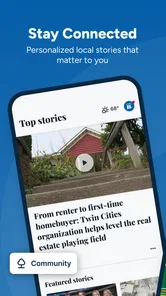
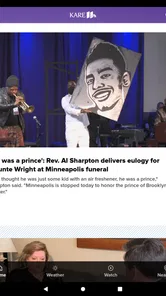
The first strength I noticed is the app’s editorial focus. Instead of opening into an enormous stream where local stories compete with national politics, entertainment and business headlines from everywhere, KARE 11 News keeps the Twin Cities at the center. That makes the initial decision about what to read easier. I can scan for a nearby story, a weather update or live coverage without spending much time filtering out subjects that do not affect my day.
This kind of focus is especially helpful for readers who become overwhelmed by crowded news applications. A general-purpose aggregator may offer more sources, but it also asks the user to manage more categories, publishers and alerts. KARE 11 News takes the opposite approach. Its identity is narrower, and that narrowness can make the experience calmer for someone who wants a local briefing rather than an endless information stream.
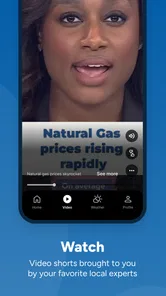
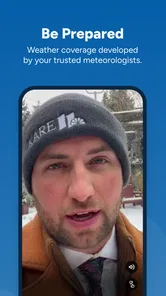
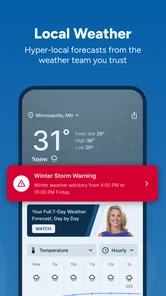
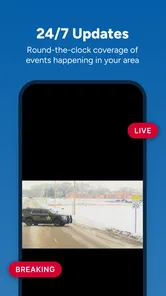
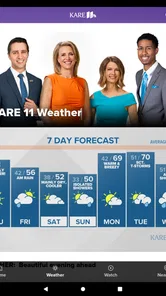
The app’s store summary points to live video and weather alongside the latest Twin Cities news, and those three areas make sense together in everyday use. I might read a short update in the morning, check weather before leaving, and return later when a story is developing. That is a more practical rhythm than treating the app as a place for long reading sessions.
One useful habit is to use the written story as the quick entry point and treat live video as a deeper update when the subject matters. Video can add context during a developing event, but it is not always the best format when I am in a quiet workplace, on public transport or dealing with a weak connection. The app is more flexible when I choose the format based on the situation instead of expecting every update to work equally well in every setting.
More From Our News Desk

Weather by Xiaomi Review: Clear at a Glance, Less Clear Up Close

X Under Pressure: Can It Recover When Posting Goes Wrong?

Clash of Clans Is Won Between the Battles

Android Auto Makes the Case for Quieter Car Software

MobiOffice: Transforming Mobile Productivity with Seamless Integration

EA SPORTS FC™ Mobile Soccer: Redefining Mobile Sports Gaming
Navigation is clearest when I have a specific reason to open it
I would describe the navigation experience as purpose-driven rather than exploratory. I open KARE 11 News with a question: What is happening locally? Is the weather changing? Is there live coverage worth watching? That mindset works well because the app’s regional identity gives each visit a clear starting point.
For a first-time user, the most useful approach is to spend a few minutes identifying where written reports, video and weather are placed before an urgent situation occurs. That small preparation matters. When people are checking information during a storm, commute disruption or fast-moving local event, they should not have to learn the layout at the same time. Familiarity also helps users who prefer predictable routines or who need extra time to locate controls.
The trade-off is that users looking for broad discovery may find the experience less satisfying than a national aggregator. A large news platform is better at connecting local stories to wider context and at presenting many publishers in one place. KARE 11 News is better when the local source itself is the priority. I would not install it expecting a personalized reading ecosystem with every possible topic; I would install it as a direct route to Twin Cities coverage.
The app is rated at 4.2 on average from around 2.9 thousand ratings, which suggests that many users find the core purpose worthwhile while still leaving room for mixed experiences. I would read that as a reason to judge it by your own routine rather than by the number alone. For someone outside the region, the local focus may feel limiting. For a resident, that same focus is the main reason to keep it installed.
Text, video and weather serve different sensory preferences
Accessibility is not only about whether an app technically opens. It is also about whether people can choose a comfortable way to receive information. KARE 11 News has a useful basic advantage because its subject matter can be approached through more than one format: written reporting, live video and weather information. A reader who cannot concentrate on video at a particular moment can look for text, while someone who understands a developing story more easily through spoken or visual coverage may prefer live video.
That flexibility is valuable in ordinary situations. I may be walking through a noisy area and prefer a quick visual scan, or I may be at home and have enough attention for a video report. Someone with sensory sensitivities may also appreciate being able to avoid automatic dependence on one presentation style, although the comfort of video, sound and motion will vary from person to person.
There are practical limits. Video is not automatically accessible simply because it is available, and the experience can be less suitable for people who need captions, transcripts, adjustable playback or a quiet reading environment if those controls are not present or easy to find. I would check the current in-app presentation on the device I plan to use rather than assume that every report offers the same level of support. The app’s value is strongest when the user can select between formats without being forced into one.
For readers with visual fatigue, a short local update may be easier than a long national news article because the purpose is immediate and the subject is familiar. Still, the app should be used alongside the phone’s own display tools when needed. Increasing system text size, using a stronger contrast setting or enabling a screen reader can make a meaningful difference, but the result depends on how individual screens and media elements respond. I see those tools as helpful companions, not as proof that every part of the app will be equally comfortable.
Motor access matters most during quick checks
News apps are often used with one hand, while standing, carrying a bag or moving between tasks. That makes motor effort more important than it first appears. KARE 11 News is most convenient when I can complete a quick check without repeatedly tapping through layers. A local weather glance or a short headline review should fit naturally into a busy routine.
People with limited dexterity may prefer using the app when seated and unhurried, especially if they want to open video or move between sections. A useful personal workflow is to avoid trying to explore everything during a time-sensitive moment. I would open the app earlier, locate the areas I use most and keep the phone positioned where accidental touches are less likely. This is a small adjustment, but it reduces frustration when attention is already divided.
There is also a trade-off between live coverage and motor simplicity. Live video can be valuable, but media controls may require more precise interaction than reading a headline. If I only need the essential facts, text is usually the lower-effort choice. If I need a fuller sense of what is happening, video may justify the extra interaction. That distinction helps users choose the least demanding format that still answers their question.
Voice control and system-level accessibility features may help some people operate the app, but I would not treat them as a complete substitute for clear in-app controls. A user who relies on switch access, screen reading or other assistive methods should test the sections they expect to use most, particularly weather and live video. The app can be part of an accessible news routine, but the quality of that routine will depend on the phone, settings and the user’s preferred method of interaction.
Situational access is where the local focus becomes practical
The strongest everyday scenario for me is a morning commute during uncertain weather. I can use the app to check the local forecast before leaving, scan for a regional update and decide whether live coverage is relevant. That is more useful than opening a broad news service and manually searching for Twin Cities information. The app does not need to become my entire news diet to earn a place on my phone; it only needs to make local decisions easier.
Another good use is during a developing regional event when a familiar local newsroom may be more relevant than a national feed. Live video can provide a sense of immediacy, while written coverage may be easier to revisit later. I would still compare important claims with other reliable sources before making a serious decision, but the app can serve as a fast local starting point.
It also works for people who want a simple routine rather than constant alerts and endless updates. Opening the app at a chosen time can be less distracting than receiving news from many unrelated services throughout the day. This is particularly helpful for users who manage attention carefully or who find high-volume notifications stressful. The best experience comes from deciding when local news is useful instead of allowing every update to interrupt the day.
Travelers and former Twin Cities residents may also find a limited but meaningful role for it. If I am away from the area but still care about local conditions, the app provides a direct connection to regional coverage. However, it is not the ideal companion for someone who needs detailed information about several cities at once. A national or multi-region news service will be more efficient for that purpose.
The app is free and carries an Everyone age rating, so it is easy to consider for a shared household device or for younger readers who want local awareness with adult guidance about interpreting news. Free access lowers the barrier to trying it, but it also means I would evaluate how well it fits my attention and reading habits rather than assuming that installation alone solves my information needs.
What can still create friction
The biggest limitation is the same feature that makes the app distinctive: its geographic concentration. If I want national reporting, international coverage, specialist publications or a carefully blended reading list, I need another service. KARE 11 News is not a universal replacement for a news aggregator, a newspaper subscription or a weather-only tool. It is more focused and therefore less comprehensive.
Video can also be inconvenient in places where sound is inappropriate, mobile data is limited or attention must remain on another task. I would not rely on a live report while driving, and I would avoid assuming that streaming is the quickest route to an answer. A short written update or a weather check may be more responsible and more efficient. This is an important distinction: having live coverage available does not mean it is the right format for every moment.
Readers who need highly personalized presentation may encounter another limitation. The app’s central value is its local newsroom content, not an elaborate system for reshaping every part of the feed around individual interests. Someone who wants extensive topic controls, multiple publication viewpoints or a carefully tuned reading queue may feel more comfortable with a dedicated aggregator.
There is also a difference between being able to access content and being able to access it comfortably. People who need consistent captions, transcripts, enlarged controls or particularly strong screen-reader support should test the exact content types they depend on. Written stories may be easier than live video, and a weather screen may feel different from a headline list. I would make that test before relying on the app as the only source of urgent information.
On the technical side, the current version is 50.23.2 and the app supports Android from 7.1 onward. That makes it relevant to some older devices, but compatibility alone does not guarantee a smooth experience on every handset. Performance, display size, system settings and connection quality can all affect how comfortable the app feels. Users with older phones should give special attention to video behavior and general responsiveness before making it their primary local news tool.
Who should use it, and who should look elsewhere?
I would recommend KARE 11 News to Twin Cities residents who want a direct local news habit, especially people who value regional weather and the option of live coverage. It is also a sensible secondary app for anyone who already uses a broader news service but wants a faster way to reach local reporting. The fact that it has more than 100 thousand installs shows that it has found an audience beyond a tiny niche, while its usefulness still depends on living in, visiting or caring about the area.
I would be more cautious about recommending it to someone who rarely follows local news, lives far outside the Twin Cities or wants one application to cover every major world event. That person will probably get more value from a general news reader. I would also suggest comparing it with a weather-focused app if weather is the only reason for the download, since a specialist tool may offer a more concentrated forecast workflow.
For families, the Everyone rating makes the app approachable, but I would still encourage parents to discuss the difference between a headline, a live report and verified information from multiple sources. For older adults or readers who prefer straightforward local updates, the focused subject matter may be easier to understand than a crowded national feed. For users with disabilities, I would frame it as potentially useful rather than universally accessible: the multiple content formats help, but the real test is whether the person’s preferred assistive setup works comfortably.
My inclusive verdict after using the app
KARE 11 News succeeds because it knows what it is for. It gives Twin Cities news, weather and live video a single local home, and that can remove unnecessary searching from a daily routine. I appreciate that I can choose between quick reading and more immediate video depending on my attention, environment and need for detail. That choice also gives the app a reasonable foundation for different abilities and contexts, even though individual accessibility needs still require testing.
My advice is to use it as a focused local companion rather than as your only news source. Build a simple routine around the sections that genuinely help you, use text when you need quiet and low-effort access, and reserve live video for moments when its immediacy adds something. If your phone’s accessibility settings are important, test written stories, weather and video separately instead of judging the whole app from one screen.
TEGNA’s app is free, and its local purpose is clear enough that trying it costs little beyond storage and attention. I would keep it installed if Twin Cities information affects my day, particularly when nearby weather and developing regional coverage matter. I would skip it if I wanted a broad, deeply customizable news library. For local readers who value clarity over endless choice, its focused approach is the reason to recommend it.
KARE 11 News Frequently Asked Questions
Who is KARE 11 News intended for?
KARE 11 News is aimed primarily at people who want news and weather coverage from the Twin Cities and nearby Minnesota communities. It may also suit former residents or anyone following local developments from elsewhere, provided they have an internet connection. The app focuses on regional reporting rather than serving as a general national-news destination, so its appeal depends on your interest in this area.
What is the KARE 11 News app?
KARE 11 News is the mobile application for the NBC affiliate serving Minneapolis–Saint Paul and surrounding Minnesota communities. It provides local and regional news, weather forecasts, radar information, traffic updates, live coverage, video reports, and alerts. After installing it, users can browse the latest headlines, watch selected stories, and follow breaking developments from a phone or tablet.
Does KARE 11 News provide live weather and severe-weather alerts?
Yes. Weather is one of the app’s main features, with current conditions, forecasts, radar views, and information about storms affecting the local coverage area. Users may also receive push notifications for severe weather and other urgent updates. Availability and alert behavior can depend on device permissions, location settings, internet access, and the app’s current configuration.
Can I watch live news or video reports in the KARE 11 News app?
The app includes video content and may offer live news coverage or special streams when KARE 11 makes them available. It is useful for watching reports, interviews, weather segments, and breaking-news coverage without opening a television. However, live streams are not guaranteed at every moment, and some content may be limited by location, programming rights, or technical availability.
Is the KARE 11 News app free to download and use?
KARE 11 News is generally available as a free download for compatible Android and iOS devices. Most news articles, weather information, videos, and alerts can typically be accessed without a subscription, although mobile data charges may apply when using cellular networks. The app may contain advertising, and features or content can change with future updates.
Pros
- Fast access to breaking news and local updates in Minnesota.
- Live weather forecasts
- radar
- and severe-weather alerts are easy to find.
- Video reports provide useful context beyond short written articles.
- The app covers traffic
- sports
- and community stories in one place.
- Push notifications can keep users informed about important local events.
Cons
- Some alerts may feel frequent
- especially during busy news cycles.
- Advertising can interrupt browsing and take up noticeable screen space.
- Coverage is mainly focused on the Minneapolis–Saint Paul area.
- Video and live-stream features may use significant mobile data.
- Some content may require a stable connection to load smoothly.













