

JGGL: AI Music & Video Maker
- 13.00
- 3.3
- Installs
- 50.00K
- Price
- Free

Screenshots
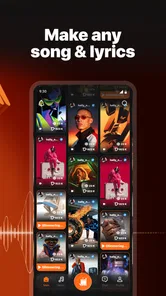
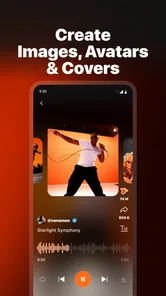
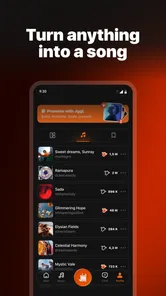
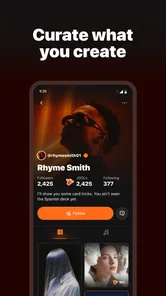
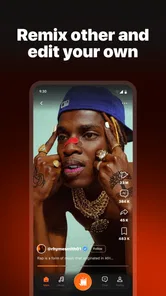
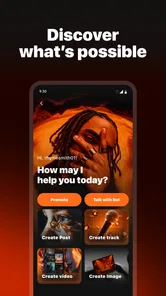
Analysis by Reviewed
I approached JGGL: AI Music & Video Maker as a creative tool for people who want to turn an idea into something listenable or watchable without opening several separate apps. It sits in the Music & Audio category, but its scope reaches beyond simple playback: the concept combines AI-assisted music, video, image, and voice creation in one mobile workspace. That makes it interesting for quick experiments, social posts, short presentations, and personal projects.
My first impression is that this is not aimed at replacing a full desktop production suite. Its appeal is speed and convenience. You can begin with a rough concept rather than a polished script, melody, image brief, or recording plan. The trade-off is that AI creation depends heavily on the quality of your instructions, your patience with revisions, and the conditions under which you use the app. A strong connection can make the experience feel immediate; a weak one can turn a creative session into repeated waiting and uncertainty.
How JGGL feels when creativity depends on a connection
The developer behind the app is JGGL.AI, and the current release is version 1.0.10. I would describe it as an early-stage creative companion rather than a mature studio environment. That distinction matters because users may arrive expecting the control found in dedicated audio editors, video timelines, image generators, or voice-production software. The attraction here is having several creative directions gathered together, not having the deepest controls in each one.
Because the app is built around AI generation, network conditions shape more than downloading a finished file. The important moments are usually the requests that need to be processed, the previews that have to appear, and the revisions that follow when the first result is close but not quite right. When the connection is stable, the process encourages experimentation: I can adjust a mood, change a visual direction, or rethink a spoken element without rebuilding everything manually.
That convenience also changes how I plan a session. I would not treat this like a traditional recorder where I can confidently work through a long sequence and worry about exporting later. Instead, I would make smaller creative decisions, check each result, and save anything important as soon as it is usable. This approach reduces the frustration of losing momentum if a request takes longer than expected or a connection becomes unreliable.
The most useful mindset is to treat each AI result as a draft, not a final master. That sounds obvious, but it affects the entire workflow. A generated song idea may be useful as a starting point without matching a precise musical brief. An image may establish a visual mood while still needing selection and editing elsewhere. A voice result may help with a rough narration concept but require careful listening before it is used publicly.
Where the app is genuinely useful on a phone
I can see the strongest everyday use case in short bursts. Imagine planning a small event and needing a background music idea, a simple announcement voice, and a matching visual for a message. With a conventional workflow, I might jump between a music tool, an image generator, a video editor, and a voice app. JGGL can serve as the first creative stop, helping me explore the direction before I decide whether a separate specialist tool is necessary.
More From Our News Desk

 Gmail
GmailGmail in a Busy Inbox: Who Benefits Most?
From first account to crowded workday, Gmail earns its place through dependable search and flexible sorting—but its best fit depends on how much inbox maintenance you can tolerate.

 Prime Video
Switching to Prime Video: What Changes in Your Viewing Routine
Prime Video can make a compelling second home for streaming, but switching means learning a different catalog, rental layer, and route from browsing to playback.

 Universal TV Remote Control
Universal TV Remote Control Works Best as a Reliable Backup
A phone remote earns its place through quick setup and reliable habits. Here is how to get more from Universal TV Remote Control—and where its limits show.

 Weather - By Xiaomi
Weather by Xiaomi Review: Clear at a Glance, Less Clear Up Close
Xiaomi’s weather app makes everyday forecasts quick to scan, but its calm surface can leave useful details and recovery paths harder to find than they should be.

 X
XX Under Pressure: Can It Recover When Posting Goes Wrong?
A resilience-focused review of X, examining setup, mistaken posts, interruptions, weak connections, and the gaps that matter when recovery needs to be dependable.

 Clash of Clans
Clash of Clans Is Won Between the Battles
Its raids are quick; its community is a long-term project of coordination, teaching, rivalry, and shared responsibility—with all the friction that entails.
Latest News



It also suits people who are more comfortable describing an idea than operating a timeline. A beginner can think in terms of atmosphere, subject, tone, or intended audience instead of learning several editing panels immediately. That lowers the barrier to making a first draft. The result may not be professionally finished, but it can answer an important question quickly: is this idea worth developing?
For social content, I would use it to create variations rather than one supposedly perfect asset. A creator could test a calmer visual mood against a brighter one, or compare a short spoken approach with a music-led version. The practical advantage is not just generation; it is the ability to explore alternatives while the idea is still flexible.
On the other hand, I would skip it as my only tool for a detailed music arrangement, precise sound design, complex editing, or a project that depends on exact timing. A dedicated audio workstation gives much finer control over tracks, transitions, levels, and revisions. A professional video editor is better when every frame matters. JGGL makes more sense at the concept and draft stages, or for users whose priority is convenience over granular control.
What mobile use changes in practice
Using a creative AI app on a phone is appealing because ideas arrive anywhere. I might be on a commute, waiting between appointments, or sitting with a notebook and suddenly think of a short audio identity for a project. The phone is already available, so the distance between the idea and the first experiment is small.
That same convenience creates practical limits. A compact screen is fine for entering a prompt or reviewing a quick result, but it is less comfortable for comparing many versions, checking detailed visual continuity, or judging audio with confidence. I would use headphones when evaluating voice or music, especially if the result will be shared. Phone speakers can hide problems in balance, harshness, or low-frequency detail.
There is also a difference between creating while moving and creating while settled. In a quick mobile session, I would keep prompts focused and avoid starting a large chain of dependent tasks. I would first establish the main idea, then refine one element at a time. This prevents the common problem of making several changes at once and no longer knowing which instruction improved or weakened the result.
A useful workflow is to keep a small text note with the wording that produced a promising result. AI tools can be sensitive to phrasing, and recreating a good direction from memory is inefficient. I would record the key subject, mood, style, and exclusions in my own notes, then reuse that structure when trying another version. This is especially helpful when moving between music, image, video, and voice concepts.
For longer sessions, battery and mobile data become part of the creative decision. Generation, previews, and repeated attempts can be more demanding than ordinary reading or messaging. I would begin substantial work on a reliable Wi-Fi connection and reserve mobile data for small experiments. That is not a criticism unique to this app; it is simply the reality of using cloud-oriented creative tools away from a stable network.
When a request stalls or the result needs another attempt
AI workflows rarely feel as predictable as opening a local file. A request may take time, a preview may need to be refreshed, or the first result may be technically complete but creatively unsuitable. With JGGL, I would plan for iteration instead of assuming that one instruction will deliver a finished piece.
If a generation appears stuck, my first response would be to avoid immediately repeating the same request several times. I would check the connection, wait briefly, and then try a simpler version of the idea. Shorter instructions can make it easier to identify whether the problem is the request itself or the network. I would also avoid changing every creative variable at once, because that makes recovery harder and wastes attempts.
When a result is weak, I would revise with a specific correction. Instead of asking for something “better,” I might clarify the intended mood, audience, pace, subject, or level of energy. This is one of the most important practical lessons for newcomers: the app can help shape an idea, but it cannot replace a clear creative brief. Better input usually produces a more useful comparison between versions.
I would also save successful outputs promptly rather than leaving them only inside an active session. A phone can lose connectivity, close an app, or run short on available space at an inconvenient moment. Keeping copies of the results that matter gives me a recovery point and lets me continue editing with another tool if necessary.
There is a second form of recovery that is easy to overlook: returning to the original purpose. If I have generated many alternatives, I can become focused on novelty instead of usefulness. For a short announcement, the clearest voice may be better than the most unusual one. For background music, a restrained arrangement may serve the video better than a dramatic result. I would judge each output against the project, not against the excitement of seeing something new.
Managing mobile data, storage, and expectations
The app is free to install, which makes trying it relatively approachable, but it includes in-app purchases ranging from $1.09 to $599.99 per item. That broad range is a reason to slow down before committing to repeated creation. I would inspect the purchase prompt carefully and decide what I am comfortable spending before treating the app as part of a regular workflow.
For a data-conscious user, the safest habit is to experiment on Wi-Fi when possible and avoid generating multiple variations without a clear reason. A single focused attempt is easier to evaluate than a large pile of similar results, and it is kinder to both a limited data plan and the phone’s storage. I would also review finished files and remove failed drafts once I know they are not useful.
Connectivity can affect the app in less obvious ways too. If I am working in a place with inconsistent reception, I would avoid making a deadline-dependent project rely entirely on a new generation. The sensible plan is to create the core material earlier, keep local copies of approved results, and use the app on the move for brainstorming rather than final delivery.
This is where JGGL differs from a conventional offline music editor. A local editor may be slower to learn but offers a more predictable relationship with files already on the device. JGGL offers broader AI-assisted exploration, yet the experience is more dependent on processing conditions and the quality of each request. Neither approach is automatically better; the right choice depends on whether I value rapid ideation or precise, dependable manual control.
Who will get the most from the app
I think the best audience is curious beginners, casual creators, small project owners, and anyone who wants to test an idea before investing time in specialist software. It can be useful for a person preparing a short social clip, a student shaping a presentation concept, or a hobbyist looking for a starting point for music and visuals. The combination of media types is its most distinctive practical advantage.
It may also help people who feel blocked by a blank page. Starting with a generated direction can make it easier to decide what to keep, remove, or rewrite. I would not hand over the entire creative process, but I would use the app as a prompt generator with outputs attached. That keeps my own judgement in charge while still benefiting from fast experimentation.
I would recommend caution for professionals who need reproducible results, detailed rights management, exact technical specifications, or a fully controlled production chain. They may find a specialist tool more suitable, especially when a client expects precise revisions. The app can contribute ideas to that workflow, but I would not assume that an AI draft is automatically ready for commercial publication or formal delivery.
The Teen content rating also gives families a useful starting point for deciding whether the app fits a younger user, but I would still encourage supervision around generated material, spending, and public sharing. Creative tools can produce surprising results, and a young user may not always recognize why a generated voice, image, or song needs review before it is posted.
What the current release says about value
JGGL has an average rating of 3.3 from around one hundred ratings, with a smaller body of written feedback. I read that as a sign to keep expectations measured rather than as a reason to dismiss the app. The idea is appealing, but a multi-purpose AI creator has more ways to feel inconsistent than a single-purpose utility. One user may love the convenience while another may want deeper control or a smoother generation process.
Its reach is already above fifty thousand installs, which suggests that the all-in-one approach has found an audience. Still, the relatively early version number is a reminder that the experience may continue to change. I would install it with the expectation of exploring its current workflow, not assuming that every part will feel as polished as a long-established music or video application.
The free entry point is valuable for testing whether the app matches my habits. I would spend time with small, low-stakes projects first, learn how I prefer to phrase requests, and only then consider any optional purchase. That trial approach is particularly important because the app’s value depends less on simply owning it and more on whether its generation style fits my creative goals.
My connectivity verdict
After looking at the way network conditions influence the experience, I see JGGL as a mobile idea laboratory rather than a dependable offline production room. It is most enjoyable when I have a stable connection, enough time to review several directions, and a clear understanding that the first output is a draft. The app’s strength is reducing the distance between an idea and a multimedia experiment.
I would keep it on my phone for spontaneous concepts, rough social assets, and early-stage music, image, video, or voice exploration. I would pair it with more focused tools when the project requires fine editing, predictable file handling, or professional finishing. That combination makes more sense to me than asking one app to handle every stage.
My final recommendation is therefore conditional but positive: try it if you want a broad AI creative toolkit and are comfortable working around connection-dependent moments. Start on Wi-Fi, make small tests, save useful results quickly, and judge every output before sharing it. Skip it if you need a fully manual studio, a guaranteed offline workflow, or exact control from the first note to the final export.
For a free Music & Audio app from JGGL.AI, the real value is fast creative exploration, not professional-level control. Used with that expectation, it can be a handy way to turn a vague thought into something concrete while you are still deciding what the finished project should become.
JGGL: AI Music & Video Maker Frequently Asked Questions
Will JGGL work on my Android device?
JGGL: AI Music & Video Maker requires Android 7.0 or later, so check your device’s operating-system version before downloading. Compatibility is only one part of the experience: available tools and results may also depend on the app version and your device. The app is listed for Teen audiences, so keep that rating in mind when deciding whether it is suitable for younger users.
What kinds of content can I create with JGGL?
JGGL is presented as an AI content creator for music, video, images, and voice. That makes it worth exploring if you want to experiment with different creative formats in one app, rather than focusing only on audio or video. The specific tools and results can vary with the app version and device, so review the available options after installation before planning a larger project.
What is JGGL: AI Music & Video Maker?
JGGL: AI Music & Video Maker is a creative mobile app designed to help users generate music and visual content with artificial intelligence. It can be useful for making short videos, experimenting with AI-generated songs, and creating social-media-ready projects without requiring professional editing or music-production experience. The available tools and results may depend on the app version and your device.
How does JGGL create music and videos?
The app generally uses prompts, selected styles, media files, and automated effects to produce music or video content. Depending on the feature you choose, you may be able to describe an idea, select a mood or genre, add images or clips, and let the AI assemble the result. Generation time and quality can vary according to prompt clarity, internet connection, server availability, and the complexity of the project.
Is JGGL: AI Music & Video Maker free to use?
JGGL is free to download, but some creative tools, export options, premium styles, generation credits, or advanced features can require in-app purchases. Those purchases range from $1.09 to $599.99 per item, so check the pricing page carefully before starting a project. Free access may also include limits, advertisements, watermarks, or reduced output quality.
Pros
- Creates music and videos quickly with AI-assisted tools.
- Useful for experimenting with song ideas without editing experience.
- Combines audio and visual creation in one mobile app.
- Can help generate content for social media and short projects.
- Simple interface makes basic creation accessible to beginners.
Cons
- AI results may sound generic or require several attempts to improve.
- Advanced editing controls may feel limited for experienced creators.
- Generated content can vary in quality between different prompts.
- Some features or exports may require a subscription or credits.
- Creating longer
- polished projects may be demanding on phone storage.











