

Jack's
- 1.27K
- 3.5
- Installs
- 100.00K
- Price
- Free

Screenshots

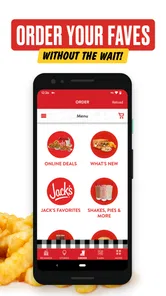
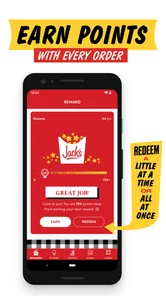
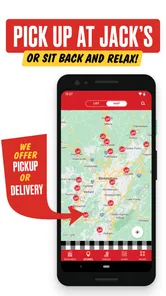
Analysis by Reviewed
I tried Jack’s as a practical companion for visits to Jack’s Family Restaurants, and my first impression was that it is best understood as a brand-specific food and drink app rather than a general restaurant guide. It is free to download, aimed at everyone, and developed by Jack's Family Restaurants. That makes the decision simple at the entry point: there is no purchase price standing between you and the app. The more important question is whether its convenience is useful enough to justify keeping another restaurant app on your phone.
In my experience, the answer depends heavily on how often Jack’s is part of your routine. If you stop there occasionally, the app may feel like an extra step compared with simply walking in or using the restaurant’s usual ordering process. If Jack’s is one of your regular breakfast, lunch, or drive-through choices, having the brand’s app ready before you leave can make repeat visits more organized. I would not install it expecting a broad food-discovery service. I would install it because I already expect to use Jack’s.
What Jack’s offers and where its value comes from
The app belongs to the Food & Drink category and carries the simple store short description “Jack's.” Its longer store summary presents it as a way to join the Jack’s family, but the useful interpretation is more grounded: this is a direct digital doorway into the restaurant brand. The app reached the store on September 27, 2020, and its current version is 2.9, with operating-system support beginning at version 10. Those details matter if you are using an older device, especially one that still works well for everyday tasks but no longer receives newer software.
The current audience is sizable enough to suggest that the app is not an obscure experiment. It has more than one hundred thousand installs, an average rating of 3.5 from around three thousand ratings, and roughly one thousand three hundred written reviews. I read that combination as a mixed but meaningful signal: plenty of people have tried it, yet the experience is not universally smooth. A middling rating does not automatically make an app poor, but it does tell me to treat it as a convenience tool rather than something I would depend on without a backup plan.
Cost is the clearest strength. Jack’s is free, so you can test it without committing money. That does not mean every visit becomes cheaper, because free access and discounts are not the same thing. I would avoid assuming that installing the app guarantees a particular promotion, reward, or saving. The reliable value is access to the brand’s digital experience without an upfront fee; any additional financial benefit should be judged from what the app actually shows you when you use it.
That distinction is important when comparing it with alternatives. A general restaurant platform may put many businesses in one place, while a map app may be faster for locating a nearby branch. A paper menu or a normal counter visit may also be enough for someone who does not order ahead. Jack’s makes more sense when your goal is to interact directly with Jack’s Family Restaurants, not when you are deciding among many unrelated places to eat.
A realistic morning use case
Imagine a weekday morning when you are leaving home with only a few minutes before work. Instead of deciding in the car, you can open the app while you are still parked, choose Jack’s as your destination, and organize the visit before joining the drive-through or entering the restaurant. The practical advantage is not dramatic, but it can remove a small amount of decision-making from a rushed routine. I find that kind of benefit more convincing than vague promises about convenience.
More From Our News Desk

 Instagram
Instagram’s Power Comes From Its Place in Your Phone
A close look at how Instagram turns Meta’s reach, recommendation systems and everyday camera habits into durable platform power—and what that costs users.

 Gmail
GmailGmail in a Busy Inbox: Who Benefits Most?
From first account to crowded workday, Gmail earns its place through dependable search and flexible sorting—but its best fit depends on how much inbox maintenance you can tolerate.

 Prime Video
Switching to Prime Video: What Changes in Your Viewing Routine
Prime Video can make a compelling second home for streaming, but switching means learning a different catalog, rental layer, and route from browsing to playback.

 Universal TV Remote Control
Universal TV Remote Control Works Best as a Reliable Backup
A phone remote earns its place through quick setup and reliable habits. Here is how to get more from Universal TV Remote Control—and where its limits show.

 Weather - By Xiaomi
Weather by Xiaomi Review: Clear at a Glance, Less Clear Up Close
Xiaomi’s weather app makes everyday forecasts quick to scan, but its calm surface can leave useful details and recovery paths harder to find than they should be.

 X
XX Under Pressure: Can It Recover When Posting Goes Wrong?
A resilience-focused review of X, examining setup, mistaken posts, interruptions, weak connections, and the gaps that matter when recovery needs to be dependable.
Latest News



There is also a useful habit here: make your choices before you are under pressure. If you already know what you usually order, checking the app at home or while waiting safely can help you avoid holding up the line. If you are ordering for more than one person, preparing the order digitally may also reduce the chance of forgetting a side or drink. I would still review everything before confirming, because a digital basket is only helpful when it reflects what you actually want.
For a family stop, the app can be more useful as a planning screen than as an impulse tool. You can discuss the order before arriving, rather than trying to hear everyone over a busy restaurant. That said, I would not treat it as a replacement for checking dietary needs directly. Restaurant menus and app screens can change, and anyone with a serious allergy should verify ingredients and preparation information with the restaurant instead of relying on a quick glance at a digital listing.
Where the free download delivers real value
The strongest value comes from repeatability. A person who visits Jack’s once every few months may not notice much difference between using the app and ordering normally. Someone who visits weekly has more opportunities to benefit from having the restaurant’s digital channel in one familiar place. This is the first non-obvious trade-off: the app’s usefulness grows with habit, not necessarily with how many features appear on the screen.
A second practical insight is to use it before you reach the restaurant, not while you are already at the counter with other people waiting. That changes the app from a source of friction into a preparation tool. I would open it when I am deciding where to stop, check the available choices, and then keep the final review deliberate. If the app is slow or a session needs to be repeated, I would switch to the ordinary ordering route rather than let a free app make a simple meal stressful.
A third insight concerns expectations around price. Because the app costs nothing to download, it is easy to confuse “free app” with “better deal.” Those are separate questions. The app can provide access and convenience at no app charge, but the meal itself remains a restaurant purchase. I consider it good value when it saves time or simplifies a regular Jack’s visit; I do not count on it as a guaranteed money-saving service unless a visible offer makes that clear at the moment of use.
The app is also a reasonable way to keep your restaurant routine more intentional. Instead of opening a broad delivery marketplace and being distracted by dozens of alternatives, you are starting with Jack’s. That focus is helpful if you have already made the restaurant choice. It is less helpful if you are comparing menus, delivery options, or prices across several local businesses, because a dedicated brand app naturally narrows the field.
The trade-offs I noticed before relying on it
The rating of 3.5 suggests that convenience comes with some unevenness for users. I would not describe that as proof that every session fails; ratings reflect many phones, locations, expectations, and situations. Still, it is enough for me to recommend a cautious workflow. Keep the app updated, confirm your order details, and do not wait until the last possible second if you are trying to use it during a busy commute.
Version 2.9 indicates that the app has received ongoing iteration, but a version number alone cannot promise a flawless experience. In practical terms, I would judge it by whether it opens reliably on your device, shows the Jack’s experience you need, and lets you complete your intended task without unnecessary repetition. If it behaves well on your phone, the free download makes experimentation low-risk. If it repeatedly interrupts a simple order, the normal restaurant process is the better option.
Device compatibility is another point worth checking. The app requires at least operating-system version 10, so people with older phones may need to update before installing it or may find that their device is not suitable. I would not replace a working phone just for this app. For someone using an older handset, a browser, phone call, or in-person visit may be more sensible, depending on what is available at the local restaurant.
There is also a human trade-off. An app can make a familiar order faster, but it can make an unusual request feel less clear. If you need to ask questions, explain a substitution, or confirm something important with staff, direct communication may be better than trying to force the request through a digital flow. I see Jack’s as strongest for straightforward, repeatable orders and weaker for situations that need conversation or special clarification.
Location can affect the experience too. A brand app may be useful only when the Jack’s restaurant you want is part of its supported network and when that location can handle the action you are attempting. I would select the restaurant carefully before finalizing anything, especially if there is more than one nearby. This is a small step, but it prevents the common mistake of preparing an order for the wrong branch or assuming every location works in exactly the same way.
Who should install it
I would recommend Jack’s to regular customers who want a no-cost way to make repeat visits more organized. It is particularly suitable for people who already know what they like, often stop at Jack’s during predictable parts of the day, and prefer preparing an order before reaching the restaurant. Families may also appreciate having a shared planning point, provided everyone checks the final order together.
It is a sensible trial for anyone curious about Jack’s digital ordering experience because the download itself is free. You are not buying a subscription or paying an entry fee simply to see whether it fits your routine. My advice would be to test it during a relaxed visit first, rather than during an important commute. That gives you time to learn the flow, check how your preferred location appears, and decide whether the convenience is real on your device.
I would skip it if you rarely visit Jack’s, dislike using dedicated restaurant apps, or mainly want to compare many restaurants in one place. A map service is likely better for finding nearby choices, and a multi-restaurant platform is more suitable for broad comparison. Someone who needs detailed personal assistance with an order may also be happier speaking with staff directly.
People who are very sensitive to app reliability should take the average rating seriously without treating it as a final verdict. The right test is personal: install it, try one ordinary order, and see whether it reduces effort. If the process feels slower than ordering normally, there is no financial reason to keep forcing it, since the app’s price is free and its value is entirely practical.
How I would use it day to day
My preferred workflow would be simple. I would open the app before leaving, choose the intended Jack’s location, review the menu or ordering screen, and prepare the order while stationary. Before completing anything, I would check the restaurant, items, quantities, and any available choices. At the restaurant, I would pay attention to the pickup or handoff instructions shown in the app rather than assuming the process is identical to every other food service.
For a regular order, I would keep a mental note of what saves time and what does not. If selecting the same meal repeatedly is easy, that is a genuine advantage. If I have to rebuild every detail and the app does not improve the visit, I would use it only when a particular offer or situation makes it worthwhile. This approach avoids turning the app into a habit merely because it is installed.
I would also keep a backup plan for busy periods. A phone with low battery, weak connectivity, or an unexpected app problem can turn a quick stop into a frustrating one. Since the app is a convenience rather than the only way to buy food at Jack’s, there is no reason to let a technical interruption ruin the meal. Have the restaurant’s ordinary ordering route in mind, especially when timing matters.
For households sharing one device or account, I would review the order immediately before submitting it. This is where digital convenience can create a quiet mistake: one person adds an item, another changes it, and the final basket no longer matches the group’s plan. A short review is faster than correcting an incorrect order later. That is a small but valuable discipline for any restaurant app, and it matters even more when ordering for several people.
My verdict on value and whether to skip
Jack’s earns a qualified recommendation from me. The free price makes it easy to try, and regular Jack’s customers have the clearest reason to keep it. Its value is not that it replaces every food app or guarantees a lower bill. Its value is that it can put a familiar restaurant routine into a more prepared, repeatable process.
I would choose it over a general restaurant app when I have already decided to eat at Jack’s and want a direct brand-specific experience. I would choose a map or multi-restaurant alternative when I am still exploring, comparing, or looking for the widest selection. I would choose the counter or another direct method when the order is complicated, the app is acting unpredictably, or I need to ask a staff member a question.
The most honest summary is this: Jack’s is worth trying because the download is free, but it is worth keeping only if it saves you effort. That standard protects you from expecting benefits the app may not provide. Test it with a normal order, use it before you arrive, check the details carefully, and compare the experience with your usual method rather than with an idealized promise of convenience.
For me, the app makes sense as a lightweight tool for people who already return to Jack’s Family Restaurants. It is not essential for occasional visitors, and it is not the best answer for restaurant discovery or complex customer-service needs. If your routine matches its strengths, the no-cost trial is reasonable. If it does not, skipping it costs you nothing and the traditional way of ordering remains the more practical choice.
Jack's Frequently Asked Questions
What kind of app is Jack’s?
Jack’s is a Food & Drink app from Jack’s Family Restaurants. Its store summary invites users to join the Jack’s family with an app that “loves ya back.” If you are interested in the brand’s app, you can download it and explore the sections and features available on your device.
What is Jack’s, and what can I use it for?
Jack’s is a mobile app focused on helping users browse and interact with the services, content, or features offered by the Jack’s brand. After installing it, you can explore the available sections, view relevant information, and use supported tools from your phone. The exact options may vary depending on your location, device, and the latest version available.
Is Jack’s free to download and use?
Jack’s is free to download, so there is no installation fee. Features, products, services, or transactions available through the app may involve additional costs. Before confirming any purchase, review the displayed prices, fees, and terms carefully. Availability may also differ by country, so check the app store listing for current pricing in your region.
Does Jack’s require an account or personal information?
Some parts of Jack’s may be accessible without registration, while features such as saving preferences, placing orders, managing rewards, or accessing personalized content may require an account. During setup, the app could request information such as an email address, phone number, or location. Only provide details you are comfortable sharing and review the privacy policy before continuing.
Is Jack’s available for both Android and iPhone?
Jack’s availability depends on the official app stores and the country associated with your device. Android users should check Google Play, while iPhone and iPad users should look in the Apple App Store. Make sure you download the official version published by Jack’s Family Restaurants, and check the listed operating-system requirements before installing it.
Pros
- Simple interface makes ordering quick and easy.
- Menu offers convenient options for casual meals and snacks.
- Useful for checking prices and choices before visiting.
- Can save time compared with ordering at the counter.
- Suitable for users looking for a straightforward food-ordering experience.
Cons
- Availability and menu options may vary by location.
- Some features may require an internet connection to work properly.
- Delivery fees or minimum order values can increase the final cost.
- Busy periods may lead to longer preparation or delivery times.
- The app may offer limited customization for certain menu items.











