

iWebTV Player
- 3.00
- 3.4
- Installs
- 50.00K
- Price
- Free

Screenshots
Analysis by Reviewed
When I want to watch a web video on a television instead of holding my phone, iWebTV Player takes a focused approach: it works as the viewing side of a companion mobile-app setup. That narrow purpose is also the key to understanding it. This is not an all-purpose video editor, a replacement for every streaming service, or a media library with a large collection of built-in content. It is a free app from Swishly for people who already use a compatible mobile experience and want web videos to play on a larger screen.
After spending time with it, my view is fairly clear. The app can be useful when your main goal is moving web-based viewing away from the phone, but its value depends heavily on how often you use that workflow. If you usually watch videos directly inside dedicated streaming apps, the extra step may feel unnecessary. If you regularly find videos through a mobile browser and prefer a television-sized display, the idea makes much more sense.
What the player is really designed to do
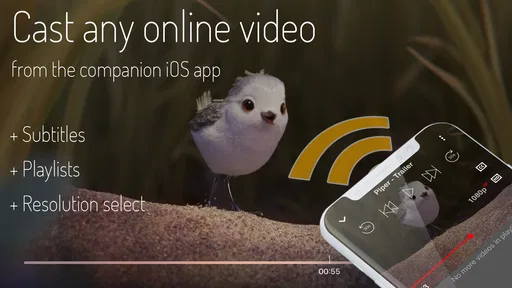
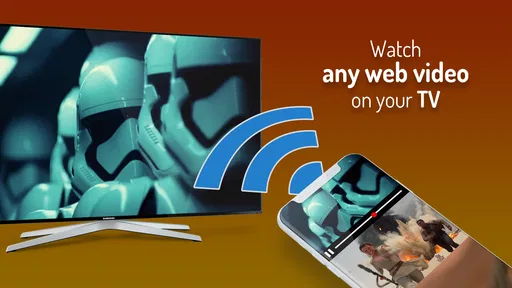
The most important distinction is between finding content and playing it. The store summary describes iWebTV Player as a way to play web videos from a companion mobile app. In practical terms, I see it as the receiving end of a simple viewing routine: use the mobile side to locate or prepare the video, then let this player handle the larger-screen playback.
That separation is helpful because it keeps the player’s purpose easy to understand. You are not opening it expecting a catalog, recommendations, editing tools, or a complicated collection manager. You are opening it because a video has already been selected elsewhere and needs a suitable playback destination.
This also makes the app more situational than its short name might suggest. Someone browsing videos casually on a phone may not need it at all. Someone who often shares a screen with family, watches longer material from a sofa, or wants to avoid passing a phone around can get more from the same basic function.
I appreciate that the concept does not try to turn a straightforward task into a crowded dashboard. A focused player is easier to understand than an app that mixes browsing, downloads, playlists, editing, social features, and casting controls without doing any one of them particularly well. The trade-off is that users who expect a complete video center may find the experience limited.
The strongest part is the handoff from phone to larger display
The strongest reason to use this app is convenience during a specific kind of viewing session. Imagine finding a long interview, a tutorial, or a web-hosted presentation on your phone while sitting with other people. Rather than making everyone lean toward a small screen, the companion mobile workflow gives you a path toward watching it on a television or another larger display.
More From Our News Desk

 Gmail
GmailGmail in a Busy Inbox: Who Benefits Most?
From first account to crowded workday, Gmail earns its place through dependable search and flexible sorting—but its best fit depends on how much inbox maintenance you can tolerate.

 Prime Video
Switching to Prime Video: What Changes in Your Viewing Routine
Prime Video can make a compelling second home for streaming, but switching means learning a different catalog, rental layer, and route from browsing to playback.

 Universal TV Remote Control
Universal TV Remote Control Works Best as a Reliable Backup
A phone remote earns its place through quick setup and reliable habits. Here is how to get more from Universal TV Remote Control—and where its limits show.

 Weather - By Xiaomi
Weather by Xiaomi Review: Clear at a Glance, Less Clear Up Close
Xiaomi’s weather app makes everyday forecasts quick to scan, but its calm surface can leave useful details and recovery paths harder to find than they should be.

 X
XX Under Pressure: Can It Recover When Posting Goes Wrong?
A resilience-focused review of X, examining setup, mistaken posts, interruptions, weak connections, and the gaps that matter when recovery needs to be dependable.

 Clash of Clans
Clash of Clans Is Won Between the Battles
Its raids are quick; its community is a long-term project of coordination, teaching, rivalry, and shared responsibility—with all the friction that entails.
Latest News



That scenario is more useful than it first appears. It can help when the video is not available inside the television’s native applications, when the mobile browser is the easiest place to locate it, or when you want to keep the phone available for separate tasks. The player is particularly appealing for occasional shared viewing, where the goal is not to build a permanent media collection but simply to get one web video onto the big screen.
Another strength is the low commitment. The app is free, carries an Everyone age rating, and is positioned as a general video-player tool rather than a paid content service. That makes it easy to try without treating the installation as a major investment. The current version is 1.5.5, and the minimum operating-system requirement is Android 6.0, so it is aimed at a broad range of Android devices rather than only recent phones.
Still, I would not confuse broad compatibility with guaranteed smoothness in every situation. Web video playback can depend on the source page, the connection between devices, and the behavior of the companion app. The player’s job is clear, but the complete experience is a chain. If any part of that chain is awkward, the benefit of the larger screen can be reduced by setup friction.
Three practical habits that make the workflow less frustrating
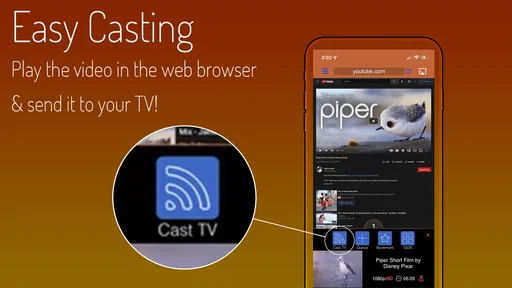
My first useful tip is to select and test the video before settling in. Web pages can contain several playable elements, advertisements, previews, or embedded players, and the item you intend to watch may not always be the first thing recognized. Choosing the video while you still have the phone in hand is easier than troubleshooting after everyone is waiting for playback.
Second, treat the phone as a remote starting point rather than the place where you keep changing everything. Once the video is playing, unnecessary switching between pages or apps can interrupt the handoff. I found the experience more natural when I prepared the content first, started playback, and then put the phone aside instead of continuing to browse.
Third, use the app for planned viewing rather than rapid-fire browsing. It makes more sense for a full video, a lesson, a discussion, or a presentation than for jumping between many short clips. That is a non-obvious trade-off: the larger screen is the reward, but the transfer process becomes less worthwhile when each clip lasts only a few seconds.
These habits are not flashy features, but they change how useful the app feels. The best experience comes from recognizing that iWebTV Player is part of a viewing method, not an independent destination for endless discovery.
Where it compares well with usual alternatives
The usual alternatives fall into two groups. One is the native television app for a particular video service. The other is ordinary screen mirroring or casting built into the phone and television. Dedicated television apps are usually better when the content already belongs to a supported service: they tend to offer a more direct sign-in, browsing, and playback path.
Screen mirroring can be more flexible, but it may reproduce the entire phone display instead of sending only the video. That can expose notifications, drain attention, or make the television feel like a copy of the handset. A focused web-video player is attractive when you want the video to be the center of the experience rather than the phone interface.
On the other hand, a native television app is usually the better choice for regular viewing inside that service. If I already have a comfortable television application with search, history, and a stable remote-control experience, I would not add another step just to use a web-video workflow. iWebTV Player earns its place when the content begins on the web and the normal television options do not handle that path conveniently.
That comparison gives the app a realistic position. It is not trying to beat every casting method. Its useful niche is the gap between “the video is easy to find on my phone” and “I want to watch it on a bigger screen without mirroring everything.”
Limitations, audience fit, and my verdict
I’d use this section to weigh the app’s practical limits against the people it can genuinely help. The key question is whether web videos are a regular part of your viewing routine, because that determines whether the phone-to-screen handoff feels useful or merely adds another step. I’ll also put its modest reception in perspective before making a clear recommendation.
The meaningful weakness is dependence on the surrounding setup
The main weakness is not that the app has an overly complicated interface. It is that the experience depends on more than the player itself. You need the companion mobile workflow, a suitable web video, and a compatible route to the display you want to use. That makes the app less self-contained than a conventional video player.
This matters when you are trying to solve a problem quickly. If the video is already available through a television’s native app, opening that app will generally be simpler. If the source page behaves inconsistently, the player cannot magically turn every web page into a clean television channel. The convenience is real, but only after the surrounding steps cooperate.
I also think users should approach the app with realistic expectations about web content. A web video is not the same as a locally stored file, and the viewing experience can vary depending on the page that hosts it. When playback is important, such as during a presentation or group gathering, I would prepare the video in advance and have a backup plan rather than assuming every link will behave perfectly at the last moment.
That limitation does not make the app poor; it defines its boundaries. The player is most convincing as a practical bridge, not as a universal solution for every kind of video. People who want offline organization, a broad media library, or a full editing suite should look toward a different category of app.
Who should use it, and who should skip it
I would recommend iWebTV Player to Android users who often discover videos through the web and want a straightforward way to move that viewing experience to a larger display. It is a good fit for households where one person chooses content on a phone while others watch together, and for students or workers who occasionally need to show a web-hosted explanation, demonstration, or presentation without making everyone crowd around a handset.
It can also suit people who do not want to mirror their entire phone. Keeping the mobile interface out of the main viewing experience is a meaningful advantage when you are sharing a screen. The app’s free price lowers the barrier to testing that routine, and its Everyone rating makes it broadly approachable for general household use.
I would skip it if nearly all of your viewing already happens inside dedicated television applications. In that case, the native option will probably offer a cleaner path. I would also skip it if your priority is editing clips, downloading a personal collection, managing local files, or watching without any dependence on a web source. The category label places it among video players and editors, but its actual appeal is much more specifically about playing web videos through the companion mobile experience.
Users who are uncomfortable with multi-device setup may also find the concept less appealing. The app is not necessarily difficult to understand, but it asks you to think about where a video starts, where it should play, and how the two sides of the experience connect. If you want one app that does everything from discovery to playback on the same device, this is not the most natural choice.
What the current reception suggests
The app has passed fifty thousand installs, which shows that the idea has found a real audience, although it remains a relatively focused tool rather than a universally familiar player. Its average rating is 3.4, based on a modest number of ratings, so I would read that as a sign to keep expectations measured rather than as a decisive endorsement or rejection.
That reception matches my own conclusion. The app solves a recognizable problem, but it does not solve every version of the problem. People who regularly need web-to-screen playback may find the focused design worthwhile. People who only occasionally cast a video, or who already have a reliable native television setup, may not notice enough benefit to change their habits.
Swishly has kept the product’s identity simple: a player for web videos arriving from a companion mobile app. That clarity is better than pretending it is a complete entertainment platform. At the same time, a focused identity means every interruption in the handoff matters more. When the workflow succeeds, the app feels useful; when it does not, there are fewer secondary features to make the session worthwhile.
My final recommendation
My verdict is cautiously positive. iWebTV Player is worth trying if your specific need is to take web videos selected on a mobile device and watch them on a larger screen. It is free, easy to categorize, and more purposeful than a bloated media app. The best results come from preparing the video first, using it for longer viewing sessions, and choosing it when native television apps or full-screen mirroring are inconvenient.
I would not install it expecting a replacement for a streaming-service app, a local media manager, or a video editor. Its strength is narrower and more practical: it gives a web-video workflow a dedicated playback destination. That makes it a sensible recommendation for occasional shared viewing and web-first users, but a less compelling download for anyone whose existing television setup already handles the same content smoothly.
In short, I see it as a useful bridge rather than an essential player. If that bridge matches the way you already find videos, the app can remove an annoying gap between phone browsing and comfortable viewing. If it does not, the extra step will probably feel like more work than the result is worth.
iWebTV Player Frequently Asked Questions
What Android version does iWebTV Player require?
The Android version of iWebTV Player requires Android 6.0 or later. Before downloading, check your device’s software version in its settings, particularly if you use an older phone or tablet. Meeting the minimum requirement means the app can be installed, but casting and playback can still depend on your device, network, receiver, and the website hosting the video.
Who makes iWebTV Player, and what is its age rating?
iWebTV Player is developed by Swishly and is categorized as a Video Players & Editors app. Its content rating is Everyone, so it is not designated for an age-restricted audience. That rating does not mean every video you can access through a web browser is suitable for every viewer; the content available from individual websites may vary.
What is iWebTV Player and what can I use it for?
iWebTV Player is a streaming and casting app designed to send online videos from a mobile device to a larger screen, such as a smart TV, Roku, Fire TV, Apple TV, or compatible streaming device. It is mainly useful for watching web-based video content on a television while using your phone or tablet as the browsing and playback controller. Compatibility can vary depending on the device and website.
Which devices are compatible with iWebTV Player?
iWebTV Player is generally intended for Android and iOS mobile devices, with support for casting to several popular television and streaming platforms. Depending on the version and platform, supported receivers may include smart TVs, Roku, Fire TV, Apple TV, and Chromecast-related devices. Before downloading, check the current store listing and make sure your phone, TV, and receiver are connected to the same Wi-Fi network.
Does iWebTV Player support every website and online video?
No streaming app can guarantee compatibility with every website. iWebTV Player works best with standard web video players and supported online content, but some pages may block casting, require a login, use protected media, or rely on formats the app cannot play. Advertisements, pop-ups, embedded players, and website changes may also affect playback, so results can differ from one source to another.
Pros
- Streams videos from your phone to TVs and streaming devices.
- Supports popular platforms such as Chromecast
- Roku
- and Fire TV.
- Keeps your phone available for browsing while videos play on the TV.
- Offers a larger-screen viewing experience without complicated setup.
- Useful for sharing online videos with family or friends.
Cons
- Compatibility and casting quality can vary between devices and TV models.
- Some websites may not support playback or casting correctly.
- The free version may include advertising or feature limitations.
- Requires a stable Wi-Fi connection for smooth
- uninterrupted streaming.
- Certain advanced features may require an in-app purchase or subscription.











