IPTV Player: Watch Live TV
- 333.00
- 4.4
- Installs
- 5.00M
- Price
- Free

Screenshots

Analysis by Reviewed
I approach IPTV Player: Watch Live TV as a player for organizing and viewing streams, not as a service that supplies channels by itself. That distinction makes the first decision simple: you need a compatible playlist or stream source before there is anything to watch. Once you have one, the app can be a convenient way to bring live TV and guide information together on a phone or tablet.
Know what you are installing
IPTV Player: Watch Live TV is a free video-player app from BoostVision, in the Video Players & Editors category. It has a 4.4 average from around 50,000 ratings and over 5 million installs. The Everyone age rating makes it broadly suitable, though the channels and material available through a playlist depend on that source. The app itself is not a replacement for a broadcaster’s subscription or a source of guaranteed programming.
The practical appeal is support for IPTV playlists, including M3U and M3U8, alongside Xtream-based access and an electronic program guide when the source provides the relevant information. That can be useful if you already use IPTV and want one place to browse it. If you simply want familiar channels without configuring a playlist, a broadcaster’s own app or a live-TV service with built-in access will usually be easier.
Before the first stream
Have your playlist file or URL ready, or the login details and server information required by your Xtream provider. Use the exact details supplied by that provider; a mistyped address or password can look like an app problem even when the player is working normally. I would start with a small, trusted playlist if possible, rather than trying to diagnose a large collection of channels all at once.
After adding a source, give the app time to load its channel list and any available guide information. A playlist can contain channel names without usable program details, so an empty or sparse guide does not necessarily mean the streams themselves are broken. If a channel fails, test another one before changing settings: that quick check helps separate a source-specific issue from a general connection problem.
Getting to a useful first result
My first meaningful test would be a familiar channel on a reliable network. Confirm that the picture starts, sound is present, and the channel name matches what you selected. Then check the guide, if your source includes one, and save or organize the channels you actually watch so you do not have to search through an oversized list each time. This is a more useful setup than importing everything and assuming every entry will work.
For everyday use, think of a commute, a lunch break, or waiting for an appointment: open the player, choose a known working stream, and watch while your connection can sustain it. Mobile data and weaker Wi-Fi can affect playback, so I would avoid assuming that a stream that works at home will behave identically everywhere. A stable connection matters more than any promise of effortless viewing.
More From Our News Desk

Weather by Xiaomi Review: Clear at a Glance, Less Clear Up Close

X Under Pressure: Can It Recover When Posting Goes Wrong?

Clash of Clans Is Won Between the Battles

Android Auto Makes the Case for Quieter Car Software

MobiOffice: Transforming Mobile Productivity with Seamless Integration

EA SPORTS FC™ Mobile Soccer: Redefining Mobile Sports Gaming
What can trip up a new user
The biggest point of confusion is often the difference between the player and the playlist. IPTV Player handles playback and browsing; the provider or playlist determines which channels exist and whether they are available. It is also worth checking that you have permission to use the content source. If nothing loads, verify the playlist address or account details, test a second channel, and try again on a dependable connection before reinstalling the app.
There is a trade-off compared with mainstream streaming apps: those usually make discovery and playback more automatic, while an IPTV player gives you more control over bringing your own source. The extra flexibility comes with setup and occasional troubleshooting. The app is a better fit for someone who already understands playlists, or is comfortable following provider instructions, than for a viewer who expects a ready-made channel lineup.
Make the playlist manageable
A less obvious benefit of starting with a short playlist is that it gives you a clean baseline. If the first few entries play, you know the import and basic connection are working before you add more channels or investigate guide details. For a large list, I would make a note of a handful of reliable favorites first; that small shortlist is more useful on a phone than repeatedly scrolling through channels you rarely watch.
It also helps to distinguish a channel list from a viewing plan. A provider may group channels in ways that make sense on a set-top box but feel cumbersome on a small screen. Rather than trying to perfect the whole catalog, decide what you actually need on mobile—perhaps a news channel for a short break and a couple of familiar options for evenings. That keeps the app’s bring-your-own-source flexibility from becoming extra work.
Where it fits in a daily routine
One realistic use is checking a live news stream while making lunch, then returning to the same familiar channel later without opening several browser tabs. Another is keeping a legitimate household playlist available when you are away from the main television. In both cases, the value is convenience and organization, not a promise that every stream will be available everywhere. I would test the channels you rely on before leaving home, especially if you expect to use mobile data.
For travel, a practical trade-off is that a playlist can make access feel familiar, but the quality of the experience still depends on the source and the network you have at that moment. If you are going somewhere with unreliable connectivity, downloading on-demand viewing in a service that supports offline access may be a better plan. This player is most useful when you can connect to a working live stream, not as a substitute for offline entertainment.
Streamlining Your TV Viewing Experience
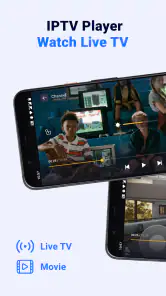
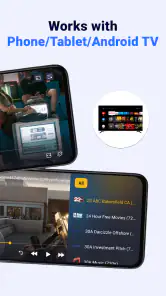
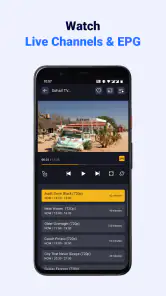
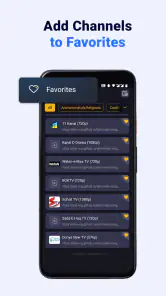
Imagine having a TV in your pocket, ready to spring to life whenever you need it. That's exactly what IPTV Player: Watch Live TV promises. The app is designed with a user-friendly interface that makes channel surfing a breeze. Upon launching, you're greeted with a neat and organized layout, featuring your favorite channels and shows right at your fingertips.
Easy Setup and Navigation
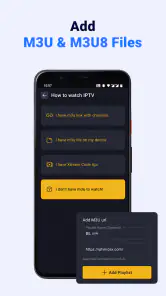
Setting up the app was a straightforward process. All I needed was a playlist URL or M3U file, and I was good to go. The app supports various formats, which means no fussing over compatibility issues. Navigation through the app is smooth, and even if you're not tech-savvy, you'll find it quite intuitive to use.
Variety of Content
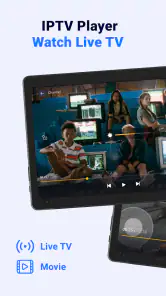
The sheer variety of content available is impressive. From live TV channels to movies and series, there's something for everyone. Whether you're into sports, news, entertainment, or documentaries, you can easily find channels that suit your taste. The app also allows you to create a personalized playlist, making it easier to access your preferred content.
One of the standout features is its ability to support multiple languages. This feature ensures that you're not limited by language barriers, making it a truly global app.
Performance and Reliability
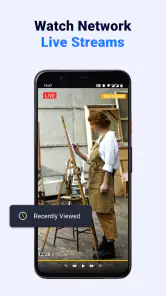
Performance-wise, IPTV Player delivers a seamless streaming experience. The video quality is crisp, provided you have a stable internet connection. I noticed minimal buffering, which is a huge plus for any streaming app. The app's reliability is commendable, with no crashes or unexpected shutdowns during my usage.
Choosing between a player and a service
It is worth being precise about the comparison: a conventional subscription streaming app typically brings its own catalog and account flow, while this kind of IPTV player is a viewing interface for a source you arrange separately. That distinction matters when deciding what to install. If you want to search for a film, receive recommendations, or press play without first obtaining playlist details, a catalog-based service is less demanding. If your provider already gives you compatible access details, a dedicated player can put those streams in one place.
For a first-time user, I would treat setup as a sequence rather than a single pass: add one source, verify a channel, then inspect the guide and sort the channels you actually use. If something fails, change only one variable at a time—check the login, try a different channel, or switch to a steadier network. Making several changes at once can obscure whether the issue came from the source, the connection, or the way the playlist was entered.
Questions worth answering before you commit
Do you need to pay to install it? No: it is free to install, although optional in-app purchases are listed from $2.99 to $15.99 per item. I would first confirm that your playlist works and that the basic viewing flow suits you, then decide whether an optional purchase has a clear purpose for your needs. The purchase itself should not be treated as a way to fix a stream that your provider has not made available.
Can you use it without a provider or playlist? In practical terms, you need a compatible source to watch. Is the guide guaranteed to show schedules? No—the guide is useful when the source supplies program information, but it can be incomplete even when a stream plays. These are easy points to misunderstand, so I would judge the first setup by whether a known channel plays before drawing conclusions from the guide.
Is it suitable for a complete beginner? It can be, provided you have clear provider instructions and are comfortable entering the source details carefully. Someone who wants television ready immediately, without handling URLs, files, or account information, will probably have a better first experience with a broadcaster’s app or a live-TV service that includes access. That is not a flaw so much as the central difference between a player and a service.
Final Thoughts
Overall, IPTV Player: Watch Live TV is a solid choice for anyone looking to enjoy television on the go. It's packed with features that enhance the viewing experience, from its user-friendly design to its robust content library. While nothing beats watching TV on a big screen, this app comes pretty close. It's like having a mini TV right in your pocket, ready to entertain you anytime, anywhere. So, if you're a TV enthusiast always on the move, this app might just become your new best friend.
Small checks that save time
If you plan to use it regularly, I recommend treating your playlist as something to maintain rather than a one-time import. Keep the provider’s current URL or account details somewhere safe, and revisit them if a whole group of channels stops working. If only one stream fails while others play, it is more sensible to check that channel with the provider than to rebuild the entire list.
Guide information is most useful when you are deciding what to watch, but it depends on the source supplying usable program data. I would use channel playback as the first test of a playlist and the guide as a second check, not the other way around. That avoids mistaking missing schedule details for a failure of the player itself.
Choosing the right fit
The current version is 1.7.1, and the app is listed for Android 7.0 and later. It is free to install, with in-app purchases ranging from $2.99 to $15.99 per item. I would try the basic workflow with a legitimate source before deciding whether any optional purchase is worthwhile; a paid item cannot make an unreliable playlist or weak connection dependable.
For someone who already has a compatible provider, this can be a practical alternative to juggling separate channel links in a browser. For someone who wants recommendations, a polished on-demand catalogue, or channels that work immediately without supplying a source, a mainstream streaming or broadcaster app is likely the better choice. My advice is to install it when you have a playlist ready, test two or three familiar channels, and only then decide whether its bring-your-own-source approach suits your routine.
IPTV Player: Watch Live TV Frequently Asked Questions
Can I watch channels immediately after downloading IPTV Player: Watch Live TV?
Not necessarily. IPTV Player: Watch Live TV is a player for streams, rather than a service that supplies television channels. To watch, you need a compatible playlist or stream access from an IPTV provider and an internet connection. If you already have those, you can use the app to access the content they make available; downloading the app alone does not provide a channel lineup.
Is IPTV Player: Watch Live TV intended for beginners?
The app is intended for playing IPTV streams and playlists, so getting started depends partly on whether you already have access to a compatible playlist and know how to add it. Users familiar with M3U or M3U8 playlists may find that process more straightforward. If you are new to IPTV, check your provider’s setup instructions and playlist details before installing.
Who develops IPTV Player: Watch Live TV, and what kind of app is it?
IPTV Player: Watch Live TV is developed by BoostVision and is in the Video Players & Editors category. Its purpose is to play IPTV streams using compatible playlists, including M3U and M3U8. It is rated Everyone, making its content rating suitable for a general audience. The app’s usefulness depends on having access to streams or a playlist to play.
Does IPTV Player: Watch Live TV support M3U and M3U8 playlists?
Yes. IPTV Player: Watch Live TV is designed to work with M3U and M3U8 playlists, so you can use a compatible playlist from an IPTV provider to access its streams. The app is a player rather than a source of television channels, so you will need a playlist or stream access of your own. Check that your provider’s playlist format is compatible before downloading.
What should I check before installing IPTV Player: Watch Live TV?
Check that your device meets the app’s minimum operating-system requirement and that you have a reliable internet connection for streaming. The app is listed in the Video Players & Editors category, and its content rating is Everyone. It is developed by BoostVision and is available as a free download, with optional in-app purchases. Make sure you are comfortable using your own IPTV playlist or service.
Pros
- Easy-to-use interface for quick navigation.
- Supports a wide range of streaming formats.
- High-quality video playback on most devices.
- Customizable channel list for user preference.
- Fast loading times with minimal buffering.
Cons
- Contains ads that may disrupt viewing.
- Limited offline viewing capabilities.
- Requires stable internet for optimal performance.
- Some features locked behind a paywall.
- Occasional crashes on older devices.
- Category
- Video Players & Editors
- Version
- 1.7.1













