

Instant Cash Advance
- 58.00
- 4.6
- Installs
- 10.00K
- Price
- Free

Screenshots
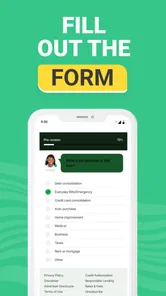

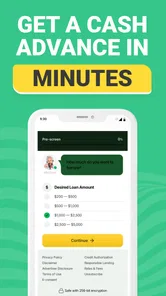


Analysis by Reviewed
When an unexpected bill lands between paydays, the appeal of Instant Cash Advance is easy to understand. This finance app focuses on getting users to a possible short-term cash advance through a simple mobile workflow, rather than making them search through a traditional bank app for a separate borrowing service. I found the experience most useful as a starting point for urgent funding, provided I treated it as a borrowing tool to examine carefully rather than as free money.
Developed by Janssen Herman, the app is free to install, carries an Everyone content rating, and runs on Android devices using version 6.0 or later. Its current version is 1.7.4, and the listing shows a 4.6 average from around 1.8 thousand ratings, with more than ten thousand installs. Those figures suggest that it has attracted a modest but active audience, although they should not be confused with a guarantee that every applicant will receive an advance.
How I used the app for a realistic cash-shortfall scenario
My first recommendation is to begin with a clear purpose. Imagine a utility payment is due before your next paycheck, and you are considering a small advance to avoid a late payment. I would open Instant Cash Advance, read each screen slowly, and enter only information I could verify. The useful part of this baseline workflow is its focus: instead of mixing budgeting, investing, bill tracking, and borrowing into one crowded dashboard, it keeps attention on the cash-advance request.
That simplicity can be helpful when you are stressed, but it also creates a responsibility. A quick application can make borrowing feel easier than it really is. Before proceeding, I would write down the amount needed, the date I expect to repay it, and the total amount I can comfortably return. If the advance would merely move the same shortage into the following pay cycle, the app is probably not solving the underlying problem.
The app’s store summary presents it as a way to access fast funds through a trusted loan service, while its short description identifies it as an instant cash advance tool. I read that wording as a description of the intended use, not a promise of approval or immediate money for every person. The practical result depends on the application process and the terms shown during it, so I would never make a time-sensitive payment assuming the funds are already guaranteed.
One habit makes the initial workflow safer: take screenshots or notes of the key terms before accepting anything, where the app and your device allow that. Record the repayment amount, any applicable cost, the expected timing, and the consequences of missing the repayment date. This is more valuable than rushing through a short form, because the real cost of a small advance is determined by the complete repayment obligation rather than by the amount displayed at the beginning.
I also recommend separating “checking eligibility” from “accepting an offer” in your own mind. Those are different decisions. You can explore whether the service appears suitable, then pause and compare the final terms with your bank’s overdraft option, a credit card’s available balance, or a local credit union product. That pause is one of the most important advanced habits for using a fast-loan app responsibly.
More From Our News Desk

 Gmail
GmailGmail in a Busy Inbox: Who Benefits Most?
From first account to crowded workday, Gmail earns its place through dependable search and flexible sorting—but its best fit depends on how much inbox maintenance you can tolerate.

 Prime Video
Switching to Prime Video: What Changes in Your Viewing Routine
Prime Video can make a compelling second home for streaming, but switching means learning a different catalog, rental layer, and route from browsing to playback.

 Universal TV Remote Control
Universal TV Remote Control Works Best as a Reliable Backup
A phone remote earns its place through quick setup and reliable habits. Here is how to get more from Universal TV Remote Control—and where its limits show.

 Weather - By Xiaomi
Weather by Xiaomi Review: Clear at a Glance, Less Clear Up Close
Xiaomi’s weather app makes everyday forecasts quick to scan, but its calm surface can leave useful details and recovery paths harder to find than they should be.

 X
XX Under Pressure: Can It Recover When Posting Goes Wrong?
A resilience-focused review of X, examining setup, mistaken posts, interruptions, weak connections, and the gaps that matter when recovery needs to be dependable.

 Clash of Clans
Clash of Clans Is Won Between the Battles
Its raids are quick; its community is a long-term project of coordination, teaching, rivalry, and shared responsibility—with all the friction that entails.
Latest News



Settings and phone habits worth checking first
Instant Cash Advance does not need to become a permanent part of your daily phone routine. I would review its notification behavior after installation and keep only alerts that are genuinely useful, such as application updates or repayment reminders if those are offered by the app. Unnecessary notifications can create pressure to borrow when there is no real need, especially if you are already managing a tight budget.
It is also worth checking the app’s permissions through Android settings rather than accepting every request automatically. A finance app should have a clear reason for anything it asks to access. If a permission does not seem connected to applying for or managing an advance, I would deny it and see whether the core workflow still functions. This is not an accusation against the developer; it is a sensible privacy habit for any service handling personal financial information.
Keep your device protected with a screen lock and avoid completing a loan application on a shared or public phone. If you use automatic backups, password managers, or browser autofill, check what information is being saved. Convenience is useful, but financial details deserve more care than an ordinary shopping login. I would also avoid copying sensitive information into unsecured notes or sending application screenshots through casual messaging channels.
Another setting-related point is app maintenance. The current release is version 1.7.4, so I would keep automatic updates enabled when possible, while still reviewing changes after an update. A finance app can change its screens, wording, or sign-in flow over time. If a familiar button moves or a new confirmation appears, I would read it instead of tapping through from memory. Experienced users rely on repeatable checks, not blind speed.
Android compatibility is broad because the app supports devices from version 6.0 onward. That makes it accessible on many older phones, but an older operating system may have fewer modern security protections than a current device. If you are using an aging phone, update the operating system where possible, remove unknown applications, and use a trusted network for the application. The app’s minimum requirement should not be treated as a recommendation to ignore device security.
Faster patterns that do not sacrifice judgment
The fastest safe pattern is preparation outside the app. Have your verified income details, bank information, identification details, and repayment plan ready before starting, but do not paste information from an untrusted source. This reduces interruptions and makes it easier to notice when a screen asks for something unexpected. Speed comes from organization, not from skipping explanations.
I would also use a two-pass method. On the first pass, I would complete the application and inspect the available terms without committing. On the second pass, I would reread the repayment details and compare them with alternatives. This approach is especially useful when the app presents a short path from eligibility to acceptance. A short path is convenient, but it can hide the fact that the decision deserves more time than the form itself takes.
A simple personal checklist can make repeat use less risky:
- Confirm the exact amount required rather than borrowing the maximum offered.
- Check the full repayment obligation and the date it is due.
- Compare the offer with a bank, credit union, card, or employer-based alternative.
- Confirm that repayment will still leave room for food, housing, transport, and essential bills.
- Save the confirmation and set an independent calendar reminder.
The independent reminder matters because I would not rely on a single app notification for a financial deadline. Put the date in your normal calendar and keep enough money available before the due date. If the app provides its own reminders, treat them as a second layer rather than the only one. This habit is useful even when the advance is small, because missed dates can turn a temporary solution into a longer financial problem.
For a recurring shortage, I would not make Instant Cash Advance the default shortcut. Instead, I would use the first borrowing episode as a signal to review the budget. If the same gap appears every month, a conversation with your bank, a nonprofit financial counselor, or a credit union may be more appropriate. The app can be useful for an isolated emergency, but repeat borrowing often indicates that the underlying cash flow needs a different solution.
Where the app fits against ordinary alternatives
The clearest advantage over a traditional bank branch is convenience. An app-based process can be started from home, at a time that suits you, without arranging an appointment. Compared with a general banking app, Instant Cash Advance is more focused on the advance itself. That focus may help someone who wants to examine one borrowing option without navigating unrelated financial products.
The trade-off is that traditional alternatives may give you a broader view of your finances. A bank account can show upcoming deposits, recurring payments, and existing balances in one place. A credit card may offer a familiar repayment structure, while a credit union may provide personal guidance and products designed around longer-term affordability. None of those options is automatically cheaper or better, but they may be more suitable when the need is larger, recurring, or complicated.
An overdraft facility can be convenient for a very short timing mismatch, yet its fees and rules can vary considerably. Borrowing from a trusted friend or family member may avoid formal application steps, but it can affect personal relationships. A salary advance through an employer, where available, may be another possibility. I would compare the total cost, repayment timing, privacy implications, and consequences of failure across all options instead of choosing solely because one screen promises speed.
Instant Cash Advance is therefore strongest when the user already understands the amount needed and is looking for a focused way to explore a short-term advance. It is weaker as a general-purpose money-management app, because its purpose is borrowing rather than helping you build savings, categorize spending, or plan long-term goals. If you want a complete financial picture, you will likely need a separate banking or budgeting tool as well.
Limits, friction, and situations where I would skip it
The biggest limitation is not a missing button; it is the risk of confusing access with affordability. A fast application can be useful during a genuine emergency, but fast money still has to be repaid. I would skip the app if the repayment would depend on another loan, if the terms are unclear, or if I could not explain the total cost in plain language before accepting.
I would also avoid using it for discretionary purchases. A delayed bill, necessary transport, or urgent household expense is different from a restaurant meal, entertainment purchase, or impulse shopping. The more optional the expense, the harder it is to justify adding a repayment obligation. This distinction keeps the app in its proper role instead of turning it into an everyday spending extension.
Privacy is another point of friction. Any loan application involves sensitive personal and financial information, so I would read the app’s disclosures and privacy choices carefully. I would not install it from an unofficial source, use a rooted or compromised phone, or complete the process while connected to an untrusted public network. If the application experience feels rushed, confusing, or inconsistent, stopping is a reasonable decision.
People who need a large amount, a long repayment period, debt consolidation, or personal advice should probably look elsewhere. A focused cash-advance app is not a substitute for discussing serious debt with a qualified adviser. Likewise, someone who has no predictable income or no realistic repayment date should not treat a possible approval as evidence that borrowing is safe.
The app’s Everyone rating makes it broadly suitable from a content-classification perspective, but age suitability is not the same as financial suitability. Younger users and anyone unfamiliar with borrowing should involve a trusted adult or financial professional before accepting an advance. The fact that an app is free to install also does not mean that borrowing through it is free; always judge the offer by its repayment terms.
My verdict after building a repeatable workflow
I see Instant Cash Advance as a focused finance app for exploring short-term cash advances, not as a complete solution to financial stress. Its free installation, straightforward purpose, and availability on older Android versions make it approachable. The developer, Janssen Herman, has positioned it around a specific need rather than a large collection of money tools, and that narrow focus can be helpful when time matters.
My preferred workflow is simple: prepare the facts, check permissions and notifications, inspect the terms twice, compare alternatives, and set an independent repayment reminder. Those habits make the experience more deliberate without removing the convenience that brought me to the app in the first place. The strongest non-obvious benefit is not merely speed; it is the ability to turn a rushed borrowing decision into a repeatable checklist.
The app’s 4.6 average and roughly ten thousand-plus installs indicate encouraging user interest, but popularity should remain secondary to the terms offered to you personally. A rating cannot tell me whether a particular advance fits my income, deadline, or budget. I would use the public response as a reason to investigate, never as a reason to skip the fine print.
My recommendation is conditional but positive: consider Instant Cash Advance when a genuine, short-lived cash gap has a clear repayment plan and you have compared the alternatives. Skip it when the shortage is recurring, the cost is difficult to understand, or repayment would create another emergency. Used with that discipline, it can be a practical first stop for examining an urgent advance; used casually, its convenience may encourage a cycle that no finance app can fix.
Instant Cash Advance Frequently Asked Questions
Who can apply for an advance through Instant Cash Advance?
Instant Cash Advance is a finance app for people looking for access to short-term funds, but having the app does not mean every application will qualify. Applicants should be prepared to provide accurate personal, income, employment, and banking details for assessment. Eligibility and any offer depend on the provider’s criteria and verification, so review the requirements shown during the application before sharing information.
What is Instant Cash Advance, and how does it work?
Instant Cash Advance is a financial service app designed to help eligible users request short-term funds through a mobile device. After creating an account, you generally provide personal, employment, income, and banking information so the service can assess your application. Approval, loan amounts, fees, and transfer speed depend on eligibility, verification, and the terms presented before acceptance.
Is Instant Cash Advance a legitimate and safe app to use?
Before using Instant Cash Advance, check that you are downloading the official application from a trusted app store and review the developer information, privacy policy, and customer support details. The app may request sensitive financial and identity data, so users should understand how information is collected and shared. Never provide passwords, verification codes, or payment details through unofficial messages.
How much money can I borrow, and how quickly will I receive it?
The amount available through Instant Cash Advance is not necessarily the same for every user. It may depend on income, banking history, location, verification results, and the provider’s lending criteria. Although the service may advertise fast access to funds, approval is not guaranteed, and delivery times can vary because of bank processing, weekends, holidays, or optional instant-transfer charges.
What fees, interest, and repayment terms should I expect?
Users should carefully review the complete offer before accepting an advance. Depending on the provider and local regulations, costs may include interest, origination fees, subscription charges, late fees, or expedited-transfer fees. The app should display the repayment date, total amount due, annual percentage rate when applicable, and consequences of late payment. Borrow only after confirming that repayment fits your budget.
Pros
- Quick access to short-term funds through a simple mobile application.
- Clear repayment details help users understand their borrowing obligations.
- Useful for covering unexpected expenses between paychecks.
- Digital application process reduces paperwork and branch visits.
- May offer flexible loan amounts based on individual eligibility.
Cons
- High fees or interest may make borrowing expensive over time.
- Approval and available amounts can vary by applicant and location.
- Late payments may lead to additional charges or credit consequences.
- Not suitable for repeated borrowing or long-term financial needs.
- Requires sharing sensitive personal and financial information.











