Hide Photos, Video and App Loc
- 20.07K
- 4.7
- Installs
- 50.00M
- Price
- Free

Screenshots
Analysis by Reviewed
I find a privacy app most useful in ordinary, slightly awkward moments: lending someone my phone to show a photo, letting a child play a game, or passing my device across a desk. Hide Photos, Video and App Lock is built for that kind of boundary-setting, with tools to hide personal media and put a lock on selected apps. It is free to install, though optional in-app purchases range from $1.49 to $6.99 per item.
A practical place for private files
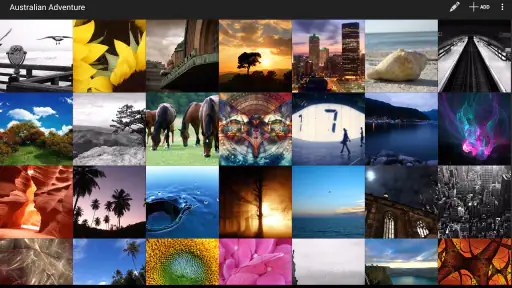
The app’s appeal is its focused purpose. Rather than replacing your photo gallery or changing how you use every app, it gives you a separate place for content you don’t want casually visible. I’d use it for personal pictures or videos that I want to keep off the main camera roll, especially when I often show other people photos on my phone.
One useful habit is to sort files before moving them into a private space. Keeping sensitive items together makes them easier to manage later and reduces the chance that I’ll have to search through a large collection while someone is waiting. I’d also check that an item is accessible inside the app before removing any original copy elsewhere; a privacy workflow is only helpful if I know where my files are.
A good first test is a harmless image rather than a personal one. I’d move it, check that I can find it again, and learn the app’s basic navigation before building a larger collection. That small rehearsal can reveal whether the separate space feels natural on my phone and gives me confidence about the steps involved. If the process feels fiddly with one file, it is unlikely to become easier when I’m in a hurry.
Keeping Your Secrets Safe
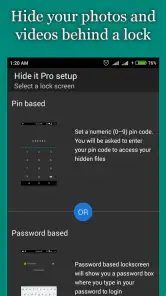
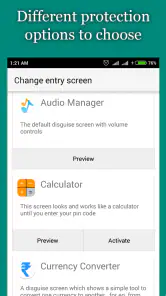
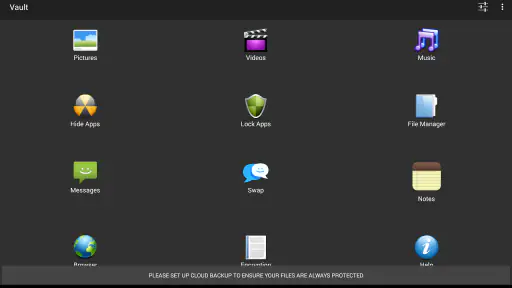
First things first, let’s talk about the main feature. The app gives you a secure space to store your photos, videos, and even lock apps with a nifty security system. You can easily hide your media files with a simple setup, and they’re protected behind a PIN, pattern, or fingerprint lock. It’s like having a secret room in your house where you stash all your treasures!
Easy Peasy Setup
Getting started with Hide Photos, Video and App Lock is a breeze. Download it, set your preferred security method, and you’re good to go. The interface is pretty intuitive, so you don’t have to be a tech whiz to figure it out. Plus, its clean design makes navigation a walk in the park.
That low learning curve matters if you only need privacy now and then. For example, if a friend asks to borrow your phone to make a call, locking a few sensitive apps can be more convenient than changing your whole device setup. Still, I’d choose a PIN or pattern I can remember without making it obvious, and I wouldn’t treat a lock as a substitute for being careful about who has physical access to my phone.
More From Our News Desk

Weather by Xiaomi Review: Clear at a Glance, Less Clear Up Close

X Under Pressure: Can It Recover When Posting Goes Wrong?

Clash of Clans Is Won Between the Battles

Android Auto Makes the Case for Quieter Car Software

MobiOffice: Transforming Mobile Productivity with Seamless Integration

EA SPORTS FC™ Mobile Soccer: Redefining Mobile Sports Gaming
I’d also think about the people and situations the lock is meant to address. If I’m handing my phone to a trusted relative for a quick call, the goal may simply be to prevent an accidental tap into a private app. If I’m concerned about someone who knows my device passcode, an additional app lock may offer a useful separate barrier, but I would not assume it makes the whole phone secure. Matching the tool to the level of risk keeps expectations realistic.
Why I’m Digging This App
What really stands out to me is how unobtrusive the app is. Once your files are hidden, they’re truly out of sight, out of mind. No random notifications or anything that would give away your secret vault. It’s like a digital ninja, quietly doing its job in the background.
The two jobs—hiding media and locking apps—cover different privacy needs. A hidden photo collection helps keep personal images away from a casual glance, while an app lock can add friction before someone opens a messaging or social app. I’d use the second option selectively: locking too many apps can make handing over the phone frustrating, and it may slow down my own routine when I’m switching between them.
There is a practical trade-off in combining these tools under one roof. I can keep a small private photo collection and add a barrier to a few apps without setting up separate utilities for each task. But if I only need to protect one app, a built-in app lock or the phone’s own privacy controls may be simpler. I’d choose based on what I actually want to keep private, not just because both functions are available.
Another cool feature is the ability to lock specific apps. Ever had that annoying moment when someone borrows your phone and starts snooping through your messages or social media? Yeah, this app’s got your back. Just lock those apps, and you’re the only one who can access them. Genius, right?
In everyday use, selective locking works best when I decide in advance which apps are genuinely sensitive. For instance, before letting a child use my phone to watch a video, I might protect messaging and personal accounts while leaving the video app available. That is more considerate than locking everything and then repeatedly interrupting the child to unlock ordinary tools. It also gives me a quick mental checklist before I pass the phone over.
How it fits beside built-in privacy tools
Many phones already offer gallery folders, screen locks, or app-level privacy settings. Those built-in options can be the better choice if you want fewer apps to manage or prefer a feature integrated into the operating system. This app makes more sense to me when I want a dedicated place for private media alongside the option to restrict access to particular apps. It is a focused utility, not a replacement for a device passcode or careful account security.
A realistic routine would be to move a small set of personal photos into the protected area after a trip, then lock only the apps I wouldn’t want someone opening while borrowing my phone. I’d review that setup occasionally, too: old files may no longer need special handling, and temporary app locks can be removed once the situation has passed. That keeps privacy useful rather than turning it into daily friction.
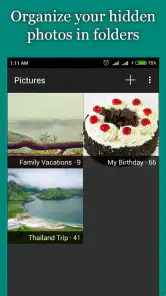
Compared with a standard gallery’s hidden folder, a dedicated vault can make private items feel more clearly separated from the camera roll. The cost of that separation is another place to check when looking for a picture. If I often need to share the same images, I’d keep suitable copies in a normal album and move only the items that truly benefit from privacy. That avoids turning a quick search into a detour through the protected area.
There is also a difference between hiding something from a casual glance and controlling every copy of it. I’d consider where photos are saved, whether I have duplicates elsewhere, and which copy I intend to show or keep private. Before changing a large batch, I’d try a small group and confirm the result in both the vault and the usual gallery. This is a simple way to catch confusion early, especially if I use more than one photo-management tool.
Who should consider it—and who may not need it
I can see this being a good fit for someone who regularly shares a phone screen, keeps personal media on their device, or wants a straightforward way to add a barrier around selected apps. It is less compelling if your only concern is preventing access to the entire phone; the normal device lock is the more direct tool for that. Likewise, if you rarely lend your phone and already use built-in private folders, another utility may add more steps than value.
Before relying on any vault-style workflow, I’d test it with a non-sensitive file and make sure I understand how to access that file again. I’d also avoid assuming that hiding content means it is backed up or protected in every possible situation. For especially important files, I’d keep a separate, trusted backup rather than making one app the only place they exist.
I’d be cautious about choosing this as the sole home for irreplaceable pictures. A private folder is useful for controlling what appears during casual browsing, but that is a different job from preserving files through every device change or unexpected problem. I’d keep another copy of anything important in a backup arrangement I already trust, and I’d make sure I know how to retrieve it before deleting or moving originals.
It may also be the wrong fit for someone who wants one seamless photo library, frequent shared access, or a single control that protects the whole device. Those needs point toward the phone’s built-in tools or broader security settings. For someone who mainly wants a convenient extra boundary around a limited set of media and apps, the focused approach is easier to justify.
Who is behind it and what to expect from the current build
Goaffpro’s app has been available since October 19, 2014, and its current version is 8.7.26. That gives it a long history as a privacy-focused utility, while the version number identifies the current release rather than promising any particular change. I wouldn’t infer specific new features from the version alone; what matters to me is whether the current build works smoothly on my own device and fits my routine.
It runs on Android 5.0 and later, is rated for Everyone, and has a 4.7 average from around 1.1 million ratings. More than 50 million installs suggest that many people have tried it, but popularity cannot tell me whether its approach suits my needs. I’d still check the setup and file handling for myself before moving anything important into a private space.
That long presence is useful context, but it is not a reason to skip a personal test. A version number tells me which release I’m considering; it does not tell me how well it will fit a particular device or how I’ll feel about its day-to-day workflow. I’d start with a few files and the one or two app locks I actually need, then decide whether the current experience is smooth enough to keep using.
The free starting point makes it easy to try the basic idea before deciding whether the optional purchases are relevant to me. I would first work out whether the core routine—moving media, finding it later, and using selected locks—solves a real problem. If it does, I can weigh any paid options on their own merits rather than treating a purchase as necessary simply because the app offers one.
What I would watch as I use it
For me, the most useful test is not whether the app has a long list of tools, but whether I can reliably repeat the steps I care about. I’d pay attention to how easily I can retrieve a file, whether the selected app locks fit the way I lend my phone, and whether keeping a separate private collection remains manageable over time. If those tasks stay simple, the app has earned its place; if I keep forgetting where things are, the extra layer may not be worth it.
I’d also revisit the setup after changing phones or reorganizing my photos, rather than assuming a privacy routine will take care of itself. A short review helps me spot files I no longer need in the vault, confirm that my important pictures have a separate backup, and remove locks that have become a nuisance. That kind of occasional maintenance is the difference between a useful boundary and an untidy second gallery.
Final Thoughts
In a world where privacy is becoming increasingly precious, having an app like this is almost a necessity. Hide Photos, Video and App Lock provides a simple yet effective solution to keep your personal stuff personal. Whether you’re hiding photos, videos, or locking apps, this app does it all with minimal fuss. So, if you’re looking for a way to keep your digital life under wraps, give it a whirl. You might just find it becomes one of those must-have apps in your arsenal.
My recommendation is measured: it’s a sensible option when you want a dedicated space for media and selective app locks, but it won’t replace a strong phone passcode, backups, or good judgment when sharing a device. If those limits match what you need, its straightforward approach is appealing. If you need comprehensive device security or prefer relying only on built-in tools, I’d start there instead.
In the end, I’d recommend trying it with a modest, clearly chosen set of files and a small number of app locks. That lets me judge the everyday convenience without reorganizing my whole phone or making private content harder to manage. If the separate space solves a real sharing problem, it can be a handy part of my routine; if it adds more steps than reassurance, the phone’s own privacy options are a reasonable place to return.
Hide Photos, Video and App Loc Frequently Asked Questions
Who develops Hide Photos, Video and App Lock?
Hide Photos, Video and App Lock is developed by Goaffpro. If you are choosing a privacy app, checking the developer name can help you identify the product you intend to install and distinguish it from similarly named apps. The app’s stated purpose centers on hiding personal content and selected apps, making it relevant to people who want added privacy on their phone.
What kinds of content can I use Hide Photos, Video and App Lock for?
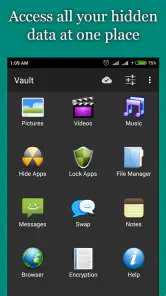
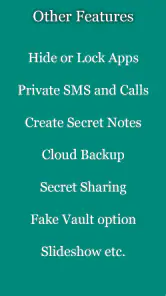
The app’s store summary highlights hiding photos, videos, music, apps, and notes on your phone. That makes it broader than a tool focused only on pictures, although its short description emphasizes hiding photos. Consider which types of content you want to keep private and whether the app’s stated scope matches your needs before downloading.
Is Hide Photos, Video and App Lock free, and what does it offer?
Hide Photos, Video and App Lock is free to download and focuses on keeping personal content and selected apps private. It is listed in the video player and editor category, with a store summary that highlights hiding photos, videos, music, apps, and notes. In-app purchases are available, ranging from $1.49 to $6.99 per item, so some features may involve an additional cost.
Is Hide Photos, Video and App Lock suitable for my device and age group?
The app is rated for Everyone and requires Android 5.0 or later. It has been available since October 19, 2014, and its current version is 8.7.26. Before downloading, check that your device meets the operating system requirement and that you are comfortable using an app whose main purpose is to keep selected media and apps private.
What is the primary function of Hide Photos, Video and App Lock?
Hide Photos, Video and App Lock is an app designed to protect your privacy by allowing you to securely hide photos, videos, and lock specific applications on your device. It provides a layer of security to prevent unauthorized access to sensitive media and apps, ensuring that your private data remains confidential.
Pros
- Easy to use interface.
- Supports various file formats.
- Strong password protection.
- No ads in premium version.
- Works offline.
Cons
- Limited cloud storage.
- Free version has ads.
- No multi-device sync.
- Limited customizations.
- Occasional app crashes.
- Category
- Video Players & Editors
- Version
- 8.7.26











