HD Video Player All Formats
- 5.17K
- 4.4
- Installs
- 100.00M
- Price
- Free

Screenshots
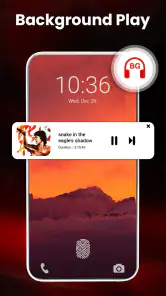
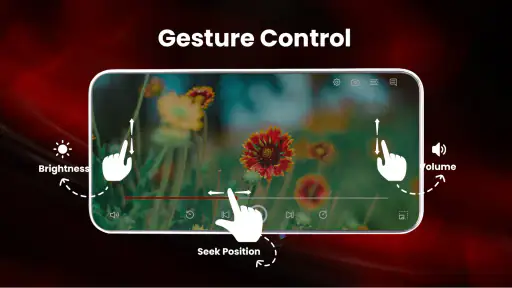
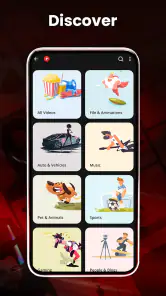
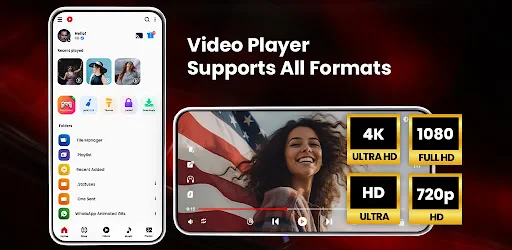
Analysis by Reviewed
Hey there, fellow app enthusiast! Today, I'm diving into the world of video players, and I've had the chance to explore the HD Video Player All Formats. If you're on the lookout for a versatile media player that promises to handle all your video needs, you've come to the right place. Let me walk you through my experience with this app, from installation to playback, and everything in between.
Getting Started with HD Video Player
First things first, downloading and installing the HD Video Player All Formats was a breeze. Available on both Android and iOS, this app ensures you don't have to jump through hoops to get it up and running. The initial setup is pretty straightforward, no rocket science here. Once you have it installed, you're greeted with a clean, intuitive interface that makes navigation a piece of cake.
Interface and Usability
Right off the bat, the interface is sleek and user-friendly, which is something I always appreciate. The developers have done an excellent job keeping it simple yet functional. Whether you're a tech guru or someone who just wants to watch their favorite shows without a hassle, this app caters to all. The menu options are clearly labeled, and finding your way around the app is as easy as pie.
Features Galore
Now, let's talk about what this app brings to the table. The name says it all – it plays all formats. From MP4 to AVI, MKV to MOV, this player has you covered. It's like having a Swiss Army knife for video formats. What really blew me away was the seamless playback. No lags, no buffering, just smooth sailing. Plus, it supports HD video playback, so you're in for a treat if you love watching high-quality videos.
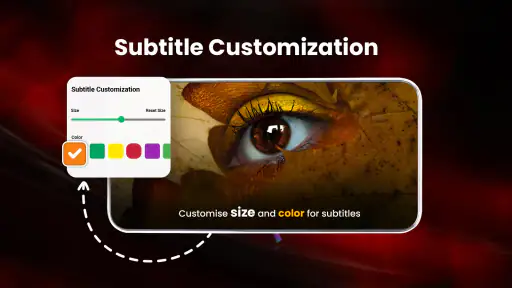
One feature that caught my eye was the subtitle support. If you're an avid fan of foreign films or anime, you'll find this feature a godsend. You can easily load subtitles and even adjust their size and color, which is a nice touch. And for those who love to tweak their viewing experience, the app offers a built-in equalizer and various playback settings to customize audio and video quality.
Performance and Compatibility
Performance-wise, the app runs like a well-oiled machine. I tested it on both my Android phone and iPad, and it worked flawlessly on both. The developers have optimized it well, ensuring it doesn't hog your device's resources. Whether you're watching a short clip or a full-length movie, the app handles it with ease.
Compatibility is another strong suit of this app. It supports a wide range of devices and operating systems, so whether you're on the latest smartphone or an older model, you're good to go. Plus, it integrates well with cloud services, allowing you to stream your videos directly from platforms like Google Drive and Dropbox.
Final Thoughts
In conclusion, the HD Video Player All Formats is a solid choice for anyone looking to elevate their video watching experience. Whether you're a casual viewer or a hardcore cinephile, the app has something to offer. Its ability to play a wide variety of formats, coupled with its user-friendly interface and impressive performance, makes it a must-have. So, if you're tired of switching between different players for different formats, give this one a shot. You won't be disappointed!
Pros
- Supports all video formats smoothly
- User-friendly interface
- High-quality video playback
- Subtitle support for all major formats
- Efficient file management
Cons
- Contains ads in free version
- No Chromecast support
- Limited customization options
- Occasional playback lag
- No built-in equalizer

- Category
- Video Players & Editors
- Version
- v12.1.385