HD Video Downloader Quick Save
- 121.00
- 4.4
- Installs
- 1.00M
- Price
- Free

Screenshots




Analysis by Reviewed
I’d approach HD Video Downloader Quick Save as a handy tool for saving a clip you already have permission to keep, rather than as a universal answer for every video site. The idea is simple: bring a video link into a dedicated downloader and keep a copy for offline viewing. That can be useful when you’re planning a trip, saving a tutorial for later, or collecting clips you’re allowed to store. The key question is whether the link works with the app and whether the source permits downloading.
Where the process can get stuck
In my view, the most likely snag is not the download button itself but the link. A copied address may lead to a post, profile, or restricted page rather than directly to a video the app can handle. If nothing happens, I’d first reopen the original post and copy its share link again, then paste it carefully. I wouldn’t assume that every social platform or every protected video is supported just because the app is a downloader.
It also helps to separate a slow start from a failed download. A weak connection, a source that is temporarily unavailable, or a link that has changed can all interrupt the handoff. I’d test one clip at a time before queuing up several, especially if I’m using mobile data. That makes it easier to tell whether the issue is one particular post or the app’s general workflow.
Check the basics before saving
Before relying on it for a long journey, I’d install the app on a compatible Android device and try a short, permitted video while I’m on a stable connection. It is a free app from TechInforTainment, rated Teen, and its current version is 1.0.3; the listed minimum Android version is 7.0. The app sits in the video player and editing space, though its main appeal here is saving videos rather than editing them.
HD Video Downloader Quick Save has an average rating of 4.4 from about 7,300 ratings, with more than a million installs. That gives a useful sense of its audience, but it doesn’t guarantee that a particular link will work on your phone. The app also offers in-app purchases, with items ranging from $0.99 to $25.71, so I’d check any purchase prompt carefully and stick to the free path if that covers my needs.
Recovering a stalled workflow
If a download appears to stall, I’d avoid repeatedly tapping the same control. First I’d check the connection, confirm that the source video still opens normally, and try copying the link again. If only one link fails while another permitted clip works, the source is the more likely obstacle. If every attempt fails, restarting the app and trying again later is a sensible basic check before assuming the phone is at fault.
For an everyday example, I might save a short cooking clip at home over Wi-Fi so I can refer to it in a kitchen with unreliable reception. I’d verify that the saved file is available before leaving, rather than discovering on the bus that I only copied the link and never completed the download. Saving selectively also keeps a collection easier to manage than grabbing every interesting clip as I scroll.
More From Our News Desk

Clash of Clans Is Won Between the Battles

Android Auto Makes the Case for Quieter Car Software

MobiOffice: Transforming Mobile Productivity with Seamless Integration

EA SPORTS FC™ Mobile Soccer: Redefining Mobile Sports Gaming

How Microsoft OneDrive Became a Mobile Productivity Giant

How Google Translate Breaks Language Barriers Effortlessly
When a different option makes more sense
This app is best suited to someone who wants a straightforward link-based saving routine and is comfortable checking that the source allows it. If I only need occasional offline access, a platform’s own offline feature is usually the cleaner choice when available: it avoids juggling copied links and keeps playback within that service. If I need to trim, caption, or assemble clips, a dedicated video editor is a better fit; the category label should not be mistaken for a promise of editing tools.
I’d also be cautious about treating “HD” in the name as a guarantee that every source will provide a high-resolution file. The result depends on the video and the way it is offered. Before setting aside storage for a trip, I’d open a saved clip and check that its picture and sound are usable. That small check can prevent a frustrating surprise when you’re offline.
Who will get the most from it
I see the strongest fit for someone who saves a few specific clips at a time: a recipe to follow while cooking, a short explainer to revisit, or a creator’s video that is explicitly available to keep. The copy-link routine makes sense when you already know which post you want and do not need a full media library or editing suite. It is less suitable for someone who expects to browse a large catalog inside the app or have every social feed turn into an offline playlist.
A useful habit is to treat each save as a small two-part check: confirm the clip is permitted to download, then confirm the resulting file actually plays before depending on it. If you’re preparing several items for travel, test one first and keep the rest for a moment when you can troubleshoot calmly. That reduces the risk of discovering that a particular source behaves differently only after you have left reliable internet behind.
Choosing between a downloader and familiar alternatives
Compared with a platform’s built-in offline viewing, a separate downloader can be appealing when you want a file-based copy of a permitted clip rather than playback tied to the service. The trade-off is extra handling: you copy a link, move to another app, and need to check the result. Built-in offline tools are generally the simpler route for content you only need within that platform, while a video editor is the natural choice when the goal is to reshape footage rather than save it.
For people who keep only a few clips, this distinction is practical rather than technical. I’d use Quick Save when the link-based route fits the source and I want a clip ready for later; I’d choose the platform’s own feature when convenience and staying in the original service matter more. If I were organizing many files by project, date, or topic, I’d plan that around a file manager or other dedicated library tool instead of expecting a downloader to provide the whole system.
Small checks that prevent bigger hassles
Before a longer download session, I’d make sure the phone has enough free space for the clips I intend to keep and avoid starting a batch when the connection is already unreliable. I’d also open the source link once before copying it; that quickly catches a removed post or a page that requires access I do not have. These checks do not make an unsupported source compatible, but they help distinguish a simple setup problem from a genuine limitation.
If the app presents a purchase prompt, I’d pause and decide whether the free use already covers the task rather than treating payment as a fix for a link that will not load. A purchase cannot be assumed to solve source restrictions or network problems. In the same way, I would not keep retrying a protected or unavailable clip: choosing a different permitted video is often the most useful next step.
So, I’ve been fiddling around with this app called HD Video Downloader Quick Save, and I’ve got to say, it’s quite the nifty little tool for those of us video-holics who just can’t get enough of saving clips from the web. If you’re like me and you love hoarding videos for offline viewing, then this app might just be your new best friend.
Easy Peasy Downloading
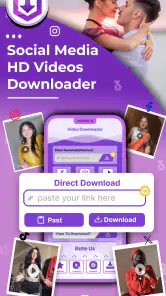
Let’s dive right into what makes HD Video Downloader Quick Save stand out. The first thing that caught my eye was how ridiculously easy it is to use. Seriously, all you need to do is copy the link of the video you want to save, pop it into the app, and boom, you’re downloading. No fuss, no muss. It’s especially handy for those of us who aren’t exactly tech-savvy but still want to enjoy our favorite videos offline.
Speed and Quality
Now, I know what you’re thinking. “Sure, it’s easy, but what about the download speed and video quality?” Well, I’m glad you asked! The download speed is pretty impressive. I’ve tried downloading multiple videos, and it zips through them like a breeze. Plus, the app doesn’t skimp on quality. The videos maintain their original resolution, so you won’t have to worry about watching pixelated cat videos on your commute.
Another cool feature is that it supports a variety of video formats. Whether it’s MP4, AVI, or even some of the less common ones, this app has got you covered. It’s a small detail, but it makes a big difference when you’re trying to save different types of content.
User Interface and Experience
The user interface is clean and straightforward. I appreciate that the developers didn’t try to overload it with unnecessary bells and whistles. Everything is where you’d expect it to be, making navigation a breeze. Plus, it doesn’t bombard you with ads, which is always a plus in my book. The focus remains on downloading videos efficiently, and it does that job remarkably well.
I also noticed that it doesn’t drain your phone’s battery as much as some other apps do. That’s a huge win for me because I’m constantly on the go and need my phone to last throughout the day.
Final Thoughts
All in all, if you’re looking for a reliable and fuss-free way to download videos, HD Video Downloader Quick Save is worth checking out. It’s fast, efficient, and doesn’t compromise on video quality. While it might not have the flashiest design, it gets the job done without any hitches. So, go ahead, give it a whirl, and enjoy your videos anytime, anywhere!
A practical way to decide
I’d recommend trying it with one or two clips you’re entitled to save before building a whole routine around it. That reveals the most important compatibility detail for your own use: whether the links you actually care about can be handled. For someone who collects short social videos for a later watch, that simple test is more useful than assuming a downloader will work equally well across every site.
There’s also a sensible storage trade-off. A handful of clips can be convenient, but repeated saving can use space that you may want for photos, messages, or other media. I’d periodically review what I’ve kept and remove anything I no longer need. If keeping files organized is central to your plans, a broader file-management workflow may suit you better than relying on a downloader alone.
Permissions, expectations, and a fair verdict
One question worth settling before installing any downloader is whether saving a particular creator’s video is allowed. I’d use this for my own material or content whose owner permits offline copies, and I wouldn’t use it to bypass access controls. That boundary matters more than convenience: a tool can make a link easy to process, but it doesn’t change the rights attached to the video.
My overall take is that this is a focused option for people who like the copy-and-paste approach and want a simple way to keep permitted clips handy. It is less compelling if you expect a downloader to recognize every source automatically, want editing controls, or prefer to keep everything inside the original platform. With those expectations in place, I’d try the free app for a small, practical task first and decide from that experience whether it earns a place on my phone.
HD Video Downloader Quick Save Frequently Asked Questions
Does HD Video Downloader Quick Save cost anything to download?
HD Video Downloader Quick Save is free to download, so you can try the app without paying an upfront purchase price. It also offers optional in-app purchases, which may matter if you plan to use paid features or content within the app. Check the purchase options shown on your device before confirming any transaction, and review whether the free experience meets your needs.
What is HD Video Downloader Quick Save?
HD Video Downloader Quick Save is a mobile application designed to help users quickly and easily download high-definition videos from various online platforms directly to their Android or iOS devices. With its user-friendly interface, it allows users to save videos for offline viewing, ensuring they can enjoy content without the need for an internet connection. Its store summary also describes it as a story saver, social media downloader, quick saver, and viral videos collection.
How do I download videos using HD Video Downloader Quick Save?
To download videos with HD Video Downloader Quick Save, simply open the app and navigate to your desired video on any supported platform. Copy the video's URL and paste it into the app's download field. The application will then process the link and provide you with options to save the video in your preferred resolution and format on your device. Before saving, make sure you have permission to download and keep the content.
Is HD Video Downloader Quick Save safe to use?
Yes, HD Video Downloader Quick Save is designed with user safety in mind. It does not require access to personal data or unnecessary permissions that could compromise user privacy. However, users should ensure that they use the app in compliance with the terms of service of the platforms from which they are downloading videos, as downloading copyrighted content might be restricted. As with any app, review permission requests on your device and only proceed if they make sense for the features you want to use.
Can I use HD Video Downloader Quick Save on both Android and iOS devices?
Absolutely! HD Video Downloader Quick Save is available for both Android and iOS platforms. Users can download the app from the Google Play Store for Android devices and from the Apple App Store for iOS devices. It provides a seamless experience across both platforms, allowing users to download and save videos effortlessly. The Android release requires version 7.0 or later, so check your device’s software before installing.
Pros
- Fast download speeds.
- Supports multiple formats.
- User-friendly interface.
- No login required.
- Background downloads.
Cons
- Contains ads.
- Limited features in free version.
- Occasional download errors.
- Requires Android 5.0+.
- No iOS version available.
- Category
- Video Players & Editors
- Version
- 1.0.3











