

Guitar Tuner Simple Pro
- 0.00
- 0.0
- Installs
- 50.00
- Price
- $0.99

Screenshots
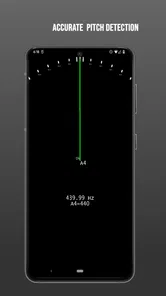
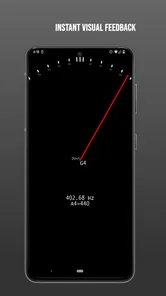
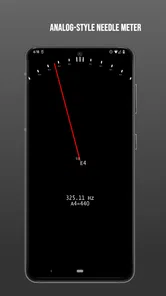
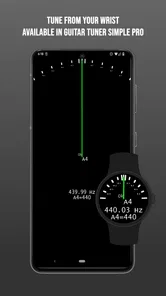
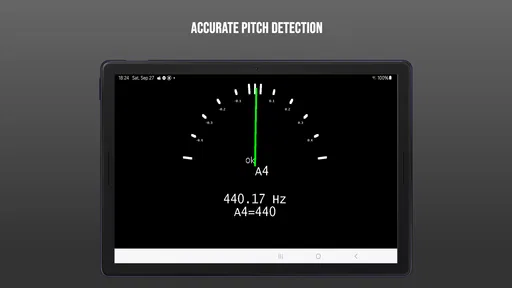
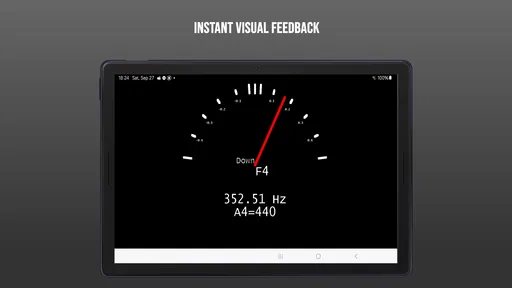
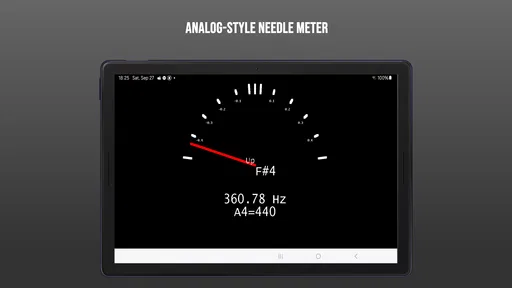
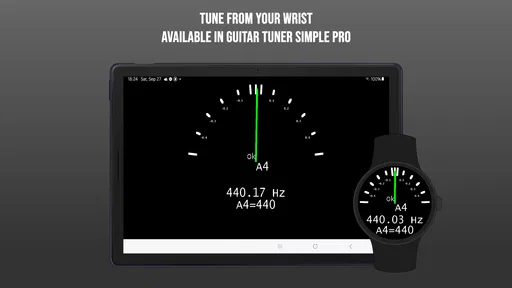
Analysis by Reviewed
When I’m deciding whether a guitar-tuning app is worth paying for, I start with a simple question: will I actually use it when I pick up an instrument? Guitar Tuner Simple Pro is a small Music & Audio app by Anton Plakhotnyk, and its appeal is easy to understand: it is focused on tuning rather than trying to turn a phone into an entire music studio. I’d consider it for quick checks at home or before practice, while keeping in mind that a tuner app is only as useful as the conditions in which you use it.
What the price means in practice
This is a paid app, priced at $0.99, rather than a free tuner with an optional paid upgrade. That makes the decision fairly direct: you pay for access up front, so it is worth thinking about whether you want a dedicated tuner on your phone or would rather start with one of the free alternatives. It is rated for Everyone, was released on July 14, 2024, and requires Android 5.0 or later. It has 50+ installs, so I’d treat it as a focused, relatively little-used option rather than a widely established default.
That small footprint changes how I’d approach the purchase. I wouldn’t pay because I expect a large community, extensive tutorials, or a familiar brand behind it; I’d pay only if having a dedicated tuner is useful to my routine. The upfront price is modest, but “modest” is not the same as automatically worthwhile. A free tuner already on my phone, or a physical tuner I own, may do the job just as well for my needs.
A practical tuning routine
In everyday use, I’d open a tuner before a practice session, tune each string separately, then check again after playing for a few minutes. Freshly changed strings can drift as they settle, and a second pass can catch that before it becomes a distraction. For a more dependable reading, I’d tune in a quiet spot, pluck one string at a time, and let the sound ring instead of striking it hard. That routine matters with any phone tuner: background music, conversation, or another instrument can make it harder for the microphone to isolate the note.
A helpful habit is to mute the strings you are not checking. Their sympathetic vibration can muddy a reading, especially if the guitar has been ringing from the previous note. I’d also avoid twisting a tuning peg while the note is still changing: pluck, wait for the display to settle, make a small adjustment, and pluck again. This is not a special trick that guarantees a perfect result; it simply gives a phone microphone a cleaner sound to interpret.
A phone also isn’t always the best tool in every setting. If I’m rehearsing with a loud band, a clip-on tuner attached to the instrument may be easier to read and less affected by surrounding sound. If I’m already using a pedal tuner onstage, switching to an app adds little. The app’s strongest case is convenience: the phone is already nearby when I want to check tuning between songs or practice sections.
Where a phone tuner fits among alternatives
The usual alternatives each solve a slightly different problem. Free tuning apps are a sensible first stop if I am unsure how often I’ll tune with my phone. A clip-on tuner is more practical when I need to check an instrument in a noisy room, while a pedal tuner makes more sense for a guitarist who wants a stage setup built around their signal chain. A dedicated physical tuner also avoids the need to hold a phone near the instrument. I see this app as a convenient personal-practice choice, not a universal replacement for those tools.
More From Our News Desk

 Gmail
GmailGmail in a Busy Inbox: Who Benefits Most?
From first account to crowded workday, Gmail earns its place through dependable search and flexible sorting—but its best fit depends on how much inbox maintenance you can tolerate.

 Prime Video
Switching to Prime Video: What Changes in Your Viewing Routine
Prime Video can make a compelling second home for streaming, but switching means learning a different catalog, rental layer, and route from browsing to playback.

 Universal TV Remote Control
Universal TV Remote Control Works Best as a Reliable Backup
A phone remote earns its place through quick setup and reliable habits. Here is how to get more from Universal TV Remote Control—and where its limits show.

 Weather - By Xiaomi
Weather by Xiaomi Review: Clear at a Glance, Less Clear Up Close
Xiaomi’s weather app makes everyday forecasts quick to scan, but its calm surface can leave useful details and recovery paths harder to find than they should be.

 X
XX Under Pressure: Can It Recover When Posting Goes Wrong?
A resilience-focused review of X, examining setup, mistaken posts, interruptions, weak connections, and the gaps that matter when recovery needs to be dependable.

 Clash of Clans
Clash of Clans Is Won Between the Battles
Its raids are quick; its community is a long-term project of coordination, teaching, rivalry, and shared responsibility—with all the friction that entails.
Latest News



There is another trade-off: a phone screen can be easy to consult in a quiet room, but it competes with everything else on the device. If I’m using the phone to play a backing track, follow a lesson, or record a practice, I may prefer not to switch away from that task just to tune. In that situation, a separate tuner keeps the workflow simpler. If I only need a quick check before playing, opening an app on a phone that is already beside me may be the easier option.
For a realistic example, imagine I have ten minutes before an online lesson. I can sit down, mute the strings I am not tuning, check each one in a quiet corner, and then use the remaining time to play rather than search for a tuner in a case. If I am joining a loud rehearsal instead, I would choose a clip-on or pedal tuner before leaving home. The right choice depends less on the label “pro” and more on where and how I play.
Who is likely to get value
I’d look at this app if I’m a beginner who wants a straightforward place to start, or a casual player who would rather keep a tuner in a pocket than buy another accessory. A learner can build a useful habit by checking tuning before practice and listening to the strings after adjustment, rather than relying on the screen alone. More experienced guitarists may appreciate having a phone-based option for informal sessions, but players who need specialized tuning controls or stage-ready visibility should compare it with a dedicated tuner before paying.
It may also suit someone who shares a guitar with family or housemates. A quick tuning check before handing the instrument over can help make practice less frustrating, and an app is easy to keep with a phone rather than leave in one particular guitar case. Still, if several people need to tune different instruments regularly, I would first check that the app supports the specific instruments and tunings they use. The app’s name points to guitar tuning, and I would not assume broader instrument coverage without confirming it in the app itself.
For a player who is learning by ear, I would treat the tuner as a reference, not a substitute for listening. I’d check the open strings, then play a familiar chord or a short passage. If the screen suggests the strings are in tune but the guitar still sounds uncomfortable, I would pause and check how I fretted the notes, whether I had struck the strings consistently, and whether the instrument needs attention. That distinction matters: a tuner can guide pitch, but it cannot diagnose every reason a guitar sounds off.
One useful trade-off is that a tuner helps identify pitch, but it doesn’t teach the whole process of setting up an instrument. If a string keeps sounding wrong even after a careful adjustment, the cause could be how it was played, the instrument’s setup, or a string that needs attention—not necessarily the tuner. I’d use the app as a quick reference, then listen to familiar chords to judge whether the guitar feels right in context.
For a typical evening, I might pick up my guitar for a short practice, check the tuning before starting, and make another quick pass after a few songs. That’s where a phone app can earn its place: it removes the small hassle of searching for a separate device. But if I only tune occasionally, a free option may be enough; if accuracy and visibility matter in noisy rehearsals, a physical tuner may be the better buy.
My value verdict is therefore practical, not automatic. At $0.99, the upfront cost is modest, but paying for a focused tool only makes sense if I expect to reach for it regularly. The app’s Everyone rating makes it suitable for general audiences, and its Android 5.0 minimum supports older devices, but neither point replaces checking that it fits your own routine. I’d choose it for convenient personal practice, and skip it if I already have a tuner I trust or want a free way to get started.
Getting Started with Guitar Tuner Simple Pro
At first glance, Guitar Tuner Simple Pro might look like any other tuning app out there. But don’t let its simplicity fool you. Downloading and setting up this app was a breeze. Available for both Android and iOS, it installs in seconds and doesn’t require any complicated setup. The user interface is refreshingly straightforward; it’s like having a real-life tuner right on your phone. No clutter, just pure functionality.
The Tuning Experience
Once you open the app, you’re greeted with a clean, intuitive interface. I found it incredibly easy to navigate. It offers a variety of tuning options—standard, drop D, open G, you name it. What I love is how responsive it is. The app quickly picks up the sound of your guitar, and the needle display is precise, making it super easy to get your strings perfectly in tune. If you’re like me and sometimes need a bit more guidance, the app also provides audio references for each string. That feature saved me a couple of times when I was doubting my tuning skills!
Beyond Basic Tuning
What sets this app apart from others is its versatility. Aside from the basic tuning capabilities, it also offers a metronome and chord library. The metronome is a great addition if you’re practicing and need to keep time. It’s adjustable and has different time signatures to suit every kind of music you’re playing. The chord library is a fantastic tool for those moments when you’re trying to learn new songs or need a quick reference.
One of the standout features for me was the ability to tune other string instruments. I’ve got a ukulele and a bass guitar, and this app handles them all like a champ. It’s like having a multi-tool for all my string instruments.
Why You Should Try It
In my opinion, Guitar Tuner Simple Pro is a must-have for any guitarist. Its ease of use, accuracy, and additional features make it a top choice over other tuning apps. It’s perfect for those who need a reliable tuner on the go. Plus, the app’s lightweight design ensures it doesn’t hog your phone’s resources, which is always a plus.
In conclusion, whether you’re jamming at home, recording in a studio, or performing live, having this app in your toolkit is a smart move. It’s like having a reliable bandmate who’s always there to keep you in tune. So, if you haven’t tried Guitar Tuner Simple Pro yet, give it a shot. You might just find it’s the tuning app you’ve been waiting for.
Guitar Tuner Simple Pro Frequently Asked Questions
What does Guitar Tuner Simple Pro do?
Guitar Tuner Simple Pro is a Music & Audio app for tuning a guitar. Its focus is straightforward: help you tune your instrument, with a short description that identifies it as a guitar tuner. It may be a useful option if you want a dedicated tuning app rather than a broader music tool. The app is listed for $0.99 and is rated for Everyone.
Which devices can install Guitar Tuner Simple Pro?
Guitar Tuner Simple Pro requires Android 5.0 or later, so check your device’s operating system before downloading. It is an app by Anton Plakhotnyk, released on July 14, 2024, and has 50 or more installs. These details can help you decide whether it suits your device and whether you are comfortable trying an app with a relatively small install base.
What platforms is Guitar Tuner Simple Pro available on?
Guitar Tuner Simple Pro is available for both Android and iOS devices, allowing users with smartphones and tablets to easily access the app. The app is designed to work seamlessly across different devices, ensuring a consistent user experience whether you are using it on an Android phone or an iPad.
Does Guitar Tuner Simple Pro support alternative tunings?
Yes, Guitar Tuner Simple Pro supports a variety of alternative tunings beyond standard tuning. This feature is particularly useful for musicians who wish to experiment with different sounds or are playing music that requires specific tunings. Users can easily switch between tunings, making it a versatile tool for guitarists of all levels.
Is Guitar Tuner Simple Pro suitable for beginners?
Absolutely, Guitar Tuner Simple Pro is designed to be user-friendly, making it suitable for beginners as well as experienced musicians. The interface is intuitive and guides users through the tuning process with ease. Beginners will appreciate the app’s simplicity, while more experienced players will benefit from its comprehensive features.
Pros
- Intuitive user interface.
- Accurate tuning capabilities.
- Supports multiple string instruments.
- No ads in the pro version.
- Fast response time.
Cons
- Limited advanced features.
- No metronome included.
- Requires payment for full features.
- Limited customization options.
- No offline mode available.











