GPS Voice Navigation: Live Map
- 1.17K
- 4.5
- Installs
- 10.00M
- Price
- Free

Screenshots


Analysis by Reviewed
If you’re anything like me, getting lost is practically a hobby. But with the GPS Voice Navigation: Live Map app, it feels like I’ve got a trusty co-pilot guiding me through every twist and turn. Let me walk you through my experience with this nifty app that promises to make navigation as easy as pie.
Getting Started
First impressions matter, and downloading the GPS Voice Navigation: Live Map felt like a breeze. The app is available on both Android and iOS, so whether you’re team Apple or Android, you’re covered. Once downloaded, setting it up was straightforward. There’s no complex registration process, just a few permissions to grant, and you’re ready to hit the road.
As a free navigation app from Droid-Developer, it sits in a familiar part of the Maps & Navigation category: the everyday route planner you can turn to for a drive across town or an unfamiliar trip. Its 4.5 average from around 62,000 ratings and more than 10 million installs suggest plenty of drivers have tried it, though popularity alone cannot tell me whether it fits a particular person’s needs. It is rated for Everyone, and version 1.9.20 runs on Android 5.0 and later. In-app purchases range from $4.99 to $29.99 per item, so I would check what is included before paying rather than assume every option is part of the free experience.
Features Galore
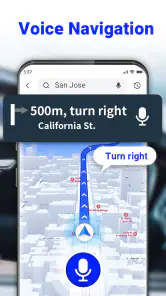
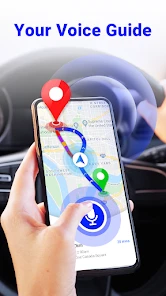
The app boasts a plethora of features that can give any traditional GPS device a run for its money. The most notable feature is the voice navigation. It’s crisp, clear, and sounds like a real person is sitting right next to you. You can customize the voice to suit your preference, whether you want a gentle guide or a more authoritative tone. Plus, the live map feature ensures that you’re always aware of your surroundings. It updates in real-time, so you’re never caught off guard by unexpected roadblocks or traffic jams.
For drivers who find it hard to glance repeatedly at a screen, spoken directions can reduce the need to look down, but I would still set the destination before moving and keep attention on the road. Voice prompts are not a substitute for checking signs, lane markings, or a confusing junction. If you have difficulty hearing speech, rely on visual cues and road signage instead of assuming spoken guidance will be enough. The practical balance is to treat the map as a helper, not the authority on what is safe.
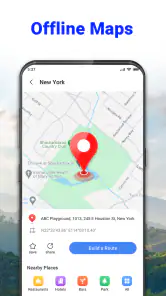
Another cool feature is the offline maps. We’ve all been there – driving through a signal dead zone and losing GPS connectivity. With offline maps, you can download your route beforehand and navigate seamlessly without worrying about losing your way.
Offline preparation is most useful when reception is likely to be patchy: before leaving home, while you still have a dependable connection, check the route and prepare the map for the stretch you expect to travel. This is also a sensible backup for rural roads or underground parking exits, where stopping to troubleshoot can be awkward. I would not assume an offline map will carry every live service with it; traffic and changing road conditions are precisely the kind of information that can depend on a connection. Keep a broad route in mind, and use signs if the app’s map does not match what is on the road.
You May Like

Clash of Clans Is Won Between the Battles

Android Auto Makes the Case for Quieter Car Software

MobiOffice: Transforming Mobile Productivity with Seamless Integration

EA SPORTS FC™ Mobile Soccer: Redefining Mobile Sports Gaming

How Microsoft OneDrive Became a Mobile Productivity Giant

How Google Translate Breaks Language Barriers Effortlessly
User Experience
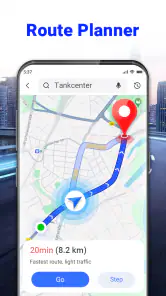
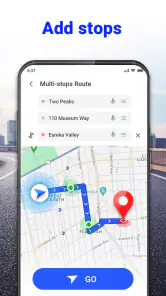
Using the app felt intuitive. The user interface is clean and not cluttered with unnecessary options. I appreciated how easy it was to input destinations and the accuracy of the routes provided. It even offers alternative routes if you’re looking to avoid tolls or find the quickest path. The real-time traffic updates are a lifesaver for those of us who despise being stuck in gridlock.
A useful everyday test is a trip to an appointment on the other side of town. I would enter the destination while parked, compare the suggested route with the alternatives, and decide whether a quicker arrival or a route avoiding tolls matters more that day. Before setting off, it is worth confirming the destination pin is on the correct entrance rather than merely somewhere with the right street address; that small check can prevent a last-minute detour around a large building. When traffic changes, let the app inform the decision, but do not take a sudden turn just because a new route appears.
Compared with a dedicated car GPS, a phone app is easier to keep current and already travels with you, while a separate device may be more comfortable for drivers who prefer a permanently mounted screen. Compared with familiar general-purpose map apps, this one’s appeal is its straightforward focus on voice directions and offline navigation. If you depend on detailed place discovery, public-transit planning, or a particular map ecosystem, your usual app may be the better fit. I would use this as a practical driving option, not expect it to replace every mapping tool.
Room for Improvement
Of course, no app is perfect. While the GPS Voice Navigation: Live Map is great, there are a few hiccups. Occasionally, the app took a bit longer to load, especially when switching between features. Also, while the voice navigation is generally accurate, there were a few instances where it lagged a bit behind my actual location, but nothing too bothersome.
That lag matters more in a dense city, on a complicated interchange, or when several turns arrive close together than on a familiar straight road. If the spoken instruction seems late, I would follow the road signs and avoid making an abrupt correction. It is also worth allowing time to load the route before driving rather than trying to solve a slow screen while in motion. These small habits make the app easier to use without pretending that navigation software never misjudges timing.
Additionally, while the app is free, some features are locked behind a premium version. It’s a common practice, but something to keep in mind if you’re hoping for a completely cost-free experience.
That makes it a reasonable choice for someone who mainly wants basic directions and is willing to see whether the free functions cover their routine. If you need a specific paid tool, check its availability and cost in the app before building a trip around it. Drivers who want to avoid in-app spending altogether may prefer a navigation option whose required functions are clearly included at no extra charge. The listed in-app purchase range is $4.99 to $29.99 per item, so I would treat purchases as optional decisions, not a necessary part of trying the app.
The Final Verdict
In a world where navigation apps are a dime a dozen, GPS Voice Navigation: Live Map stands out with its user-friendly interface and reliable features. Whether you’re planning a cross-country road trip or just trying to find the nearest coffee shop, this app has got your back. While there's room for improvement, especially with loading times, it’s a worthy companion for any journey. So, if you’re looking to make your travels a little less stressful, give this app a whirl. Happy travels!
I would recommend it most to drivers who want voice-led trips, like having an offline option prepared, and are comfortable checking a route before setting off. It is less compelling if your priority is highly detailed local discovery, if delayed prompts would make you uneasy, or if you need navigation to work without any screen interaction or attention. A phone holder, a planned destination, and a quick route check are practical ways to make the experience more manageable; anyone with motor, hearing, or vision needs should test the interface and guidance while parked to see whether it suits them personally.
For me, its best use is as a simple co-pilot for ordinary driving rather than a promise that every journey will be effortless. I would keep an alternative map option available for unusual trips, trust road signs over a late instruction, and prepare offline coverage before entering a weak-signal area. With those sensible limits in mind, this free app offers a useful starting point for drivers who want spoken guidance without making navigation more complicated than it needs to be.
GPS Voice Navigation: Live Map Frequently Asked Questions
Does GPS Voice Navigation: Live Map need location permission to provide directions?
Yes. GPS Voice Navigation: Live Map relies on your device’s location services to show where you are and guide you along a route. Before using it, make sure location access is enabled and that the app can use it while you navigate. This is especially important when testing voice guidance or map directions, since location access is what lets the app relate your position to the route.
Is GPS Voice Navigation: Live Map suitable for planning trips before I leave?
It can be useful to prepare a journey by searching for a destination and reviewing the route before setting off. The app is designed around voice GPS and driving directions, with map navigation intended to support travel. Planning ahead also gives you time to check the route and download maps for offline use if you expect to travel somewhere with limited connectivity.
Which devices can install GPS Voice Navigation: Live Map?
GPS Voice Navigation: Live Map is an Android navigation app for devices running Android 5.0 or later. Before downloading, check that your phone or tablet meets this minimum requirement and has location services available for GPS guidance. The app is free to install, so you can try its core navigation experience without an upfront download charge.
Who makes GPS Voice Navigation: Live Map, and is it widely used?
The app is developed by Droid-Developer and is listed in the Maps & Navigation category. It has a 4.5 average rating from around 62,000 ratings, with over 10 million installs. Those figures suggest that many Android users have tried it, though your experience will still depend on your device, route, and how you use its navigation features.
What are the main features of GPS Voice Navigation: Live Map?
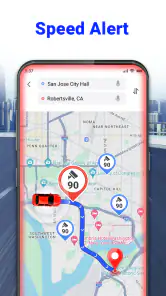
GPS Voice Navigation: Live Map offers turn-by-turn voice-guided navigation, real-time traffic updates, and offline maps. It also provides lane guidance and speed limit alerts to ensure a smooth driving experience. The app supports multiple languages and allows for easy address or point-of-interest search, making it a comprehensive tool for travelers.
Pros
- Accurate real-time voice guidance.
- User-friendly interface.
- Offline navigation mode.
- Customizable route options.
- Integration with multiple map services.
Cons
- Occasional GPS signal loss.
- High battery consumption.
- Limited language options.
- Premium features require payment.
- Infrequent map updates.
- Category
- Maps & Navigation
- Version
- 1.9.20