

Ghostalker
- 56.00
- 4.1
- Installs
- 5.00K
- Price
- $2.99

Screenshots
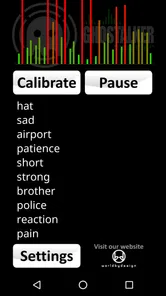
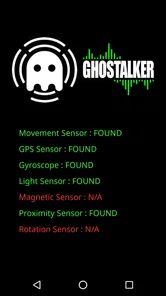

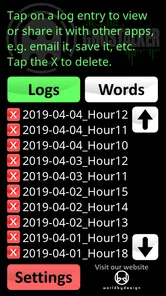
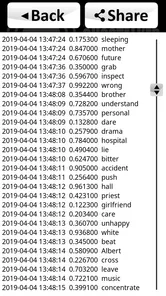
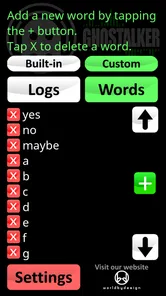

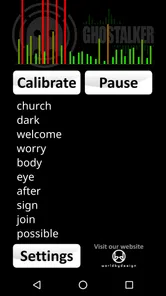
Analysis by Reviewed
Have you ever been intrigued by the supernatural world? If yes, then Ghostalker might just be the app you've been waiting for. This app promises to bridge the gap between our world and the mysterious realm of spirits. I decided to give it a whirl and, let me tell you, it was quite the experience!
What is Ghostalker All About?
Ghostalker is a lifestyle app from WorldByDesign that uses a device’s sensors to turn detected energy into spoken words. I’d approach that as a paranormal-themed experiment, not as reliable evidence of spirits: unusual sensor readings can have ordinary explanations, and a spoken output does not prove where it came from. The app costs $2.99, is rated for Everyone, and its current version is 0.7. Its 4.1 average comes from around 158 ratings, with over 5,000 installs, so it has found a modest audience among people curious about this kind of experience.
Getting Started
Once you download and install the app, you'll be greeted with a simple tutorial. The app walks you through its main features, ensuring you know how to use its various tools effectively. From spirit detection to communication, it provides a comprehensive guide to get you started on your ghost-hunting journey.
I would begin somewhere quiet and familiar rather than in a busy public place. That makes it easier to notice when spoken output changes, while also giving you a useful comparison with the app running in a different setting. Try a short session first, then repeat it under similar conditions; treating the experience as an experiment helps keep an exciting result from feeling more conclusive than it really is.
Before starting, it helps to decide what you want from the session. If you are hoping for a spooky shared activity, leave room for surprise and conversation. If you want to compare what happens in two places, keep the conditions as similar as you can: stay still, avoid talking over the output, and change only one thing at a time. That will not turn the app into a scientific instrument, but it can make your observations less muddled and the experience more enjoyable.
Features That Stand Out
The app comes loaded with a variety of features that make it stand out in the crowded app market. One of the most exciting features is the EVP (Electronic Voice Phenomena) recorder. This tool allows you to capture possible spirit voices that might be communicating with you. It's both eerie and fascinating to listen back to recordings and hear things you might have missed in real-time.
Another notable feature is the EMF (Electromagnetic Field) detector. This tool is often used in professional ghost hunting and helps detect changes in electromagnetic fields, which some believe are caused by spirits.
More From Our News Desk

 Gmail
GmailGmail in a Busy Inbox: Who Benefits Most?
From first account to crowded workday, Gmail earns its place through dependable search and flexible sorting—but its best fit depends on how much inbox maintenance you can tolerate.

 Prime Video
Switching to Prime Video: What Changes in Your Viewing Routine
Prime Video can make a compelling second home for streaming, but switching means learning a different catalog, rental layer, and route from browsing to playback.

 Universal TV Remote Control
Universal TV Remote Control Works Best as a Reliable Backup
A phone remote earns its place through quick setup and reliable habits. Here is how to get more from Universal TV Remote Control—and where its limits show.

 Weather - By Xiaomi
Weather by Xiaomi Review: Clear at a Glance, Less Clear Up Close
Xiaomi’s weather app makes everyday forecasts quick to scan, but its calm surface can leave useful details and recovery paths harder to find than they should be.

 X
XX Under Pressure: Can It Recover When Posting Goes Wrong?
A resilience-focused review of X, examining setup, mistaken posts, interruptions, weak connections, and the gaps that matter when recovery needs to be dependable.

 Clash of Clans
Clash of Clans Is Won Between the Battles
Its raids are quick; its community is a long-term project of coordination, teaching, rivalry, and shared responsibility—with all the friction that entails.
Latest News



These are different ways to explore the app, but I wouldn’t treat either as a scientific instrument. For a more careful session, keep your questions simple, pause between them, and note what you heard before replaying a recording. That small habit can help separate an immediate impression from a sound that only seems meaningful after repeated listening. It also makes the activity more engaging for a group without turning every noise into a definite answer.
A practical tip is to make a brief note after each pause: what you asked, what you heard, and what you thought it meant at first. Compare those notes with a friend’s impressions before discussing them together. If interpretations differ, that is useful context rather than a problem to solve. The strength of this sort of activity is the conversation it can prompt; the trade-off is that the same ambiguity can make a random sound feel like a personal reply.
It is also worth choosing the order of a session deliberately. Start with a few minutes of listening before asking questions, then stop and review rather than letting the activity run on while everyone gets distracted. This gives you a clearer sense of what the room already sounds like. If a result seems striking, repeat the same quiet setup another time instead of treating one surprising moment as confirmation.
Readability, Controls, and Sensory Comfort
The original experience I had felt approachable, but an interface that seems straightforward to me may not suit everyone. If you rely on larger text, strong contrast, screen readers, or a particular navigation method, check whether the controls and spoken output work comfortably on your device before planning a long session. I would avoid assuming that the app’s paranormal theme makes it accessible to every user.
Its spoken-word concept may be useful for someone who prefers listening over reading, but sound can also be a barrier. Headphones may help in a noisy room, while a quiet setting is better if you need to hear the output clearly; either way, keep the volume at a comfortable level. If sudden or ambiguous audio makes you uneasy, use it with a friend or skip the session. The app is entertainment, not something I’d use to make decisions or interpret a frightening experience as proof of danger.
For anyone with limited hand movement or who finds repeated tapping tiring, I would test the basic controls before committing to a full group activity. A short trial can reveal whether holding the device, navigating between tools, or keeping the screen active feels manageable. You can also ask another person to handle the device while you listen and contribute interpretations, although that changes the experience from individual exploration to a shared one.
People who are hard of hearing may find that spoken output alone is not a comfortable way to follow the session. If the result is unclear, do not assume that turning the volume very high will solve it; a quieter room or a different activity may be a better choice. Likewise, anyone sensitive to eerie themes or unpredictable audio should feel free to participate only as an observer—or choose a less unsettling game for the evening.
My Personal Experience
Using the app felt like stepping into a whole new world. I tried it in my home, and let me tell you, the results were surprising! The EMF detector picked up several anomalies, and the EVP recorder captured some intriguing sounds. While I remain a bit of a skeptic, those moments certainly made me question my stance on the paranormal.
A realistic way to try it is during a relaxed evening at home: choose one room, sit still for a few minutes, and take turns listening rather than moving around and talking over the output. Then compare what each person noticed before sharing interpretations. This is a better fit for a curious night with friends than for anyone looking for a dependable answer about a sound or presence in the house.
For a group, I would agree on a simple ground rule beforehand: nobody has to explain away a sound, and nobody has to treat it as a message either. That keeps the tone playful for believers and skeptics alike. It also helps if one person manages the device while the others listen, since passing it around can create extra movement and interruptions that make a short experiment harder to follow.
It's easy to spend hours exploring the different features and trying to make contact with the other side. Whether you believe in ghosts or not, the app provides an entertaining and somewhat enlightening experience.
Who It Suits—and Where It Falls Short
I’d recommend it to curious paranormal fans who enjoy an open-ended activity and are happy to treat sensor readings as prompts for discussion. It is less suitable if you want verified ghost detection, a conventional voice recorder, or a practical everyday utility. Compared with ordinary recording apps, its appeal is the supernatural framing and sensor-based interaction; a standard recorder is the clearer choice when your priority is capturing speech accurately, while a dedicated measurement tool is preferable when you need dependable readings.
One trade-off is interpretation: sensor changes and unclear sounds can invite you to hear patterns that may not be there. Keep sessions short, avoid testing near obvious sources of interference, and don’t use the app in places where speaking aloud or focusing on a screen could distract you. It was released on April 23, 2019, and runs on Android 4.1 or later, which makes it relevant to some older devices, though your own device’s sensor and audio behavior will shape the experience.
The price makes it worth deciding what kind of evening you want before you buy. If you enjoy paranormal-themed experiments and will use the spoken output as a conversation starter, the one-time cost may feel reasonable to you. If you mainly need to record a meeting, identify a household noise, or check an actual electromagnetic reading, a purpose-built alternative is a better match and avoids paying for a presentation you do not need.
There are a few sensible questions to ask yourself before using it. Can your phone produce and play audio comfortably in the place where you plan to try it? Are you happy with an experience where the meaning of a result is open to interpretation? Will the people with you enjoy the theme, rather than feel pressured to believe it? If any answer is no, a regular recorder, a quiet conversation, or another kind of group activity is likely to be more satisfying.
It is not an ideal choice for investigating a worrying noise at night. When you need to know whether a smoke alarm is beeping, a pipe is knocking, or someone is at the door, check the ordinary causes directly and use a suitable recording or safety tool if needed. A sensor-based paranormal app cannot provide dependable reassurance, and letting an ambiguous spoken result shape a real-world decision would be a poor trade.
Final Thoughts
In a world where apps are a dime a dozen, this app manages to carve out a niche for itself. It's a fun, engaging, and slightly spooky app that can be enjoyed by anyone with an interest in the paranormal. Whether you're a seasoned ghost hunter or just curious about the supernatural, this app offers something for everyone.
So, why not give it a try and see if you can make contact with the other side? Just remember to keep an open mind and enjoy the journey! My inclusive verdict is more cautious: it can be a playful shared activity, but people who need clear, predictable feedback or accessible controls should check the experience on their own device before paying. If you’re comfortable with ambiguity and a bit of spooky theatre, it may be worth exploring; if you want reliable evidence or a straightforward recording tool, I’d choose something else.
Ultimately, I see it as a niche purchase for a particular mood rather than a tool I would keep opening for everyday answers. It can work well when everyone understands the uncertainty and enjoys comparing impressions; it is a poor fit when accessibility, accuracy, or calm reassurance is the main need. That distinction is the most useful way to decide whether the app belongs on your phone.
Ghostalker Frequently Asked Questions
What does Ghostalker use my device for?
Ghostalker is a Lifestyle app whose short description is simply “Ghostalker.” Its stated purpose is to use your device sensors to detect energy and convert it into spoken words. If you are considering downloading it, that is the key idea to keep in mind: the experience centers on sensor-based energy detection and spoken output rather than the anonymous messaging and community features described in some app summaries.
What is Ghostalker and what can I do with it?
Ghostalker is a social networking app designed for users who want to explore and connect with others anonymously. The app allows you to send messages, share stories, and engage with communities without revealing your identity. This makes it ideal for those who enjoy interacting freely and expressing themselves without fear of judgment.
Is my data safe while using Ghostalker?
Yes, Ghostalker prioritizes user privacy and data security. The app employs end-to-end encryption to ensure that your messages and personal information remain confidential. Additionally, Ghostalker does not store your personal data on their servers, providing an extra layer of protection against unauthorized access.
How can I join or create communities on Ghostalker?
Joining or creating communities on Ghostalker is simple. You can browse through a variety of existing communities and request to join the ones that interest you. If you want to create your own community, Ghostalker provides intuitive tools to set up and customize your group, making it easy to connect with like-minded individuals.
Are there any in-app purchases or subscription fees in Ghostalker?
Ghostalker is free to download and use, with no mandatory subscription fees. However, the app does offer optional in-app purchases for premium features, such as advanced privacy settings and exclusive content access. These purchases are entirely optional and designed to enhance the user experience.
Pros
- Intuitive user interface
- Variety of voice effects
- Real-time voice changing
- Lightweight and fast
- Great for pranks and fun
Cons
- Limited free features
- Ad-supported version
- May not work on all devices
- Occasional glitches
- No voice export option











