

GalleryVault ProKey: Hide Pics
- 1.20K
- 4.8
- Installs
- 50.00K
- Price
- $14.99
Screenshots

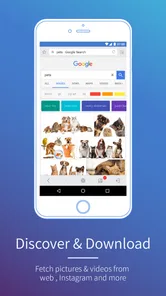
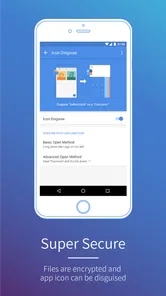
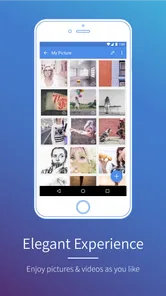
Analysis by Reviewed
I tested GalleryVault ProKey: Hide Pics as a privacy-focused media app rather than as a normal gallery replacement. That distinction matters. Its purpose is to keep selected pictures, videos, audio files, and documents out of casual view, which makes it especially interesting on a phone used by more than one person. If a family member borrows your device to look at photos, or a child uses it for a game while you keep personal files on the same phone, separating everyday content from private material can be genuinely useful.
My experience was that the app makes the most sense when privacy is about keeping personal files out of sight during ordinary device sharing. It is not a complete household-management system, and I would not treat it as a substitute for separate user accounts, encrypted storage, or a carefully managed backup routine. Still, the combination of media hiding, document support, SD card support, and an option to hide the app icon gives it a more practical role than its short name suggests.
How GalleryVault ProKey fits into a shared household phone
A realistic example is a family tablet or spare Android phone that stays in the living room. One person may use it for videos, another may browse the camera roll, and someone else may need to open a downloaded document. Without some separation, private images and files sit beside ordinary content, ready to appear in a thumbnail grid or recent-files view. GalleryVault ProKey is designed for that exact kind of friction: move selected items into a private area instead of leaving them in the visible gallery.
I also found the mixed-file approach important. Many privacy tools concentrate only on photographs, but this app covers pictures, videos, audio, and documents. That means a household member can keep scanned paperwork, personal recordings, downloaded clips, or sensitive PDFs away from the main browsing experience. It is not limited to hiding a few embarrassing photos; it can act as a small private compartment for several kinds of files.
The benefit is strongest when the other person only needs access to the phone’s ordinary functions. A visitor can look through public vacation pictures without automatically seeing everything stored on the device. A child can watch permitted videos without being presented with private folders. A partner can use the camera or gallery for a quick task without requiring an awkward explanation every time. These are simple situations, but they are where a vault app earns its place.
There is also a social advantage. Privacy on a shared device is not necessarily about secrecy from people in the household. Sometimes it is simply about boundaries: keeping a surprise gift, personal paperwork, work material, or private conversation attachments from appearing at the wrong moment. I prefer tools that reduce accidental exposure rather than encouraging people to constantly police one another’s browsing.
At the same time, I would not install it and then assume every file on the phone is protected automatically. The app works best with a deliberate workflow. I decide which folders or items belong in the private area, move them there, and then check the public gallery afterward. That final check matters because duplicates, thumbnails, downloads, or copies in another folder can still remain visible outside the vault.
More From Our News Desk

 Gmail
GmailGmail in a Busy Inbox: Who Benefits Most?
From first account to crowded workday, Gmail earns its place through dependable search and flexible sorting—but its best fit depends on how much inbox maintenance you can tolerate.

 Prime Video
Switching to Prime Video: What Changes in Your Viewing Routine
Prime Video can make a compelling second home for streaming, but switching means learning a different catalog, rental layer, and route from browsing to playback.

 Universal TV Remote Control
Universal TV Remote Control Works Best as a Reliable Backup
A phone remote earns its place through quick setup and reliable habits. Here is how to get more from Universal TV Remote Control—and where its limits show.

 Weather - By Xiaomi
Weather by Xiaomi Review: Clear at a Glance, Less Clear Up Close
Xiaomi’s weather app makes everyday forecasts quick to scan, but its calm surface can leave useful details and recovery paths harder to find than they should be.

 X
XX Under Pressure: Can It Recover When Posting Goes Wrong?
A resilience-focused review of X, examining setup, mistaken posts, interruptions, weak connections, and the gaps that matter when recovery needs to be dependable.

 Clash of Clans
Clash of Clans Is Won Between the Battles
Its raids are quick; its community is a long-term project of coordination, teaching, rivalry, and shared responsibility—with all the friction that entails.
Latest News



Starting with clear boundaries instead of hiding everything
The first setup decision should be what the app is actually responsible for. I would use GalleryVault ProKey for files that need separation from casual browsing, not as a dumping ground for the entire phone. Keeping the public gallery organized makes it easier to know what another person can see, while the private area remains focused and manageable.
This approach is particularly useful on a shared device with different age groups. A parent may want family photos available while keeping personal documents private. A teenager may need room for private creative work without exposing every file to younger siblings. An adult using a household tablet may want personal audio or paperwork separated from entertainment content. The app supports this boundary through file hiding, but the household still has to agree on what the boundary means.
GalleryVault ProKey supports SD cards, which can be valuable when a device has limited internal storage or when a household keeps a large media collection on removable storage. I see that as more than a storage checkbox. It changes the workflow: private material may live on the card, while the internal storage remains available for shared apps and public media. Before relying on that arrangement, I would test the exact card and device combination with a few nonessential files, then confirm that the files remain accessible after restarting the phone.
That test is also a sensible way to avoid a common mistake: moving irreplaceable files before understanding how the app handles them. I would begin with copies of a few pictures, one video, one audio file, and one document. After hiding them, I would check whether they open correctly inside the app, whether they disappear from the ordinary gallery, and whether the original copies were actually removed or merely duplicated. Only then would I move important material.
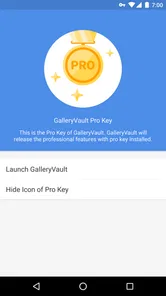
The option to hide the icon adds another layer of discretion. It can reduce the chance that a casual user immediately notices a vault app among the installed applications. However, I would not confuse a hidden icon with invisibility. A determined person who knows the device, its settings, or the app’s recovery path may still find evidence that a privacy tool exists. This is a convenience feature for everyday sharing, not a promise of perfect concealment.
Coordinating access on a phone used by several people
Household coordination is where expectations matter more than the interface. If several people use the same phone, I would decide in advance who is allowed to open the vault and who is not. The app can help keep content away from casual browsing, but it cannot replace an honest agreement about device access. A hidden area is useful only when the person managing it understands the risk of handing over an already-unlocked device.
I would also avoid using one shared routine for everyone. For example, a parent might keep personal documents in the vault while leaving children’s photos in the normal gallery. Another adult might use it for work-related material. That separation keeps the private collection from becoming a confusing mixture of everyone’s files and makes it easier to identify what should be backed up or removed later.
A practical coordination habit is to review the public gallery after importing media. Messaging apps and download folders often create their own copies, so hiding one version does not necessarily hide every version. I would search the ordinary gallery, file browser, and recent-media views after a transfer. This is one of the less obvious but most important limitations of any file-hiding workflow: privacy can fail because of duplication rather than because the vault itself did anything wrong.
Another useful habit is to keep a small written inventory somewhere safe, without recording sensitive details. I would note broad categories such as “personal documents” or “private videos,” along with where the original files came from. That makes household maintenance easier if the phone is replaced, the SD card is moved, or the private collection needs to be restored. The app may hide the files, but it does not remove the need for basic file management.
For a shared tablet, I would be more cautious than for a personal phone. Tablets are often passed around unlocked, and people may explore settings or storage more freely. GalleryVault ProKey can reduce accidental exposure in the gallery, but a separate device profile or a dedicated personal device may be a better choice when different users need genuinely independent environments. The app is strongest as a privacy layer inside one account, not as a replacement for account boundaries.
Age context, trust, and the limits of a hidden icon
The app carries an Everyone content rating, which describes the nature of the software rather than the files a user chooses to store inside it. That distinction is worth explaining in a household. A vault can hold ordinary family pictures, sensitive paperwork, or private media, so parents should judge use by the files and the child’s maturity rather than assuming the age label answers every question.
For younger children, I would not present the app as a secret place they are expected to manage alone. If the device belongs to the household, adults should understand what is being stored and how the phone is shared. For older children and teenagers, privacy can be part of healthy trust, but that trust should be paired with clear rules about backups, device loss, and what happens when the phone needs repair.
The hidden-icon function is convenient when a person wants to prevent casual discovery, but it can also create confusion. If another household member is responsible for maintaining the phone, they may not know where private files are kept or how to recover them. I would make sure at least one trusted adult knows that the app is installed and understands the recovery plan, especially when the vault contains important documents rather than disposable media.
This is also why I would avoid describing the app as a digital safe in the absolute sense. It is a privacy utility for controlling visibility on the device. It does not eliminate the risks of a lost phone, a damaged SD card, forgotten credentials, or an unprotected copy elsewhere. The safest setup combines the app with a device lock, sensible backups, and careful control over who uses the phone while it is unlocked.
That combination is particularly important for documents. A hidden PDF may no longer appear in the ordinary file list, but another copy could exist in email attachments, cloud storage, a messaging conversation, or a downloads folder. I would treat the vault as one part of a privacy plan and clean up duplicate locations when the material is genuinely sensitive.
What daily use feels like across different file types
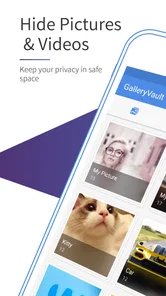
Pictures are the easiest use case to understand. I can imagine moving personal images out of the standard gallery so that a friend asking to see holiday photos does not scroll into unrelated material. Videos benefit from the same separation, especially because large clips can dominate a gallery and make private content easy to recognize from thumbnails.
Audio support gives the app a slightly broader role. Someone might keep voice recordings, personal music projects, or downloaded audio away from a shared media player. The advantage is not just secrecy; it is organization. A public music library can remain clean while private recordings stay in one place. I would still test playback after moving files, particularly when the audio originated on an SD card or came from an app that expects a specific folder.
Document hiding is arguably the most valuable feature for adults. Receipts, scans, forms, and personal notes can be visually uninteresting but far more sensitive than a photo. Keeping them out of the normal file browser reduces accidental opening when someone is searching for a school document or a downloaded attachment. My advice would be to use descriptive names inside the private area, because hiding a file does not help if you later cannot identify it.
One trade-off is convenience. A standard gallery is designed for instant sharing, editing, and searching. A vault adds a deliberate step, which is exactly why it protects against casual exposure but also why it can feel slower. If I need to send a private image regularly, I would find the extra movement less convenient than using a secure, purpose-built sharing workflow. If I need to store it privately and rarely access it, the separation is much more worthwhile.
The current version is 3.1.0, and the minimum operating system is Android 6.0. That makes the app accessible to many older devices, which is useful when a household repurposes an unused phone as a shared media device. On an older handset, I would pay attention to storage space and file movement rather than expecting a modern gallery experience. A vault can protect visibility, but it cannot make an aging device browse large video collections quickly.
Where it stands beside ordinary galleries and broader privacy tools
The usual gallery app wins for speed. It is better when several people need to browse, edit, sort, and share the same public collection. GalleryVault ProKey wins when the main problem is that the ordinary gallery exposes too much. I see it as a companion to a gallery rather than a universal replacement for one.
Cloud photo services may be better for automatic backup, cross-device access, and searchable libraries. They can also introduce another privacy boundary, because files leave the phone and become dependent on an account and its security settings. GalleryVault ProKey is more local in its everyday purpose: it changes what is visible on the device. For someone who wants a private on-device compartment, that focus is appealing; for someone who wants effortless access everywhere, a cloud-first solution may be more suitable.
Separate Android user profiles provide stronger account separation when the device supports them and when each person needs an independent environment. I would choose profiles for a genuinely shared tablet with distinct users, especially if children and adults need different app access. I would choose this app when one primary user wants to lend the phone occasionally without exposing selected files. Those are different problems, and treating them as interchangeable leads to disappointment.
File managers with encrypted folders can be a better fit for someone who prioritizes protection against deeper inspection and understands a more technical workflow. GalleryVault ProKey is easier to justify for everyday privacy because its purpose is straightforward: selected media and documents should not sit in the visible collection. The trade-off is that convenience-oriented hiding should not be mistaken for the same security model as dedicated encrypted storage.
The price is $14.99, so I would think carefully about how often the household actually needs this separation. The app has an average rating of 4.8 from around twelve thousand ratings, with roughly one point two thousand written reviews, and it has passed fifty thousand installs. Those figures suggest a well-received niche tool, but they do not decide whether it matches a particular family’s needs. The real question is whether avoiding accidental exposure is worth paying for a dedicated vault instead of relying on device profiles, locked folders, or a separate phone.
Who should use it, and who should look elsewhere
I would recommend GalleryVault ProKey to someone who regularly lends an unlocked phone, keeps personal documents beside family media, uses an SD card, or wants a discreet place for several file types. It is also a reasonable choice for a shared household phone where the goal is to preserve personal boundaries without making all content inaccessible.
I would be less enthusiastic for a person who needs automatic multi-device synchronization, collaborative albums, advanced photo editing, or a formal business-grade document system. The app’s value is concentrated in hiding and organizing private files, not in replacing every other media tool. I would also hesitate to use it as the only protection for irreplaceable files. Copies and backups still need their own plan.
Before committing important material, I would run a small trial: import representative files, confirm how they appear in the normal gallery and file browser, test access after a restart, and verify that the SD card workflow behaves as expected. I would then decide whether the hidden icon is appropriate for the household or whether transparency with one trusted administrator is safer. These steps take little time and reveal more than simply reading a feature list.
For parents, the best use is usually quiet organization rather than secret surveillance. Keep adult documents and personal media separated, explain the device rules clearly, and remember that the Everyone rating does not make every stored file suitable for every user. For couples or roommates, the app can reduce accidental discoveries, but it should support mutual boundaries rather than replace communication about shared-device access.
My household verdict
After looking at it through the shared-device lens, I see GalleryVault ProKey: Hide Pics as a focused privacy layer with a practical advantage: it covers more than photographs. Pictures, videos, audio, and documents can all be moved away from the ordinary gallery, while SD card support helps households with limited internal storage. The hidden-icon option is useful for casual discretion, though I would never treat it as proof that the contents are unreachable.
My main reservation is not the idea of the app but the responsibility around it. A vault can hide the visible copy while duplicates, backups, shared accounts, or an unlocked device remain possible weak points. It also adds a step whenever private files need to be opened or shared. Those are fair trade-offs if the goal is to prevent everyday browsing accidents, but they matter if someone expects complete security or effortless access across several devices.
For a personal phone that is occasionally handed to relatives, I think it is a sensible purchase at its listed price. For a household tablet requiring true separation between users, I would first look at separate profiles or individual accounts. In the right situation, this app gives a family a simple boundary around personal files without disturbing the public gallery. I recommend it as a practical privacy compartment, not as a substitute for trust, backups, or proper account separation.
GalleryVault ProKey: Hide Pics Frequently Asked Questions
Which files can GalleryVault ProKey: Hide Pics hide?
GalleryVault ProKey: Hide Pics is intended to hide pictures, videos, audio files, and documents, making it useful for more than just keeping photos out of the usual gallery view. It also supports an SD card, which can help when some of your media is stored there. Before moving anything into the vault, check that the files are accessible and organized as you expect.
What is GalleryVault ProKey: Hide Pics used for?
GalleryVault ProKey: Hide Pics is designed to keep private photos, videos, and other files away from the standard gallery and file browser. After importing content, the app places it inside a protected vault that can be opened with an authentication method configured by the user. It is mainly intended for personal privacy, rather than replacing a complete cloud backup service.
How does GalleryVault ProKey protect hidden photos and videos?
The app generally hides selected media from ordinary gallery applications and requires a password, PIN, or another supported security method to access the vault. During testing, users should remember that privacy depends on choosing a strong password, enabling available security settings, and keeping the phone protected. Hiding files is not the same as guaranteeing protection from every recovery or forensic tool.
Can I recover my files if I forget the GalleryVault password?
Recovery options depend on the version of GalleryVault and the security information configured during setup. Some installations may offer a recovery process, while others can limit access if the password is forgotten. Before importing important files, review the recovery settings and create a secure reminder. Avoid uninstalling the app or clearing its data, because doing so may make vault contents inaccessible.
Will hidden files remain private after uninstalling GalleryVault ProKey?
You should not assume that uninstalling the application will safely preserve or restore hidden content. Files may be moved into an application-specific location, encrypted, renamed, or otherwise managed by the vault, and removing the app can affect access to them. Export or restore important photos and videos to a normal, backed-up location before uninstalling, changing phones, or performing a factory reset.
Pros
- Discreet vault interface helps keep private media away from casual browsing.
- Supports multiple media formats
- including photos
- videos
- and selected documents.
- Decoy features can provide an extra layer of privacy when sharing the device.
- Media remains organized in separate folders for quicker access.
- Useful for users who want local privacy without uploading files to cloud storage.
Cons
- Forgetting the vault password may make recovery difficult or impossible.
- Removing the app without backups can risk losing hidden files.
- Some privacy features may depend on the device’s Android version.
- The app may require broad storage permissions to manage protected media.
- Ads or upgrade prompts may reduce convenience in the free version.











