Florida Today: Local News
- 151.00
- 2.3
- Installs
- 50.00K
- Price
- Free

Screenshots


Analysis by Reviewed
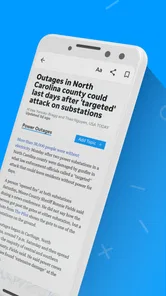
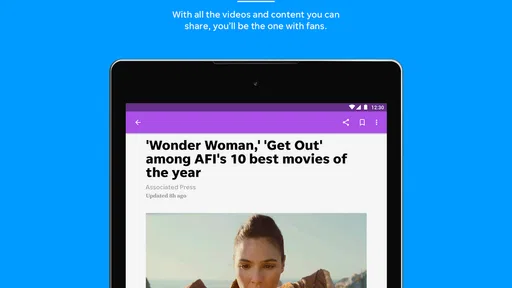
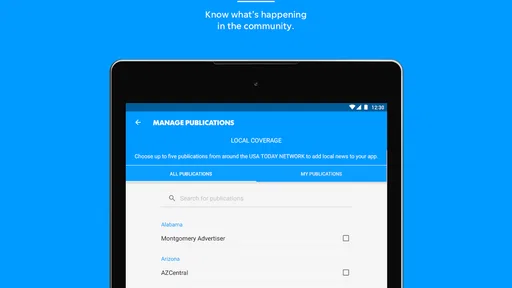
Florida Today: Local News is the kind of news app I would open when I want a quick sense of what is happening around Florida without sorting through a broad national feed first. It comes from USA TODAY Co. and sits in the News & Magazines category, with local reporting, wider coverage, photography, and video gathered in one mobile reading experience. I found its strongest appeal in its focus: it feels more useful for keeping up with nearby events than a general national news app, especially when local context matters.
At the same time, I would not treat it as a perfect replacement for every news source. Its average rating is 2.3 from around 310 ratings, which is a clear reason to approach it with realistic expectations. The app is free to install, although its listing includes in-app purchases ranging from $14.99 to $69.99 per item. That does not automatically make it a poor choice, but it does mean I would pay attention to any subscription or purchase screen before confirming anything.
How the reading experience works for different people
I find that the app’s mix of written reporting, photography, and video can suit very different reading habits, but the most useful choice depends on the moment: text is easier to scan quietly, while visuals can make a local story quicker to grasp. I’d also weigh how much detail I need before opening a clip, especially when I’m short on time or in a shared space.
Readability and navigation in everyday use
The main advantage of a local-news app is that it reduces the distance between opening the phone and finding something relevant. Instead of beginning with an enormous national stream, I can use Florida Today: Local News with a more specific purpose: checking regional headlines, scanning a developing story, or looking for visual coverage of an event. That narrower editorial focus can make the first few minutes of reading feel less overwhelming.
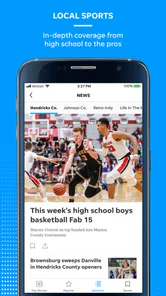
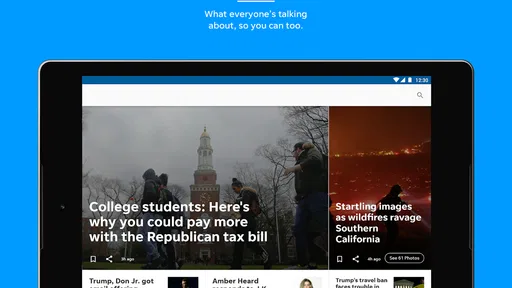
I also like the mix of formats. A person who prefers short written updates can scan headlines and article text, while someone who understands a story more easily through images or video has additional ways to follow coverage. The photography is particularly important for local reporting because a picture can communicate the scale or setting of an event faster than several paragraphs. Video can also help readers who find dense written articles tiring, although it is not always the best choice in a quiet workplace or a low-connectivity situation.
For readers with attention difficulties, I would use the app in short sessions rather than trying to consume everything in one sitting. I would open it with one question in mind, such as whether there is a local traffic disruption or what happened in a nearby community, then stop once I had enough context. That approach turns the app into a practical briefing tool instead of another endless stream.
The experience is less comfortable when a story contains a long block of text, several embedded visual elements, or a video that interrupts the rhythm of reading. I found that the most effective workflow is to scan first, choose one item, and avoid jumping repeatedly between stories. This is a small habit, but it helps people who become disoriented when an app presents too many competing choices.
More From Our News Desk

Weather by Xiaomi Review: Clear at a Glance, Less Clear Up Close

X Under Pressure: Can It Recover When Posting Goes Wrong?

Clash of Clans Is Won Between the Battles

Android Auto Makes the Case for Quieter Car Software

MobiOffice: Transforming Mobile Productivity with Seamless Integration

EA SPORTS FC™ Mobile Soccer: Redefining Mobile Sports Gaming
My most useful reading tip is to treat the app as a local starting point, not as the only source for a major decision. If a story affects travel, safety, school arrangements, or an appointment, I would read the report carefully and then check the relevant official source. Local news gives context and speed, while an official notice may contain the operational details a news article cannot provide.
What the visual and interactive mix means for accessibility
The combination of text, photography, and video gives Florida Today: Local News more flexibility than a text-only bulletin. Different readers can choose the format that matches their needs at that moment. Someone with limited time may prefer a headline and image, while someone who needs more explanation can open the full report. A video may be helpful for a reader who processes spoken information more comfortably than a long article.
That flexibility also creates trade-offs. A visual-first presentation can be harder for people who need a very predictable reading order, and moving content can be distracting for readers sensitive to animation or rapid changes. I would not assume that every image or video communicates all of its meaning through text alone. When the visual details are central to a story, a reader who cannot easily access them may need to rely more heavily on the article wording or another source.
For people who enlarge text or use display settings that change the normal layout, the practical question is whether the interface remains easy to scan after those adjustments. I recommend testing the app with the phone’s preferred text size before deciding whether it fits your routine. A news app can be excellent in theory but frustrating if larger text causes frequent scrolling, clipped controls, or a confusing order of content.
I would also consider the contrast between a bright screen and a dim environment. Reading local news in bed, on public transport, or outdoors can expose different visual demands. The app may be comfortable in one setting and tiring in another, so I would use the device’s own brightness and display controls rather than forcing myself to read through eye strain.
Motor and sensory considerations
News reading usually requires repeated taps, swipes, and scrolling, so the app is best suited to people who can comfortably perform those actions or adjust their device to make them easier. If precise tapping is difficult, I would slow down and use the phone’s built-in touch accommodations where available. A focused reading routine also helps: open one story, read it, return to the main feed, and avoid rapid back-and-forth gestures.
For readers with tremors, reduced dexterity, or fatigue, video controls and small interface targets can be more demanding than ordinary article links. I would favor written articles when I need to control the pace precisely, because text lets me pause naturally without worrying about a clip continuing while I look away. Video is more useful when I can give it my full attention and do not need to repeatedly adjust playback.
People with auditory sensitivities should be cautious about opening video in shared spaces. I would keep the phone muted until I know how the app behaves, then use headphones only when that is comfortable and safe. In a waiting room, office, or classroom, written coverage is usually the more considerate option. On the other hand, video can be valuable for someone who finds listening easier than reading, provided the surrounding environment allows it.
Readers with cognitive or sensory overload may benefit from setting a clear stopping point. Local news can include emotionally intense subjects, urgent updates, and several related stories appearing close together. I would avoid opening the app when I am already overwhelmed and expecting it to calm me down. A better approach is to choose a limited purpose and leave once that purpose is met.
One non-obvious trade-off is that the app’s local emphasis can be both reassuring and demanding. It helps me avoid irrelevant national headlines, but local stories can feel more personally immediate because they concern familiar places and communities. For some readers that relevance improves engagement; for others it increases stress. The right choice depends less on the number of features and more on how much local information I can comfortably process.
Using it in real situations
Imagine I am preparing to leave for work and want a quick regional update. I can open the app, scan the local headlines, and choose a story with a photograph or video if I need a fast visual sense of the situation. If I am standing on a crowded train, I would keep the sound off and rely on text. If I am at home with more time, I would read the complete article and compare its practical details with an official announcement when necessary.
That same workflow can help a caregiver or family member who needs to stay aware of local developments without spending an hour on news. I would suggest reading the headline list first, selecting only stories that affect the person’s plans, and sharing the important information verbally or in a message afterward. This is more manageable than forwarding every update and expecting someone else to sort through it.
The app can also suit residents who have moved to Florida and are still learning which local issues matter. A focused regional feed offers a useful orientation to community concerns, visual landmarks, and nearby events. I would still pair it with a broader source for national and international coverage, because this app’s value comes from its local angle rather than from being a complete replacement for every kind of journalism.
For someone with unreliable connectivity, I would plan around the fact that news apps are most useful when their content can load promptly. I would open important stories before leaving a dependable connection and avoid depending on streaming video when I am traveling. This is not a criticism unique to local news; it is simply a reason to choose text when the situation is unpredictable.
Older readers may appreciate the direct subject matter but dislike the amount of scrolling or the visual density of a modern news feed. I would recommend adjusting the phone’s text size, increasing the display brightness only as much as needed, and using one-story-at-a-time reading. If navigation still feels tiring, a simpler news source with fewer media elements may be a better fit.
Where the experience still creates barriers
The clearest limitation is that a local-news app cannot guarantee that every reader will find every format equally usable. Text, photography, and video serve different needs, but they also introduce different obstacles. A reader who depends on text may find a visual story less informative, while a reader who depends on audio may find a written article slow to follow. I would judge the app by how often the available format matches my needs, not by the mere presence of multiple formats.
The rating history also makes me cautious. An average of 2.3 is not a small detail, even though ratings alone do not explain every user’s experience. I would install it with a short trial mindset: check whether the navigation feels stable on my device, see whether the local coverage is genuinely relevant, and decide whether the reading flow is comfortable before considering any paid option.
The purchase range matters for users on a strict budget. Since the app is free to install, it is easy to assume the entire experience will remain free, but the presence of purchases means I would read each prompt carefully. I would not enter payment details simply to remove uncertainty. If I only need occasional headlines, a free news routine using several sources may be more economical than paying for access I rarely use.
Another barrier is source dependence. A local article can summarize an event well, but it may not be the final authority for closures, emergency instructions, public schedules, or service changes. Readers with memory difficulties may want to save or note the key action separately, because a news story can be updated or become difficult to find later. I would use the app to discover what matters, then retain essential instructions in a more dependable place.
People who need highly configurable accessibility controls should also be realistic. I would not choose this app solely because it offers news in more than one format. The important test is whether it works with the accessibility settings and habits already used on the phone. If magnification, larger text, reduced motion, screen reading, or alternative input are essential to daily use, I would test those combinations directly before relying on the app for important updates.
Who should use it and who should choose another option
I think Florida Today: Local News is most appropriate for readers who specifically want Florida-focused coverage, enjoy a mixture of articles and visual reporting, and are comfortable evaluating a free app that also presents paid purchase options. It may be especially useful for a resident who wants a quick local briefing before checking broader national news elsewhere.
I would skip it if I need one app to cover international affairs, deep specialist reporting, official emergency instructions, and a highly controlled accessibility experience. A general news reader may be better for broad coverage, while an official agency app or website is more suitable for authoritative instructions. A text-focused publication may also be preferable for readers who find video, imagery, or busy feeds distracting.
The developer, USA TODAY Co., gives the app a recognizable news identity, but the developer name alone is not a reason to ignore the app’s practical limitations. I would make the decision based on local relevance, reading comfort, and how well the current version fits my phone. The listed version is 8.10.3, and it supports devices running Android 8.0 or later, so compatibility should be checked before installation on an older phone.
My inclusive verdict
After using Florida Today: Local News as a local-news reader, I see a focused tool with a useful mix of written reporting, photography, and video. Its strongest quality is the ability to bring regional stories closer to the center of the reading experience. That focus can save time and help people who do not want to sift through a national feed just to find nearby information.
Its inclusive value is more conditional. Different formats can support different reading styles, but they do not automatically solve every visual, motor, auditory, or cognitive barrier. I would test text size, touch comfort, sound behavior, and reading pace on my own device. I would also keep a second source available for official instructions and broader coverage.
The app is free to install, carries an Everyone 10+ content rating, and has been available since Apr 10, 2012. With over 50 thousand installs, it has reached a meaningful audience, but the 2.3 average rating tells me to try it carefully rather than recommend it without qualification. My recommendation is simple: use it if Florida-focused news is your priority, but keep your expectations practical and do not make it your only source for urgent or official information.
Florida Today: Local News Frequently Asked Questions
What devices can I use Florida Today: Local News on?
Florida Today: Local News is a mobile app for Android and iOS devices, making it suitable for readers who want to check news on a phone or tablet. On Android, it requires version 8.0 or later. Before downloading, check that your device’s operating system meets this requirement so the app can install and run properly.
Who publishes Florida Today: Local News?
The app is published by USA TODAY Co. and is listed in the News & Magazines category. Its focus is Florida Today, with local and national news, photography, and video content. If you are choosing a news app, its publisher and regional focus can help you decide whether it fits the kind of coverage you want to follow.
What is Florida Today: Local News?
Florida Today: Local News is a mobile news app focused on Brevard County and surrounding areas in Florida. It provides access to local reporting, breaking news, community updates, weather information, sports coverage, entertainment stories, and other regional topics. The app is designed for readers who want a convenient way to follow events affecting their local communities from an Android or iOS device.
Is Florida Today: Local News free to download and use?
The app can generally be downloaded at no charge, allowing users to browse available news content and explore its main features. However, some articles or premium features may require a Florida Today subscription, depending on the current access policy. Subscription terms, trial periods, pricing, and renewal conditions can change, so it is important to review the details shown in the app store or within the application before subscribing. Optional in-app purchases are available, so check the purchase details before confirming one.
What kind of news and features are available in the app?
Florida Today: Local News typically includes local and regional reporting, breaking news alerts, weather updates, sports, crime and public safety stories, politics, business, lifestyle content, and community information. Depending on the version installed, users may also find photo galleries, videos, newsletters, saved stories, personalized notifications, and other tools intended to make following Brevard County news more convenient.
Pros
- Fast access to breaking news across Florida’s Space Coast
- Local reporting covers communities often missed by national outlets
- Useful weather updates for hurricanes and daily planning
- Clean layout makes articles easy to browse on a phone
- Notifications can keep readers informed about major local events
Cons
- Some articles or features may require a subscription
- Advertising can interrupt reading
- especially in article feeds
- Coverage is focused mainly on the local Florida Today region
- App performance may depend on a stable internet connection
- Frequent alerts may feel excessive unless notification settings are adjusted













