Florida Times-Union
- 58.00
- 3.0
- Installs
- 10.00K
- Price
- Free

Screenshots


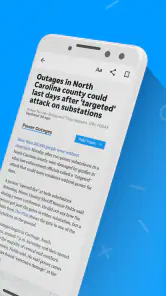

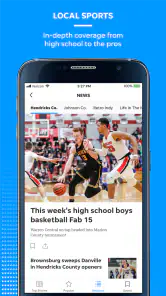
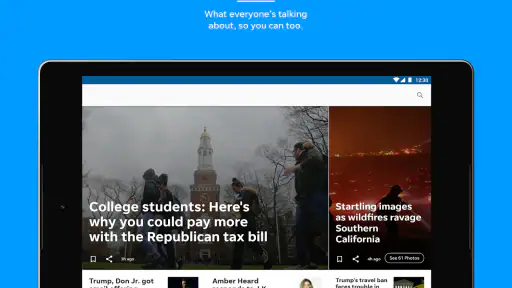
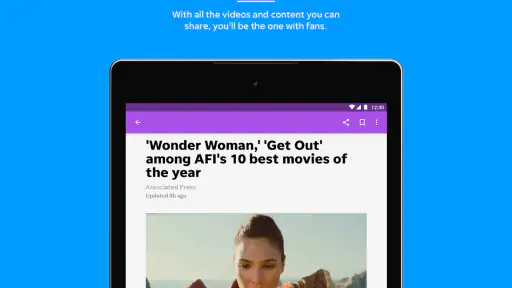
Analysis by Reviewed
I approached Florida Times-Union as a reader who wants local reporting without giving up the wider national picture. This free News & Magazines app comes from USA TODAY Co. and focuses on the Florida Times-Union experience, with news, photography, and video arranged for phone reading. My first impression is that it makes sense for people who want a dedicated route to Jacksonville-area coverage, but it is less convincing as a complete replacement for every news source they already use.
The app has a 3.0 average from around 113 ratings and has passed 10,000 installs, so its public reception looks mixed rather than universally enthusiastic. That matters because a news app is not judged only by the quality of its articles. Opening speed, navigation, interruptions, account decisions, media handling, and the feeling of control all affect whether I return several times a day. I found the most useful way to assess it was to treat it as a daily reading tool, not simply as a digital newspaper.
How the Florida Times-Union experience earns trust
Trust begins with knowing who is behind the app. Here, the named developer is USA TODAY Co., while the short store description identifies the Florida Times-Union. That combination gives the product a clear editorial identity instead of making it feel like an anonymous collection of headlines. I would still judge individual stories on their reporting and context, but the app at least presents a recognizable local-news destination.
The content mix is important. Local reporting is the main reason to install it, yet the app also brings national news, strong visual photography, and video into the same reading environment. In practice, that creates two different use cases. Someone living in or closely following the Florida Times-Union coverage area can use it to keep up with nearby developments, while a more casual reader may open it for a broader scan of the day.
I liked the idea of moving between a quick headline check and a slower visual story. News photography can communicate the scale or atmosphere of an event faster than a paragraph, while video is useful when a report depends on a public statement, a scene, or a developing situation. The trade-off is that visual content can make the app feel heavier than a text-first feed, especially when I only have a minute to catch up.
The age label is Everyone 10+, which is a useful reminder for families deciding whether this belongs on a shared device. That label does not make every story suitable for every child; news can involve upsetting events even when the app itself is broadly accessible. I would let older children browse with normal parental awareness rather than treating the age guidance as a promise that every item will be comfortable viewing.
Reading locally without losing the wider view
The strongest reason to choose this app is the relationship between local relevance and general news. A national aggregator can show a lot of headlines, but it may bury a nearby story beneath events from much larger markets. A general browser feed can be flexible, yet it often mixes publishers, formats, and editorial priorities. The Florida Times-Union app feels more focused: I can begin with the local publication’s perspective and then move toward broader coverage when that is what I need.
More From Our News Desk

Weather by Xiaomi Review: Clear at a Glance, Less Clear Up Close

X Under Pressure: Can It Recover When Posting Goes Wrong?

Clash of Clans Is Won Between the Battles

Android Auto Makes the Case for Quieter Car Software

MobiOffice: Transforming Mobile Productivity with Seamless Integration

EA SPORTS FC™ Mobile Soccer: Redefining Mobile Sports Gaming
That focus is also its main limitation. If your daily routine depends on comparing many independent outlets, tracking specialized subjects, or building a highly customized information dashboard, a large news aggregator may suit you better. I would not install this expecting the breadth of a multi-source platform. I would install it because the Florida Times-Union viewpoint has particular value to me.
A realistic morning routine shows where it fits. I might open the app while drinking coffee, scan local headlines first, pause on a photograph that gives a developing story more context, and watch a video only when I have time for it. Later, I could return to check whether a local event has changed. That workflow is more practical than trying to read every item in order, because the app’s value is in helping me identify what deserves attention.
Controls and choices deserve the same attention as articles
When I review a news app, I do not assume that a familiar publisher automatically answers every privacy question. I look for visible choices: whether I can decide how I use the app, whether account-related steps are understandable, and whether paid options are presented clearly enough to avoid accidental commitment. The Florida Times-Union is free to download, but it includes in-app purchases ranging from about fifteen dollars to about seventy dollars per item. That makes it especially important to read each purchase screen carefully before confirming anything.
I would not treat the free installation as proof that every part of the experience is free. The sensible approach is to explore the reading experience first, then examine any subscription or purchase prompt on its own terms. If a payment screen appears, I would check the amount, billing wording, renewal conditions, and the account connected to the store before continuing. Those are ordinary precautions, but they are valuable here because the available purchase range is wide.
Account control is another practical issue. If the app asks me to sign in, I want to know why that step is needed before I provide details. A login can be reasonable for managing access or purchases, but I prefer not to create an account merely to glance at headlines. I also keep my store account information separate from any news profile whenever the app allows that distinction, because it makes later cancellation and device changes easier to understand.
I would also check the operating-system requirements before installing it on an older phone. The app requires Android 8.0 or later, so compatibility is not universal across every older Android device. On a supported phone, I would keep the operating system and the app updated through the normal store process, particularly because news apps handle changing content and media rather than behaving like a static reference book.
Moments when data awareness matters most
News apps can create more sensitive moments than their simple interfaces suggest. Reading a story about a local incident, watching video from a public event, or opening coverage tied to a community can reveal interests that feel personal even when the article itself is public. I avoid assuming that a feature exists simply because many apps offer it. Instead, I look at the choices actually shown on the device: notification settings, account screens, purchase controls, and any permission request that appears.
Notifications deserve deliberate handling. A breaking local headline can be useful, but constant alerts can turn a focused reader into a reactive one. I would enable only the alerts I genuinely want and review the phone’s notification controls if the volume becomes distracting. If I share a phone or use it in a workplace, I would also consider whether headline previews on the lock screen expose more information than I want visible.
Video creates a separate trade-off. It can make a report clearer, but it may consume more mobile data and battery than a short text update. I would save video-heavy browsing for Wi-Fi when possible and use text reading while travelling. This is not a criticism of the app’s visual approach; it is simply a better workflow for someone with a limited data plan or an older battery.
Photography deserves similar care. A powerful image can be more immediate than a written description, which is one of the app’s strengths, but it can also be emotionally intense. I would not hand the phone to a younger reader and assume the broad age label removes the need for judgment. For personal use, I appreciate the visual reporting, while still choosing when and where to open it.
The public rating gives me another reason to stay observant. Around 113 ratings and 58 reviews represent useful feedback, but not enough for me to treat the average as a final verdict on every phone or reading habit. I would pay attention to recurring complaints about navigation, stability, media, or account handling if they appear in current user comments, then compare those concerns with my own experience rather than assuming they apply equally to everyone.
Where the app gives me agency—and where I stay cautious
User agency, for me, means being able to choose how deeply I engage. I can use a news app as a quick headline window, a visual story reader, or a place to follow local developments over time. Florida Times-Union works best when I make that choice intentionally. I do not let the presence of national coverage pull me into endless scrolling when my real goal is to understand what is happening nearby.
One useful habit is to separate discovery from verification. I may notice a headline in the app and read the full report there, but for a major decision or rapidly changing event I would still compare the details with official information or another reputable source. That is not a weakness unique to this product. It is a sensible rule for all news apps, especially when a short headline cannot carry every qualification in the underlying story.
Another helpful habit is to treat purchase prompts as a pause point rather than part of the reading flow. I would finish deciding whether the publication is useful before paying for anything. I would also keep track of which store account made the purchase, because that is the account I would need when reviewing or managing it later. This small separation between reading and buying reduces the chance of making a decision while distracted by a compelling article.
The app’s current version is 8.10.3, and it was released on February 22, 2018. I mention that history because a longstanding app can be reassuring in one sense, yet its age also makes maintenance and compatibility worth watching. I would judge it by how well the current build behaves on my phone, not by the original release date alone. If the interface feels dated or media does not behave smoothly, a browser or another news application may provide a more comfortable daily routine.
There is also a question of who should skip it. I would look elsewhere if I wanted a completely free, ad-free-feeling reading environment with no purchase decisions, a global news dashboard, or deep control over sources and topics. I would also hesitate if my phone falls below Android 8.0 or if I mainly read on a very limited mobile connection. In those cases, a lightweight browser bookmark or text-oriented news service may be a better match.
My cautious recommendation
I see Florida Times-Union as a focused local-news app with useful national reach, strong visual potential, and a clear publisher identity. Its best audience is someone who values Florida Times-Union reporting and wants that coverage in a dedicated mobile format. The photography and video add depth when I have time for them, while the broader news mix prevents the app from feeling completely narrow.
My recommendation is conditional rather than automatic. I would try the free experience, review the visible account and notification choices, and pay close attention to any purchase screen before deciding whether it belongs in my routine. I would also compare its convenience with a browser and with a multi-source aggregator, because the right choice depends on whether local focus or maximum breadth matters more.
The key trade-off is focus versus flexibility. This app gives the Florida Times-Union perspective a prominent place, which is precisely why it can be more useful than a generic feed for local readers. In exchange, I accept less source variety and the need to stay alert around media usage, notifications, and in-app purchases.
For me, that makes it worth considering, not blindly installing. If local coverage is the reason you are looking, the free entry point and recognizable publisher make a trial reasonable. If you want a fully customizable national news system or prefer to avoid any paid options inside a free app, I would choose a different route. The most honest verdict is that this is a specialized news companion: valuable when its local mission matches your needs, and easy to outgrow when it does not.
Florida Times-Union Frequently Asked Questions
Is the Florida Times-Union app available for both Android and iOS?
The Florida Times-Union is a news app for mobile devices, so check the Google Play Store or Apple App Store on your phone to see whether it is available for your device. The listed minimum operating-system requirement is version 8.0. Before downloading, make sure your device meets that requirement and that you are selecting the app published by USA TODAY Co.
What does the Florida Times-Union app offer beyond written articles?
Alongside local and national news, the app’s description highlights spectacular photography and rich video content. These formats can make it easier to follow a developing story or get a visual sense of an event, while written reporting remains central to the experience. If you prefer a mix of text, images, and video, those features may make the app more appealing than reading headlines alone.
What is the Florida Times-Union app?
The Florida Times-Union app is a digital news platform focused on Jacksonville, Northeast Florida, and surrounding communities. After installing it, readers can browse local reporting, breaking news, sports, business, entertainment, opinion, and selected national stories. The app is designed for people who want quick access to updates without relying exclusively on the newspaper’s website or printed edition.
Is the Florida Times-Union app free to download and use?
Downloading the Florida Times-Union app is free, and users may be able to read some articles without subscribing. The app is listed as free to download, but it offers in-app purchases ranging from $14.99 to $69.99 per item. Access to the full article library, premium journalism, e-edition features, or unlimited reading may require a paid subscription or account. Check the current terms in the app before purchasing.
What kind of news can I read in the Florida Times-Union app?
The app primarily covers Jacksonville and Northeast Florida, making it useful for following local government, crime, education, transportation, weather-related developments, community events, and regional issues. It also commonly includes Jacksonville sports coverage, business news, entertainment, lifestyle articles, opinion pieces, and selected national or international stories that provide broader context for local readers.
Pros
- Covers Jacksonville and Northeast Florida news in depth.
- Offers local reporting that national news apps often miss.
- Includes sports coverage for Jaguars
- college teams
- and local events.
- Provides opinion
- lifestyle
- and community stories in one app.
- Breaking-news alerts help readers stay informed throughout the day.
Cons
- Some articles may require a subscription or digital membership.
- Advertising can make parts of the app feel visually crowded.
- Coverage is mainly regional and may not suit users elsewhere.
- Notifications may become frequent if several topics are selected.
- Some older stories may be difficult to locate in the app.
- Category
- News & Magazines
- Version
- 8.10.3













