Flashloop: AI Video Generator
- 552.00
- 4.6
- Installs
- 500.00K
- Price
- Free

Screenshots
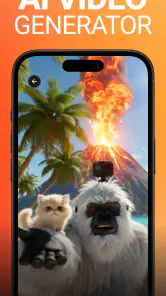
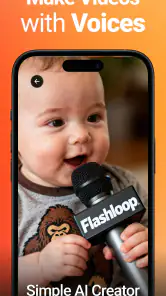
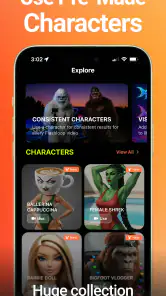
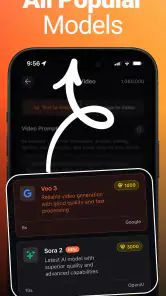
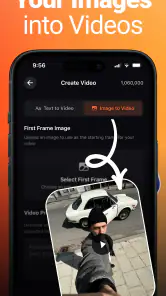
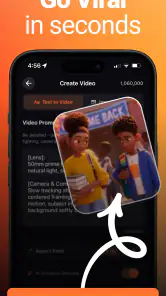
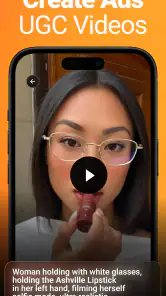
Analysis by Reviewed
I approached Flashloop: AI Video Generator as the kind of app you open when a still image feels too limited and you want to turn an idea into a short visual piece without learning a full editing suite. It sits in the Art & Design category, comes from Buy Beaver, and focuses on creating AI videos rather than replacing a traditional timeline editor. That distinction matters: I found it more useful for quickly exploring a concept than for carefully assembling a finished film frame by frame.
The first impression is reassuring for beginners. Flashloop is free to install, has an Everyone age rating, and supports devices running Android 7.0 or later. Its current version is 1.0.46, so the experience is clearly being presented as an active product rather than an abandoned experiment. The app has also attracted a 4.6 average from around 34 thousand ratings and passed 500 thousand installs, which gives me some confidence that new users are not walking into a completely untested tool.
What Flashloop feels like when you first open it
The best way to understand this app is to think of it as an idea-to-video shortcut. Instead of beginning with clips, cuts, transitions, and audio tracks, I would begin with a visual intention: a dreamy landscape, a moving product concept, a social post, or a quick mood piece. The appeal is the reduced distance between that intention and something watchable.
That simplicity is also the first trade-off. A conventional editor gives me precise control from the start, while an AI video generator asks me to describe or guide the result and then judge what comes back. If I want exact timing, carefully controlled motion, or a predictable sequence of shots, I would still choose a regular mobile editor. If I want to test several visual directions quickly, Flashloop makes more sense.
For a first-time user, I recommend opening the app with a small goal rather than a grand project. Do not begin by trying to produce a complete advertisement or a polished music video. Choose one subject, one setting, and one kind of movement. A prompt or concept such as “a paper boat drifting across a rain puddle, gentle camera movement, soft evening light” is easier to evaluate than a crowded request containing several characters, locations, moods, and actions.
This single-subject approach is one of the most useful habits I took away from using the app. AI video tools can produce a visually attractive result while quietly changing the subject, adding distracting movement, or losing the original composition. Keeping the idea narrow makes it easier to see whether the generation actually followed my intention.
Getting ready without overthinking the setup
The installation itself is straightforward because the app is free to download and the minimum operating-system requirement is not demanding by modern Android standards. Once installed, I would have a short concept ready before tapping through the interface. That saves time and prevents the common beginner mistake of opening an AI creator with no idea what to make.
More From Our News Desk

Clash of Clans Is Won Between the Battles

Android Auto Makes the Case for Quieter Car Software

MobiOffice: Transforming Mobile Productivity with Seamless Integration

EA SPORTS FC™ Mobile Soccer: Redefining Mobile Sports Gaming

How Microsoft OneDrive Became a Mobile Productivity Giant

How Google Translate Breaks Language Barriers Effortlessly
I also suggest preparing a source image only if it genuinely helps communicate the idea. A clear image with one obvious subject is a better starting point than a busy collage. When the visual reference contains several people, overlapping objects, or complicated text, the generated motion has more opportunities to look inconsistent. Flashloop is most approachable when I give it a clean visual problem to solve.
There is an important practical point about cost. The app is free, but it includes in-app purchases ranging from $4.99 to $199.99 per item. I would treat the free entry as a chance to understand the workflow, not as a promise that every advanced or repeated generation will remain free. Before committing to frequent creation, I would check what the app presents inside the purchase flow and make sure the price matches the value I expect from my own usage.
That advice is especially relevant for casual users. Someone making one occasional clip may find the free starting point sufficient, while a creator who wants to iterate repeatedly should think about how quickly experimentation can become expensive. The high end of the listed purchase range is substantial, so I would never tap a purchase button casually just to see what happens.
The easiest route to a first meaningful result
For a first attempt, I would choose a visual that already works as a still image. A portrait, a product on a clean background, or a landscape with a clear foreground and background gives the generated motion a sensible foundation. I would then ask for one main action, such as a slow camera push, a gentle turn, drifting clouds, or a small natural movement.
The goal of this first session is not perfection. It is to learn how Flashloop interprets an idea. I would watch for three things: whether the main subject stays recognizable, whether the movement feels intentional, and whether the overall mood matches what I asked for. If two of those three elements work, I would consider the attempt useful and adjust only one part of the instruction for the next try.
Changing one variable at a time is a surprisingly effective workflow. If I alter the subject, setting, camera direction, and style all at once, I cannot tell which change improved or weakened the result. With an AI creator, small controlled revisions teach me more than a series of completely different prompts.
A realistic everyday use case would be a small business owner preparing a quick social post for a new handmade item. Instead of building a full promotional sequence, I might start with one well-lit product image and aim for subtle movement that makes the post feel less static. The result could serve as an attention-grabbing draft or visual test. I would not rely on it for a final campaign without checking every frame, but it could help me discover a direction in minutes.
Another useful scenario is personal storytelling. If I have a travel photo, a sketch, or a scene from a creative project, turning it into a moving visual can make it easier to share the atmosphere with friends. Here, the value is not technical precision; it is the ability to give a familiar image a little life without opening a complicated desktop application.
Where beginners are likely to get confused
The biggest source of confusion is the difference between “creating a video” and “editing a video.” Flashloop is aimed at the creation side. I would not approach it expecting the same control I get from a conventional editor with a visible timeline, manually placed cuts, detailed audio mixing, and exact keyframes. Those tools remain better when the story already exists and I simply need to assemble it accurately.
Another point to remember is that an attractive preview is not automatically a reliable final asset. AI-generated movement can look convincing at a glance but reveal odd details when paused or viewed repeatedly. Hands, small lettering, thin objects, faces, and repeated patterns deserve a closer inspection. If the clip is going to represent a real product or person, I would review it carefully instead of assuming that a smooth overall impression means every detail is correct.
Text is another area where I would be cautious. If a design depends on a brand name, price, label, or readable sign, I would keep the critical wording outside the generated visual and add it later in a normal editor if necessary. That workflow separates the creative motion from the information that must remain exact. It also gives me a cleaner way to revise the message without regenerating the entire visual.
I would also avoid packing too many instructions into the first request. Words such as “cinematic,” “energetic,” “minimal,” “vintage,” and “futuristic” can pull the result in conflicting directions. A more useful order is subject first, action second, setting third, and mood last. This makes the request easier to refine and gives me a clearer explanation for why a result did or did not work.
When the output misses the point, I would not immediately conclude that the app is unusable. I would simplify the idea, remove decorative language, and make the motion more literal. “The camera slowly moves closer to the red bicycle” is easier to evaluate than a long description filled with several emotional and visual references. The more specific the action, the easier it is to spot whether the generation followed the instruction.
How it compares with familiar mobile alternatives
Compared with a standard video editor, Flashloop is quicker at the beginning and less exact at the end. A traditional editor asks me to supply or record the footage, then gives me dependable control over trimming, order, captions, and timing. Flashloop is more attractive when I have an image or concept but not yet a finished sequence. It helps with visual exploration rather than detailed assembly.
Compared with template-based social video apps, its appeal is the possibility of starting from an original visual idea instead of choosing a preset structure. Templates are often the better choice when I need a dependable result quickly, especially for a repeated format such as a weekly announcement. Flashloop is better suited to experimentation, mood, and unusual visual concepts where a fixed template feels restrictive.
It also differs from drawing and design applications. Those tools let me construct an image carefully, but they do not necessarily help me turn that image into moving content. Flashloop can fit after the design stage when I want to explore motion. I would still keep a design app in the workflow for exact layouts, logos, and typography, then use the generated video as a visual layer rather than asking one tool to do everything.
This makes the app particularly appealing to beginners who feel blocked by a blank editing timeline. It gives them a more immediate creative starting point. On the other hand, experienced editors may find the lack of direct control frustrating if they already know exactly how a shot should move. In that situation, the AI approach is not automatically an upgrade; it is a different kind of tool.
Three practical habits that improve the experience
First, I would keep a small library of clean starting images. The point is not to collect hundreds of files, but to have a few subjects that are easy to animate: a single object, a centered portrait, or a landscape with clear depth. This turns Flashloop into a repeatable idea-testing tool instead of a one-time novelty.
Second, I would save the successful wording from a generation and change only the action on the next attempt. For example, once the subject and style feel right, I might compare a slow push-in with a gentle side movement. This helps me learn which motion best suits the image and avoids rebuilding the entire concept from scratch.
Third, I would use generated clips as building blocks when precision matters. A short AI-created moment can be combined with exact captions, logos, or a manually edited ending elsewhere. That hybrid workflow is more reliable than expecting Flashloop alone to handle both imaginative movement and strict communication requirements.
These habits also reveal the app’s limits in a useful way. Flashloop is strongest when the viewer can accept a little creative interpretation. It is weaker when the result must match a reference perfectly, preserve every tiny detail, or communicate important written information without errors.
Who should try it and who should skip it
I would recommend Flashloop to someone who wants to turn ideas, artwork, or still images into shareable moving visuals with less technical effort. It is a good fit for casual creators, social media experiments, mood boards, visual brainstorming, and anyone intimidated by a conventional editing timeline. The Everyone rating also makes it approachable for a broad audience, although younger users should still understand that purchases are available inside the app.
I would be more cautious about recommending it to a professional who needs guaranteed continuity across many shots, exact brand presentation, or detailed control over every movement. I would also point people toward a normal editor when the main task is trimming existing footage, synchronizing dialogue, adding precise captions, or producing a structured video from clips they already recorded.
The purchase model is another reason to decide how seriously I plan to use it. Free access makes it easy to test the basic idea, but the available in-app items can reach $199.99, so frequent experimentation deserves a budget decision before it becomes part of a regular workflow. I would begin with a modest personal project and evaluate the results before spending anything.
My recommendation after the first project
After trying the basic workflow, I would not judge Flashloop by whether it replaces every other creative app. It does not need to. Its useful role is narrower and clearer: helping me move from a still concept to an animated visual quickly, then giving me material that I can keep, revise, or finish elsewhere.
The current release, version 1.0.46, feels best approached with curiosity and realistic expectations. I would start with one image, one subject, and one motion request; inspect the result closely; and only then attempt something more ambitious. That path gives a first-time user a meaningful success without requiring advanced editing knowledge.
My final view is positive, with an important condition: Flashloop is most valuable as an idea generator, not as a complete replacement for precise video editing. Its free starting point and accessible concept make it worth trying, while the in-app purchase range and the natural unpredictability of AI generation call for restraint. If you want fast visual experiments and are willing to review the result carefully, I think Buy Beaver’s app is an enjoyable addition to an Android creative toolkit.
Flashloop: AI Video Generator Frequently Asked Questions
Is Flashloop: AI Video Generator available for iPhone and iPad?
Flashloop is an Android app, so check that you are looking at the correct version for your device before downloading. The app is listed in the Art & Design category and has an Everyone content rating. If you use an iPhone or iPad, make sure the app is offered for your platform rather than assuming an Android download will work on iOS.
How much storage should I have available before installing Flashloop?
It is sensible to leave room both for the app and for the videos you create. Generated clips and source images can take up additional space as you work, so check your device’s available storage before starting a project. If space is limited, consider removing finished files you no longer need or moving them elsewhere before creating more videos.
What devices and operating systems can run Flashloop: AI Video Generator?
Flashloop is an Android app in the Art & Design category, and its minimum Android requirement is version 7.0. Before downloading, check your device’s Android version and available storage, particularly if you plan to save generated videos. The app is free to download, while some features may involve in-app purchases. Its content rating is Everyone.
Who develops Flashloop, and is it a widely used app?
Flashloop: AI Video Generator is developed by Buy Beaver. It has over 500,000 installs and an average rating of 4.6 from around 34,000 ratings, giving prospective users a broad indication of its reach and reception. Those figures are not a guarantee that its results will suit every project, so consider trying its basic features before relying on it for regular creative work.
What is Flashloop: AI Video Generator, and what can it create?
Flashloop: AI Video Generator is an artificial-intelligence content creation app designed to turn written ideas, prompts, images, or other media into short videos. It can be useful for social media clips, promotional concepts, visual stories, and experimental edits. The exact results depend on the prompt, selected style, available templates, and the version of the app installed on your device.
Pros
- Creates short AI videos from simple text prompts.
- Useful for social media clips
- ads
- and creative experiments.
- Offers fast generation without advanced video-editing skills.
- Can help turn basic ideas into visually engaging content.
- Simple interface makes the app approachable for beginners.
Cons
- AI results may differ noticeably from the original prompt.
- Video generation can consume credits or require a subscription.
- Some outputs may contain visual glitches or unnatural motion.
- Advanced creative control may be limited compared with desktop editors.
- High-quality generations may require a stable internet connection.

- Category
- Art & Design
- Version
- 1.0.46