Flashlight – LED Torch Light
- 57.00
- 4.6
- Installs
- 100.00K
- Price
- Free

Screenshots
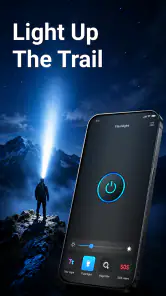
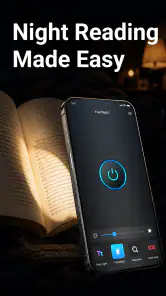
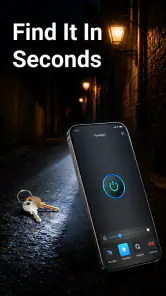
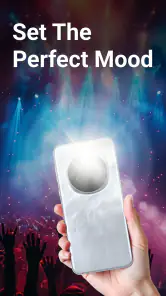
Analysis by Reviewed
I tend to judge a flashlight app by what happens after the first few uses. Turning a screen or camera light on is easy; the harder question is whether the app remains useful, quick, and comfortable enough to keep around instead of becoming forgotten clutter. Flashlight – LED Torch Light, developed by HaoNova, takes a deliberately narrow approach: it is a free Tools app built around providing light when the phone’s built-in controls are not convenient enough.
That simplicity is its strongest appeal. I did not have to learn a complicated interface or adapt to a collection of unrelated utilities. The app’s purpose is immediately clear, which makes it suitable for the small moments when I need illumination rather than entertainment or customization. It is rated for Everyone, works on devices running Android 11 or later, and its current version is 1.2.5. Those details matter because a flashlight is often an emergency tool, and compatibility is part of deciding whether it deserves a permanent place on a phone.
How Flashlight – LED Torch Light holds up beyond the first week
The first impression is about speed, not spectacle
During the first week, the app’s value comes from reducing hesitation. When I am looking for something under a sofa, checking a dark corner, finding a dropped key, or walking from a car to a front door, I do not want a feature tour. I want a clear route to light. A focused flashlight app can feel more dependable than opening a general-purpose tool folder and searching through several options.
The store summary describes it as fast and bright, and that is the right expectation to set: this is a practical light source, not a photography application or a visual-effects toy. I appreciate that the concept does not try to compete with full-featured utility suites. The shorter the path between opening the app and getting useful illumination, the better the experience is for ordinary household situations.
One realistic example is a late-night power interruption. I might reach for my phone before finding a separate torch, open the app, and use the light to locate candles, inspect the breaker area, or move safely through a hallway. In that situation, the app earns its place through availability. It is not replacing a dedicated emergency lamp, but it can bridge the gap when the lamp is out of reach.
Another useful scenario is travel. In an unfamiliar room, I may need to find a charger behind furniture without turning on every light. A compact flashlight app is easier to justify than an app that I use only for occasional novelty. That said, the phone still needs enough battery for the task, and a software flashlight cannot solve a dead or damaged device.
What the narrow design gets right
HaoNova’s app benefits from having a single obvious job. Many alternatives bundle a compass, magnifier, strobe effects, screen colors, or decorative controls. Those additions can be useful for particular people, but they also make the interface busier and create more opportunities for accidental taps. For a user who only wants a straightforward light, Flashlight – LED Torch Light feels easier to understand.
This focus also makes the app approachable for family members who are not comfortable exploring phone settings. The Everyone content rating fits that broad audience. I could recommend it to someone who wants a dedicated icon rather than an explanation of where a system shortcut is located. The trade-off is that a simple interface leaves less room for specialized control, so users who expect adjustable brightness, signaling patterns, or color modes should compare their needs carefully before settling on it.
The app is free, which removes the most obvious barrier to trying it. Its listing shows an average rating of 4.6 from around eight hundred ratings, and it has passed the threshold of over one hundred thousand installs. I read those figures as signs that the basic idea is landing with a meaningful audience, not as proof that it will suit every phone. Flashlight behavior can vary with hardware, operating-system controls, and how a person normally accesses the device’s built-in torch.
The first-week habits that make it more useful
My first practical tip is to place the app somewhere I can reach without searching. A flashlight is most valuable when I am distracted or in low light, so burying it in a crowded folder undermines the whole point. I would also test it before relying on it outdoors or during a household emergency. A short test confirms that the phone and app behave as expected and prevents discovering a problem when visibility is already poor.
A second tip is to use it for brief tasks rather than treating the phone as a lantern for long periods. Looking under a bed, checking a lock, or illuminating a path to another room is a good fit. Reading for an hour or leaving the light running while camping is less sensible because the phone’s battery and heat become more important. A dedicated torch remains the better choice for extended use.
Finally, I would avoid testing brightness by pointing the light toward anyone’s face. A bright LED can be uncomfortable, and the app’s usefulness does not improve when it is used carelessly. The best workflow is simple: open it, aim the light at the area that needs attention, finish the task, and close it promptly.
Month-to-month value depends on recurring situations
After the initial novelty fades, a flashlight app has to justify its storage through repetition. I do not open one every day, but I regularly encounter small situations where it is convenient: retrieving an item from a dark bag, checking a bicycle lock at dusk, finding a pet that has slipped behind furniture, or looking at a fuse label without switching on a bright room light. These uses are unglamorous, yet they are exactly where a focused utility can become part of a routine.
The strongest long-term case is for people who dislike navigating quick settings. Some phones make the built-in torch easy to reach, while others place it behind a swipe, a crowded control panel, or a lock-screen gesture that is easy to miss. In those cases, a dedicated app icon can be a more memorable path. I would not claim it is universally faster than the system control; the better option depends on the phone and the user’s habits.
There is also a useful distinction between occasional convenience and dependable emergency equipment. I would keep this app as a backup light, but I would not make it my only plan for a blackout, roadside problem, or outdoor trip. Phones need charging, can be misplaced, and may be needed for calls. Maintaining a physical torch with fresh batteries or a charged rechargeable lamp is more responsible when lighting is genuinely important.
Where it compares well with built-in controls
The usual alternative is the flashlight control already included in Android. That system option has an obvious advantage: it may be available from the lock screen or quick settings and does not require opening another app. If that shortcut is reliable on my device, I would use it for maximum speed. A separate app becomes more attractive when I want a clearly labeled icon, when the system control is hard to find, or when another person using the phone prefers a dedicated tool.
Compared with a general utility bundle, HaoNova’s offering is easier to evaluate because its purpose is limited. I am less likely to open it expecting a magnifier or navigation aid and then feel disappointed. On the other hand, a bundle may be better for someone who wants several tools in one installation. The choice is not about which category is automatically superior; it is about whether I value a focused light or a larger collection of functions.
Compared with a physical torch, the app wins on availability and loses on endurance. The phone is usually already in my pocket, while a separate torch may be in a drawer. But dedicated hardware is generally the more sensible option for long sessions, wet conditions, rough handling, or situations where preserving the phone’s battery matters. That trade-off is central to the app’s lasting value.
The maintenance burden is low, but not zero
One reason I can imagine keeping this app installed is that maintenance should be straightforward. There is no routine content to organize, no personal library to curate, and no ongoing learning curve. I only need to keep the phone charged, leave enough room for the app to remain installed, and occasionally confirm that it still behaves correctly after system changes. A utility that asks little from me has a better chance of surviving beyond its first week.
The current version is 1.2.5, so I would still pay attention to updates through the normal app-management routine. Updates can be useful for compatibility and reliability, but I would test the flashlight after an update rather than assuming that every utility behaves identically on every device. This is particularly important when I intend to rely on it during travel or keep it as part of a household emergency plan.
Battery management is the most important form of maintenance. I would not leave the light running while the phone is unattended, and I would close the app after finishing. If the phone becomes warm, the light appears inconsistent, or the battery is already low, I would stop using it and switch to another source. A flashlight app is helpful precisely because it is available, but availability disappears when the phone is drained.
I would also make sure the app remains easy to identify. A dedicated icon that gets moved into an obscure folder is technically installed but practically unavailable. For older relatives or shared devices, a visible placement can matter more than any small interface refinement. That is a non-obvious part of maintaining a utility: preserving the habit of finding it quickly.
Small sources of fatigue over time
The first source of fatigue is repetition of a very limited task. If I already have a convenient system flashlight, opening a separate app can feel like an unnecessary extra step. This is not a flaw in the concept so much as a consequence of specialization. The app needs to be easier to reach than the alternative, or it becomes redundant.
The second is the expectation gap created by the word “bright.” Brightness is not only a software matter. The phone’s LED, camera hardware, battery condition, and operating-system behavior all influence the result. I would judge the app by how quickly and reliably it activates the available light, not by expecting it to turn an ordinary phone into a professional search lamp.
A third concern is context. A phone flashlight can be awkward when I need both hands, when I am carrying groceries, or when I must keep the device available for navigation. In those moments, a headlamp or physical torch is more comfortable. The app is best for short, hand-held inspections rather than demanding work.
There is also the possibility of accidental use if the phone is handled carelessly. Any flashlight tool can become irritating if it switches on in a pocket or remains active after a task. My practical response is to check the screen before putting the phone away and to avoid launching it while the device is pressed against clothing or a surface. These habits are more useful than expecting software alone to compensate for careless handling.
Who should keep it installed
I think Flashlight – LED Torch Light is a good fit for someone who wants a plainly labeled, free flashlight utility and does not enjoy digging through system menus. It also makes sense on a family phone where different users need an obvious route to light. People who frequently inspect dark cupboards, storage areas, vehicles, or outdoor paths may appreciate having a dedicated tool ready.
It is less compelling for someone whose phone already offers a fast, dependable flashlight button from the lock screen. In that case, a separate app may add little beyond another icon. I would also suggest skipping it as a primary solution if the intended use involves long outdoor sessions, severe weather, hands-free work, or emergency preparedness. A dedicated light is safer and more practical for those jobs.
Users looking for a multi-tool should also consider a broader utility app instead. Flashlight – LED Torch Light does not need to become a magnifier, compass, or signal device to be worthwhile, but that means it may not satisfy someone who wants several functions in one place. Its value comes from restraint, and restraint can feel like limitation when expectations are broader.
My long-term verdict
After the novelty wears off, this app earns lasting space only when it solves an access problem that the phone’s built-in flashlight does not solve well. For me, that is a reasonable condition rather than a weakness. A focused flashlight does not need daily use to be worthwhile; it needs to be easy to find when a dark corner, late arrival, or minor household problem suddenly makes light useful.
I like the straightforward purpose, free availability, broad age rating, and modest maintenance demands. I also appreciate that the app can serve as a practical backup without pretending to replace dedicated lighting equipment. Its limitations are equally clear: it depends on the phone, may duplicate a system shortcut, and is not the right tool for prolonged or demanding illumination.
My recommendation is therefore conditional but positive. If your Android 11 or later phone makes its built-in torch inconvenient, I would try Flashlight – LED Torch Light and place it where you can reach it quickly. Test it once, use it briefly, and keep a physical light for serious situations. If the system shortcut already works perfectly for you, the app may not earn permanent space. For everyone else, its recurring value comes from being a small, understandable tool that is ready for the ordinary dark moments people actually encounter.
Pros
- Turns on quickly for immediate use in emergencies.
- Works without an internet connection or mobile signal.
- Simple interface is easy for users of any age.
- Useful as a signal light during power cuts or outdoor trips.
- Usually compatible with older Android and iOS devices.
Cons
- May drain your battery quickly during extended use.
- Brightness depends on your phone’s LED hardware.
- Some devices may not support strobe or screen-light modes.
- Can make the phone warm during prolonged operation.
- May be unnecessary on phones with a built-in flashlight shortcut.

- Category
- Tools
- Version
- 1.2.5











