Filmora:AI Video Editor, Maker
- 22.61K
- 4.0
- Installs
- 100.00M
- Price
- Free

Screenshots





Analysis by Reviewed
Hey there, fellow video editing enthusiasts! I recently got my hands on the Filmora:AI Video Editor, Maker, and let me tell you, it’s been quite the creative journey. If you’re anything like me, you love a tool that not only simplifies the editing process but also adds that professional touch to your videos. So, let’s dive into what makes this app a must-have for both beginners and seasoned editors alike.
Unleashing Creativity with AI
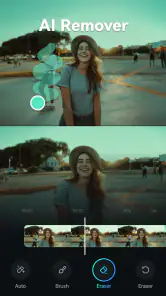
One of the standout features of Filmora:AI Video Editor, Maker is its incredible AI capabilities. This isn’t just any video editor; it’s like having a digital assistant who knows exactly what your video needs. From auto-cropping to highlight reels, the AI does a fantastic job at recognizing the key moments and making them shine. It’s almost like magic how it picks out the best parts of your footage without you lifting a finger!
User-Friendly Interface
Let’s talk about the interface because, honestly, who wants to spend hours figuring out where everything is? Filmora nails it with a clean, intuitive layout that even the most tech-challenged among us can navigate with ease. Whether you’re trimming clips, adding transitions, or layering effects, everything feels just a tap away. It’s like the app anticipates your next move and makes sure the tools you need are right there.
Features That Wow
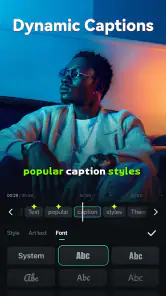
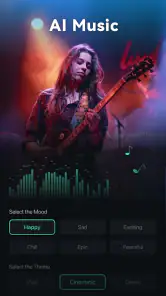
Now, onto the features that really make Filmora shine. You’ve got your basic editing tools, sure, but the real fun starts with the added extras. Imagine having a library of royalty-free music and sound effects at your disposal or being able to add animated text and titles that look straight out of a blockbuster. The possibilities are endless, and it’s all wrapped up in a package that doesn’t overwhelm.
Another cool feature? The split-screen templates. I’ve had a blast playing around with these, creating dynamic videos that tell a story from multiple angles. It’s a feature that adds depth and interest to your content, making it stand out in a sea of standard videos.
Exporting and Sharing Made Easy
When it comes to sharing your masterpiece, Filmora makes it a breeze. Whether you’re exporting in HD or going for a more compressed file size for social media, the app offers a variety of options to suit your needs. Plus, you can directly upload to platforms like YouTube and Instagram without leaving the app. Talk about convenience!
Overall, the Filmora:AI Video Editor, Maker is a powerhouse of a tool that caters to both the creative and practical aspects of video editing. It’s user-friendly, packed with features, and makes the whole process feel less like work and more like play. If you’re looking to elevate your video content, give Filmora a try. You might just find it’s the perfect addition to your toolkit!
Pros
- User-friendly interface
- easy for beginners.
- Rich library of video effects and transitions.
- Supports 4K video editing and exporting.
- AI features enhance editing efficiency.
- Cross-platform compatibility for projects.
Cons
- Limited advanced editing tools.
- Watermark on free version exports.
- Occasional lag on older devices.
- Subscription required for full features.
- In-app purchases can be expensive.

- Category
- Video Players & Editors
- Version
- 15.0.50