Face Beauty Makeup Camera-Self
- 217.00
- 4.5
- Installs
- 5.00M
- Price
- Free

Screenshots
Analysis by Reviewed
For a shared household phone, a beauty editor is easiest to live with when each person can make a quick choice without turning a selfie into a long editing project. Face Beauty Makeup Camera-Self is a free app from Daily Aims for trying makeup looks and polishing face-focused photos. I’d use it as a casual creative tool, not as a rule for how anyone ought to look. Its Everyone content rating makes it suitable for a broad audience, but younger users still need sensible guidance about selfies, privacy, and what they share.
A quick selfie session that works around real life
Picture a familiar situation: someone is getting ready to leave, wants a photo for a message or profile, and has only a few minutes. A makeup editor can make it possible to compare a softer look with a more dramatic one without applying either in real life. I’d use the preview to decide on a direction, then keep the final edit restrained enough that the picture still feels like the person who took it. That small check matters more than piling on effects.
This kind of workflow is where a focused beauty app can be more convenient than opening a general photo editor and hunting through a long list of adjustments. The trade-off is that a dedicated selfie tool may not suit someone who wants detailed control over lighting, backgrounds, or a whole photo collection. If that’s your goal, a broader editor is likely a better fit.
Sharing a phone without sharing every boundary
On a household phone or tablet, I’d keep the editing session simple: choose the photo together, try the look, and decide whether the finished image should be saved or shared. This gives each person a chance to make their own choices instead of treating one person’s preferred style as the default for everyone. It also avoids assuming that a shared device means every image or edit should be visible to every other user.
A useful practical habit is to compare the edited version with the original before deciding it is finished. It helps catch changes that look appealing at first but feel too strong once viewed alongside the unedited photo. For family members taking turns, that comparison is an easy way to coordinate without needing a formal process or a special setting.
Age, trust, and choosing the right expectations
The Everyone content rating makes the app suitable for a broad audience, but a rating alone doesn’t replace a conversation about selfies, appearance, and online sharing. I’d encourage younger users to see makeup effects as playful styling rather than a standard they need to meet. Adults can also benefit from that reminder: a polished picture is an option, not a requirement.
Face Beauty Makeup Camera-Self has an average rating of 4.5 from around 32,000 ratings, and it has passed 5 million installs. Those figures suggest that many people have tried it, but they don’t tell me whether its particular editing style will suit your taste. I’d judge it by whether the tools help you make a photo you still recognize as yourself.
More From Our News Desk

Clash of Clans Is Won Between the Battles

Android Auto Makes the Case for Quieter Car Software

MobiOffice: Transforming Mobile Productivity with Seamless Integration

EA SPORTS FC™ Mobile Soccer: Redefining Mobile Sports Gaming

How Microsoft OneDrive Became a Mobile Productivity Giant

How Google Translate Breaks Language Barriers Effortlessly
Have you ever wondered how some people always manage to look picture-perfect in every selfie they take? I’d rather think of a face editor as a small styling playground than a way to chase somebody else’s idea of perfection. I tried Face Beauty Makeup Camera-Self with that in mind: the useful question is not whether every effect makes a photo more polished, but whether the result suits the moment and still feels like the person in the picture.
Transforming Selfies, One Tap at a Time
The Face Beauty Makeup Camera-Self app promises to revolutionize your selfie game, and honestly, it does a pretty impressive job. Right off the bat, the user interface is clean and intuitive. You don't need a degree in photo editing to figure out how to use it. I found myself navigating through its features with ease, which is a big plus for someone like me who gets easily frustrated with overly complicated apps.
Features That Stand Out
One of the standout features is the real-time beautification filters. These filters are like magic wands that instantly enhance your facial features, giving you that flawless look. Whether you want a subtle touch-up or a dramatic transformation, the app has got you covered. I particularly loved the "Natural" filter, which enhances your features while still keeping things looking real.
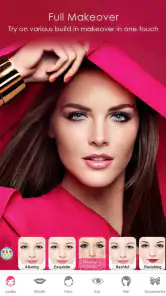
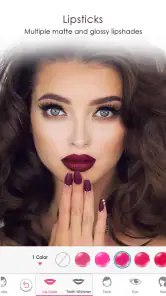
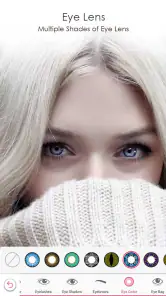
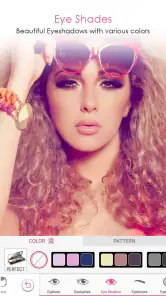
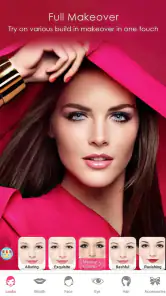
Another cool feature is the makeup editor. You can experiment with different looks – from bold lip colors to smoky eye shadows – without the hassle of applying actual makeup. For someone who isn’t a makeup guru, this feature is both fun and practical. Plus, it's a lifesaver on those days when you're running late but still want to look glamorous in your photos.
Performance and Usability
When it comes to performance, the app runs smoothly without any noticeable lags. It’s compatible with both Android and iOS, which means most smartphone users can enjoy its benefits. I found the editing tools to be responsive, making the whole editing process quick and enjoyable. The app also allows you to save your edited photos in high resolution, which is essential for those Instagram-worthy posts.
For better results, I’d start with a well-lit photo and adjust one effect at a time. That makes it easier to spot when a filter or makeup choice has become too strong, and it gives you a clearer sense of which change is actually helping. If you’re editing a picture for a profile, check it at the size people will see it; subtle details that look convincing close up can appear much stronger in a small thumbnail.
The app is free, with a current version of 16.2.1 and a minimum Android requirement of 7.0. It was released on December 28, 2019, and has 217 reviews. I’d still make room for personal preference: someone who likes a natural finish may enjoy experimenting, while anyone seeking precise retouching or extensive image adjustments may prefer a more capable general-purpose editor. The best choice depends on whether speed and face-focused effects matter more to you than fine control.
Keeping edits coordinated on a shared device
When several people use the same phone, I’d avoid treating the camera roll as a communal editing queue. Before opening a picture, agree whose photo it is and what they want to do with it; after editing, let that person decide whether to keep or share the result. That small routine is useful even when everyone gets along, because preferences about makeup, retouching, and posting can differ sharply across ages and between siblings.
There is also a practical reason to work on one image at a time: it keeps the decision focused. A person can compare a natural treatment against a bolder one, choose what feels right, and then hand over the device without leaving a collection of half-finished experiments for the next user. I would not assume an app provides separate household profiles or private spaces; on a shared device, the family’s own habits matter more than any presumed account boundary.
Choosing the right tool for the photo
Compared with a standard camera app, a selfie-focused editor is useful when the desired change is visual styling rather than simply capturing the moment. The makeup effects invite experimentation before a photo is shared, which can be more convenient than trying to reproduce a look with real products. Compared with a broad photo editor, though, the focus is narrower: if I needed to correct a distracting background, prepare several images consistently, or make careful tonal adjustments, I’d reach for a general-purpose editor instead.
That distinction helps set expectations. This is best for a single portrait or selfie where a quick face-focused finish is the point, not for managing a full album or doing detailed image work. If a photo is important for a professional profile, I’d use the app to explore a look, then inspect the result closely and consider a tool with more precise controls if the edit needs to be exact. A fast result is convenient, but it is not the same thing as comprehensive editing.
Small choices that make a visible difference
One useful way to avoid an artificial-looking result is to decide what the photo is for before editing. A casual message to relatives may call for a lighter touch than a playful costume-style selfie, and a profile image should still look recognizable when reduced to a small circle. I’d save the strongest effects for pictures where the transformation itself is part of the fun, rather than applying them automatically to every image.
Lighting is another easy variable to control before reaching for a filter. A clear, evenly lit original makes it easier to judge makeup colors and facial detail; a dim or strongly shadowed photo can make an effect seem harsher than intended. If the first result feels off, I’d try a different source photo before stacking on more adjustments. That saves time and makes it easier to tell whether the issue is the effect or the image it is being applied to.
For anyone wondering whether this is a good first editor, I’d say yes if the goal is to explore face-focused styling without learning a complicated workflow. It is less suitable for someone who wants exact control over every part of a picture, or who dislikes the look of beauty filters altogether. The best test is to compare the edited photo with the original and ask whether the change serves the image; if it makes the person harder to recognize, I’d dial it back or leave the picture untouched.
Ending Thoughts
In a world where selfies and social media are a big part of our lives, having an app like this can really boost your confidence. The app is not just about enhancing physical appearance; it’s about expressing yourself and feeling good about the photos you share with the world. Whether you're a selfie enthusiast or someone looking to dip their toes into the world of photo editing, this app is definitely worth a try. So, why not download it today and start exploring the endless possibilities?
My household verdict is that it’s a handy, low-pressure option for quick face-focused edits, especially when people want to experiment with makeup before choosing a look. I wouldn’t make it the shared home for everyone’s photos, or choose it as a substitute for a full editing suite. Used with sensible boundaries and a light touch, it can make a short selfie session more fun without turning every picture into a project.
Face Beauty Makeup Camera-Self Frequently Asked Questions
Can I save edited selfies to my device and share them?
Face Beauty Makeup Camera-Self is designed to transform and beautify selfies using makeup tools and effects. After editing, you can use the finished image for your own photo collection or share it through the options available on your device. If you plan to post a picture publicly, consider reviewing the final result and choosing carefully where you share it.
Can I use Face Beauty Makeup Camera-Self to edit photos I have already taken?
The app focuses on selfie and portrait editing, so it can be useful whether you are preparing a new look or working with an existing photo. Its editing tools let you adjust the appearance of an image with makeup effects and other enhancements. This makes it worth considering if you want to polish a picture without taking a new selfie first.
Will Face Beauty Makeup Camera-Self work on my phone’s operating system?
Face Beauty Makeup Camera-Self is available for Android devices running version 7.0 or later. Before downloading, check the operating-system version on your phone to make sure it meets that requirement. The app is in the Beauty category and is developed by Daily Aims, so it is intended for people looking for selfie-focused makeup and photo effects.
Is Face Beauty Makeup Camera-Self suitable for younger users?
The app is rated Everyone, so its content is considered suitable for a broad audience. It focuses on beauty and selfie editing, making it relevant to people who want to add makeup effects or adjust the look of their photos. As with any photo app, younger users should follow their family’s guidance when taking, editing, or sharing personal pictures.
What features does Face Beauty Makeup Camera-Self offer?
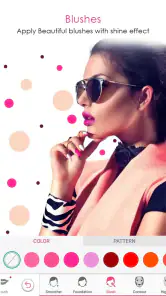
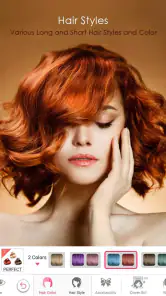
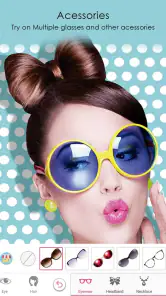
Face Beauty Makeup Camera-Self offers a wide array of features designed to enhance selfies and portraits. Users can enjoy tools for applying makeup, smoothing skin, whitening teeth, and adding various photo effects. Additionally, the app comes with options to adjust brightness, contrast, and saturation, ensuring users can achieve their desired look effortlessly. The app also features numerous filters and stickers that add a creative touch to your photos.
Pros
- User-friendly interface for effortless editing
- Wide range of beauty filters available
- Real-time makeup application feature
- High-quality image output
- Supports sharing to social media platforms
Cons
- Contains in-app advertisements
- Limited features in free version
- Requires internet connection for full functionality
- May over-process images
- Consumes significant device battery life
- Category
- Beauty
- Version
- 16.2.1











