EZVIZ
- 3.30K
- 4.6
- Installs
- 10.00M
- Price
- Free

Screenshots

Analysis by Reviewed
I find a camera app most useful when it helps me answer a simple question without turning a quick check into a project: is everything where I left it? That is the practical promise behind EZVIZ, a free video monitoring app from EZVIZ Inc. It is aimed at people who use the company’s cameras and want to check them remotely, rather than at anyone looking for a general-purpose video editor. With a 4.6 average from around 381,000 ratings and over 10 million installs, it has attracted a large audience, but those figures alone do not tell me whether its approach to privacy suits every household.
Where it fits among camera apps
The app sits in the video players and editors category, but I would approach it as a camera companion rather than a place to create or polish videos. Its value is tied to having compatible EZVIZ equipment: the phone becomes a way to view and manage that camera system remotely. That is a narrower purpose than the category label might suggest, and it is worth understanding before downloading it.
Compared with a camera maker’s basic viewer, an integrated companion can be convenient because the camera and its controls are intended to work together. Compared with a multi-brand monitoring platform, the trade-off is flexibility: a dedicated app may be the simpler choice if your devices are already from EZVIZ, while a mixed-brand home may be easier to manage elsewhere. I would not install two monitoring apps without a practical reason; splitting alerts and camera checks across separate places can make routine use less clear.
What remote camera access changes
For me, the useful distinction is between an app that organizes clips for entertainment and one that gives access to a view of a private space. A camera feed can show when someone arrives, whether a delivery is still outside, or what is happening in a room while I am away. That makes convenience valuable, but it also makes deliberate setup more important than it would be in an ordinary media app.
On a typical day, I might open the app during a break to check the front entry, then close it once I have the answer. That quick routine is more reassuring than repeatedly wondering about a package, but it also calls for care: I would avoid checking a sensitive camera feed in a crowded place, and I would keep my phone protected when it has access to home monitoring.
Trust starts with choices, not assumptions
I would not treat a camera app’s presence on my phone as proof that every privacy question is settled. Before relying on it, I would review the permissions Android or iOS asks me to grant and consider whether each one makes sense for the action I am taking. I would also look through the account and device settings for the controls I actually need, rather than assuming that a feature exists because similar camera apps offer it.
A useful habit is to make a short setup checklist: confirm which camera is assigned to each room, check who in the household can access the account, and revisit those choices if a device or phone changes hands. If I am setting up monitoring in a shared home, I would also tell the people who live there where cameras are placed. That is a basic courtesy as well as a sensible way to avoid surprises.
More From Our News Desk

Weather by Xiaomi Review: Clear at a Glance, Less Clear Up Close

X Under Pressure: Can It Recover When Posting Goes Wrong?

Clash of Clans Is Won Between the Battles

Android Auto Makes the Case for Quieter Car Software

MobiOffice: Transforming Mobile Productivity with Seamless Integration

EA SPORTS FC™ Mobile Soccer: Redefining Mobile Sports Gaming
First Impressions and Setup
Setting up EZVIZ is as smooth as butter on a hot pancake. You download the app, sign up, and voila! You're just a few steps away from turning your home into a mini fortress. The app's user interface is clean and straightforward, which is a blessing if you're not exactly tech-savvy. The step-by-step guide makes pairing your security devices a breeze. Honestly, if you’ve ever set up a social media account, you’re already overqualified for this.
Make setup useful, not just quick
Even when pairing is straightforward, I would spend a little extra time naming cameras in a way that makes sense at a glance. Labels such as “front entry” or “garage” are more useful than vague names when several views appear in a dashboard. This is a small setup choice with a real payoff: if I open the app because of an alert, I can identify the relevant view without guessing or tapping through every device.
I would also check the camera’s framing from the phone after installation, rather than deciding its placement only by looking at the device itself. A view that seems narrow in person can include more of a shared walkway or neighboring space than expected. Confirming the picture from the same screen I will use remotely helps me notice that before the camera becomes part of a daily routine.
Features That Stand Out
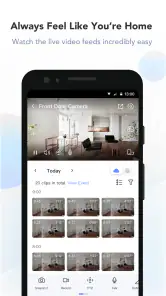
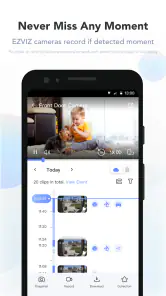
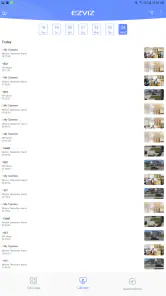
Now, let’s talk features. This isn't just another app that sends you random notifications. Oh no, EZVIZ means business. You can live stream from your security cameras in HD quality, receive instant alerts if anything fishy happens, and even playback recordings from the past. It's like having your very own security guard that never asks for a day off.
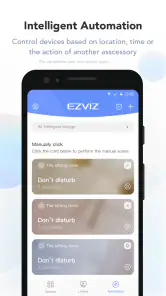
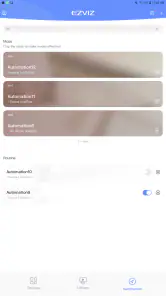
Not only that, but the app supports a variety of smart home integrations. Whether you're team Alexa or team Google Assistant, EZVIZ has got you covered. You can control everything with your voice, which is perfect for those lazy days when reaching for your phone seems like a chore.
Useful details when an alert arrives
I would treat a notification as a reason to look, not as proof that the app has caught every event or correctly explained what caused it. If the alert concerns something important, opening the live view gives me a current look; playback is the more useful place to check when I need to understand what happened before I noticed. Keeping those two jobs separate avoids expecting a live feed to answer a question about the past.
For example, if I get an alert while away and see a delivery at the door, I can check whether the parcel is still there. If I later need to understand when it was left, I would consult a recording rather than rely on memory of a brief live view. This workflow is useful for ordinary awareness, but I would not treat remote footage as a substitute for contacting a neighbor or emergency services when a situation calls for direct help.
Using alerts and playback thoughtfully
When I rely on alerts, I treat them as prompts to check the camera, not as a guarantee that every important event will be caught. A practical way to judge whether notifications are useful is to observe them during ordinary activity at home, then adjust the choices the app makes available so that routine movement does not drown out events I care about. I would also check a saved recording when a notification matters; a live view answers what is happening now, while playback helps explain what happened earlier.
That distinction matters for deliveries and shared entrances. If I see a courier leave a parcel, I can use the live view for the immediate check, then consult a recording later if I need to understand the sequence. I would not rely on camera footage as a substitute for being present in an urgent situation, though. Remote viewing is useful for awareness, not a reason to delay contacting someone nearby when direct help is needed.
What to expect from everyday use
The most realistic benefit is not constant surveillance; it is having a quick way to resolve a specific uncertainty. A person waiting for a repair visit might check whether someone has arrived, while a household expecting a delivery can glance at the entry rather than keep listening for the door. Those checks are most useful when I already know which camera answers the question and can close the app once I have the information I need.
For shared households, the routine deserves a little coordination. One person may be comfortable receiving frequent alerts while another finds them distracting, so I would agree on what the cameras are for and who is expected to respond. That conversation is not a technical feature, but it can prevent the app from becoming a source of confusion or making someone feel watched without warning.
User Experience
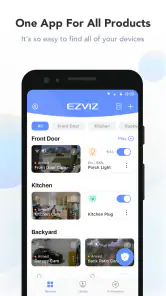
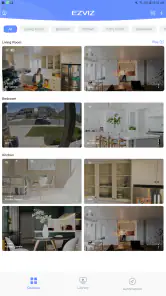
Using the app daily, I found it incredibly intuitive. The dashboard is laid out in a way that makes it super easy to navigate between different devices. Plus, the app's responsiveness is top-notch. There's nothing more frustrating than a laggy app, especially when it concerns something as important as your home security. Thankfully, that's not an issue here.
One trade-off is that the app’s value depends on having compatible EZVIZ cameras to manage; it is not a universal viewer for any camera brand. If I already use another manufacturer’s system, I would compare its own companion app before adding a second account and another place to check. A multi-brand camera platform may suit someone building a mixed setup better, while this app makes more sense when the cameras themselves are part of the EZVIZ ecosystem.
When the dedicated app is the better fit
I would lean toward this app if my cameras are already compatible and I want one direct route to their live views, alerts, and recordings. A dedicated companion can keep the familiar device workflow in one place, instead of asking me to translate controls from a general video tool. The key question is whether I value that close connection more than the freedom to combine equipment from different makers.
Someone choosing a first camera system should make that decision before buying hardware, not after filling a phone with apps. If a household expects to mix brands over time, checking the available management options first could save unnecessary account setup later. If the priority is simply recording and editing personal clips, a standard media editor is the more appropriate choice; this app is built around camera monitoring, not creative video work.
Choosing it for the right household
I see this as a better fit for someone who wants a straightforward way to check an EZVIZ camera while away, especially when a household has a clear reason to monitor an entry or another appropriate area. It is less compelling for someone who only wants to edit or watch videos, or for a renter who cannot install a camera where it would be useful. Before setting anything up, I would decide what question each camera is meant to answer; that keeps monitoring focused instead of expanding into rooms where it adds little value.
If a family member changes phones or no longer needs access, I would make reviewing account access part of that transition. The same goes for moving a camera: check its new view in person and consider whether it now captures a shared or private area differently. Those small checks are easy to overlook, but they help keep the convenience of remote viewing aligned with how people actually use the space.
Account and device changes deserve a check
A phone replacement is a good moment to review more than the app’s installation. I would confirm that I am signing into the intended account, then check which cameras are visible and whether household access still matches the current arrangement. If an old phone is being passed to another person, I would remove access to sensitive apps and secure the device before handing it over. These are ordinary account-hygiene steps, but they matter more when the app can show private rooms or entrances.
I would also revisit the setup when the purpose of a camera changes. A camera originally aimed at a doorway may point into a different area after furniture is moved or the device is repositioned. Checking the feed after any change is a practical way to catch a new privacy issue early, rather than assuming the original framing still applies.
Final Thoughts
All in all, EZVIZ packs quite a punch for anyone looking to step up their home security game. It's reliable, user-friendly, and offers a suite of features that cater to both novices and tech enthusiasts alike. Whether you're monitoring your home or just want that extra layer of security, EZVIZ is definitely worth checking out.
So, the next time you're away from home and start wondering if everything's alright, just whip out your phone, open the app, and enjoy the peace of mind that comes with knowing you've got everything under control.
A measured recommendation
I would recommend trying it if you already own compatible cameras and want remote viewing, alerts, and a way to revisit recordings in one place. The app is rated for Everyone, its current version is 7.0.0.1104, and it runs on Android 7.0 or later. It has been available since August 12, 2015, so it is an established option rather than a new experiment. Still, no camera app can make a home automatically secure, and I would weigh the convenience against the responsibility of managing access to private footage.
My cautious verdict is that it can be a sensible companion for an EZVIZ camera, provided I take time to understand the visible settings and keep access intentional. If my priority is a camera-independent dashboard, minimal account overhead, or simply playing and editing personal videos, I would choose a different tool. For someone who wants to check a compatible camera from a phone and is comfortable making careful choices about who can view it, this app has a clear, practical purpose.
EZVIZ Frequently Asked Questions
Do I need an EZVIZ camera to use the EZVIZ app?
EZVIZ is designed to help you manage a camera remotely, so its main purpose is tied to using a compatible camera with the app. If you are considering downloading it, first make sure you have an EZVIZ camera or another camera confirmed to work with the app. The app itself is free, but camera access depends on having suitable hardware set up.
Can I use the EZVIZ app when I’m away from home?
Yes. EZVIZ is designed to let you manage your camera remotely, including when you are away from home. The app’s store summary describes access from across the globe, so it can be useful for checking in while travelling or elsewhere. You will need an internet connection on your phone and a compatible EZVIZ camera set up with the app.
Is EZVIZ free to download, and what devices can install it?
EZVIZ is a free app in the Video Players & Editors category, developed by EZVIZ Inc. It is rated for Everyone and supports devices running Android 7.0 or later. Before downloading, check that your phone meets this requirement and that you are choosing the official EZVIZ app. The app is listed with over 10 million installs and an average rating of 4.6.
What features does the EZVIZ app offer for home security?
The EZVIZ app provides a comprehensive suite of features for home security, including live video streaming, motion detection alerts, and remote access to your security cameras. Users can also save video footage to the cloud, customize notifications, and control smart devices, ensuring a robust home security solution accessible directly from their smartphone.
Is the EZVIZ app compatible with all types of cameras?
The EZVIZ app is primarily designed to work seamlessly with EZVIZ branded cameras and devices. However, it may also support a limited range of third-party cameras. It's important to check the compatibility list on the EZVIZ website or contact their customer service to ensure that your specific camera model is supported by the app.
Pros
- User-friendly interface
- High-quality video streaming
- Wide range of camera compatibilities
- Easy setup process
- Remote access capabilities
Cons
- Requires stable internet connection
- Limited free cloud storage
- Some features are paywalled
- Occasional app crashes
- High battery consumption on mobile
- Category
- Video Players & Editors
- Version
- 7.0.0.1104











