Evansville Courier & Press
- 66.00
- 3.2
- Installs
- 10.00K
- Price
- Free

Screenshots




Analysis by Reviewed
Reading local news on a phone sounds simple until the quality of the connection becomes part of the experience. With Evansville Courier & Press, I found that the app makes the most sense when I have a reliable mobile or Wi-Fi signal and want news from Evansville alongside broader coverage. It is a free news and magazines app from USA TODAY Co., aimed at readers who would rather check one regional source than sort through a general news feed.
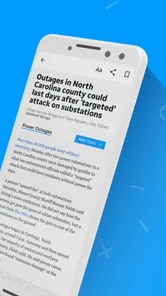
The app’s store summary points to local and national reporting, photography, and video, and that combination is important to how I used it. Text is useful when I only have a moment, while images and video make larger stories easier to understand when I have time to stay with them. The trade-off is that richer content depends more heavily on connectivity than a simple text headline does. This is a connected-reading app first, not a dependable substitute for a saved newspaper.
How the connection shapes everyday reading
My best experience came when I opened the app with a stable connection and treated it as a quick local briefing. A short visit can answer what is happening nearby, while a longer session lets me move into visual coverage or video. That makes it useful in the morning before work, during a lunch break, or in the evening when I want regional news without opening several unrelated apps.
That convenience changes when the signal is weak. Headlines may be the easiest part of a news session to reach, but image-heavy stories and video naturally make a connection more noticeable. A story can feel immediately available in one location and slow in another, even when I have not changed anything inside the app. For readers who judge a news app by how quickly it opens every element, this is a meaningful limitation rather than a minor annoyance.
I also noticed that a news app encourages a different habit from a browser. Instead of starting with a broad web search, I can return to a publication focused on Evansville and see what it considers important. That focus is the main reason to choose this app over a generic national news reader. It reduces the effort of finding local context, although it also means the app is less useful if my main interest is international coverage or a wide range of unrelated subjects.
Connectivity matters most when I move from scanning to investigating. A headline may be enough while I am standing in line, but following a developing story, opening photographs, or watching a report asks for more patience and a steadier connection. I would not plan an important news catch-up around an uncertain signal. Instead, I would use the app when I know I can give it a few uninterrupted moments.
A realistic morning routine
Imagine checking the app before leaving home. On Wi-Fi, I would scan local headlines, open one story that affects my day, and then look at the national items that provide wider context. If a video catches my attention, I would watch it before leaving rather than assume it will behave the same way on a moving bus. That small change in routine avoids making a weak cellular connection responsible for the whole reading session.
More From Our News Desk

Weather by Xiaomi Review: Clear at a Glance, Less Clear Up Close

X Under Pressure: Can It Recover When Posting Goes Wrong?

Clash of Clans Is Won Between the Battles

Android Auto Makes the Case for Quieter Car Software

MobiOffice: Transforming Mobile Productivity with Seamless Integration

EA SPORTS FC™ Mobile Soccer: Redefining Mobile Sports Gaming
On a commute, the app is more useful for selective checking than for an ambitious information marathon. I would open the most relevant story first, allow the page enough time to load, and avoid repeatedly jumping between video and photo content. If I were traveling through areas with inconsistent coverage, I would bring another reading option because I would not depend on this app as my only source of news during the trip.
At home, the experience is more comfortable. A stable connection gives the visual side of the publication room to work, and the larger screen of a phone or tablet can make photographs and video easier to appreciate. The app’s strength is not merely delivering words; it is combining regional reporting with richer presentation. That strength is also why connection quality has a visible effect on satisfaction.
What it is like in different mobile situations
For a quick check in a café or office, this app fits naturally into a short break. I would use it to identify the stories worth reading later rather than trying to consume every item at once. The local focus helps here because I am not starting with an endless stream of unrelated recommendations. I can make a decision quickly: read the local item, inspect a national story, or leave the app.
In a crowded public place, the experience can be less predictable. A connection may technically be available but still feel busy, and multimedia content exposes that delay more clearly than a headline list. My practical advice is to begin with text and open video only when the page has loaded comfortably. This is not a special setting; it is simply a sensible way to keep a short session from turning into repeated loading attempts.
When I use news apps late at night, I prefer quiet reading over automatic visual interruptions. Evansville Courier & Press is better suited to readers who appreciate a mix of formats than to someone seeking a stripped-down text-only experience. If I wanted the smallest possible data and attention footprint, I would choose a plain web page or a lightweight text feed instead.
The app is also a reasonable fit for people who want local awareness without following several social accounts. Social platforms can surface breaking information quickly, but they mix reporting with commentary, reposts, and unrelated material. Here, the publication itself provides the starting point. I still would not treat one app as a complete picture of every event, but the regional identity gives it a clearer purpose than a general aggregator.
When loading fails and how I recover
Connectivity problems are especially frustrating in a news app because the reason for opening it is often immediacy. If a story stalls, I first check whether other apps are also struggling. If everything else is slow, I wait for a better signal instead of repeatedly refreshing. Repeated attempts rarely improve a congested connection and can make a short reading break feel unnecessarily difficult.
If the connection returns, I reopen the app and start with one article rather than trying to restore a whole browsing trail at once. This is a useful recovery habit because it separates an app problem from a network problem. If text loads but a video does not, I continue with the article and leave the media for later. That way, one unavailable element does not block the information I originally wanted.
I would also avoid judging the publication too harshly from a single poor session in a basement, elevator, or moving vehicle. The app’s content can be perfectly worthwhile while the surrounding network is not. At the same time, readers should be honest about their own routine: if most of their news reading happens in places with unreliable service, a connection-sensitive app may repeatedly disappoint them.
One limitation is that I would not assume that a story viewed once will remain available in a fully usable form after the connection disappears. The safe approach is to read what is already open and avoid planning around future access without a signal. That distinction matters for flights, rural travel, underground transport, and emergency situations where a dependable connection cannot be taken for granted.
Recovery is smoother when I keep my expectations modest. I do not open several multimedia stories at once, and I do not interpret a delayed page as proof that the entire app is unusable. I start with the local headline that matters most, give it a fair chance to load, and move on if the network is clearly the limiting factor. This workflow makes the app more practical without pretending that connectivity problems do not exist.
Using it without wasting mobile data
Because the app includes photography and video, I would use Wi-Fi for longer sessions whenever possible. A quick headline check over mobile data is one thing; browsing every visual story is another. I would avoid leaving a video open while doing something else, and I would stop playback once I have received the information I need. These habits are simple, but they matter more here than they would in a text-only publication.
My preferred data-conscious workflow is to scan first, choose one or two articles, and postpone optional media until I am on a stronger connection. That keeps the app’s local reporting at the center instead of letting the richest content consume the whole session. Readers with limited data plans should be especially deliberate, since the app’s visual appeal is also the part most likely to make a casual visit grow longer.
I would not install it solely for national headlines. A broad news app may offer more subject variety, while a browser can be faster for one-off searches. The reason to accept this app’s connection demands is the Evansville focus combined with the publication’s own presentation. If that local angle is not relevant to you, the benefits become much less convincing.
The app is free to install, which makes trying it low-risk, but it includes in-app purchase items ranging from around fifteen dollars to around seventy dollars each. That is worth noticing before committing to any paid option. I would first use the free experience to decide whether the local coverage, reading rhythm, and connection requirements suit me. A purchase should be considered only after I understand how often I will actually return to the app.
Who will appreciate it, and who should look elsewhere
I can recommend Evansville Courier & Press to someone who lives in or closely follows the Evansville area and wants a publication-centered way to check local news. It also suits readers who enjoy photographs and video as part of a story rather than seeing them as distractions. The app’s age rating is Everyone 10+, so it is positioned for a broad audience, though parents should still use their own judgment about the news their children read.
I would be more cautious recommending it to someone who needs guaranteed access while offline, wants a highly customizable national dashboard, or spends most of the day with an unreliable signal. Those readers may be better served by a source with a reading workflow designed around saved material or by a lightweight text-oriented alternative. The choice is not about which format is universally better; it is about whether local, connected reading matches the way you actually consume news.
The public store profile shows an average rating of about three point two from over two hundred ratings, with several dozen written reviews. I read that as a sign to keep expectations realistic rather than as a final verdict. The app has a clear audience and a useful regional purpose, but the experience may not feel equally smooth for every reader, especially when connection quality, multimedia loading, and payment expectations enter the picture.
USA TODAY Co. gives the app a recognizable publishing context, while the Evansville Courier identity keeps the experience local. That combination is more meaningful than simply labeling it a news app. I would choose it over a general aggregator when regional relevance matters, but I would choose a broader reader when I need many subjects in one place or when local coverage is only an occasional interest.
Version, longevity, and the final connectivity test
The app has been available since early December of twenty ten and is currently listed as version eight point ten point three, with support beginning at iOS or Android eight point zero, depending on the platform context in which it is installed. That long presence suggests an established publication app rather than a short-lived experiment, but longevity does not remove the everyday need for a stable connection. The practical test is still how it fits your phone, signal, and reading habits.
I would install it if my goal were a convenient Evansville news check with national material and strong visual elements. I would begin with short sessions on Wi-Fi, learn which stories I actually read, and keep video for moments when I have both time and a reliable connection. That approach lets the app’s strengths show without allowing its network dependence to dominate every visit.
My final view is positive but specific: this is a good choice for connected local-news reading, not an all-purpose news solution. It gives Evansville-focused readers a direct place to look, and its photography and video make the publication feel more complete than a bare headline list. Still, anyone who regularly reads in dead zones or wants guaranteed offline access should choose a different tool. Use it when local relevance matters and your connection can keep up; skip it when uninterrupted access matters more than regional focus.
Evansville Courier & Press Frequently Asked Questions
What devices and operating systems can run the Evansville Courier & Press app?
The Evansville Courier & Press app is designed for mobile devices, and its minimum operating system requirement is version 8.0. Before downloading, check that your phone or tablet is running a compatible system version and has enough available storage for the app. Keeping your device’s software up to date can also help with compatibility and everyday performance.
Is the Evansville Courier & Press app free to download?
The app is free to download, so you can install it without paying an upfront purchase price. Some content or access options may involve in-app purchases, with available items priced from about $15 to $70. Review the purchase terms displayed in the app before confirming a transaction, particularly if you are considering a subscription or other paid option.
What is the Evansville Courier & Press app?
The Evansville Courier & Press app is a mobile news platform for keeping up with local, regional, national, and sports coverage connected to the Evansville, Indiana area. It typically includes breaking news alerts, articles, photos, opinion pieces, event information, and other content from the Courier & Press newsroom. The layout is designed for quick reading on a phone or tablet, whether you want headlines or more detailed reports.
Is the Evansville Courier & Press app free to download and use?
The app can generally be downloaded without an upfront charge, allowing users to install it and explore available content. However, access to all articles and premium features may depend on the publication’s subscription policy. Some stories can be limited to subscribers, while other news may remain freely available. Before downloading, review the current in-app subscription terms, pricing, renewal conditions, and trial details shown in your region.
What type of news and features can I find in the app?
Users can usually find Evansville and surrounding-area news, local government updates, crime reports, education coverage, business stories, community events, sports, entertainment, weather-related information, and selected national headlines. The app’s summary highlights local and national news, photography, and video content. Depending on the version, it may also offer personalized notifications, saved articles, photo galleries, and an easy way to browse sections. Available features can change as the publisher updates the application.
Pros
- Covers Evansville and surrounding communities with strong local focus.
- Offers convenient access to breaking news and developing stories.
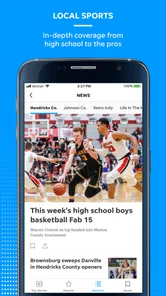
- Includes local sports coverage
- scores
- and team updates.
- Provides opinion pieces
- investigations
- and community-focused reporting.
- Digital access makes the newspaper easy to read while traveling.
Cons
- Some premium stories may require a subscription or account.
- Advertising can occasionally interrupt the reading experience.
- Coverage may feel less useful for readers outside the Evansville area.
- App performance and loading times can vary with weaker connections.
- Some content may overlap with the newspaper’s mobile website.













