Download Hub, Video Downloader
- 622.00
- 4.4
- Installs
- 1.00M
- Price
- Free

Screenshots
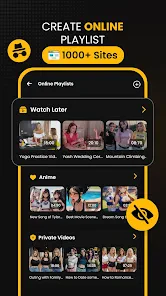
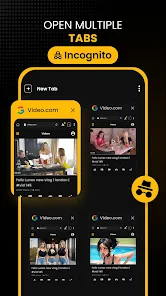

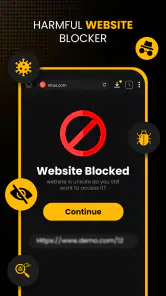
Analysis by Reviewed
I see Download Hub, Video Downloader as a practical option for people who want a dedicated place to browse for clips and keep videos handy for offline viewing. It is a free video player and editing-category app from Tradron Fze, and its current version is 6.7.3. Its 4.4 average from around 30,000 ratings and more than a million installs suggest that many people have tried it, though popularity alone cannot tell you whether it fits your own browsing habits.
What the current version means for everyday use
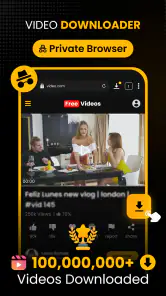
The app’s appeal is its focused combination of a private browser and video saving, rather than a full editing suite. I would consider it when I want to find a clip in a browser and keep it available on my device for a trip, a commute, or a place where reception is unreliable. That workflow can be more convenient than copying a link between a browser and a separate download tool, provided the site and video allow saving.
One useful habit is to decide before downloading whether I really need a local copy. Offline files take up device storage, and high-definition video can consume more space than a short clip suggests. I’d save only the videos I expect to revisit, then remove them when they are no longer useful. That small bit of housekeeping matters more with a downloader than with ordinary streaming.
What is Download Hub, Video Downloader?
Download Hub, Video Downloader is your go-to app for downloading videos directly to your device. Whether you're looking to save a funny clip from social media or a tutorial from a website, this app has got you covered. It's available for both Android and iOS, meaning you can take advantage of its features no matter what device you're using.
Easy Peasy Installation
Getting started with this app is as simple as pie. Head over to your app store, search for the app, and hit that download button. The installation process is quick and seamless, so you’ll be downloading videos in no time.
It is free to install, with in-app purchases ranging from about seven dollars to about sixty dollars per item. I would check what an optional purchase actually unlocks before paying, rather than assuming it is necessary for basic use. The app is rated for Everyone, and it requires Android 9 or later on Android devices, so older phones may need a different option.
User-Friendly Interface
The first thing I noticed after launching the app was its clean and straightforward interface. It's designed with the user in mind, so even if you're not tech-savvy, you'll find your way around easily. The main screen greets you with a search bar and a list of supported platforms, making it super intuitive to start downloading.
More From Our News Desk

Clash of Clans Is Won Between the Battles

Android Auto Makes the Case for Quieter Car Software

MobiOffice: Transforming Mobile Productivity with Seamless Integration

EA SPORTS FC™ Mobile Soccer: Redefining Mobile Sports Gaming

How Microsoft OneDrive Became a Mobile Productivity Giant

How Google Translate Breaks Language Barriers Effortlessly
For a realistic everyday example, I might use the browser to locate a cooking demonstration before heading somewhere with patchy connectivity, then save it if the page offers a permitted download. I would test the saved file before leaving, not just trust that the download finished: opening it once confirms that it plays and that I can find it again inside the app. This quick check is especially helpful when the video is meant to replace a live connection later.
Features That Stand Out
One of the standout features of this app is its compatibility with a wide range of websites and social media platforms. From YouTube to Instagram, this app has you covered. Plus, it supports various video formats, ensuring that you can download and play videos without a hitch.
In practice, website support can vary because sites change how their pages deliver video and may restrict saving. I would treat any platform list as a starting point, not a promise that every clip will download. If a video does not appear as an available file, trying random workarounds is less sensible than using that service’s own offline option or watching it online.
Another feature worth mentioning is the built-in video player. This means you can watch your downloaded content directly within the app, saving you the hassle of switching between different apps.
That built-in player also gives the app a useful role as a simple viewing library: I can keep saved clips together instead of hunting through a general photo gallery. Before relying on it for a long journey, I would organize downloads while still online and play each important file briefly. If I need playlists, advanced playback controls, or a broader media library, a dedicated video player may suit me better.
Performance and Speed
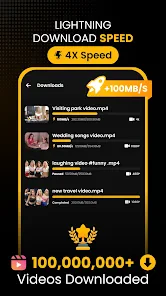
Speed is where Download Hub, Video Downloader truly shines. The app is designed to download videos quickly, without compromising on quality. During my time using it, I was impressed by how swiftly it handled even larger video files.
Download time still depends on the connection, the source page, and the size of the video, so I would not plan around every file arriving instantly. A practical trade-off is to save large clips on stable Wi-Fi and leave mobile data for smaller items. When storage or data is tight, streaming may actually be the better choice, especially for a video I only expect to watch once.
Moreover, the app runs smoothly without any noticeable lags, which is a huge plus if you're someone who's always on the go and needs to download videos quickly.
Compared with a standard browser, Download Hub brings browsing and saving into one place, which can make a simple download feel more direct. Compared with a platform’s official offline feature, though, it may be less reliable for content that the platform deliberately keeps within its own app. I would also avoid saving material without permission; convenience does not change the creator’s rights or a site’s rules.
Choosing the right workflow
The key question I would ask before installing it is not simply whether I download videos, but where those videos come from and how I plan to watch them. If I regularly save permitted clips from pages I find in a browser, the combined workflow is appealing. If nearly everything I watch comes from one streaming service, its own app may be the smoother choice because offline viewing, account access, and playback remain together.
For a mixed routine, I would use Download Hub selectively rather than treating it as a replacement for every video app. A short public tutorial that I want to revisit can make sense as a local file; a film tied to a subscription is usually better handled through the service that provides it. This distinction helps avoid wasted time when a page blocks downloads and keeps expectations realistic.
There is also a useful storage trade-off: keeping a clip locally can save repeated streaming when I replay it, but it creates a file I need to manage. I would give downloads a quick review after a trip or project and remove anything I no longer need. That is more practical than letting a collection grow until storage becomes a problem, particularly if I save high-definition videos.
Where it fits among browser and video tools
Compared with a regular browser, the main convenience is having the browsing and saving process closer together. A separate downloader can offer a more specialized workflow, but it may require copying links or moving between apps. For someone who only saves a clip now and then, that extra step may not matter; for repeated, permitted saves, keeping the tasks together can feel more efficient.
It is not an editor simply because it sits in the video players and editors category. I would not choose it to trim footage, add titles, or assemble a finished video. People who need to produce or polish clips should look for an editing app, while those who want a general collection of personal videos may prefer a dedicated media player with the organization tools they use most.
Its private-browser role may appeal to someone who wants a separate place to find and handle videos rather than mixing that activity with everyday browsing. Still, I would not assume that the word “private” means a particular level of privacy protection or a substitute for checking the app’s own settings and policies. If strong privacy controls are the deciding factor, I would compare those details carefully before choosing any browser-based tool.
Small checks that prevent frustrating downloads
When a clip matters, I would make the download process part of the preparation rather than something to do at the last minute. I would open the source page, check whether saving is allowed, wait for the file to finish, and play it before leaving a reliable connection. That sequence catches incomplete files and helps confirm that the video is accessible where I expect it to be.
If a download is unavailable, I would not keep repeating the same attempt or assume the app has failed. The source may have changed its delivery method or may not permit a local copy. In that case, using the provider’s official offline option—or simply streaming while connected—is often the more dependable and respectful route.
For a phone with limited free space, I would be selective about quality and quantity rather than building a large offline library. A few short clips for a commute are a different proposition from several long videos for a trip. Checking available storage first and removing finished downloads afterward makes the app more useful without turning offline viewing into a device-maintenance chore.
Who is likely to get the most from it?
I would recommend trying it if you often find useful, downloadable clips through web browsing and want to watch them later without relying on a connection. Students revisiting permitted instructional material, travelers preparing a handful of videos, and people who save short how-to clips may appreciate the direct browser-to-player path. The benefit is greatest when the same kind of saving task comes up regularly.
I would skip it if I rarely need offline files, if I expect every site to work, or if my main goal is editing. It is also not the best fit for someone whose viewing is already well served by official offline playback in a streaming app. In those cases, adding another place to manage content could create more steps rather than fewer.
Another point to consider is the purchase model. The app is free to install, but optional in-app items run from about seven dollars to about sixty dollars each. I would first see whether the free experience handles my normal workflow, then inspect the exact terms of any purchase shown in the app. The price range alone does not tell me which option is useful for my needs.
What its release history can and cannot tell me
The app was released in July 2024, and version 6.7.3 is its current version. That gives me a concrete sense of its place in the product’s life, but a version number by itself does not explain which changes were made or how they affect a particular website. I would judge the current experience by whether my own sources work and whether the app handles saved files conveniently.
For someone who already uses it, the most relevant changes to watch are practical ones: whether familiar sites continue to expose downloadable videos, whether the player remains dependable for saved clips, and whether purchase options are presented clearly. Those are the details that affect routine use more than a new version label on its own.
With an average of 4.4 from around 30,000 ratings and more than a million installs, it has attracted a substantial audience, but those figures do not guarantee the same results across different pages or devices. I would treat the 622 written reviews as a useful place to look for recurring patterns, especially around compatibility and billing, while remembering that a reviewer’s particular source may differ from mine.
The Verdict
In conclusion, Download Hub, Video Downloader is a must-have app for anyone who frequently downloads videos from the internet. Its ease of use, wide compatibility, and impressive speed make it a standout choice in a crowded market. Whether you're an Android enthusiast or an iOS devotee, this app is designed to meet your downloading needs efficiently.
My recommendation is narrower: it makes the most sense for someone who often needs permitted clips offline and values a browser and player in one app. If you mostly watch subscription content, want powerful editing tools, or need guaranteed downloads from every site, I would stick with the relevant official app or choose a tool built for that specific job. Its July 2024 release and current 6.7.3 version give a useful snapshot of where it stands, but I would watch future changes to site compatibility and the clarity of optional purchases before making it my only way to save videos.
So, go ahead and give it a try. You might just find that it's the video downloading solution you've been searching for all along. Happy downloading!
Download Hub, Video Downloader Frequently Asked Questions
Can I download videos without using mobile data?
Yes. Once you have downloaded a video while connected to the internet, you can watch the saved copy later without a connection. This can be useful when travelling or when you want to avoid streaming the same clip again. Download Hub, Video Downloader is presented as a fast video downloader for saving clips to watch offline; remember to respect content rights and platform rules.
Who develops Download Hub, Video Downloader, and what kind of app is it?
Download Hub, Video Downloader is a video players and editors app developed by Tradron Fze. Its short description is simply “Download Hub,” while its summary presents it as a fast video downloader and private browser for saving HD clips to watch offline. That combination may suit people looking for video-saving and browsing features in one app.
Can I use Download Hub, Video Downloader to watch videos without an internet connection?
Yes. Download Hub, Video Downloader is presented as a fast video downloader for saving clips to watch offline. After downloading a video, you can watch the saved copy when you do not have an internet connection. Keep in mind that downloads should respect the rights and rules that apply to the content and the platform where it is hosted.
What is Download Hub, Video Downloader and how does it work?
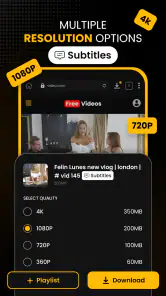
Download Hub, Video Downloader is a versatile application designed to facilitate the downloading of videos from various online platforms directly to your device. Once installed, users can easily paste the URL of the desired video into the app, select their preferred download quality, and start the download process with a single click. This app supports a multitude of video sites, ensuring you can save your favorite content for offline viewing. It's user-friendly interface and robust functionality make it a must-have tool for video enthusiasts.
Is Download Hub, Video Downloader free to use?
Yes, Download Hub, Video Downloader offers a free version that allows users to download videos. However, like many applications, it may include optional in-app purchases or a premium version that unlocks additional features, such as faster download speeds, ad-free experience, or enhanced video quality options. It's advisable to check the app's store page for any specific details regarding pricing and features to ensure it meets your needs. The app is free to download, with in-app purchases ranging from around seven dollars to around sixty dollars per item.
Pros
- Fast download speeds.
- Supports multiple formats.
- User-friendly interface.
- No registration required.
- High-quality downloads.
Cons
- Contains ads.
- No playlist download.
- Limited free version.
- In-app purchases needed.
- Not available on iOS.
- Category
- Video Players & Editors
- Version
- 6.7.3











