Des Moines Register
- 214.00
- 2.3
- Installs
- 50.00K
- Price
- Free

Screenshots






Analysis by Reviewed
Reading local news on a phone sounds simple until the quality of your connection becomes part of the experience. I spent time with Des Moines Register as a mobile news and magazine app, paying attention not only to the articles, photography, and video, but also to how naturally it fits into ordinary moments when the network is fast, weak, or changing. My overall impression is mixed: the app has a clear purpose for people who want Des Moines-focused reporting in a compact format, yet its usefulness depends heavily on how comfortably you can stay connected while using it.
Des Moines Register is developed by USA TODAY Co. and is available free of charge, with optional in-app purchases ranging from $19.99 to $69.99 per item. It is aimed at Everyone 10+ and belongs to the news and magazines category. The app has been around since June 1, 2012, and its current version is 8.10.3. Those details matter because this is not a brand-new experiment: it is an established newspaper app that has had time to become part of a reader’s regular routine.
How the app feels when your connection is doing the work
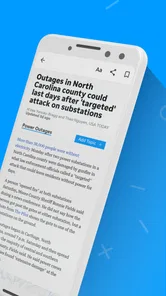
The strongest moments come when the network is stable. Headlines appear as I move through the news feed, and the app’s combination of local reporting, national coverage, photography, and video gives the experience more range than a simple list of text links. A local story can be useful on its own, while a national article helps place regional events in a broader context. The visual material also makes the app feel more like a digital newspaper than a plain alert reader.
That richness has a trade-off. Text is usually easier for a phone to handle than large photographs or video, so the app feels more comfortable on a reliable home or office connection than in a place where the signal keeps changing. When images are still loading, the reading flow becomes less immediate. Video adds another layer of dependence: it is more demanding than scanning a headline, and it is not the part I would rely on when I am trying to catch up quickly on an unstable mobile connection.
This makes the app particularly suitable for a morning routine. I can open it with a dependable connection, scan the main local stories, choose one or two articles, and then spend more time with the visual coverage when I am not rushing. It is less convincing as a tool for grabbing information in a hurry while moving between locations. In that situation, a lightweight text-first news reader or a mobile browser page may feel more predictable.
One practical habit helps: I treat the home screen as a starting point rather than assuming every visible item will open instantly. I first look for the story that matters most, read that while the connection is behaving well, and leave video or image-heavy coverage for later. This simple order reduces frustration and keeps the app from turning a short news check into a wait for several media elements.
Local relevance is the reason to keep it installed
The main reason I would recommend this app is not its general news category. It is the Des Moines focus. National news is available from countless sources, but a local newspaper app has a different job: helping readers follow the place where they live, work, commute, or have family. That makes the app more useful for checking community developments than a broad national news application that only mentions the area when something becomes part of a larger story.
More From Our News Desk

Weather by Xiaomi Review: Clear at a Glance, Less Clear Up Close

X Under Pressure: Can It Recover When Posting Goes Wrong?

Clash of Clans Is Won Between the Battles

Android Auto Makes the Case for Quieter Car Software

MobiOffice: Transforming Mobile Productivity with Seamless Integration

EA SPORTS FC™ Mobile Soccer: Redefining Mobile Sports Gaming
For someone who has moved away from Des Moines, the app can also serve as a convenient connection to home. A former resident may not need a constant stream of national headlines, but local reporting, photography, and video can preserve a sense of what is happening in the region. I would not install it solely for worldwide news, because the local identity is what gives it a clear purpose.
The store short description identifies it as Des Moines Register, while the broader store summary points to local and national news, photography, and video. In practice, that combination creates two different reading modes. The local side is the reason to open the app, and the national side gives the session more depth once I am already there. Readers should decide which of those roles they actually want before treating it as their primary news source.
What changes on the move
Using the app while commuting or walking through areas with inconsistent reception exposes its biggest practical limitation: the experience is tied to the network. A headline list may feel manageable, but opening a full article with photographs or starting a video can take longer at exactly the moment when I have the least patience. The problem is not that the content lacks value; it is that the phone becomes dependent on a smooth exchange between the app and its servers.
I would use it differently in three common situations. At home, I would explore several sections and give the visual stories time to load. During a short break at work, I would choose one article and avoid bouncing rapidly between media-heavy items. On public transport, I would open it only when I have a strong signal and enough time to let the selected story load. That approach makes the app feel more reliable without pretending that every connection is equally suitable.
The app is also a better fit for deliberate reading than for constant, rapid-fire checking. If I want a quick answer to one breaking question, a search engine or a direct browser visit may be faster. If I want local context and a broader newspaper-style session, the dedicated app has more appeal. The choice depends less on the phone itself than on whether I want speed, depth, or regional focus at that moment.
Another useful distinction is between reading and watching. Text allows me to continue with less disruption when the network slows, while video makes the connection more visible. I therefore see video as an optional part of the experience rather than the foundation of it. Readers with limited time or a restrictive mobile plan may get more value by prioritizing articles and photographs and treating video as something for a stronger connection.
When loading goes wrong
No news app feels good when a story stalls halfway through opening. With this one, my recovery approach is straightforward: stop trying to open several items at once, return to the main feed, and retry the single article that matters. Repeated tapping rarely improves a weak connection, and it can make it harder to tell whether the issue is the network or the individual piece of content.
If the app seems unresponsive, I would first check whether other apps can reach the internet. That separates a general connectivity problem from an app-specific problem without wasting time changing settings unnecessarily. If other services are also struggling, waiting for a better signal is more sensible than repeatedly restarting the news app. If the rest of the phone is online, closing and reopening the app is a reasonable next step.
The important point is that the app should not be judged only by its best connected moments. A reader may open it during a storm, in a crowded venue, inside a large building, or while switching between Wi-Fi and mobile data. Those are the situations where a news product earns trust through predictability. Here, I would keep expectations realistic: the app is most comfortable when the connection is already good, and I would not make it my only source for urgent information.
I also would not assume that an article viewed once will remain available if the connection disappears later. The safe habit is to read important information while it is open and reachable, rather than planning a future session around content that may need to load again. That is especially relevant for commuters and travelers who want dependable access between connected locations.
Using it without wasting mobile data
The combination of photography and video deserves attention from anyone who watches mobile data usage. A text article is usually the sensible first choice when I am away from Wi-Fi, while video is better saved for a connection I trust. I would also avoid opening every item in a feed simply out of curiosity. Selecting stories based on their relevance makes the app more efficient and keeps a quick news check from becoming an unplanned media session.
My preferred routine is to scan headlines first, open the most important local report, and then decide whether the photographs or video add something meaningful. Sometimes they do; a visual report can communicate a scene more clearly than text alone. Other times, the article is enough. Making that decision deliberately is a small but useful way to balance richer coverage against connection demands.
Readers should also pay attention to the app’s payment model. It is free to download and use as an entry point, but in-app purchases are listed from $19.99 to $69.99 per item. I would review any purchase screen carefully before confirming, especially if I am only looking for occasional local updates. The free starting point makes trying the app easy, but the presence of paid items means it is worth deciding in advance whether this will be a casual reader or a more committed newspaper subscription choice.
The rating picture is not especially reassuring: the app averages 2.3 from around 478 ratings, with around 214 written reviews. I would not treat that number as a complete verdict, because ratings can reflect different expectations about content, access, performance, and payment. Still, it is a useful warning to test the app in the conditions where you actually plan to use it. Someone on dependable Wi-Fi may have a very different impression from someone who mainly reads during a weak commute.
Who will appreciate it, and who should look elsewhere
I think the app is best for Des Moines residents who want a dedicated local news destination, people with a personal connection to the area, and readers who enjoy seeing reporting supported by photography and video. It also makes sense for someone who prefers a newspaper-branded experience over assembling local stories from social feeds, search results, and unrelated national apps.
I would be more cautious about recommending it to readers who want a completely free, broad national news service, need instant access in low-connectivity environments, or rarely follow Des Moines news. Those users may be better served by a general news aggregator, a text-focused publication app, or a browser-based source that is quicker for one-off searches. The app’s local emphasis becomes a disadvantage when that local focus is not relevant to your daily life.
It is also not the right choice for anyone who dislikes media-rich news experiences. The photography and video help distinguish the app, but they can make the connection more important and the reading session less lightweight. If you want only short headlines with minimal loading, this is probably more app than you need.
For families, the Everyone 10+ content rating provides a useful general guide, but I would still apply normal judgment to individual news stories. News can cover serious events even when an app is not aimed at adults only. That is another reason I prefer using it intentionally rather than leaving it open as background entertainment for younger readers.
My connectivity verdict
After using it with connectivity in mind, I see Des Moines Register as a focused local news app whose strengths are clearest when the network is stable and the reader genuinely wants regional coverage. Its photography and video give stories more presence, while the national material prevents the experience from feeling too narrow. The cost-free starting point makes it easy to try, but the listed in-app purchase range means I would examine the payment choices before making it part of a long-term routine.
My advice is to install it if Des Moines news matters to you, then test it at home, on mobile data, and during a normal commute. Notice how quickly the articles and media load in the places where you actually read. Keep a text-first alternative available for weak-signal moments, and do not depend on this app alone when information is urgent or your connection is unreliable.
The best reason to choose this app is local relevance, not sheer convenience. When that relevance matches your needs and you can give the app a dependable connection, it offers a more complete regional reading experience than a generic news feed. When you need lightweight access everywhere, minimal data use, or only occasional national headlines, another option will likely suit you better.
Des Moines Register Frequently Asked Questions
Is the Des Moines Register app suitable for readers who mainly want local Iowa news?
Yes. The app is designed around local and national news, with coverage for readers interested in Des Moines and the wider Iowa community. Its focus makes it a relevant choice if you want local reporting alongside broader stories, photography, and video. It is a news app rather than a general-purpose reading or entertainment platform, so its main value is staying connected to news.
What does the Des Moines Register app cost, and are there purchases inside it?
The app is free to download, though paid digital access may be needed to read all available journalism. In-app purchases are offered, with prices ranging from about $20 to $70 per item. Before purchasing, check the terms and benefits shown in the app so you understand what access is included. The app is developed by USA TODAY Co. and is rated for users aged 10 and older.
What is the Des Moines Register app?
The Des Moines Register app is the mobile news platform for the Iowa newspaper of the same name. It provides access to local reporting from Des Moines and surrounding communities, along with state, national, and sports coverage. After installing it, readers can browse articles, follow breaking news, view multimedia content, and manage their digital newspaper subscription from a phone or tablet.
Is the Des Moines Register app free to download and use?
The app can generally be downloaded at no cost, but access to all of its journalism may require a paid digital subscription. Some articles or features can be available to users without subscribing, while frequent readers may encounter a metered paywall. Subscription pricing, trial offers, and included benefits can change, so it is worth checking the current terms shown in the app or on the official Des Moines Register website before subscribing.
What kind of news and content can I read in the app?
The app focuses strongly on Iowa and central Iowa coverage, including Des Moines news, local government, education, crime, business, politics, community events, and investigative reporting. It also includes sports coverage, particularly teams and events followed by Iowa readers, as well as broader national stories. Depending on the version and subscription, users may also find photo galleries, videos, opinion pieces, obituaries, puzzles, and other newspaper content.
Pros
- Clear local coverage of Des Moines and surrounding Iowa communities.
- Breaking-news alerts help users stay informed about developing stories.
- Includes local sports coverage
- scores
- and team updates.
- Digital edition offers a newspaper-style reading experience.
- Supports saving articles for reading at a more convenient time.
Cons
- Many full articles may require a paid subscription or registered account.
- Advertising can interrupt reading and make some screens feel crowded.
- Coverage is primarily regional and may feel limited for non-Iowa readers.
- Some content may load slowly on weaker mobile connections.
- Subscription pricing and access terms may vary by region or promotion.













