Democrat & Chronicle
- 204.00
- 2.1
- Installs
- 50.00K
- Price
- Free

Screenshots


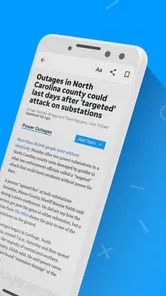

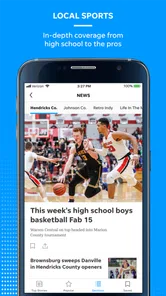


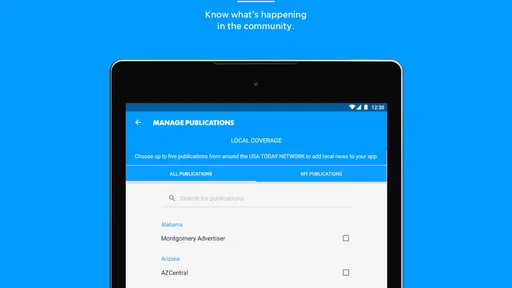
Analysis by Reviewed
Reading local news on a phone should feel simple: open the app, find the stories that matter nearby, and move on with your day. My experience with Democrat & Chronicle is more mixed. It is a free news and magazine app from USA TODAY Co. focused on local and national coverage, photography, and video. That combination makes it useful when I want a regional perspective in one place, but the low average rating of 2.1 from around 400 ratings is an important warning for anyone expecting a consistently polished mobile experience.
The app has been available since May 3, 2012, and its current version is 8.10.3. It supports Android 8.0 and later, carries an Everyone 10+ age rating, and has passed 50 thousand installs. Those details suggest a long-running publication app rather than a brand-new experiment. Still, longevity alone does not guarantee that every part of the reading experience will feel equally modern or dependable.
How Democrat & Chronicle feels during everyday reading
I find the everyday experience easier to judge when I separate the value of the reporting from the convenience of the app itself. This section looks at how I’d fit a focused local-news check into a busy day, including when visual coverage adds useful context and when a simpler reading route may be preferable.
Speed expectations when you open the news
I would approach this app as a practical doorway into Democrat & Chronicle coverage, not as a lightweight headline widget. News apps often need to load several kinds of material, and this one brings together written reports, photographs, and video. That richer mix can make the first visit to a story feel less immediate than opening a plain text page, especially when the article includes large visual elements.
For a quick morning check, the best habit is to decide what you want before opening it. If I am looking for a local update, I go straight to the relevant story rather than browsing every section. That reduces the amount of scrolling and makes the app feel more responsive simply because I am asking it to do less at once. It is a small workflow change, but it matters on a phone where a few extra loading moments can make a news session feel sluggish.
The app’s strongest speed advantage is focus. A publication-specific app can be more direct than a broad news aggregator when I already know which newsroom I want to follow. Instead of sorting through unrelated national headlines, I can use it for the local angle and then leave. On the other hand, readers who want instant access to many publishers may find an aggregator faster overall because it places more sources in one familiar interface.
Video deserves separate expectations. A written article can be useful even when I am in a hurry, while video asks for more time and a stronger connection. I would not open the app expecting every item to behave like a fast text alert. The presence of rich media is valuable for visual reporting, but it also makes the experience more dependent on the device and connection being ready for heavier content.
More From Our News Desk

Weather by Xiaomi Review: Clear at a Glance, Less Clear Up Close

X Under Pressure: Can It Recover When Posting Goes Wrong?

Clash of Clans Is Won Between the Battles

Android Auto Makes the Case for Quieter Car Software

MobiOffice: Transforming Mobile Productivity with Seamless Integration

EA SPORTS FC™ Mobile Soccer: Redefining Mobile Sports Gaming
What happens during heavier reading sessions
The app makes the most sense in short, purposeful sessions: checking a developing local story, reading a report during a commute, or watching a relevant news clip when I have a few quiet minutes. Longer sessions are where the trade-offs become clearer. Moving between text, photography, and video can demand more from the phone than simply reading headlines in a browser.
My practical advice is to treat visual content as optional rather than essential. If I only need the facts, I read the article and avoid opening every media element. If the photography or video is the reason I came to the story, I give it the time and connection it needs. This approach keeps the app useful on less capable devices without pretending that a media-rich news service has the same demands as a plain web page.
A realistic everyday scenario would be checking the app after work for a local development. I might scan the headline, read the main report, look at the accompanying image, and save the video for later if I am standing in a crowded station. That sequence is more comfortable than trying to consume every format immediately. It also helps separate the app’s editorial value from the pressure to load everything at once.
Heavy use can also expose a difference between news apps and browser reading. In a browser, I can quickly switch to another tab or search a wider range of sources. Inside a publication app, the experience is more centered on that publisher’s coverage. That is an advantage when I trust the publication’s local relevance, but a limitation when I need rapid comparison of competing reports.
Stability and recovery after interruptions
I pay attention to what happens when a reading session is interrupted. Phones regularly switch between Wi-Fi and mobile data, pause an app when another notification arrives, or return to the home screen when a call comes in. With a news app, recovery matters almost as much as the initial load: I want to return to the article without having to reconstruct what I was reading.
Because the app includes different media types, recovery may feel more important here than in a headline-only reader. A text story and a video do not place the same demands on a session. If a clip is interrupted, I would reopen it only when I have a stable connection and enough time. For articles, I would first try returning through the same story rather than repeatedly refreshing the entire news area.
I would also avoid judging the whole app by one interrupted session. News content changes, connections vary, and an older phone can behave differently from a newer one. The rating of 2.1 is nevertheless difficult to ignore. It indicates that many users have not been satisfied overall, so I would install this with realistic expectations and test the reading flow that matters to me before relying on it for every daily update.
Recovery is especially relevant if I use the app as my only source during a breaking event. I would not make that assumption immediately. For important or fast-moving news, keeping a browser or another trusted source available is sensible. The app can provide the publication’s perspective, but depending on one mobile application for urgent information creates an unnecessary single point of failure.
Device constraints and the cost of richer content
The minimum operating-system requirement is Android 8.0, so the app is not aimed at very old Android releases. That is helpful for compatibility, but the operating system is only one part of the picture. Screen size, available storage, memory, battery condition, and connection quality all affect how comfortable a news app feels, particularly one that includes photography and video.
On a smaller screen, long articles may require more scrolling, while large photos can interrupt the reading rhythm. I prefer using the app for focused stories rather than treating it like a complete newspaper replacement during a long session. On an older supported phone, I would be more selective about opening videos and would close other demanding apps first. That is not a guarantee of better performance, but it is a reasonable way to reduce avoidable strain.
Battery-conscious readers should also think about how they use the app. Reading text for a few minutes is a different task from repeatedly loading photographs and watching clips. If I am away from a charger, I use the app mainly for articles and postpone media-heavy browsing. People with limited data should make the same distinction, since visual content can be a less efficient way to catch up than reading the written report.
The free download makes trying it easy, but the app includes in-app purchases ranging from $19.99 to $69.99 per item. That changes how I evaluate the value proposition. I would explore the free experience first and pay attention to when a purchase becomes relevant before committing. Someone who only wants occasional local headlines may prefer to stay with the no-cost portion, while a frequent reader may consider a purchase only after deciding that the publication’s coverage is worth the expense.
The age rating is Everyone 10+, which makes the app broadly suitable for older children and adults, but news itself can cover serious or unsettling subjects. I would still use normal family judgment rather than treating the rating as a promise that every story will feel gentle. For a household device, that distinction is worth remembering.
Where it beats usual alternatives
The clearest reason to choose this app over a general news reader is local identity. A large aggregator is convenient for comparing national headlines, but it can bury regional reporting beneath a constant stream of unrelated stories. Democrat & Chronicle gives me a more focused route to the publication’s local and national work, which is useful when nearby events matter more than a broad headline sweep.
A mobile browser remains a strong alternative. It is better when I want to search across several newsrooms, compare coverage, or avoid installing another app. The browser also keeps my reading in the same place as other websites. The dedicated app becomes more appealing when I regularly return to this publication and want a more direct, publication-centered habit.
General news aggregators are usually better for discovery. They can show multiple viewpoints and help me notice stories I would not have searched for. This app is better for depth within one editorial source. That is a genuine trade-off, not a flaw that applies to everyone: readers who value a known local outlet may appreciate the focus, while readers who want breadth will likely feel constrained.
Social networks can deliver breaking links faster, but they also add noise and make it harder to separate reporting from commentary. I prefer using this app when I want to read the news itself rather than follow a stream of reactions. I would still compare major claims with another reputable source, especially when the story is developing quickly.
Who will get the most from it
I think the app is most suitable for someone who already cares about Democrat & Chronicle coverage and wants a phone-based way to reach it. It can also suit a reader who values local reporting but occasionally wants national context, photography, or video in the same publication environment. The free entry point makes a trial straightforward, provided the user is comfortable evaluating the experience rather than assuming the low rating is irrelevant.
It is less suitable for a person who wants a lightning-fast headline feed, a single dashboard covering many publishers, or a minimal app that uses as little media as possible. It is also not my first choice for someone with an older supported phone that struggles with richer content, limited mobile data, or very little patience for interruptions. In those cases, a mobile browser or text-focused news source may be the calmer option.
One useful way to decide is to test three situations: opening a local article, moving from that article to another story, and returning after briefly leaving the app. If those basic actions fit your routine, the publication focus may outweigh the complaints reflected in the average rating. If they feel awkward, no amount of extra video or photography will make it the right daily reader for you.
My performance verdict
My overall view is cautious rather than dismissive. Democrat & Chronicle offers a focused connection to local and national news, with visual reporting that can add context beyond a headline. The developer, USA TODAY Co., gives the app a recognizable publishing background, and its long availability means it is not an untested newcomer.
At the same time, I would not recommend installing it solely because it is free. The average rating of 2.1 points to meaningful user frustration, and the app’s richer media mix may not suit every phone, connection, or reading habit. The in-app purchase range also means that readers should understand their likely usage before spending money.
My recommendation is to try it as a focused local-news companion, not as your only news source. Use it for the publication’s regional perspective, read articles selectively, save video for a suitable connection, and keep a browser or alternative source available for comparison and urgent updates. If you want local coverage from this specific newsroom, it is worth testing. If your priority is maximum speed, broad source comparison, or the lightest possible reading experience, another option will probably serve you better.
Democrat & Chronicle Frequently Asked Questions
Who publishes the Democrat & Chronicle app, and what devices can run it?
The Democrat & Chronicle app is published by USA TODAY Co. and is a news and magazines app for readers who want local and national coverage on a mobile device. It supports devices running Android 8.0 or later. Check the app’s page in your device’s store before downloading so you can confirm compatibility and see the version currently offered.
What does the Democrat & Chronicle app offer beyond written articles?
Alongside local and national news, the app highlights photography and video, giving readers more than headlines and text to explore. Images can add context to a local story, while video offers another way to follow selected coverage. If you enjoy a mix of formats, its combination of reporting, photographs, and rich video content may make browsing more engaging than using a headlines-only news app.
What is the Democrat & Chronicle app?
The Democrat & Chronicle app is the mobile edition of the Rochester, New York newspaper. It provides access to local reporting, breaking news, sports, entertainment, opinion, and selected national stories. During testing, the app was most useful for readers who want Rochester-area coverage in one place, with a layout designed for browsing headlines and opening full articles on a phone or tablet.
Is the Democrat & Chronicle app free to download and use?
Downloading the Democrat & Chronicle app is free, but access to all of its content may depend on the newspaper’s subscription policy. Some articles or features can be available without payment, while frequent readers may encounter a digital subscription requirement or usage limit. The app offers in-app purchases ranging from $19.99 to $69.99 per item, so review the current terms and any subscription options before purchasing.
What kind of news can I read in Democrat & Chronicle?
The app focuses primarily on news from Rochester and the surrounding communities, including local government, education, crime, business, health, and community events. It also includes coverage of Rochester-area sports, lifestyle topics, entertainment, and broader news. The strongest reason to use it is its regional reporting, especially if you want updates that national news apps usually do not provide.
Pros
- Provides local Rochester and Western New York news coverage.
- Includes breaking news alerts for important regional stories.
- Offers sports reporting focused on local teams and events.
- Digital edition makes newspaper content available on mobile devices.
- Supports saving articles for reading later when convenient.
Cons
- Some articles may require a subscription or account to access.
- Advertising can make the reading experience feel cluttered.
- App performance may vary depending on device and connection quality.
- Coverage is highly regional and may feel limited outside New York.
- Frequent notifications may be distracting unless carefully customized.













