Currency Converter Plus
- 54.00
- 4.9
- Installs
- 10.00K
- Price
- $2.99

Screenshots


Analysis by Reviewed
Ever found yourself wandering through the aisles of a foreign marketplace, clutching your phone and wondering just how much that charming souvenir really costs in your own currency? Well, I've been there, and let me tell you, that's where Currency Converter Plus comes to the rescue. This nifty app is like having a financial Swiss Army knife in your pocket, making currency conversions a breeze. Let me walk you through my experience with it.
Easy Peasy Currency Conversion
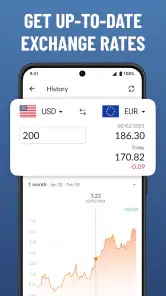
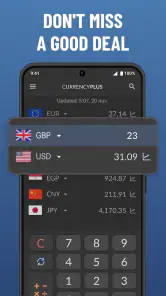
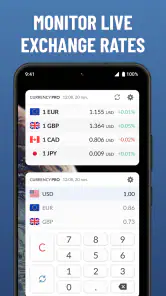
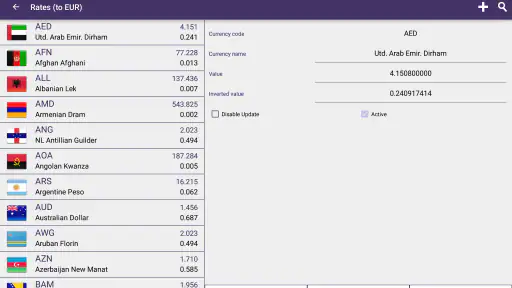
First off, let’s chat about the user interface. Currency Converter Plus greets you with a clean, intuitive design that even your tech-challenged grandma could navigate. The app supports a whopping 150+ currencies, so whether you're converting dollars to yen or euros to pesos, you're covered. Plus, it updates exchange rates in real-time, which means no more guesswork when you're at the checkout line.
Features That Make Life Simpler
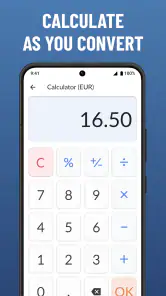
One feature that had me nodding in approval is the calculator mode. Imagine this: you're trying to figure out the cost of a few items combined, and boom, the app lets you calculate it all without switching screens. It’s a small touch, but trust me, it makes a big difference. Also, for those of us who like to keep track of previous conversions, the app offers a handy history feature. It’s like having a mini financial diary right at your fingertips.
Another gem is the offline mode. Picture this: you're deep in the mountains or on a remote beach with zero internet, but you still need to make a conversion. No worries! Just make sure you’ve updated the rates beforehand, and you’re good to go.
Customization and Personal Touches
Now, I’m all about personal touches, and this app doesn’t disappoint. You can choose which currencies you want to keep an eye on by setting them as favorites. This way, you won’t have to scroll endlessly when you need a quick conversion. It’s these little details that make me appreciate the app even more.
Wrapping It Up
So, if you’re a globetrotter, a business traveler, or just someone who loves online shopping from international websites, I’d say Currency Converter Plus deserves a spot on your phone. With its user-friendly interface, real-time updates, and thoughtful features, it’s like your personal currency assistant. Plus, the peace of mind you get knowing you’re getting accurate conversions? Priceless. Give it a whirl, and you might just find yourself wondering how you ever traveled without it!
Pros
- User-friendly interface
- Supports multiple currencies
- Real-time exchange rates
- Customizable settings
- Offline mode available
Cons
- Contains ads
- Premium features require purchase
- Occasional lag in updates
- Limited customer support
- Requires internet for live rates

- Category
- Finance
- Version
- 5.3.9











