Cubasis 3 - DAW & Music Studio
- 216.00
- 4.7
- Installs
- 10.00K
- Price
- $14.99

Screenshots
Analysis by Reviewed
When I choose a music-making app, I first ask what I want to do away from a computer: sketch a melody, record a full arrangement, or simply play with sounds. Those needs call for different tools, and a touch-screen studio can be inspiring while also demanding more patience than a desktop setup. Cubasis 3 - DAW & Music Studio is most appealing if I want to move from an initial musical idea into a layered project without immediately switching devices.
Start with the kind of music work you actually do
My main decision point is whether I want a complete production environment or a quick, focused tool. A simple recorder or loop-making app may be easier when all I need is a voice memo or a short beat. Cubasis 3 makes more sense when I want to build, edit, and revisit a song in one place. That flexibility is useful, but it also means there is more to learn than in an app designed for one narrow task.
It is a paid music and audio app from Steinberg Media Technologies GmbH. It costs $14.99, with optional in-app purchases ranging from $2.49 to $19.99 per item. It is rated for Everyone, and its average rating is 4.7 from around 4,000 ratings, with over 10,000 installs. It was released on June 8, 2020, and version 3.7.8 requires OS 8.0 or later. Those figures help set expectations, but the better question is whether a mobile DAW suits the way I like to make music.
The Musical Playground
Picture this: you're sitting in a café, a melody pops into your head, and you can't wait to lay it down before it escapes. With Cubasis 3, you can whip out your phone or tablet and dive straight into music-making. The app is designed to offer a seamless music production experience right in the palm of your hand, and honestly, it does a pretty job at it. The interface is intuitive, catering to both seasoned producers and newbies alike, making it a breeze to navigate through its myriad of features.
Features That Hit the Right Notes
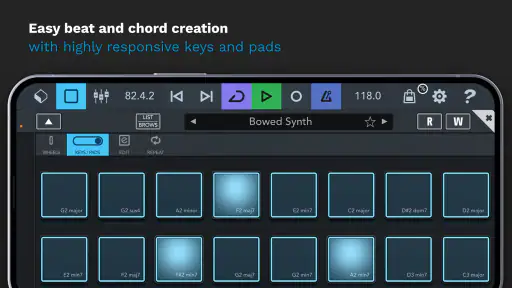
Let's talk about the features that make Cubasis 3 stand out. One of the first things I noticed was the multi-touch support, which allows for an incredibly interactive and hands-on approach to editing. You can easily tweak your tracks with just a few swipes and taps, which I found particularly engaging.
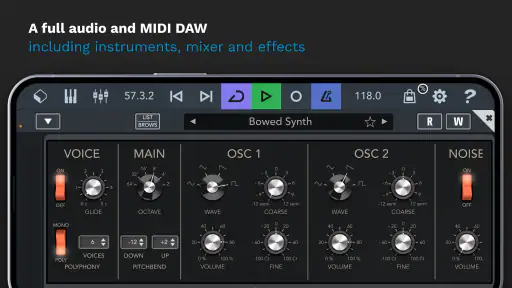
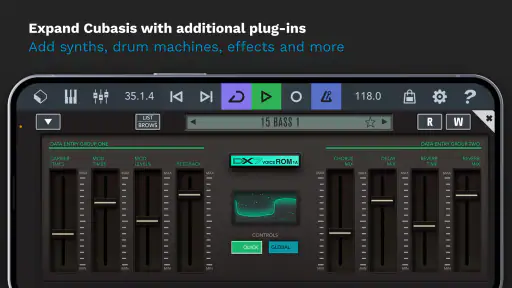
Another highlight is the wide array of instruments and effects. Whether you're into electronic beats or orchestral scores, Cubasis 3 has something in store for you. The virtual instruments sound great, and the effects are top-notch, offering everything from reverb to distortion to add that professional touch to your tracks.
Turning a quick idea into a useful project
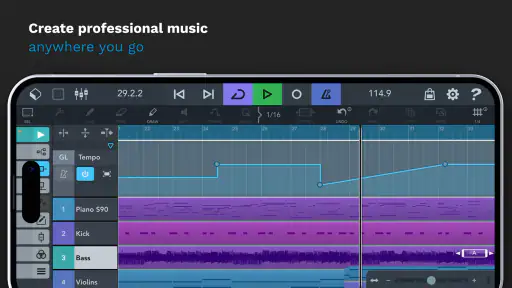
A practical workflow is to treat a first session as a sketch rather than a finished mix. I would capture the melody, add a simple rhythmic or harmonic part, then save the project as a starting point for a quieter, more focused editing session later. That split helps avoid trying to make arrangement decisions while inspiration is still arriving. Multi-touch editing is especially useful for small adjustments on a touch screen, though I would still expect detailed edits to take longer than with a mouse and keyboard.
More From Our News Desk

Clash of Clans Is Won Between the Battles

Android Auto Makes the Case for Quieter Car Software

MobiOffice: Transforming Mobile Productivity with Seamless Integration

EA SPORTS FC™ Mobile Soccer: Redefining Mobile Sports Gaming

How Microsoft OneDrive Became a Mobile Productivity Giant

How Google Translate Breaks Language Barriers Effortlessly
For a songwriter, that could mean recording a rough vocal and building a backing around it before the idea fades. For someone composing with MIDI, it means being able to shape notes and timing directly instead of relying only on a piano-roll sketch in a lighter app. The trade-off is that a dense project can become awkward to manage on a small phone display. If I planned to work on a song for a long session, I would prefer a larger screen where tracks and controls are easier to inspect.
Recording and Editing on the Go
One of the main reasons I was drawn to Cubasis 3 is its recording capabilities. The app supports unlimited audio and MIDI tracks, which is pretty impressive for a mobile DAW. This means you can layer your recordings without worrying about hitting a ceiling, allowing for more creativity and experimentation.
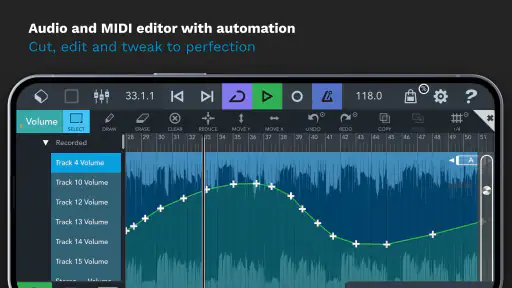
The MIDI editor deserves a shout-out too. It's user-friendly and packed with features that let you easily manipulate your compositions. Whether you're moving notes around, adjusting velocities, or creating complex sequences, it's all a piece of cake with Cubasis 3.
Know when a different tool is the better fit
Compared with a basic recorder, Cubasis 3 is the choice I would make when I want separate parts that can be rearranged and refined, rather than a single captured take. Compared with a loop-focused music app, it is better suited to developing a more deliberate arrangement, while a loop tool may feel faster for experimenting with patterns and getting an immediate result. These are different priorities, not a universal ranking: if I only wanted to jot down a tune, I would choose the simpler option and avoid opening a full production workspace.
It may also be the wrong fit if I depend on a computer-centered workflow or dislike editing on glass. A mobile DAW asks me to make careful selections and navigate a compact interface, and extended sessions can be tiring. Before committing, I would consider whether I mainly want to create on a phone, whether I have access to a more comfortable screen for longer work, and whether the optional purchases fit my budget. The $14.99 starting price is a meaningful commitment for someone who is still unsure they enjoy producing music.
Small habits that make mobile production easier
One useful habit is to give a sketch a clear purpose before adding layers: decide whether I am capturing a melody, testing a beat, or arranging a complete section. That keeps the project manageable and makes later editing less confusing. I would also save a rough version before trying substantial changes, so I can return to the original idea if a new arrangement does not work.
Another trade-off worth thinking about is monitoring. Touch editing makes it easy to change a part quickly, but a convenient setup is not automatically the best place to judge every balance or effect choice. I would use mobile sessions to build and revise the arrangement, then listen again in a familiar environment before calling a mix finished. That is a sensible workflow for any detailed production, and it prevents the convenience of working anywhere from becoming pressure to finish everything at once.
Is It Worth the Investment?
Now, let's address the elephant in the room – the price. Cubasis 3 - DAW & Music Studio isn't free, and it might seem a bit steep for an app. However, when you consider the sheer amount of functionality and the convenience of having a studio in your pocket, it starts to make sense. For aspiring musicians and seasoned producers who are always on the move, this app could be a game-changer.
For a realistic everyday use, I can imagine recording a chorus idea during a break, adding a MIDI part on the journey home, then returning to the project later to make a more considered arrangement. The key is not to treat that short session as a substitute for every part of a studio workflow. It is valuable because it lets me keep momentum between longer sessions, not because every task is automatically easier on a touchscreen.
In conclusion, Cubasis 3 offers a rich and versatile platform for music production enthusiasts. It's a powerful tool that can transform your mobile device into a reliable studio, perfect for capturing those spur-of-the-moment musical ideas. Whether you're a hobbyist or a pro, this app is definitely worth checking out. So, next time inspiration strikes, you know just the app to reach for!
Who I would recommend it to
I would recommend it to musicians who want more than a quick recording, especially people who like arranging audio and MIDI parts and want to keep shaping a project while away from a computer. The appeal is the combination of recording, editing, instruments, and effects in one mobile workspace. Someone who already enjoys producing music is more likely to appreciate that depth than a newcomer who simply wants to hear an idea back.
If your priority is the simplest possible capture, a voice recorder or a focused loop tool is likely a better starting point. If you are deciding between a mobile session and a longer production session, think about screen comfort and how much editing you expect to do. Cubasis 3 earns its place when portability and a more complete arrangement workflow matter enough to justify both the price and the learning involved.
Cubasis 3 - DAW & Music Studio Frequently Asked Questions
Is Cubasis 3 a good choice for beginners, or is it mainly for experienced musicians?
Cubasis 3 is a digital audio workstation and music studio app for recording, editing, and mixing music on mobile devices. Its interface is designed to make music production approachable, while the range of tools can also suit more experienced musicians. Beginners may need time to get familiar with a DAW workflow, but the app’s all-in-one approach provides room to learn and build more involved projects.
What does Cubasis 3 cost, and are there extra purchases?
Cubasis 3 is a paid app, priced at $14.99, with optional in-app purchases ranging from $2.49 to $19.99 per item. Those purchases can add to the experience, so it is worth checking them before buying if you are deciding how much to spend. The app is rated for Everyone, and its core purpose is mobile music production.
What is Cubasis 3 and what are its main features?
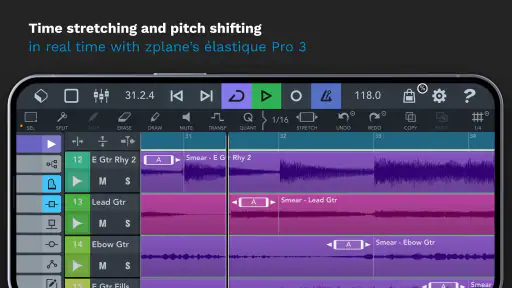
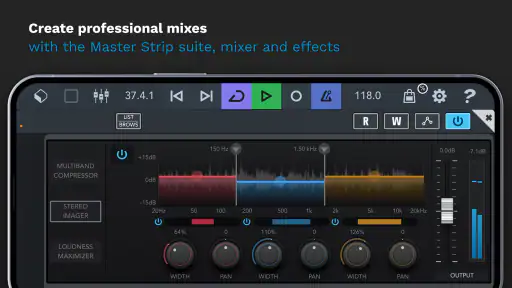
Cubasis 3 is a digital audio workstation (DAW) and music studio app designed for mobile devices. It offers a full suite of tools for recording, editing, and mixing music on the go. Key features include unlimited audio and MIDI tracks, a wide range of virtual instruments, real-time time-stretching, pitch-shifting, and a user-friendly interface ideal for both beginners and professional musicians.
Is Cubasis 3 compatible with all mobile devices?
Cubasis 3 is available for both Android and iOS platforms. However, to ensure optimal performance, it is recommended to use the app on devices with at least Android 8.0 or iOS 13.0. Users should also ensure that their device meets the minimum RAM and processing requirements to handle the app's comprehensive features without lagging.
Can I import and export projects in Cubasis 3 to other DAWs?
Yes, Cubasis 3 supports project import and export options, allowing users to transfer their work between different DAWs. This feature is particularly useful for musicians who start their projects on mobile devices and wish to continue on desktop DAWs. The app supports various file formats, including WAV, MIDI, and more, ensuring seamless integration with other music production software.
Pros
- Intuitive user interface for beginners.
- Offers a wide range of virtual instruments.
- High-quality audio output.
- Compatible with multiple formats.
- Regular updates with new features.
Cons
- Limited free version features.
- Requires powerful device for best performance.
- Occasional bugs and crashes.
- No direct PC integration.
- Steep learning curve for advanced features.
- Category
- Music & Audio
- Version
- 3.7.8











