

Coursera: Grow your career
- 5.64K
- 4.3
- Installs
- 10.00M
- Price
- Free

Screenshots

Analysis by Reviewed
I think Coursera works best when you arrive with a question you genuinely want to answer: how to read a spreadsheet more confidently, whether a subject interests you, or what a career skill involves. It’s an education app from Coursera, Inc., and I’d treat it as a flexible way to explore structured learning rather than a shortcut to expertise. Its large course selection is useful, but the real value depends on choosing a course you can make time for and following through.
What the price does—and doesn’t—tell you
The app is free to install, and its in-app purchases range from $0.99 to $799.99 per item. That broad span is a reason to check the price attached to a particular course or purchase before committing, not to assume that every course costs the same. Free access and paid options can make it possible to explore first, but a certificate or other paid offering should be judged on its specific terms and usefulness to your goals.
I wouldn’t pay just because a course sounds impressive. First, look at its outline and decide whether the subject and workload fit what you need. If your goal is to learn a concept for personal interest, free study may be enough; if you need a credential for a concrete purpose, weigh its cost against how that credential will actually be used. That distinction makes the app easier to approach without treating every purchase as automatically worthwhile.
A better way to choose and finish a course
One practical approach is to pick a single course around a task you expect to do soon, rather than collecting several courses for an imagined future. Before starting, note what you want to be able to explain or do afterward. As you work through the lessons, write down questions that connect the material to your own situation; that gives you a useful reason to revisit a difficult section instead of watching passively.
For example, if I had a quieter commute and wanted to explore a new topic, I could use downloaded materials for study where available, then return later to review the lesson and test my understanding. Short sessions can help keep learning realistic, but they are not a substitute for practice: a video can introduce an idea, while applying it to a real task is what helps reveal whether I have understood it. I’d also check that a course’s format suits the way I learn before making a paid commitment.
Where it fits among learning options
Compared with a quick web search or a collection of unrelated videos, Coursera’s course format gives learning a clearer sequence, with lessons and ways to check understanding. That structure is helpful when I want a guided route through a subject. On the other hand, if I need one fast answer, a targeted article or tutorial may be quicker than enrolling in a full course. And if my main aim is regular conversation practice or hands-on coaching, a specialist tool or a person may suit me better.
The app has a 4.5 average from around 306,000 ratings, and it has been installed over 10 million times. Those figures suggest that many people use it, but they can’t tell me whether a particular course matches my needs. I’d use the course description and my own schedule to make that decision. It’s rated for Everyone, and version 5.44.0 requires Android 10 or later, which is worth checking before installing on an older device.
More From Our News Desk

 Gmail
GmailGmail in a Busy Inbox: Who Benefits Most?
From first account to crowded workday, Gmail earns its place through dependable search and flexible sorting—but its best fit depends on how much inbox maintenance you can tolerate.

 Prime Video
Switching to Prime Video: What Changes in Your Viewing Routine
Prime Video can make a compelling second home for streaming, but switching means learning a different catalog, rental layer, and route from browsing to playback.

 Universal TV Remote Control
Universal TV Remote Control Works Best as a Reliable Backup
A phone remote earns its place through quick setup and reliable habits. Here is how to get more from Universal TV Remote Control—and where its limits show.

 Weather - By Xiaomi
Weather by Xiaomi Review: Clear at a Glance, Less Clear Up Close
Xiaomi’s weather app makes everyday forecasts quick to scan, but its calm surface can leave useful details and recovery paths harder to find than they should be.

 X
XX Under Pressure: Can It Recover When Posting Goes Wrong?
A resilience-focused review of X, examining setup, mistaken posts, interruptions, weak connections, and the gaps that matter when recovery needs to be dependable.

 Clash of Clans
Clash of Clans Is Won Between the Battles
Its raids are quick; its community is a long-term project of coordination, teaching, rivalry, and shared responsibility—with all the friction that entails.
Latest News



It won’t suit someone who expects a certificate to guarantee a job, wants every course to be free, or rarely has time to study. Learning still takes attention, and the range of paid options means it pays to be deliberate. For a curious learner or a worker who can name a specific skill to build, though, the app offers a practical place to compare structured courses and start at a manageable pace.
When I’m deciding whether a course is worth opening, I’d treat its outline as a small project plan, not just a list of appealing topics. I would identify the lesson that seems closest to my goal and ask whether the course builds toward something I can use. If the opening material is broad but the later work looks relevant, that may be a good fit; if the course stays theoretical while I need a practical procedure, a focused tutorial could be more efficient. This quick check also helps prevent a common online-learning trap: starting several courses because they sound useful, then finishing none.
Making learning fit a real week
A realistic routine matters more than an ambitious one. If I had fifteen quiet minutes after dinner, I could watch or read one section, then leave myself a short note about the next question to answer. On a weekend, I could spend more time connecting the lesson to a work task or personal project. The point is not to turn every spare moment into study; it is to give the course a repeatable place in the week, so progress doesn’t depend on finding a completely free afternoon.
For someone changing roles, a useful workflow might be to choose one skill that appears repeatedly in job descriptions they are considering, study a course in that area, and then make a small example of the skill outside the app. A course can organize the learning, but the example makes it easier to spot what still feels confusing and gives the learner something concrete to discuss. I’d avoid treating course completion alone as proof of competence: being able to explain a concept or use it in a real task is a stronger personal test.
Offline study can be particularly helpful for planned gaps in connectivity, but I’d prepare before leaving home rather than assume every lesson will be available when needed. Downloading selected materials also takes a little judgment: keeping only what I expect to study soon is more practical than storing an entire learning backlog on a phone. When I return online, I’d check my progress and make sure I know which section to continue, rather than spending the next session searching through several unfinished courses.
What the learning format is good at
Structured courses are most useful when a subject has a natural sequence: the next idea builds on the previous one, and a learner benefits from moving through it in order. That is where Coursera can feel more purposeful than jumping between search results. Quizzes and other checks, when included in a course, can also expose a gap that passive watching might hide. I would use them as a prompt to revisit the material, not as a guarantee that I can apply it confidently.
There is a trade-off, though. A guided course takes more commitment than looking up one answer, and its pace or teaching style may not match every learner. If I already know most of a topic and only need a narrow detail, a search or reference page is likely faster. If I need feedback on a specific piece of work, a mentor, colleague, or instructor who can respond directly may be more useful than studying independently. I see the app as a route to organized learning, not a replacement for every kind of teaching.
Course communities and discussion spaces can make a course feel less solitary, especially when a learner has a clear question to bring. I would approach them with a specific point from a lesson rather than expecting a forum to act like private tutoring. The quality and usefulness of discussion can vary by course and by how actively learners participate, so I would not make community access the main reason to pay. It is best treated as a possible supplement to the lessons.
Choosing paid access with care
The practical question is not simply whether a course has a certificate, but what I need that certificate to do. If an employer, school, or personal plan has a clear reason to value a particular credential, paying may make sense after checking the course’s terms. If I mainly want to explore a subject, I’d first see what learning is available without paying and decide whether I need the added credential or other paid option. That keeps the decision tied to an outcome rather than to the general appeal of a completion badge.
I’d also consider whether I can finish before purchasing. A price is easier to justify when I have already set aside study time and know why the course matters; it is harder to justify when I am buying motivation or hoping a certificate will create a career change by itself. The wide range of purchase prices makes a course-by-course check especially important. I would confirm the amount and what the purchase covers at the point of decision, then compare that with alternatives such as employer training, a library resource, or a focused free lesson.
The app’s recommendations may help surface related learning, but I would use them as suggestions rather than a to-do list. A recommendation can be interesting without being the next best step for my goal. If I’m studying for a specific work task, I’d stay with the chosen course until I can apply its main ideas; if I’m exploring broadly, then branching into a related subject can be worthwhile. Keeping that distinction clear makes the range of courses feel like an advantage rather than a source of distraction.
Who is likely to get the most from it
I’d recommend Coursera to people who like having a learning path laid out and can name a subject they want to understand better. It can suit a busy worker who wants to explore a skill outside working hours, a student looking for extra structure, or a curious person testing whether a topic is worth pursuing. Its usefulness is strongest when the learner pairs lessons with notes, practice, or a project. For someone who prefers a teacher to set deadlines and respond personally, a class with direct instruction may be a better match.
I’d be cautious if you need a quick answer today, have no time to study consistently, or are relying on a certificate to secure a job. The app can help organize learning, but it cannot guarantee that a course will meet a particular employer’s expectations or that the material will fit your experience. I’d also skip a paid option if the cost would be uncomfortable and the credential has no clear role in your plans. Free exploration is a sensible starting point when you’re still deciding whether the subject is right for you.
Overall, the strongest reason to try it is the combination of a course structure and the ability to learn in smaller sessions, with the option to consider paid study when there is a specific reason. The main caution is that choice alone does not create progress: selecting a course, making time, and applying what you learn are still your responsibility. That makes Coursera a useful learning companion for a deliberate learner, but not an automatic solution for someone who wants instant results or personal coaching.
Hey there, fellow learners! Ever felt like the world is moving too fast and you're just struggling to keep up? Well, let me introduce you to a game-changer: Coursera: Learn career skills. This app is like having a treasure chest of knowledge right in your pocket. I’m going to walk you through my experience with it and let you know why it might just be the perfect app for you.
Getting Started: A Seamless Experience
First off, downloading and setting up Coursera: Learn career skills is a breeze. Available on both Android and iOS, it’s just a quick search away on your app store. Once installed, you’ll be greeted with a clean, intuitive interface. Signing up is straightforward, and you can even link your account with Google or Facebook to make things quicker.
Explore a World of Learning
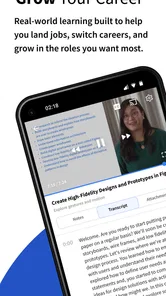
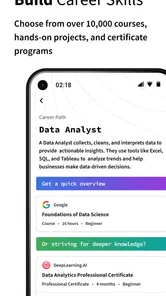
The app offers a humongous variety of courses from top universities and companies around the globe. Whether you're interested in data science, personal development, or even music production, Coursera has something for everyone. The courses are structured in a way that’s engaging and easy to follow, with video lectures, reading materials, and quizzes to test your knowledge. I loved how I could pace myself, pausing and resuming courses as per my schedule.
Features That Stand Out
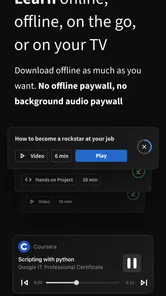
One of the things that really stood out to me was the offline feature. You can download course materials and learn on the go, which is perfect for those of us who are constantly on the move. The app also syncs beautifully across devices, so you can start a course on your phone and continue on your tablet or laptop without missing a beat.
Another highlight is the community forums. They offer a platform to discuss topics with fellow learners and instructors, which really enhances the learning experience. Plus, the app’s AI offers personalized course recommendations based on your interests and progress, which I found super handy.
Is It Worth It?
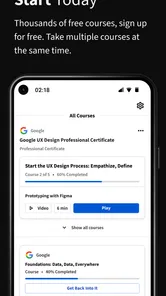
Now, let's talk about value. Many courses on Coursera are free, but if you want to earn a certificate, you’ll need to pay a fee. However, considering the quality of education you’re getting, it’s a pretty sweet deal. The app also offers financial aid options, making it accessible to everyone.
To wrap it up, Coursera: Learn career skills is more than just an app; it’s a gateway to endless learning opportunities. Whether you’re looking to upskill for your job or just explore new interests, this app is definitely worth checking out. So, what are you waiting for? Dive into the world of knowledge and see where it takes you!
Coursera: Grow your career Frequently Asked Questions
Can I use Coursera to explore a subject before committing to a full program?
Yes. Coursera can be a practical starting point if you want to explore a subject before choosing a certificate or degree program. Individual courses let you focus on a specific topic, while longer learning options can provide a more structured path. Review the course details before enrolling so you understand what learning option best fits your interests and goals.
Can I study on Coursera even if I have a busy schedule?
Coursera can suit learners who need to fit study around work, school, or other commitments. Many courses let you work through lessons at your own pace, so you can choose when to watch and study. Keep in mind that some courses may include assignment deadlines, so check the course structure and plan your time before starting.
Is the Coursera app available for Android and iOS?
Coursera is available as a mobile app for Android and iOS, making it possible to access learning on a smartphone or tablet. The app is useful for studying when you are away from a computer, and Coursera can also be accessed on computers. Check that your device meets the operating system requirement before installing the app.
Does Coursera offer certificates, and are they included with every course?
Coursera offers courses and certificate options, but a certificate is not automatically included with every course. Some courses may be available to study for free, while obtaining a certificate or accessing all course content can require payment. If a certificate matters to you, review the specific course information before enrolling so you know what is included and what may cost extra.
Is Coursera: Grow your career free to download?
Coursera is free to download, and the app provides access to courses, certificates, and degrees. Some learning options include paid content or purchases, so the total cost depends on what you choose to study and whether you want a certificate or a larger program. The app includes in-app purchases ranging from $0.99 to $799.99 per item.
Pros
- Wide range of courses available
- High-quality education partners
- Offers free courses
- Mobile app for learning on-the-go
- Certificates recognized globally
Cons
- Some courses are expensive
- Limited interaction with instructors
- Course selection can be overwhelming
- Requires stable internet connection
- Free courses may have limited content











