Courier Journal
- 184.00
- 2.6
- Installs
- 50.00K
- Price
- Free

Screenshots






Analysis by Reviewed
I approached Courier Journal as a reader who wants local reporting without losing sight of the wider news cycle. It is a free News & Magazines app from USA TODAY Co., built around the Courier Journal name and its mix of regional coverage, national stories, photography, and video. My overall impression is useful but cautious: the app can be a convenient doorway into Louisville-area news, yet the modest average rating of 2.6 from more than four hundred ratings suggests that the experience has not been equally smooth for everyone.
That matters because news apps are judged less by a single impressive article than by whether they open quickly, show the right stories, and remain dependable when I check them during a busy day. I found the strongest case for this app among readers who already want Courier Journal journalism on a phone. People looking for a broad, highly polished national-news replacement may be happier with a larger general news service, while readers who care about local context may find this narrower focus more valuable.
Getting past the first points of friction
The first place I would expect users to get stuck is the difference between the app’s store identity and what they expect from a general USA TODAY product. The short description is simply “Courier Journal,” while the longer summary points to local and national news, photography, and video. That combination tells me this is not merely a headline feed, but it also is not intended to replace every source of news in one package. Setting that expectation early makes the experience easier to judge.
On a fresh installation, I would begin with a simple check: confirm that the device is running a compatible operating system, then allow the app enough time to complete its first content load on a stable connection. The minimum operating system is Android 8.0, so an older handset may be the real reason an installation or update feels troublesome. If the phone is newer but the app still behaves oddly, I would close other demanding apps, reopen Courier Journal, and try again before assuming the journalism feed itself is broken.
It is also worth checking which store account is active before making any purchase decision. The app is free to install, but in-app items are listed from $19.99 to $69.99 each. I would not tap a subscription or purchase prompt casually, especially if I am only testing the app for a few minutes. A free download does not necessarily mean every reading arrangement inside the app is free, so I would read each screen carefully and decide whether the access offered matches how often I expect to use the service.
My practical setup rule is to test the app in two different situations: once on a reliable Wi-Fi connection and once on the mobile connection I normally use. If stories appear in one situation but not the other, the problem may be connectivity, background data restrictions, or a temporary network handoff rather than Courier Journal’s content. This small test is more useful than immediately uninstalling and reinstalling.
What I would check before blaming the app
News applications can look empty for several ordinary reasons. A weak connection may load the shell of a page while leaving images or video waiting. A device with very little free storage can also make updates and cached content less reliable. I would first open another news website or app on the same phone, then switch between Wi-Fi and mobile data. If everything is slow, Courier Journal is probably only exposing a wider device or network problem.
More From Our News Desk

Weather by Xiaomi Review: Clear at a Glance, Less Clear Up Close

X Under Pressure: Can It Recover When Posting Goes Wrong?

Clash of Clans Is Won Between the Battles

Android Auto Makes the Case for Quieter Car Software

MobiOffice: Transforming Mobile Productivity with Seamless Integration

EA SPORTS FC™ Mobile Soccer: Redefining Mobile Sports Gaming
I would also check whether the app is current. The listed current version is 8.10.3, and keeping the installed version aligned with the current release can prevent avoidable compatibility problems. After an update, I would launch the app once while connected to a dependable network rather than judging it during a train ride, in a basement, or in an area with changing signal. That gives the app a fair chance to refresh its content and media.
Another useful check is the phone’s date and time. An incorrect clock can interfere with secure connections and make a service appear unavailable even when other apps seem normal. I would set the device to update its time automatically, restart the phone, and try again. This is a general troubleshooting step, but it is particularly sensible for a news app because its value depends on current content arriving consistently.
If the application opens but repeatedly returns to the same screen, I would force-close it once and relaunch it. I would avoid clearing all app data as a first move because that can remove local settings and make the next test less informative. A restart, a connection change, and a store update provide cleaner clues. Only after those checks would I consider reinstalling, and I would remember that reinstalling does not change the terms attached to any account or purchase.
A more reliable daily reading routine
My preferred use case is a short morning check rather than leaving the app open all day. I would open it when I have a stable connection, scan the local headlines first, and then move to national coverage or visual stories. That order makes sense for Courier Journal because the local angle is the reason to choose it over a generic headline aggregator. The photography and video can add useful context, but I would treat them as part of a reading session rather than assume every item will be equally quick on a weak connection.
For commuters, the important trade-off is timing. If I know I will be offline, I would give the app time to load while connected before leaving home. I would not rely on a news app as my only source during a flight, in a rural area, or during a network outage unless I had already confirmed that the stories I need are available. This is not a criticism unique to Courier Journal; it is a reminder that live news depends on a live connection.
When a story refuses to open, I would return to the main feed and try a different article. If several stories open but one does not, the issue may be limited to that item or its media rather than the entire app. If nothing opens, I would repeat the connection test and restart. This simple branching approach prevents the common mistake of treating every failed tap as evidence that the whole application is unusable.
Video deserves its own expectation. The app presents rich video content as part of its news experience, but video is more sensitive to signal quality and device load than plain text. I would lower my expectations on a crowded mobile network and avoid judging the entire service by one stalled clip. If text and photographs work while video does not, I would continue reading and revisit the clip later instead of repeatedly refreshing it.
Separating account and purchase issues from reading issues
The presence of in-app purchases means there are really two experiences to evaluate: browsing the journalism and managing access. I would first decide whether the free portion gives me enough value before considering a paid option. A reader who only wants occasional local headlines may not benefit from paying, while someone who returns daily may find a paid arrangement more reasonable if the offered access fits their needs.
If a purchase screen appears unexpectedly, I would pause and inspect the wording, price, and confirmation step. I would not assume that pressing a close button, going back, or reinstalling cancels anything. Purchase management belongs with the store account and the terms shown at the time of purchase, so I would keep those separate from ordinary troubleshooting. If the articles load normally but access is not recognized, the relevant next step is account or purchase support, not repeatedly changing network settings.
That distinction is one of the most important practical lessons here. A login or entitlement problem can look like missing content, while a connection issue can look like a failed subscription. I would record the exact message shown, note whether other stories open, and avoid making a second purchase while trying to fix the first. This protects the reader from turning a temporary technical problem into a billing problem.
When the phone, network, or expectations are the real cause
Not every disappointing session points to defective software. Older phones may struggle with media-heavy pages, especially when storage is nearly full or many apps are competing for memory. I would close unused apps, free some space, and restart before drawing a conclusion. On a newer phone, I would check whether battery-saving or data-saving modes are limiting background activity. Those settings can change how quickly a news feed refreshes without indicating that the app’s content is unavailable.
Network filtering can create another misleading symptom. A workplace, school, hotel, or public Wi-Fi network may restrict video or certain services. If Courier Journal works on mobile data but not on that Wi-Fi, I would treat the network as the leading suspect. I would not attempt to bypass rules on a managed network; I would simply use an approved connection or try again later.
Expectations matter too. This is a local-news application with national material, not a full replacement for every newspaper, broadcaster, specialist publication, and breaking-news alert service. If I need international reporting, financial depth, sports from many regions, or a large selection of opinion sources, I would pair it with another app. If I want a stronger connection to local events and the Courier Journal voice, a broad aggregator may actually feel less satisfying even if it has a cleaner interface.
The rating is another reason I would recommend a trial rather than an automatic commitment. An average of 2.6 is a clear signal to pay attention to setup and account friction. It does not prove that every reader will have trouble, but it does make me less willing to promise a seamless experience. The install base of over fifty thousand shows that the app has found a real audience, yet popularity alone is not a substitute for checking whether it behaves well on a particular device.
Who will get the most from it
I would recommend Courier Journal to someone who follows Louisville-area news and wants local reporting beside selected national stories. It is also a sensible choice for readers who appreciate visual journalism and prefer checking one publication’s coverage instead of sorting through a general-purpose feed. The app’s age rating of Everyone 10+ makes it broadly suitable for family devices, although adults should still use their own judgment about which news topics are appropriate for younger readers.
I would be more hesitant to recommend it as the only news source for someone who needs constant, wide-ranging updates across many countries or industries. I would also steer away from it for a reader who dislikes purchase prompts, wants every article to be available without account decisions, or has an older phone that struggles with media. In those cases, a lightweight mobile website, a text-focused news app, or a broader aggregator may be a better fit.
For an everyday scenario, imagine checking the app before work after a night of severe local disruption. I would use the local feed to understand what is happening nearby, open the most relevant report, and look at available photography or video for context. Before leaving home, I would verify that the key story has loaded rather than assuming it will be available during the commute. If the feed failed, I would compare another news source and the phone’s connection before deciding whether the app was at fault.
My final assessment after weighing convenience against friction
Courier Journal is best treated as a focused local-news companion, not an all-purpose news replacement. I like the idea of having regional reporting, national context, strong photography, and video in one place, and the free entry point makes it easy to test. The developer, USA TODAY Co., gives the app a recognizable publishing home, while the Courier Journal identity keeps the experience more locally grounded than a generic headline reader.
Still, I would install it with realistic expectations. I would check the operating system, update status, storage, connection, and purchase wording before deciding whether the experience suits me. I would troubleshoot in stages instead of wiping data immediately, and I would separate article-loading problems from account or payment problems. Those habits are especially important here because the average rating indicates that smoothness may vary from one reader and device to another.
My recommendation is therefore conditional but positive for the right audience. If local Courier Journal coverage is what I want, I would give the app a fair trial and use it during planned, connected reading sessions. If I need a frictionless, national-first news service or a very lightweight text reader, I would choose an alternative. The app earns its place when local relevance matters more than having the broadest possible feed, but it should be judged by daily reliability rather than by its feature list alone.
Courier Journal Frequently Asked Questions
What devices and operating systems can run Courier Journal?
Courier Journal is a news and magazine app for mobile devices. Its current version is 8.10.3, and it requires Android 8.0 or later. Before downloading, check that your device meets this minimum requirement and has enough available storage. Keeping your operating system up to date can also help you use the app smoothly and receive compatibility improvements.
Who publishes Courier Journal, and what is its age rating?
Courier Journal is published by USA TODAY Co. and is rated Everyone 10+. That rating can help families decide whether the app is appropriate for younger readers, though news coverage may include serious events and subjects that parents may want to discuss with children. The app focuses on journalism, rather than games or entertainment features, and is listed in the News & Magazines category.
What is Courier Journal?
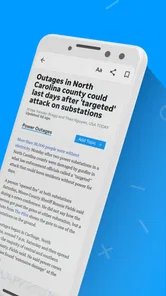
Courier Journal is a news app focused primarily on Louisville, Kentucky, and surrounding communities. It provides access to local reporting, breaking news, politics, sports, entertainment, business, lifestyle stories, and opinion content. The app’s summary highlights local and national news, along with photography and video. Readers can browse headlines and open articles through a mobile-friendly interface.
Is Courier Journal free to download and use?
The Courier Journal app is free to download, and some news stories may be available to all users. However, access to the complete article library, premium reporting, or unlimited reading may require a subscription or account. The app offers in-app purchases, with listed prices ranging from $19.99 to $69.99 per item, so review the current subscription details shown in the app before committing to a paid plan.
Does Courier Journal require a subscription?
A subscription may be necessary if you want unrestricted access to Courier Journal content. The app typically allows users to read selected articles without paying, while placing limits on how many stories can be viewed or reserving certain reports for subscribers. Subscription benefits may include unlimited digital access, fewer interruptions, and access to subscriber-only journalism or features. Consider your reading habits before choosing a plan.
Pros
- Clear local news coverage focused on the Louisville area.
- Breaking-news alerts help users stay informed throughout the day.
- Includes sports
- politics
- business
- and community reporting.
- Articles are easy to browse through a clean
- familiar layout.
- Digital access is convenient for readers who prefer mobile news.
Cons
- Many full articles may require a paid subscription.
- Advertising can make some screens feel crowded.
- Coverage is less useful for readers outside the local region.
- Some features may depend on a stable internet connection.
- Frequent notifications may feel excessive unless customized.













