Contacts - Caller ID & Spam
- 64.00
- 4.7
- Installs
- 100.00K
- Price
- Free

Screenshots
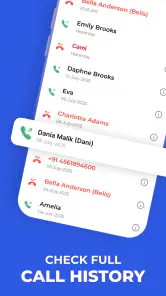
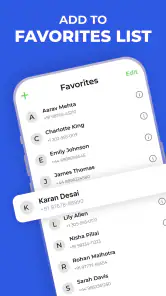
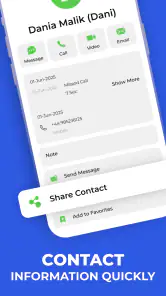
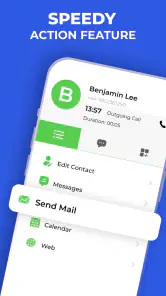
Analysis by Reviewed
I tried Contacts - Caller ID & Spam as a communication app with a very practical question in mind: does it make incoming calls and post-call contact management easier, or does it add another layer of setup to an already busy phone? My experience is that it can be useful for people who regularly receive unfamiliar calls and want a more organized way to handle contacts, but the first impression depends heavily on getting the phone’s call-related settings right.
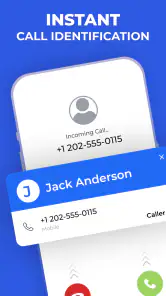
The app is free to install, is suitable for everyone, and comes from Eminent IT Services. It has earned a 4.7 average from around 2.3 thousand ratings, with more than 100 thousand installs. Those figures suggest that the basic idea is appealing: identify callers when possible, then help you deal with the contact after the call rather than leaving the number buried in your recent-call list.
Where the experience usually gets stuck
The most common frustration with an app like this is not necessarily the app itself. Caller identification has to appear at the right moment, which means the phone must allow the application to participate in the calling experience. If that connection is incomplete, the app can seem ineffective even when its contact tools are working normally.
I would therefore avoid judging it after one missed identification. A number may be unfamiliar, private, newly used, or simply absent from the information available to the service. Caller ID is helpful, but it is not the same as a guarantee that every unknown call will receive a name. That distinction matters if you are considering this as a complete replacement for cautious call screening.
The after-call side is easier to appreciate in daily use. When I finish a call with someone whose details are not yet saved, the useful question is usually not just “who called?” but “what should I do with this number now?” A contact-focused workflow can reduce the chance of forgetting a follow-up, saving a number without context, or leaving important details scattered across notes and call history.
There is also a small mental adjustment. People often expect caller identification to work silently and instantly, while contact management is more deliberate. One part of the experience is visible during an incoming call; the other becomes valuable only when you take a moment after the conversation. Treating those as separate jobs makes the app easier to evaluate fairly.
What I check before blaming the app
My first check is whether the application is actually selected or enabled wherever the phone controls caller identification and related call handling. The exact wording can vary between Android phones, but the principle is simple: if the operating system does not permit the app to take part in that screen, no amount of reinstalling will make the caller information appear there.
You May Like

Clash of Clans Is Won Between the Battles

Android Auto Makes the Case for Quieter Car Software

MobiOffice: Transforming Mobile Productivity with Seamless Integration

EA SPORTS FC™ Mobile Soccer: Redefining Mobile Sports Gaming

How Microsoft OneDrive Became a Mobile Productivity Giant

How Google Translate Breaks Language Barriers Effortlessly
I also check whether the app is current. Contacts - Caller ID & Spam is currently at version 38 and requires Android 12 or later. That requirement is important for anyone using an older phone, because compatibility is decided before the app’s communication features can be tested properly.
Next, I make one controlled test rather than trying to diagnose several things at once. I use a call from a known number and then an unfamiliar number, checking whether the phone behaves differently in each case. This helps separate a general display problem from the normal limitation that some numbers simply cannot be identified.
Another useful habit is to open the app directly after installation and look through its available contact and caller settings before waiting for a call. I prefer confirming the basic arrangement while I am calm, rather than trying to understand it during an unexpected call. If the phone displays its own caller screen over everything else, I also check which application is responsible for that display.
Notifications are worth checking as well. If the app’s post-call information is easy to miss, the problem may be the phone’s notification behavior rather than the contact workflow. A quiet notification setting, a restricted background state, or an overly aggressive battery manager can make a useful result appear absent.
A sensible setup routine
I recommend setting up the app in this order: install it, open it, review the main caller and contact options, confirm the phone recognizes its role, and then place a test call. This sequence gives you a clear baseline. If you change several phone settings at once, it becomes difficult to know which change fixed the issue—or whether the issue was only a one-time delay.
When the application asks for access related to calls or contacts, I read the explanation and decide based on how I intend to use it. If I want caller information and after-call contact handling, those functions may depend on the phone allowing the relevant interaction. If I am uncomfortable granting a particular access request, I would rather decline it knowingly and accept that some parts of the experience may not work than approve everything without understanding the trade-off.
Privacy is a personal decision here, especially because telephone numbers and contact names can be sensitive. I would use the app only after considering whether its caller-identification purpose is worth the access it requests on my device. Someone who keeps a very small, private address book may prefer to rely on the phone’s built-in contacts and call history instead.
It is also worth deciding how you want to save contacts before you need the feature. For example, if a delivery driver, clinic, school, or repair service calls, I would add a short identifying note immediately rather than saving only a name. That simple habit makes the after-call workflow more useful later, because the contact has a reason attached to it instead of becoming another unexplained entry.
I would not pay for anything during setup just to make the basic trial feel complete. The app is free, while optional in-app purchases are listed at $4.99 per item. I would first establish whether the free experience solves the problem I actually have, then consider an optional purchase only if its purpose is clear and relevant to my routine.
Recovering a workflow when something goes wrong
If caller information does not appear, I restart with the simplest checks: confirm the phone is running Android 12 or newer, reopen the app, review its call-related role, and make another test call. I would also restart the phone if the operating system has just changed a default or permission. That is ordinary troubleshooting, but it is often more effective than repeatedly deleting and reinstalling the application.
If the incoming call is visible but the after-call action does not appear, I check the recent-call screen and open Contacts - Caller ID & Spam directly. This tells me whether the contact function is unavailable or whether the phone simply failed to surface a notification. I then look at the phone’s notification controls and battery settings, because background restrictions can interrupt the handoff after a call.
When a number is identified incorrectly, I avoid immediately replacing an existing contact. First I compare the displayed information with the number in the call history. If the number belongs to a business or service I recognize, I save it with a clear label and, if needed, a note about where I encountered it. This is safer than allowing a questionable identification to overwrite a trusted contact.
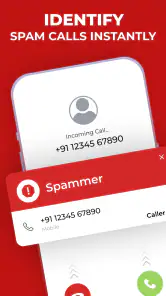
For spam-like calls, I treat the identification as a warning rather than proof. I do not share account codes, payment details, or personal information simply because a name appears on screen. The app can help me decide whether to answer, ignore, or investigate separately, but my own judgment remains the final filter.
A particularly useful recovery method is to separate the immediate call decision from later contact cleanup. During a busy day, I might ignore an unfamiliar call and return to it from the call history when I have time. If I do speak with the caller, I can save the number afterward with a specific name and note. This prevents rushed contact entries and keeps the phone’s address book more reliable.
When the phone, network, or caller is the real problem
Not every missing name points to a software fault. A weak mobile connection can affect how the call itself behaves, while a caller using a hidden or unfamiliar number may not provide enough information for identification. If only one call behaves strangely but normal calls work, I would look at the caller and the connection before changing the app.
The phone’s own software can matter too. Manufacturer interfaces sometimes handle incoming-call overlays, default applications, notifications, and battery use differently. After a system update, a previously working arrangement may need to be reviewed. In that situation, I would check the phone’s call and notification settings first rather than assuming the latest app version caused the change.
Contacts can also create confusion. If the same person is saved more than once, or if an old number remains attached to a familiar name, the displayed result may look wrong even though the incoming number is being read correctly. Cleaning duplicate entries and checking the exact digits is a more useful response than repeatedly testing caller identification.
Network-based identification can be less dependable in places with poor data service. If the phone can make calls but has limited internet access, I would not expect every supplementary caller detail to appear immediately. Testing again in a stable connection can show whether the issue is temporary. I would also avoid making a permanent judgment from a single location or one unusual call.
How it fits beside the usual alternatives
The built-in phone and contacts apps remain the cleanest option for someone who mainly calls saved friends, family, and colleagues. They usually require less setup because they already belong to the operating system. If your address book is tidy and unknown calls are rare, Contacts - Caller ID & Spam may feel like more involvement than you need.
On the other hand, a basic phone app often stops at the call log and manual contact saving. This application is more interesting for people who want the caller question and the after-call question connected: who was that, and what should I do with the number now? That is a narrower benefit than a complete communication suite, but it is also the reason to choose this particular tool.
I would not compare it with a full messaging platform as though they serve the same purpose. Contacts - Caller ID & Spam is aimed at telephone calls and contact organization, not at replacing text conversations, video calls, or a company’s complete customer-service system. Its value is in reducing friction around ordinary phone calls.
For a person who receives many unknown business calls, appointment calls, or service calls, the app may be more practical than relying on memory. For someone who wants a highly automated spam-blocking system with extensive controls, I would first inspect whether this app’s available options match that expectation. Its store summary emphasizes caller identification and after-call contact features, so I would choose it for those jobs rather than assuming it is an all-purpose call-security product.
Small habits that make the app more useful
My favorite practical habit is saving context, not just a name. “Alex” is easy to forget; “Alex, electrician, kitchen repair” is useful months later. After a call, I would spend a few seconds creating a meaningful contact entry. This turns the app’s post-call focus into a real organizational advantage instead of another prompt to dismiss.
I would also review the recent-call list at the end of a busy day. Unknown numbers that seemed unimportant in the moment may need a response later, while numbers that were clearly irrelevant can be left alone. This two-stage approach is less stressful than trying to decide everything while the phone is ringing.
A third useful trade-off is keeping contact quality higher than contact quantity. I would not save every unfamiliar caller automatically. If the call was a one-time nuisance, leaving it unsaved keeps the address book cleaner. If it was a legitimate service or person I may need again, saving it with a note gives the app’s contact workflow a lasting benefit.
I would also test the app after changing the phone’s default call application, notification behavior, or battery settings. Those changes can quietly alter how caller information and after-call prompts appear. A quick test call after a major phone change is easier than discovering the problem during an important conversation.
Who should use it, and who should skip it
I can recommend this app to people who regularly deal with unfamiliar calls and want a clearer next step afterward. It is especially suitable for users who receive calls from businesses, schools, clinics, couriers, contractors, or local services and often need to decide whether to save the number. The combination of identification and contact follow-up is more relevant to them than to someone whose phone is used only for a small circle of known contacts.
I would be more cautious if you dislike adjusting default phone settings, permissions, or notifications. The app’s usefulness depends on fitting into the phone’s call experience, so a completely hands-off setup may not deliver the result you expect. Users with older Android devices should also check compatibility before planning around it, since Android 12 is the minimum operating system.
I would skip it if your main goal is a comprehensive replacement for every communication tool or an absolute guarantee against unwanted calls. The app can support better decisions, but it cannot make every unknown number trustworthy or solve every issue caused by the carrier, phone software, contact duplicates, or poor connectivity.
My practical verdict
After using it with a troubleshooting-first mindset, I see Contacts - Caller ID & Spam as a focused communication utility rather than a dramatic overhaul of the phone. Its strongest idea is the link between recognizing a caller and deciding what to do with that number afterward. That is a modest feature set, but it addresses a real everyday annoyance.
The main friction is setup. If the phone does not give the app the right place in the calling workflow, the central benefit becomes difficult to see. I would spend a few minutes checking compatibility, call settings, notifications, and a test call before deciding whether it works. I would also judge individual unidentified calls carefully instead of treating them as automatic evidence of failure.
With a 4.7 average and more than 100 thousand installs, it has clearly attracted interest, while its free entry point makes testing straightforward. The developer is Eminent IT Services, and the Everyone rating makes it broadly approachable. The optional $4.99-per-item purchases are something I would evaluate only after the core workflow proves useful on my own phone.
My recommendation is simple: try it if unknown calls and messy post-call contact handling are recurring problems, but keep the built-in phone app as your fallback and your judgment as the final safety check. For me, it is worthwhile when used as a practical layer for caller context and contact cleanup—not as a promise that every call will be identified or every phone setting will cooperate automatically.
Contacts - Caller ID & Spam Frequently Asked Questions
What Android version do I need to use Contacts - Caller ID & Spam?
Contacts - Caller ID & Spam requires Android 12 or later, so check your device’s software version before downloading. If your phone is running an older system, the app may not be available to install or may not work as intended. The app is listed for users of all ages, but its caller-identification and contact tools are most relevant to people who regularly manage calls.
Who develops Contacts - Caller ID & Spam, and what do users think of it?
Contacts - Caller ID & Spam is developed by Eminent IT Services and is in the Communication category. It has a 4.7 average from around 2.3 thousand ratings, with 64 written reviews and over 100 thousand installs. Those figures can give you a sense of its reception, but they cannot guarantee that its caller identification or contact-management features will work equally well for every phone or user.
What is Contacts - Caller ID & Spam used for?
Contacts - Caller ID & Spam is designed to help you manage your address book while identifying unknown callers and warning you about potential spam or fraudulent numbers. Depending on the available features and permissions, it may combine your saved contacts with caller-identification tools, blocking options, and reporting functions. It is especially useful for users who receive frequent marketing calls or suspicious messages.
Does Contacts - Caller ID & Spam require access to my contacts and phone calls?
To provide its main features, the app may request access to your contacts, phone status, call history, and notifications. These permissions can be necessary for displaying caller names, organizing numbers, or detecting unwanted calls, but they also involve sensitive personal information. Before accepting, review the permission explanations and the app’s privacy policy. You can usually deny optional access or change permissions later in your device settings.
Can the app automatically block spam and scam calls?
The app may offer automatic spam detection or call-blocking features, but the exact behavior depends on your device, operating-system version, and the permissions you grant. Some numbers may be identified using a community database or reported by other users, while new or disguised numbers can still get through. It is a helpful layer of protection, not a complete replacement for caution when answering unknown calls.
Pros
- Identifies many unknown callers before you answer.
- Spam warnings help reduce unwanted calls and interruptions.
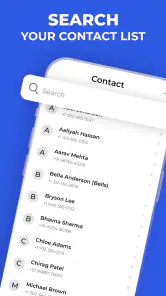
- Quick search makes it easy to find saved contacts.
- Simple interface is easy for most users to navigate.
- Useful blocking tools can filter repeated nuisance numbers.
Cons
- Caller identification may be inaccurate for private or new numbers.
- Some features may require a subscription or in-app purchase.
- The app may request access to contacts and call-related data.
- Spam databases can vary in coverage by country or region.
- Background caller ID features may affect battery and data usage.

- Category
- Communication
- Version
- 38











