Concepts: Sketch, Note, Draw
- 1.33K
- 4.2
- Installs
- 5.00M
- Price
- Free

Screenshots
Analysis by Reviewed
Ever had that moment when you’re bursting with ideas but have nowhere to jot them down? Well, that's where Concepts: Sketch, Note, Draw swoops in like a superhero to save the day! This app is your digital notebook, whiteboard, and sketchpad all rolled into one. Whether you're an artist, designer, or just someone who loves to doodle, this app promises to transform your creative process. Let’s dive into this beauty and see what it’s all about.
The Ultimate Creative Companion
Concepts: Sketch, Note, Draw isn’t just another drawing app; it’s a full-fledged creative suite that caters to a variety of artistic needs. From sketching out rough ideas to producing detailed artworks, this app has got you covered. It’s like having a portable art studio in your pocket, and trust me, your creativity will thank you for it.
Features That Stand Out
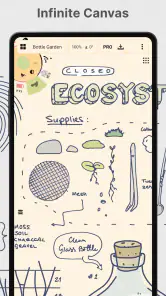
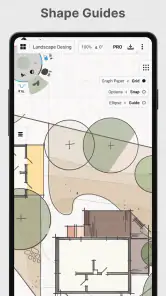
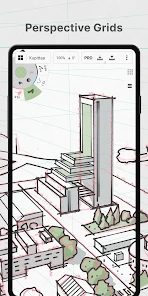
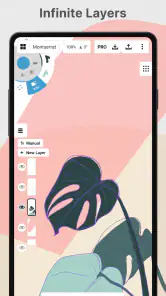
What really sets this app apart is its infinite canvas feature. Imagine having endless space to explore your ideas without the constraint of a paper’s edge. You can pan, zoom, and create without limits. Plus, the app offers a wide range of brushes and pens, each mimicking real-life tools. Whether you’re into watercolor effects or precise technical drawings, Concepts has a tool for that.
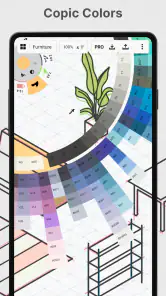
Another cool feature is the color wheel. It's incredibly intuitive and lets you mix colors to get the perfect shade. You can also save your favorite color palettes, which is a game-changer for maintaining consistency in your designs.
Intuitive User Experience
The user interface is super clean and easy to navigate, which is a breath of fresh air. You don’t have to be a tech wizard to find your way around. Everything is within reach, and the learning curve is virtually non-existent. Whether you’re a newbie or a pro, you’ll feel right at home.
Perfect for Collaboration
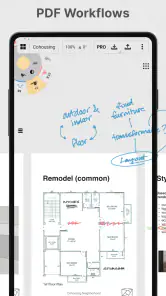
Sharing your work is a breeze with Concepts. You can export your creations in various formats like SVG, PDF, and high-resolution images, making it easy to share with clients or friends. Plus, the app supports real-time collaboration, so you can brainstorm with your team from wherever you are.
In a world where ideas are currency, having a tool like Concepts: Sketch, Note, Draw is invaluable. It’s versatile, user-friendly, and packed with features that cater to all kinds of creative needs. Whether you’re sketching, note-taking, or creating stunning artwork, this app is your go-to companion. So, what are you waiting for? Dive into your imagination and let Concepts help bring your ideas to life!
Pros
- Intuitive user interface design.
- Wide range of drawing tools available.
- Supports multiple file formats.
- Seamless sync across devices.
- Responsive and lag-free performance.
Cons
- Limited free version features.
- Occasional app crashes reported.
- No offline mode available.
- Learning curve for beginners.
- Ads in the free version are intrusive.

- Category
- Art & Design
- Version
- 2025.10.1











