Commercial Appeal
- 120.00
- 2.8
- Installs
- 10.00K
- Price
- Free

Screenshots




Analysis by Reviewed
When I want a quick look at what is happening around Memphis without opening a full desktop news site, Commercial Appeal is the kind of app I reach for first. It comes from USA TODAY Co. and sits in the news and magazine space, with a focus that feels more local than a broad national news reader. My experience with it is best described as useful but uneven: it can move me from a headline to a fuller story, photo gallery, or video without much effort, yet the overall experience does not always feel as polished or consistent as the strongest general news apps.
The app is free to install, which makes trying it fairly easy, although optional in-app purchases range from around fifteen dollars to around seventy dollars per item. That pricing matters because a casual reader may approach the app expecting a completely free news experience and then encounter prompts connected with deeper access. I would not install it blindly as my only source of news. I would use it as a local-first companion, especially if the Commercial Appeal’s coverage area matches my daily life.
Following a local story from the first alert to the final update
I use this section to look at how a local headline can become a useful habit rather than a one-time glance: what I check first, when I return for context, and how I decide whether a developing story deserves another look. That approach is especially helpful when an update could affect a practical choice later in the day.
Starting with the morning scan
My typical workflow begins with a simple question: what has changed since yesterday? I open the app during breakfast or while waiting for an appointment and scan the visible headlines before deciding what deserves my attention. This is where the app’s local identity is most valuable. A national news application may give me major political, business, or world stories first, while Commercial Appeal is more likely to feel connected to the places and events that affect a regional reader directly.
I do not treat that opening screen as a complete picture of the day. It is a starting point. The strongest habit is to scan for three different kinds of stories: something immediately practical, something developing, and something that gives context to the community. A traffic-related event, a local government decision, and a longer human-interest piece can require very different amounts of time. The app works better when I use the headline feed to choose rather than trying to read everything in order.
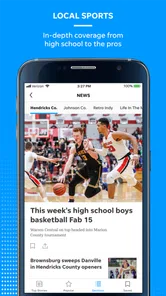
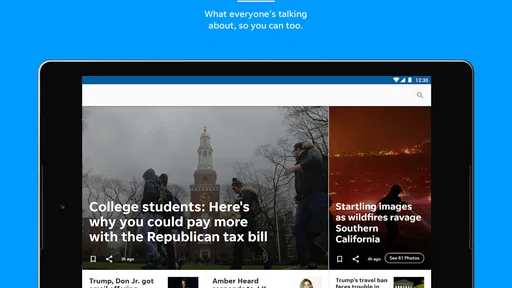
The presentation benefits from the publication’s mix of written reporting, photography, and video. A large image can tell me quickly whether a story is about a public event, a weather situation, a neighborhood change, or a sports moment. That visual layer is not just decoration. In local coverage, a photograph often gives useful context that a short headline cannot provide, particularly when the story concerns a place I recognize.
Opening a story and deciding how deeply to read
Once I tap a headline, I make a quick distinction between a story I need to understand and one I only want to monitor. For a developing event, I may read the opening section and return later. For an issue involving local services, schools, public safety, or city decisions, I prefer to slow down and read the complete article. This two-speed approach keeps the app from becoming another endless feed.
More From Our News Desk

Weather by Xiaomi Review: Clear at a Glance, Less Clear Up Close

X Under Pressure: Can It Recover When Posting Goes Wrong?

Clash of Clans Is Won Between the Battles

Android Auto Makes the Case for Quieter Car Software

MobiOffice: Transforming Mobile Productivity with Seamless Integration

EA SPORTS FC™ Mobile Soccer: Redefining Mobile Sports Gaming
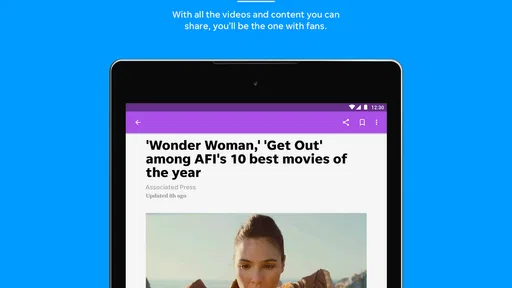
The useful handoff is from a compact headline to a richer piece of coverage. Text gives me the explanation, photography helps establish the setting, and video can make an event easier to understand when movement or a speaker’s delivery matters. I appreciate that combination, but I also find it important not to assume that every format adds equal value. A video is helpful when it contains information that is difficult to capture in text; it is less helpful when it simply repeats the article and takes longer to consume.
For readers who mainly want national headlines, this local emphasis may feel narrow. I see that as a deliberate trade-off rather than a flaw. The app makes more sense when the reader has a personal connection to the region or wants local reporting alongside a broader source. If my only goal is a fast summary of international events, I would choose a general news app instead.
Moving from one story to the next
After reading one article, I usually return to the main story list rather than letting the app decide my entire session. That small choice gives me more control over the outcome. I can compare related headlines, check whether another article approaches the same event from a different angle, and decide whether a video is worth opening. It also prevents a single dramatic headline from dominating my understanding of the day.
One practical tip is to separate immediate reading from later reading. I open urgent or time-sensitive items first, then leave longer background pieces for a quieter moment. Local news often has a strong connection to timing: a meeting, public announcement, or weather event can make an article more useful now than later. The app is more effective when I treat it as a working news queue rather than a magazine I must finish from top to bottom.
When the content leaves the app
The next handoff happens when I need to pass information to another person. A local story may be relevant to a family member, a colleague, or someone involved in a neighborhood discussion. In that situation, I pay attention to whether the article itself gives enough context for the recipient. Sending only a headline can be misleading, especially when the headline is written for quick browsing. I prefer to share the full story reference through the normal device tools when the surrounding context matters.
This is also where I notice the difference between a news app and a social feed. A social platform may make sharing faster, but it can surround the story with unrelated reactions and distractions. Commercial Appeal feels more focused on getting me to the publication’s reporting. That focus is useful for a person who wants a cleaner path from a local event to the actual article, though readers who expect effortless social discussion may find the experience less engaging.
Turning a headline into an outcome
The final step in my workflow is deciding what the information changes. Sometimes the result is simply awareness: I now know what happened in the area. Sometimes it affects a practical choice, such as adjusting a route, discussing a civic issue, or following a continuing story later in the day. The app is most valuable when it helps me make that transition from passive reading to a small, informed action.
Photography can be especially useful at this stage because it makes a local story easier to recognize and remember. Video may help me understand the atmosphere of an event or hear information in a more direct way. I would still verify important details through additional reporting before making a serious decision. A news app can be a strong first stop without being the only stop.
Where the experience becomes less comfortable
The clearest friction is the gap between a free download and the possibility of paid access. The app costs nothing to obtain, but the presence of optional purchases means the reading journey may not feel completely open for every article or feature. I would advise a new user to explore the basic experience first and pay attention to when access prompts appear. That is more sensible than assuming the free installation includes unlimited reading.
The average rating is around 2.7 from roughly 240 ratings, which matches my impression that the app can be useful without feeling flawless. A rating alone cannot explain every complaint, but it is a reasonable signal to keep expectations measured. I would not choose it for a perfectly smooth, highly customized reading environment. I would choose it for the specific value of local coverage and accept some rough edges in exchange.
Another limitation is that the app’s value depends heavily on location and interest. If I live far from the publication’s core audience, the headlines may rarely connect with my routine. Even within the intended region, someone who wants only national politics, technology, or international business may find the selection too specialized. In those cases, a national news reader or a newspaper bundle with several publications would be a better fit.
Compatibility, age, and the practical setup
The app supports devices running at least iOS or Android version 8.0, so it is aimed at older as well as newer mobile hardware. That is helpful for readers who do not replace their phone frequently. I would still keep the operating system reasonably current for general security and performance, but the stated minimum makes the app accessible to a wider range of devices.
Its content rating is Everyone 10+, which feels appropriate for a general news application that may cover serious real-world events. Parents should remember that news is unpredictable even when an app is not intended for mature audiences. A child may encounter upsetting subjects simply because they are part of the day’s reporting, so the age label should be treated as a broad guide rather than a promise that every story will be comfortable.
The current version is 8.10.3. I would update before judging performance, especially if the app has been sitting on an older phone for a while. News applications depend on changing content and services, so an outdated installation can create a less representative experience. The app has been available since July 21, 2011, which gives it a long presence in the mobile news space, but longevity does not automatically mean that every modern design expectation has been met.
Who should use it and who should pass
I think Commercial Appeal is a good match for a reader who wants local reporting in a straightforward mobile format, values visual coverage, and is willing to combine it with a broader news source. It is also useful for people who need a repeatable morning or evening check-in rather than a constant stream of notifications and commentary. The best users will already know why local coverage matters to them.
I would suggest skipping it if you are looking for a single app that covers the entire world, offers a completely frictionless free reading experience, or replaces every other source. I would also hesitate to recommend it to someone who dislikes subscription or purchase prompts in news products. In that situation, a public broadcaster’s app, a general news aggregator, or a library-supported newspaper service may provide a better match, depending on the reader’s needs.
My final reading routine
After using the app as part of a normal news routine, I see it as a focused local doorway rather than a universal news command center. I start with the headline scan, open only the stories that matter, use photos and video when they add real context, and then decide whether the information requires an action or a follow-up from another source. That workflow keeps the app useful without asking it to do more than it is designed to do.
My recommendation is conditional but positive: install it if the Commercial Appeal’s local reporting is relevant to your life and you want that coverage on your phone. Expect a free starting point, not necessarily an entirely free reading journey, and keep another source nearby for national and international news. With those expectations, the app can turn a few spare minutes into a practical local update. Without that local connection, its narrower focus and uneven user experience make the usual alternatives more appealing.
For me, the deciding factor is not the headline count or the size of the publication. It is the handoff from a nearby event to information I can actually use. When that connection works, the app earns a place in my routine. When I need breadth, speed across many subjects, or a more polished all-purpose reader, I move elsewhere.
Commercial Appeal Frequently Asked Questions
Who publishes Commercial Appeal, and what kind of app is it?
Commercial Appeal is a News & Magazines app published by USA TODAY Co. It brings news content together with photography and video, with a focus on local and national coverage. It may suit readers who want a mobile way to follow current stories and explore multimedia journalism. The app is free to download, though some content or features may involve in-app purchases.
What is Commercial Appeal, and what can I use it for?
Commercial Appeal is a news app focused on the Memphis area and surrounding communities. It provides access to local reporting, breaking news, sports coverage, entertainment stories, opinion pieces, and other regional updates. After installing it, users can browse headlines, open full articles, save or share stories, and stay informed about events that may not receive much attention in national news outlets.
Is Commercial Appeal free to download and use?
The Commercial Appeal app can generally be downloaded at no cost, allowing users to explore the app and read some available content. However, access to the complete article library may depend on a subscription or digital access plan. Before downloading, users should review the current pricing, trial terms, and account requirements shown in the app store or on the publication’s official website, since these conditions can change.
Does the app require a subscription to read all articles?
A subscription may be required for unlimited access to premium or metered articles. The app typically allows readers to view selected news without paying, but frequent readers can encounter a limit before being asked to subscribe or sign in. Subscription benefits, pricing, and cancellation policies may vary, so it is important to check the current offer before starting a trial or entering payment details.
What types of news and features are available in Commercial Appeal?
The app is designed around local journalism, with coverage that may include Memphis news, politics, crime, education, business, sports, food, culture, and community events. Depending on the version and your location, it may also provide breaking-news alerts, personalized notifications, photo galleries, videos, article sharing, and saved stories. Available sections and features can change as the publisher updates the application.
Pros
- Clear local news coverage focused on Tennessee communities
- Easy-to-read articles with useful regional context
- Helpful updates on local events
- businesses
- and public affairs
- Convenient access to breaking news from a mobile device
- Supports staying informed about issues affecting the community
Cons
- Coverage may feel limited for readers outside the Tennessee region
- Some content may require a subscription to access fully
- Frequent notifications can become distracting for some users
- Advertising may affect the reading experience
- Article availability and update speed can vary by topic













