Cleveland News from WKYC
- 417.00
- 4.2
- Installs
- 100.00K
- Price
- Free

Screenshots

Analysis by Reviewed
I opened Cleveland News from WKYC expecting a straightforward local news app, and that is exactly where it makes the most sense. It is a free News & Magazines app from TEGNA, built around Cleveland-area reporting, live video, and weather information. I would not treat it as a complete replacement for every national news source on my phone, but for keeping up with what is happening close to home, its focused approach is useful.
The app has been around since Apr 25, 2012, and its current version is 50.23.2. That long presence gives it a more established feel than a brand-new local-news experiment. It is rated for Everyone, supports Android 7.1 and later, and has passed the 100K+ install mark. Its average rating is 4.2 from around 1.6K ratings, with more than 400 written reviews, so there is a meaningful amount of reader feedback behind that overall impression.
How Cleveland News feels during everyday use
I judge a local news app not just by how quickly I can find a headline, but by whether it helps me make sense of nearby events without asking me to give it more trust than the experience earns. Cleveland News has a clear role in my routine: a focused place to check Cleveland coverage, weather, or live reporting. That makes it useful as a local starting point, while leaving room to choose other sources when the stakes or subject call for it.
Quick access to the stories that matter locally
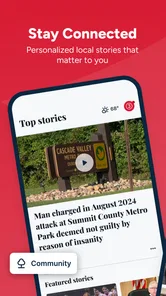
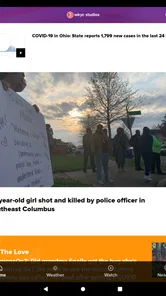
The strongest part of Cleveland News from WKYC is its narrow geographic focus. Instead of making me sort through a broad stream of national headlines before finding something relevant to Cleveland, the app is designed around the area’s news, weather, and live coverage. That is valuable when I want a quick local update rather than a general news briefing.
I find this especially practical in the morning. I can check the local headlines, see whether weather conditions deserve attention, and then move on with the day. The app’s purpose is clear, which reduces the mental effort involved in finding nearby information. It is less about endless browsing and more about opening a local window when I need one.
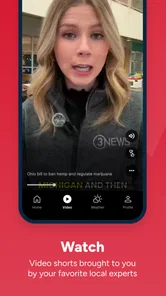
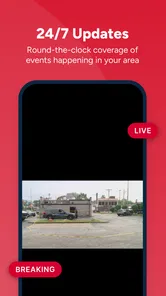
The live-video element also changes how I use it. A written article is usually enough for routine updates, but live coverage is more useful when an event is developing and I want to understand the situation as it unfolds. That makes the app more relevant during major local news moments than a simple text-only headline reader would be.
Speed expectations and the role of live content
My expectation with a local news app is not that every screen will behave like a lightweight calculator. News pages can involve images, video, and frequently changing content, so the experience naturally depends on the connection and on how much material I open. Cleveland News feels most efficient when I use it for quick headline checks and weather information rather than leaving a live video stream running for long periods.
More From Our News Desk

Weather by Xiaomi Review: Clear at a Glance, Less Clear Up Close

X Under Pressure: Can It Recover When Posting Goes Wrong?

Clash of Clans Is Won Between the Battles

Android Auto Makes the Case for Quieter Car Software

MobiOffice: Transforming Mobile Productivity with Seamless Integration

EA SPORTS FC™ Mobile Soccer: Redefining Mobile Sports Gaming
There is a useful distinction between opening the app to scan and opening it to watch. A headline-focused visit should feel relatively direct because I am looking for a small amount of information. Live video is a heavier task and can take more patience, particularly when the network is busy or the phone is already handling other demanding work. I would not judge the entire app by the slower moments that can come with video delivery.
One practical habit helps: I use the app as a two-step tool. First, I scan the local headlines to decide whether anything deserves attention. Then I open live coverage only when the subject is important enough to justify the extra loading and resource use. This avoids treating every visit as a full media session and makes the app feel more responsive in ordinary use.
What happens during heavy-use moments
The most demanding scenario is easy to identify: a developing local event with live video, several people checking the same story, and a phone that may already be busy with other apps. In that situation, I would expect more variation than during a simple weather check. Video requires more from the connection and the device than reading a short article, so it is sensible to keep expectations realistic.
For me, the app’s value during heavy use comes from having both formats available. If live coverage is not immediately convenient, I can still use the written news and weather portions to get oriented. That fallback matters. A local app becomes frustrating when its most demanding feature is the only way to understand what is happening; Cleveland News is more practical when I treat live video as an option rather than the entire experience.
Another useful workflow is to avoid repeatedly reopening the same live item when a connection is struggling. I would first return to the broader local coverage, confirm whether the story has changed, and then try the video again if it still adds something. That saves time and avoids turning a temporary loading problem into a reason to abandon the app altogether.
Reliability for local awareness
Reliability is not only about whether an app opens. For a local news product, it also means giving me a dependable way to check the area when I am unsure what is happening. Cleveland News earns trust through its focused purpose: I know why I am opening it, and the combination of local reporting, live video, and weather gives me several ways to get useful context.
I would still avoid relying on one app as my only source during an urgent situation. A news app is helpful for information and coverage, but it is not a substitute for direct emergency instructions or official local alerts when those are required. That is not a criticism unique to this app; it is simply the sensible boundary for any news service.
In normal use, the app works best as a regular check-in tool. I can open it when weather changes, when a local story is circulating, or when I want to see whether a nearby event is receiving live coverage. That repeatable use is more important to me than flashy presentation. A local app earns its place by being easy to return to, not by trying to become every kind of media service at once.
Recovery when a session is interrupted
News apps are often used in imperfect conditions. I may open a story while walking between tasks, switch away to answer a message, or lose a stable connection while trying to watch live coverage. In those moments, I prefer a service that lets me return to the main local information rather than forcing me to remember exactly where I was.
Cleveland News is most forgiving when I use it in short sessions. If I leave during a headline scan, I can simply come back and begin again with the local coverage. Live video is naturally more sensitive to interruptions, so I would treat a resumed viewing session as something to recheck rather than assume it continued perfectly in the background.
That approach also keeps the app’s resource demands under control. I do not need to keep it open all day to benefit from it. Opening it when I want local context, then closing it when I am finished, is a better fit for my routine than using it as a constant live feed.
Device constraints and Android compatibility
The minimum operating-system requirement is Android 7.1, which makes the app accessible to people using older supported Android devices. That is a meaningful advantage for anyone who does not upgrade phones frequently. It also means the app is not aimed only at the newest hardware, although the experience of live video can still vary depending on the device and connection.
On an older phone, I would be more careful about how I use the app. Reading local stories and checking weather should be the lighter activities. Extended live video may be less comfortable if the device has limited available resources or if several other apps are running. Closing unused apps before a long viewing session is a simple way to reduce friction, even though it cannot solve every network or hardware limitation.
Storage and battery habits matter too, especially for anyone who watches a lot of live coverage. I would not leave live content running unnecessarily, and I would avoid using the app as background entertainment. Its best role is targeted: check the local situation, watch the relevant portion, and return later when there is a reason to look again.
Who will get the most from it
I think Cleveland News is a good match for Cleveland-area residents who want local information in one focused place. It is also useful for people who have moved away but still care about what is happening in the area, or for anyone visiting Cleveland who wants local weather and nearby news rather than a broad national feed.
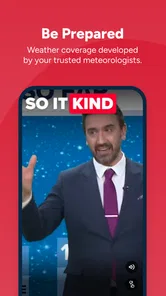
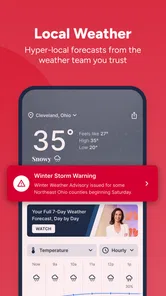
The weather component makes it practical beyond major headlines. A person planning a commute, an outdoor activity, or a day around town can use the app as a quick local check. The live-video option is more valuable for viewers who prefer seeing developing coverage instead of relying only on written updates.
The app is less suitable for someone looking for a full national or international news experience. I would pair it with a broader news source if I wanted extensive coverage outside Cleveland. I would also skip it if I strongly prefer a single personalized feed covering many regions and topics, because this app’s greatest strength is precisely its local concentration.
How it compares with usual alternatives
Compared with a general news aggregator, Cleveland News gives up breadth in exchange for relevance. An aggregator may offer more subjects and locations, but it can also make local stories harder to find among everything else. This app reverses that priority, which is helpful when Cleveland is the place I care about most.
Compared with checking a mobile browser, the dedicated app offers a more direct habit. I do not have to remember which local page to open each time. The combination of local news, live video, and weather also makes it more convenient than visiting separate pages, although a browser may be preferable for someone who wants to minimize installed apps.
Compared with social media, the app is a calmer starting point for local awareness. Social feeds can surface events quickly, but they can also mix firsthand comments, speculation, and unrelated posts. Cleveland News is better when I want a structured local-news experience. Social platforms may still be useful for discovering what people are discussing, but I would rather use this app to get organized coverage.
Small details that improve the experience
I get more from the app when I decide what I need before opening it. For a quick commute check, I go straight to local weather and headlines. For a developing story, I look for the live coverage and use the written material to establish context. This simple distinction prevents me from spending time browsing sections that do not match my immediate purpose.
I also recommend judging live video separately from ordinary reading. If a video takes longer to begin, that does not necessarily mean the headline experience will be equally slow. Conversely, a smooth headline scan does not guarantee that every live session will behave identically. Treating these as different workloads gives a fairer picture of the app.
Finally, I would use the app as part of a small local-information routine rather than as an always-open dashboard. A morning check, a weather look before leaving, and a return during an important local event are more sensible patterns than constant refreshing. This keeps attention and device resources focused on moments when the service is genuinely useful.
My performance verdict
After using Cleveland News in the way it is intended, I see it as a focused and practical local companion rather than an all-purpose news platform. Its performance feels most convincing during short headline and weather checks, while live video naturally asks more from the phone and connection. That trade-off is reasonable because live coverage is also the feature that can make the app more valuable during an unfolding Cleveland story.
The free price removes an obvious barrier, and the Everyone rating makes it suitable for a broad household audience. TEGNA has kept the app centered on the Cleveland area instead of diluting it with an unnecessarily wide scope. That focus is the reason I would recommend it to a friend who wants local awareness without sorting through a national feed.
My recommendation is simple: choose it for Cleveland-first news, weather, and live coverage, but keep a broader source nearby for everything beyond the area. If that division matches your routine, Cleveland News deserves a place on your Android device. If you want one app to cover the entire world, its local focus will feel limiting rather than helpful.
Overall, I would install it for the person who asks, “What is happening around Cleveland today?” and wants a quick, familiar answer. I would not install it as my only news source, nor would I expect the heaviest live-video sessions to be as light as reading a headline. Used within those boundaries, it delivers a clear purpose, sensible everyday value, and a better local starting point than a generic news feed.
Cleveland News from WKYC Frequently Asked Questions
Can I use Cleveland News from WKYC on my device?
Cleveland News from WKYC is a news app from TEGNA, available for Android and iOS. Its current version is 50.23.2, and it supports devices running iOS 7.1 or later. Before downloading, check that your device meets the platform’s requirements and has enough space for the app. The app is rated for Everyone, making it suitable for a broad audience.
Is Cleveland News from WKYC free, and are there costs to consider?
The app is free to download. You can use it to follow Cleveland-area news, video, and weather forecasts, while mobile data charges may apply if you stream video or browse away from Wi-Fi. The app may also display advertising. Those practical costs are worth keeping in mind if you plan to watch live coverage frequently or use the app while traveling.
What is Cleveland News from WKYC?
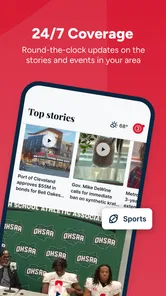
Cleveland News from WKYC is a local news app focused on Cleveland, Northeast Ohio, and nearby communities. It brings together breaking news, weather forecasts, traffic updates, sports coverage, investigative reports, and video stories from the WKYC newsroom. The app is designed for readers who want quick access to regional headlines and live updates in one place.
What kind of content can I find in the WKYC Cleveland News app?
The app typically includes local and national news, Cleveland-area politics, crime and public safety reports, education, health, business, entertainment, and community stories. Users can also find weather radar and forecasts, traffic information, sports coverage, photo galleries, and on-demand or live video. Available sections may change as WKYC updates its coverage and app features.
Does Cleveland News from WKYC provide live news and weather alerts?
Yes, the app is intended to provide timely updates, including breaking-news notifications, severe-weather information, forecasts, radar, and live or on-demand video when coverage is available. Alert availability can depend on your device settings, location permissions, and WKYC’s current editorial coverage. After installation, review notification preferences so you receive important warnings without enabling every optional alert.
Pros
- Fast access to breaking news across Cleveland and Northeast Ohio.
- Local weather forecasts
- radar
- and alerts are easy to find.
- Live video coverage helps users follow major events as they happen.
- News categories make it simple to browse sports
- traffic
- and investigations.
- Push notifications can keep users informed about urgent local developments.
Cons
- Frequent notifications may feel excessive unless alert settings are adjusted.
- Some articles may include advertising or sponsored content between sections.
- Video playback can use significant mobile data when streaming over cellular.
- Coverage is focused on Northeast Ohio and may feel limited for other regions.
- Certain live streams or features may depend on location and internet quality.













