

Classical KING
- 121.00
- 3.8
- Installs
- 100.00K
- Price
- Free

Screenshots
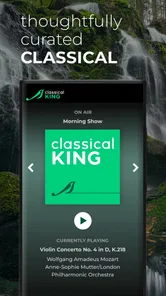
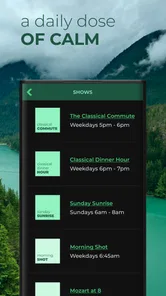
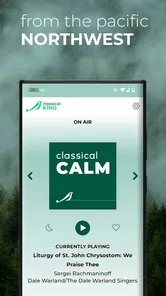
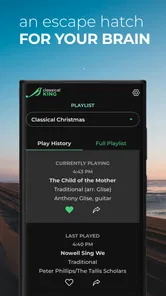
Analysis by Reviewed
I spend a lot of time testing music apps that promise an easy way to listen, and Classical KING takes a more focused route than the usual all-purpose streaming service. It is a free Music & Audio app from Classical KING 98.1, built around listening to classical programming rather than searching through an enormous catalog of unrelated artists. That narrower purpose is its main appeal: when I want a calm, familiar station-style experience, I can open it without first deciding what album, composer, or playlist to find.
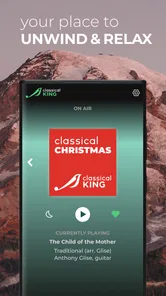
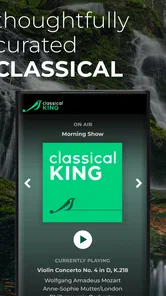
Classical KING is best understood as a digital companion to a classical radio station, not as a replacement for a full on-demand music library. Its store summary emphasizes high-definition streaming, and in my experience the idea works best when I treat the app as a live listening window. It suits quiet work, reading, cooking, or winding down in the evening, especially if I prefer a curated flow over constant track selection.
The app has been available since Jun 1, 2011, and its current version is 7.0.8. It is rated for Everyone, costs nothing to download, and requires Android 11 or later. Those details make it approachable for many Android users, although the operating-system requirement is worth checking before installing it on an older phone or tablet.
What the listening experience feels like
I find it useful to judge a station-style app by how smoothly it fits into a routine, rather than by how many controls it offers. In this section, I’ll focus on the small choices that shape a listening session—when I start playback, where I listen, and how I keep the phone from becoming a distraction. That practical baseline also makes it easier to spot the settings and habits worth considering next.
A focused alternative to a giant streaming catalog
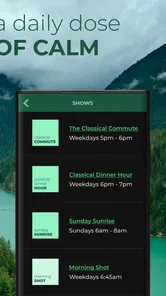
The first thing I noticed is how different a station-centered app feels from services that put search, albums, recommendations, and playlists at the center of the screen. With Classical KING, the value is not in giving me endless choices. It is in reducing the number of choices I have to make. I can start listening and let the programming provide the direction.
That is useful when I am working and do not want music selection to become another task. A large streaming service is better when I know exactly which concerto or performer I want. This app is more comfortable when I want classical music in the background and am happy to accept the station’s sequence. The trade-off is clear: convenience comes from curation, while control is more limited than it would be in an on-demand catalog.
I would recommend trying it during a normal routine rather than judging it only during a quick launch. A practical test is to start a session while making breakfast, then leave it running during a commute or a study block. That reveals whether the station-style flow matches your habits. If you need to skip frequently, build a personal queue, or return to a specific recording, the usual subscription services will probably feel more flexible.
More From Our News Desk

 Gmail
GmailGmail in a Busy Inbox: Who Benefits Most?
From first account to crowded workday, Gmail earns its place through dependable search and flexible sorting—but its best fit depends on how much inbox maintenance you can tolerate.

 Prime Video
Switching to Prime Video: What Changes in Your Viewing Routine
Prime Video can make a compelling second home for streaming, but switching means learning a different catalog, rental layer, and route from browsing to playback.

 Universal TV Remote Control
Universal TV Remote Control Works Best as a Reliable Backup
A phone remote earns its place through quick setup and reliable habits. Here is how to get more from Universal TV Remote Control—and where its limits show.

 Weather - By Xiaomi
Weather by Xiaomi Review: Clear at a Glance, Less Clear Up Close
Xiaomi’s weather app makes everyday forecasts quick to scan, but its calm surface can leave useful details and recovery paths harder to find than they should be.

 X
XX Under Pressure: Can It Recover When Posting Goes Wrong?
A resilience-focused review of X, examining setup, mistaken posts, interruptions, weak connections, and the gaps that matter when recovery needs to be dependable.

 Clash of Clans
Clash of Clans Is Won Between the Battles
Its raids are quick; its community is a long-term project of coordination, teaching, rivalry, and shared responsibility—with all the friction that entails.
Latest News



High-definition listening and the role of the connection
The promise of high-definition streaming is particularly relevant to classical music, where quiet passages, room ambience, and changes in dynamics can matter more than they do in heavily compressed pop mixes. I found that the app makes the most sense with decent headphones, a good speaker, or a quiet room. On a small phone speaker in a noisy place, the distinction is much harder to appreciate.
There is also a practical trade-off between sound quality and mobile data. Streaming continuously can be inconvenient on a limited data plan, and a live listening app is not the right tool if you need a large offline collection for travel. I would use it on home Wi-Fi or monitor mobile-data use during longer sessions. If you are preparing for a flight, a weak-signal journey, or an area with unreliable coverage, an app with confirmed offline downloads is a safer choice.
Another small but useful habit is to begin playback before settling into a task. That gives you time to confirm that the connection is stable and the volume is comfortable. Classical music can move from a quiet opening to a powerful passage, so I prefer setting the volume conservatively rather than turning it up immediately to hear the softest moments.
Who will get the most from it
This app is a good match for someone who already enjoys classical radio and wants that experience on a phone. It also works for listeners who are curious about the genre but do not yet know enough composers or works to create their own playlists. The absence of a complicated selection process can make the first step easier.
I can also see it helping people who use music as a gentle background for concentration. A station flow removes the temptation to keep searching for the next track, which is a surprisingly useful difference when I am writing or reading. Parents looking for calm audio at home may appreciate the Everyone content rating, though I would still choose the listening environment and volume carefully for younger listeners.
It is less suitable for someone who wants a personal archive of favorite performances. A dedicated classical catalog can offer more useful information for that listener, such as detailed recording choices, composer-based browsing, or the ability to compare interpretations. Classical KING is strongest when the goal is to listen now, not to manage a collection.
A realistic everyday session
Imagine starting a work session in the afternoon. I open the app, begin the stream, put the phone aside, and let the music fill the room while I handle email and writing. I do not need to keep choosing tracks, and the classical format gives the session a more settled mood than a playlist built from random recommendations. If I take a break, I can return to the same listening context instead of rebuilding it.
That scenario also shows the main weakness. If I am interrupted by a poor connection, need exact control over what plays next, or want to continue without using data, the app’s focused design becomes a limitation. The experience depends on accepting a live, connected stream rather than treating music as a set of files I own or have saved for later.
Trust, controls, and moments that deserve attention
I’m careful to separate useful playback checks from assumptions about what an app does behind the scenes. Here, I’ll look at the moments when I would pause to review a prompt, check Android’s controls, or troubleshoot an interrupted stream before blaming the app. Those habits help me decide whether the experience is dependable enough for regular listening, and lead naturally to the limits that matter most.
What the public app details establish
When I assess an app I plan to keep on my phone, I separate what I can directly observe from what I would merely be guessing. Here, the visible basics are straightforward: the developer is Classical KING 98.1, the app is free, and it is presented as an audio-streaming product for Everyone. Its audience is also reasonably clear from its purpose, which is helpful because I am not trying to understand a broad social network or a shopping platform with many unrelated functions.
The app has reached over one hundred thousand installs, with a 3.9 average from around five hundred ratings and more than one hundred reviews. I read that as evidence of an established audience, not as a guarantee that every listener will have the same experience. Ratings can reflect different phones, network conditions, expectations, and listening habits. For me, the score suggests that the app is worth trying while keeping expectations realistic about occasional friction.
Trust also comes from knowing what kind of interaction I am entering. A music stream may need network access to deliver audio, but I do not treat that general expectation as proof of any particular permission or data practice. I look for the permission prompts shown during installation and use, and I read the developer’s current privacy information before granting anything beyond what feels necessary for playback.
Permissions and data-sensitive moments
The most important privacy moment is not the first time I hear music; it is the moment the app asks for access on the device. I pay attention to whether a request appears relevant to streaming and whether Android explains why it is needed. If a prompt is unclear, I pause rather than accepting it automatically. That habit is useful with any audio app, especially one I may leave installed for a long time.
I also check the Android app settings after installation. The permission screen gives me a practical place to review and change access later, so I do not have to treat the first decision as permanent. If the app works without an optional permission, I prefer leaving that permission disabled. If playback stops when I remove something essential, I can decide whether the listening benefit justifies restoring it.
Account-related choices deserve the same care. I do not create an account merely because an app opens with a sign-in option. For a simple listening session, I first see whether the core stream is available without registration. If an account is requested for a specific function, I consider what I gain, what information I must provide, and whether I need that function at all. I would rather use fewer connected services than hand over details by habit.
These are not accusations about the app. They are sensible checks because privacy labels, permission behavior, and account controls can change between versions. The current version is 7.0.8, but I would still review the prompts on my own device after an update instead of assuming that an old decision remains appropriate.
Keeping control over playback and the phone
My preferred setup is simple. I start the stream, confirm that audio is coming from the intended output, and then use the phone’s normal volume and notification controls to shape the session. For focused work, I silence nonessential alerts so the listening experience is not constantly interrupted. For a shared room, I check the speaker volume before walking away from the phone.
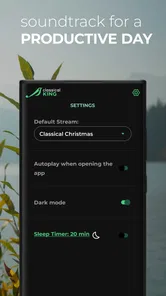
I also avoid leaving a stream running when I no longer need it. That is useful for battery and mobile-data awareness, and it prevents the app from continuing unnoticed in the background. If I am finished, I stop playback rather than relying on the phone to manage the session for me. This is a small routine, but it gives me a clearer sense of what the app is doing.
On an older or heavily customized Android device, I would check battery-management settings if playback stops after the screen turns off. Android manufacturers sometimes handle background activity differently. I would not immediately assume the app is defective; I would test the same session on Wi-Fi, check battery restrictions, and compare behavior with the phone unlocked. That troubleshooting sequence can identify whether the problem is the connection, the device’s power management, or the app itself.
Where another option is better
If I want to discover a particular composer, compare multiple recordings, or save a carefully ordered playlist, I would choose an on-demand classical service instead. Those apps are designed around catalog control, while Classical KING is designed around a station-like stream. If I need podcasts, spoken-word programs, or several unrelated genres in one place, a broader audio platform will also be more practical.
On the other hand, a broad service can feel excessive when I simply want classical music to begin playing without a search session. The focused identity of Classical KING 98.1 is its advantage in that moment. I do not have to maintain a library or decide whether a recommendation fits my mood; I can let the station provide the structure.
Listeners who are very sensitive to interruptions should test the app in the places where they expect to use it. A stream is only as dependable as the connection and the device’s handling of background playback. I would not make it my sole music option for a long trip until I had confirmed that it behaves reliably with the screen locked and the phone’s usual battery settings.
My cautious verdict
After using it as a focused classical listening tool, I see Classical KING as a sensible free option for people who prefer curated radio-style audio over a large on-demand library. Its long availability, recognizable developer identity, and established install base make it feel like a straightforward app to try, while the 3.9 average reminds me to keep the recommendation measured rather than absolute.
The key question is whether you want a stream or a collection. If you want classical music accompanying a routine, this app can remove unnecessary decisions and create a pleasant listening habit. If you want exact track control, offline access, detailed catalog browsing, or a permanent personal library, another category of music app will serve you better.
I would install it on a compatible Android device, test it first on Wi-Fi, review every permission and account prompt, and then use it during an ordinary work or relaxation session. That approach gives me a realistic answer about sound, stability, data use, and privacy choices without assuming more than the app visibly offers. For the right listener, Classical KING is a focused companion rather than an all-purpose music solution—and that restraint is precisely what makes it useful.
Classical KING Frequently Asked Questions
What kind of app is Classical KING?
Classical KING is a Music & Audio app from Classical KING 98.1, built around streaming classical music. Its central appeal is straightforward: it lets you listen to classical music in high definition, anytime and anywhere. If you are looking for a dedicated way to stream this kind of music on your phone, the app’s focus is clear from the outset.
Is Classical KING free, and which devices can install it?
Classical KING is free to download and is rated for Everyone, making it suitable for a broad audience. It is available for Android and iOS, though the required operating-system version matters: check your device’s compatibility in its app store before installing. The app has been available since June 1, 2011, and its current version is 7.0.8.
What is Classical KING, and how is it played?
Classical KING is a traditional trick-taking card game that combines strategy, planning, and careful observation. Players compete across several rounds, with each round introducing a different objective or penalty. Some contracts reward you for winning tricks, while others require you to avoid specific cards or actions. The changing rules make every hand feel different and encourage thoughtful play rather than relying only on luck.
Can I play Classical KING offline or without an account?
In most cases, Classical KING is designed to be playable without a constant internet connection, which makes it convenient for travel or situations where mobile data is unavailable. Offline availability can depend on the version and platform, however. You may also be able to start playing without creating an account, although certain features, such as online matches, saved progress, leaderboards, or synchronization, may require sign-in.
Does Classical KING support multiplayer games?
Classical KING may offer several ways to play, depending on the edition installed on your Android or iOS device. You can generally expect single-player matches against computer-controlled opponents, while some versions also include local or online multiplayer. Before downloading, check the current store description because player limits, matchmaking options, private rooms, and internet requirements can vary between updates.
Pros
- Faithful chess rules and classic gameplay for traditional players.
- Simple interface makes it easy to start a match quickly.
- Suitable for short sessions or longer strategic games.
- Helps improve planning
- concentration
- and tactical thinking.
- A good choice for players who prefer a familiar chess experience.
Cons
- Limited appeal if you are looking for modern action or varied game modes.
- Beginners may need time to understand chess strategy and notation.
- Matches can feel slow when playing against cautious opponents.
- The classic presentation may seem plain compared with newer chess apps.
- Advanced players may want deeper analysis and training tools.











