Chillicothe Gazette
- 26.00
- 3.8
- Installs
- 10.00K
- Price
- Free

Screenshots

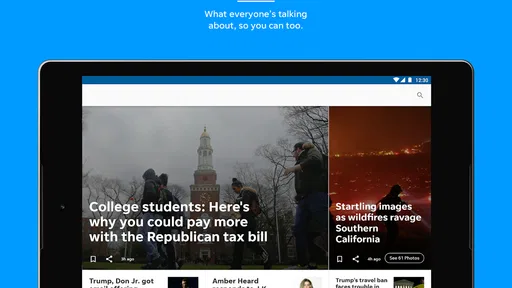
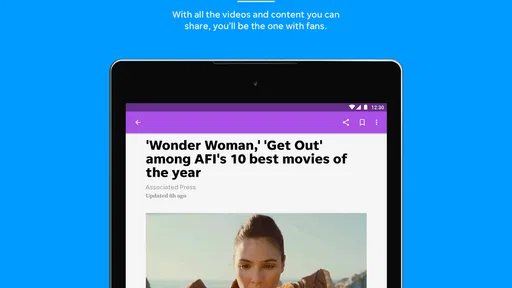
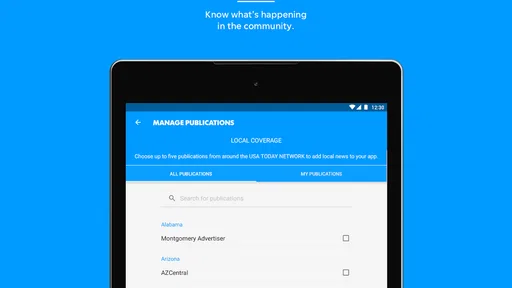
Analysis by Reviewed
I approached Chillicothe Gazette as a practical local-news app rather than as a general-purpose news replacement. It comes from USA TODAY Co. and sits in the News & Magazines category, with a clear focus on helping readers keep up with Chillicothe-area stories while still offering broader reporting, photography, and video. After spending time with it, my impression is that it works best for someone who wants a familiar local source close at hand, not for a reader looking for a single app that covers every national and international topic in equal depth.
The app is free to install, carries an Everyone 10+ content rating, and has been available since August 2, 2012. Its current version is 8.10.3 and it requires Android 8.0 or later. Those details matter because this is an established publication app rather than a brand-new experiment, but older phones still need to meet the operating-system requirement. The listing shows over 10 thousand installs, an average rating of 3.8 from 82 ratings, and 26 written reviews. I would read that feedback as a useful sign that the experience is serviceable for many readers, while also leaving room for individual differences in expectations.
How the everyday reading workflow feels
My preferred way to use the app is simple: open it when I have a few minutes, scan the local headlines first, then decide whether a story deserves a full read. That routine suits the publication’s identity. Local reporting is the reason to keep it installed, while national items, striking images, and video give the session more variety when I want something beyond nearby developments.
The first useful habit is to avoid treating every headline as an assignment. A quick scan is enough for a busy morning, especially when I am checking whether anything important has changed in the community. Later, I can return to the stories that affect my plans. This makes the app more valuable than a publication that only works when I have time for long reading sessions.
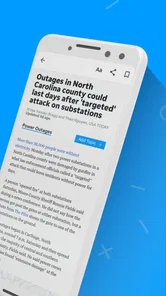
Photography also changes how I move through the feed. A strong image can help me identify a story quickly, but it can also tempt me to open articles without knowing whether they are relevant. I found it more efficient to use the visual presentation as a navigation aid, then read the opening paragraphs before committing time. That small distinction keeps the experience from becoming an endless sequence of attractive but low-priority taps.
Video is useful in a different way. It can communicate the atmosphere of an event or explain a developing story faster than text, but it is not always the best choice when I am in a quiet place, on a limited connection, or trying to read discreetly. I treat video as an optional layer rather than the default way to consume the app. Readers who prefer a completely text-first news routine may find the richer presentation less efficient.
A realistic morning routine
Imagine checking the app before leaving for work. I would spend the first minute scanning local headlines, open one story that could affect the day, and save the rest mentally for a later visit rather than trying to finish everything immediately. If a photo or video catches my attention, I would use it to decide whether the story is worth opening, not as a substitute for understanding the article.
More From Our News Desk

Weather by Xiaomi Review: Clear at a Glance, Less Clear Up Close

X Under Pressure: Can It Recover When Posting Goes Wrong?

Clash of Clans Is Won Between the Battles

Android Auto Makes the Case for Quieter Car Software

MobiOffice: Transforming Mobile Productivity with Seamless Integration

EA SPORTS FC™ Mobile Soccer: Redefining Mobile Sports Gaming
That workflow is particularly sensible for people who live in or near Chillicothe, have family there, or need a convenient way to follow local events from elsewhere. It is less compelling for someone who only wants national headlines, market coverage, or a broad mix of international reporting. In those cases, a large national news application will usually offer a wider range of sections and a more complete discovery system.
What I would check before settling in
Because this is a publication-specific app, I would first decide what role it should play on my phone. If it is my local source, I would keep notifications and reading habits focused around important community updates. If I already use another app for national news, I would let this one fill the local gap instead of expecting it to duplicate every feature of a major general-news service.
The free price makes that trial easy, but free access does not necessarily mean every part of the experience will be equally open. The app includes in-app purchases priced from $9.99 to $69.99 per item. I would pay attention to any subscription or purchase prompt before confirming it and make sure I understand what access it provides. That is not a reason to avoid the app, but it is a reason to distinguish between installing it for casual sampling and relying on it as a primary news service.
Settings and habits that make the app easier to manage
I do not recommend changing every available option immediately. The better approach is to use the app for a short period, notice what interrupts the reading flow, and then adjust only the settings connected to that problem. A local-news app can become annoying if it demands attention too often, yet it can lose its purpose if important updates are buried by an overly restrictive routine.
Notifications deserve the most deliberate thought. If I want the app mainly for planned reading, I would keep alerts limited or quiet and open the app at times that suit me. If I depend on it for fast awareness of local developments, I would allow the alerts that genuinely matter while resisting the urge to treat every notification as urgent. The useful trade-off is not “all alerts” versus “none”; it is deciding whether the app should interrupt me or wait for me.
I would also check how articles, videos, and images behave on my device. Rich media can make a local story more engaging, but it may consume more attention and potentially more data than a plain headline list. On a commute or a slower connection, I would favor quick scanning and postpone media-heavy reading until I have a better environment. That habit is more reliable than assuming every session should feel the same.
Text size is another small but meaningful adjustment. News apps are often used in short bursts, and forcing myself to read uncomfortable text makes those sessions feel longer than they need to. I would choose a size that lets me read without constantly zooming or holding the phone unusually close. If the app’s presentation already feels comfortable, I would leave it alone rather than chasing a perfect layout.
For readers concerned about accidental spending, I would treat the purchase process as part of the setup. Since the app is free to download but offers paid items, I would read each prompt carefully and avoid tapping through quickly during a busy moment. This is especially important when handing the phone to a family member or allowing a child to browse, even though the content rating is Everyone 10+.
Separating local checking from general browsing
One of my more useful habits is to give the app a defined job. I use it for local awareness first, then explore broader stories only when I have time. That prevents it from competing directly with every other news source on my phone. The app becomes a focused local window instead of another feed demanding constant attention.
This separation also helps me judge its value fairly. I would not criticize a local publication app because it does not feel like a global news platform, just as I would not use a national aggregator as my only source for community reporting. The right comparison is whether Chillicothe Gazette gives me a convenient connection to its coverage and whether that connection fits my routine.
Faster reading patterns for experienced users
Once the basic routine is comfortable, the biggest improvement comes from reducing unnecessary decisions. I start with a quick headline pass, identify one or two priority stories, and stop there if I am short on time. This is faster than opening every item in order, and it leaves me with a clear reason to return later.
I also use a two-stage approach for visual stories. First, I look at the headline and image to understand the subject. Second, I read enough of the article to check its relevance before watching a video or continuing through the full report. This avoids spending several minutes on media that turns out not to match what I needed to know.
For a person following a developing local situation, repeated short visits make more sense than one long session. I would check once for the initial report, return when I have time for context, and use later visits to see whether the story has changed. That pattern is less tiring and better suited to news, where the value often comes from following a situation over time rather than consuming one isolated item.
Another practical trick is to match the app to the moment. At breakfast, I want quick scanning. During a quiet break, I can read more deeply. In a public place, I may skip video and focus on text. At home, I can take advantage of the richer presentation. The app’s mix of local reporting, photography, and video supports these different modes, provided I do not expect one format to suit every setting.
When the app should not be your only source
I would not rely on a single publication app for every kind of news. Chillicothe Gazette makes sense as a local anchor, but a national aggregator may be better for comparing several outlets, following a wide range of subjects, or moving quickly between international headlines. A broadcaster’s app may also be preferable if live video is the main priority, while a text-focused reader can be more efficient for someone who dislikes multimedia presentation.
That does not weaken this app’s purpose. In my view, its strength is specialization. I would keep it alongside a broader service if local awareness matters to me, rather than replacing everything else with it. Readers who are only interested in national news should probably skip the installation and choose a service designed around that broader scope.
Where the experience reaches its limits
The first limitation is the narrowness that comes with a publication identity. If I open the app expecting an enormous range of subjects, I may find the experience less satisfying than a general news platform. Its local emphasis is a benefit when that is what I need, but it becomes a constraint when my interests are spread across many regions and topics.
The second is the balance between free access and paid options. The app costs nothing to install, yet in-app purchases are present. For a casual reader, that may be perfectly acceptable; for someone planning to use it as a long-term news subscription, the purchase prompts and access terms deserve attention before making a commitment. I would not assume that the free installation tells me everything about the eventual reading experience.
The rating of 3.8 suggests a mixed but not disastrous reception. I would not use that number alone to decide whether to install it, because publication apps can feel very different depending on phone size, connection quality, notification preferences, and expectations about local coverage. Still, it is a useful reminder to approach the app as something to test in my own routine rather than as a flawless product.
Older devices also need a quick compatibility check because Android 8.0 is the minimum operating system. Anyone using a phone that cannot meet that requirement should look for another way to access the publication. For supported devices, I would still keep the app updated when practical, especially if articles or media do not behave as expected, but I would not promise that every issue disappears after an update.
Privacy-conscious readers may also prefer a measured approach to permissions and alerts. I would review what the phone asks me to allow and grant only what fits my use of the app. A person who wants completely silent, distraction-free reading may be happier with a mobile browser or a simple text reader, while someone who values a publication-centered experience will likely find the dedicated app more convenient.
Who gets the most from it
I think the strongest audience is made up of local residents, former residents, relatives of people in the area, and anyone who wants a direct habit for checking Chillicothe news. It is also a good fit for readers who appreciate seeing photography and video alongside articles, as long as they are comfortable choosing when those richer elements deserve their attention.
I would be more cautious recommending it to a reader who wants one universal news dashboard, a highly customizable multi-source feed, or a purely text-based experience. Those needs point toward different tools. The app is most convincing when the local publication itself is the reason for downloading it.
My verdict after building a repeatable routine
Chillicothe Gazette is a focused News & Magazines app that I would recommend to people with a real connection to Chillicothe or an interest in keeping up with its local reporting. Its combination of nearby news, photography, and video makes short visits useful and gives longer reading sessions some variety. The free installation lowers the barrier to trying it, while the paid items mean I would review purchase prompts carefully before committing money.
My best advice is to give it a specific role: use it as the local layer of a wider news routine, control notifications so they match your day, and treat images and video as tools for deciding what deserves attention rather than as mandatory parts of every visit. That approach brings out its strengths without asking it to behave like a national aggregator.
The app is at its best when local relevance matters more than endless breadth. I would install it if Chillicothe coverage is important to me, test it through a few normal reading sessions, and keep it if the publication’s mix of articles and media fits my habits. If I only want broad national headlines or a completely distraction-free text feed, I would choose another option instead. For the right reader, though, USA TODAY Co.’s app offers a convenient way to keep a local news source within easy reach.
Chillicothe Gazette Frequently Asked Questions
Who publishes the Chillicothe Gazette app?
The Chillicothe Gazette app is published by USA TODAY Co. and is designed around the Chillicothe Gazette’s local-news identity. It combines local and national news with photography and video, making it an option for readers who prefer to follow stories on a phone or tablet. The app is in the News & Magazines category and is rated for Everyone 10+.
What is the Chillicothe Gazette app?
The Chillicothe Gazette app is a digital news platform for readers who want local coverage from Chillicothe, Ohio, and surrounding Ross County communities. After exploring the app, its main focus is on breaking news, local government, crime, education, sports, weather, community events, and regional stories. It is designed to provide a more convenient mobile reading experience than visiting the newspaper’s website through a browser.
Is the Chillicothe Gazette app free to download and use?
The app can generally be downloaded free of charge, allowing users to install it and browse available content. However, access to every article or premium feature may depend on the current subscription policy. Some stories can be limited to subscribers or require a digital membership after a certain number of views. Before subscribing, check the in-app terms, pricing, renewal conditions, and whether your account includes website access.
What type of news can I read in Chillicothe Gazette?
Chillicothe Gazette covers a broad selection of local and regional topics. Readers can typically find updates about city and county affairs, public safety, schools, local businesses, community developments, sports teams, obituaries, entertainment, and weather. The strongest reason to use the app is its focus on stories that may receive less attention in national news applications, especially events affecting residents in the Chillicothe area.
Does the Chillicothe Gazette app require an account or subscription?
You may be able to open the app and read some content without creating an account, but an account is often necessary for personalized features, saved articles, subscription management, or access to subscriber-only stories. A paid digital subscription may also be required for unrestricted reading. Requirements can change, so review the sign-in screen and subscription details carefully before entering payment information or agreeing to automatic renewal.
Pros
- Covers local Chillicothe and Ross County news in one place.
- Offers timely updates on community events
- schools
- and local government.
- Push notifications can help readers follow breaking regional stories.
- Digital access is convenient for reading news while traveling.
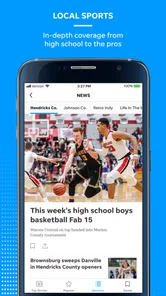
- Includes local sports coverage that may be missed by national outlets.
Cons
- Some articles or features may require a paid subscription.
- Advertising can make the reading experience feel cluttered.
- Coverage is focused locally
- with limited national news depth.
- Notification frequency may feel excessive for some readers.
- App performance and content availability can vary by device.













