Cast to TV+ Chromecast Roku TV
- 6.62K
- 4.6
- Installs
- 10.00M
- Price
- Free

Screenshots
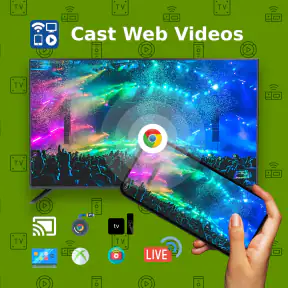
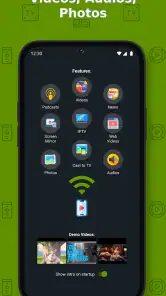
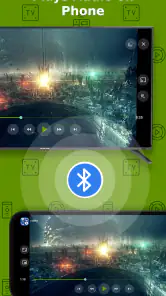
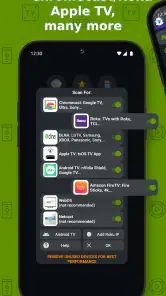
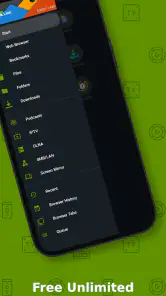
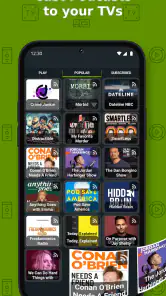
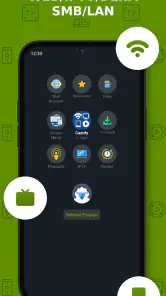
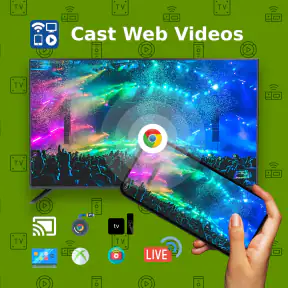
Analysis by Reviewed
I judge a casting app less by how many devices it names than by whether I can work out what to do when I’m tired, distracted, or helping someone else. That is where Cast to TV+ Chromecast Roku TV aims to help: it gives you a phone-based way to send media to a larger screen instead of relying only on each TV’s built-in apps. The idea is useful for shared viewing, but the experience still depends on the devices and network around you.
Readability and navigation in everyday use
Castify’s app sits in the video-player and editing category, though its practical role here is casting. I find the appeal straightforward: choose content on a phone, connect to a compatible screen, then use the phone to manage playback. The app is free to install, with optional in-app purchases listed from $0.99 to $4.99 per item. Its Teen content rating is worth noting if you are choosing apps for a household device.
For someone who finds a television remote hard to read or navigate, a familiar phone may be easier to handle. That advantage is not automatic, though: small text, screen glare, and a crowded room can make phone controls awkward too. I would try the basic connection at a quiet moment before relying on it for a group gathering, so there is time to identify the right TV and understand the playback controls.
Motor and sensory considerations
Phone-based controls can reduce the need to reach for a remote across the room, and playlists may be handy when repeated tapping is tiring. In a real evening scenario, I could queue a few family videos before everyone sits down, then let the screen do the showing while the phone stays nearby. The trade-off is that selecting items and managing a playlist still calls for precise interaction with the phone; casting does not remove that step.
For viewers sensitive to noise or busy visual interfaces, the benefit is mainly practical: the phone can be used to start or pause media without adding another device to the setup. I would not assume that casting itself improves captions, audio description, or other accessibility options. Those depend on the media, receiving screen, and playback path, so it is sensible to check them with the specific content you plan to watch.
Connecting Made Effortless
First things first, the ease of use. One of the standout features of Cast to TV+ Chromecast Roku TV is how incredibly easy it is to set up. I mean, even if you consider yourself a tech dinosaur, you’ll be up and running in no time. All it takes is a few taps and voila, your phone’s content is on the big screen. The app supports multiple devices, so whether you're team Chromecast or loyal to Roku, you’re covered.
Compatibility and Performance
The app is compatible with a wide range of formats, making it super versatile. From videos to music and photos, you can cast almost anything. Testing this app on my Android device, I was pleasantly surprised at how smoothly it operated. There was no noticeable lag or quality drop, which is a huge plus if you’re streaming in HD. It’s like having a personal cinema at your fingertips!
More From Our News Desk

Weather by Xiaomi Review: Clear at a Glance, Less Clear Up Close

X Under Pressure: Can It Recover When Posting Goes Wrong?

Clash of Clans Is Won Between the Battles

Android Auto Makes the Case for Quieter Car Software

MobiOffice: Transforming Mobile Productivity with Seamless Integration

EA SPORTS FC™ Mobile Soccer: Redefining Mobile Sports Gaming
In practice, the source matters. Sending a local photo or video from your phone is a different task from casting a video found in a browser, and a link that works on the phone may not behave the same way on the television. If something refuses to play, I would first check that the receiving screen is available and try another item before assuming the app itself is at fault. That quick test can help separate a connection problem from a source-specific limitation.
User Interface and Experience
Let’s talk about the user interface. It’s clean, it’s intuitive, and best of all, it's clutter-free. Navigating through the app is a breeze, ensuring that you spend more time enjoying your content rather than figuring out how to use the app. The developers clearly put a lot of thought into making the user experience as seamless as possible, and it shows.
Compared with opening a separate streaming app directly on a smart TV, this approach is more useful when the media is already on your phone or in a browser. A TV’s native app is usually the simpler choice for regular viewing of a service you already use there, since it avoids moving playback between devices. I see this app as a flexible bridge, not a reason to replace every television app or remote.
Additional Features
Besides the basics, Cast to TV+ Chromecast Roku TV offers some nifty additional features. For instance, you can create playlists, which is perfect for those binge-watching sessions. Want to adjust the volume or play/pause without getting up? The app has you covered with its in-app controls. It’s these little touches that elevate the app from being just good to great.
A playlist is especially useful when you are sharing short clips or photos: arrange what you want to show before passing the phone around, rather than interrupting each item to search again. It also makes the phone the control point, which is convenient if the remote is misplaced but less ideal if the phone battery is low or someone else needs to use it. For a long session, I would prepare the queue and keep the phone charging nearby.
Situational access: where casting earns its place
The clearest everyday use I see is showing personal media that is awkward to gather around on a small screen. Imagine returning from a family visit with a set of photos and a few short videos: I could select the items on my phone, put them on the television, and let everyone watch from their seats. That is different from browsing a streaming catalogue; the phone already holds the material, and the larger screen makes sharing more comfortable.
It can also help in a room where the television is mounted farther away than the remote is easy to reach. I can keep the phone beside me and handle basic playback without getting up each time. For someone with limited reach, that may reduce one physical inconvenience, although it does not make the whole process hands-free: choosing content, connecting, and adjusting playback still require phone interaction.
For a presentation or an informal demonstration, I would treat the app as a convenience rather than a guaranteed display system. A browser video or saved clip may be ready on the phone, but I would test the exact content and screen beforehand. If the material is important, carrying a second way to show it is sensible; a dependable fallback matters more than saving a few setup steps.
Where casting may not be the easiest route
There are still moments when I would choose another option. If everyone is watching a single service that already runs well on the television, using its TV app is often more direct. If the content is protected, the web page behaves differently on a TV, or the receiving device is not ready to connect, a phone-to-screen workflow can involve extra troubleshooting. This is also not the right fit for someone who wants to browse and play everything using only a television remote.
The app is from Castify, has been available since August 24, 2017, and has an average rating of 4.6 from around 83,000 ratings, with more than 10 million installs. Those figures suggest broad uptake, but they cannot guarantee that a particular combination of phone, network, and television will behave perfectly. I would test the exact setup you plan to use before an important presentation or family event.
It is also worth being clear about what “casting” changes and what it does not. The phone becomes a way to find and control media, while the television or receiving device remains part of the playback chain. If you prefer one consistent interface and do not want to switch between phone and TV, a native television app may feel calmer. If you want to browse from the couch, but the phone is already where you keep your videos and links, this kind of bridge can be a better fit.
Small setup choices that can prevent friction
When a cast does not start, I would avoid changing several things at once. First check that the intended television or receiver is available to select, then try a different piece of media. If that works, the issue is more likely tied to the original source than to the basic connection. This simple isolation step is useful because browser content and saved media do not always follow the same route to the screen.
For a shared session, I would make the queue before handing the phone to another person. That gives the group a smoother run of clips and reduces repeated searching, but it also means the person holding the phone controls what comes next. If several people want to contribute, agree on who is navigating or take turns between clips; otherwise, passing a single control device around can become more disruptive than using the TV’s own interface.
Another practical trade-off is privacy and attention in a shared room. A phone used as the controller remains in the user’s hands, so notifications or other interruptions can pull attention away from the viewing session. I would silence distractions if that suits the occasion and keep the device close enough to pause playback, while avoiding the assumption that the phone can be put away entirely.
Who I’d recommend it to
I’d recommend it to people who often have videos, music, or photos on a phone and want a practical way to show them on a compatible TV, especially when several people are watching together. It can also be useful when you want to control playback from your seat rather than keep reaching for a remote. Someone who mainly streams through built-in television apps, dislikes handling a phone during viewing, or needs a guaranteed accessibility workflow may be better served by a native TV app or a setup they have tested carefully.
It is a particularly reasonable option for households that switch between different kinds of media: a clip found in a browser one day, personal photos the next, rather than one service used for every evening. The benefit is not that every source becomes equally simple, but that one phone can serve as a starting point for varied viewing. If your routine is narrower and already works smoothly on the television, adding a casting step may not improve it.
For users who rely on specific visual or audio supports, I would test those supports in the complete setup rather than judging them from the phone alone. Check whether the chosen content offers what you need and whether those settings remain available during playback on the receiving screen. If the experience changes when you cast, choosing a direct TV app or another established route may be the more dependable decision.
One useful habit is to try a short, nonessential clip first: confirm that the screen appears, playback starts, and the phone controls respond as expected. Then build a playlist for the actual viewing session if that suits the content. This small rehearsal is more reliable than discovering a source or connection snag when guests are already waiting.
An inclusive verdict for real households
Cast to TV+ Chromecast Roku TV is most convincing when it removes a specific barrier: the media is on a phone, the television is the better place to view it, and the person watching is comfortable using the phone as a controller. It can make sharing easier and reduce reaching for a remote, but those gains depend on the user, content, screen, and setup. I would not describe the workflow as universally accessible; I would describe it as a useful option that some people may find easier in particular situations.
Castify’s app is free to install, with optional purchases in the $0.99 to $4.99 range, and its 4.6 average comes from around 83,000 ratings. Its 10 million-plus installs show that many people have tried it, but popularity is not a substitute for checking your own TV and media. For a first attempt, test a short clip, confirm the controls make sense, and decide whether the phone-based workflow genuinely helps you.
In conclusion, Cast to TV+ Chromecast Roku TV is a useful choice when you want to bring phone-based media to a larger screen and keep playback controls close at hand. I would recommend it for sharing personal clips and switching between sources, not as a replacement for every smart-TV app or as a promise that every setup will work without effort. If a phone is already your natural place to find content, give it a careful try; if you prefer a remote-only routine or depend on a particular accessibility feature, test that exact path before relying on it.
Cast to TV+ Chromecast Roku TV Frequently Asked Questions
What devices and network setup should I have ready before using Cast to TV+ Chromecast Roku TV?
Before downloading, consider whether you have a TV or streaming device that supports casting, such as Chromecast, Roku, or a DLNA-enabled device. A reliable Wi-Fi connection is also important for sending media from your phone to the TV. Having your phone and TV connected to the same network is a useful first check if you want to try casting soon after installation.
Can I use Cast to TV+ Chromecast Roku TV for IPTV as well as videos?
Yes. Cast to TV+ Chromecast Roku TV is described as supporting IPTV casting, alongside videos from a web browser and media sent to Roku, Chromecast, DLNA, and smart TVs. Whether a particular IPTV stream plays as expected can depend on the stream itself and the receiving device, so it is sensible to test the content you plan to watch.
Who develops Cast to TV+ Chromecast Roku TV, and what kind of app is it?
Cast to TV+ Chromecast Roku TV is developed by Castify and belongs to the video player and editor category. Its central purpose is casting media to a larger screen, including web videos and IPTV. The app has been available since August 24, 2017, and its broad casting focus may appeal to people who want to watch phone-accessible content on a compatible TV.
Is Cast to TV+ Chromecast Roku TV free to download, and are there optional purchases?
Cast to TV+ Chromecast Roku TV is free to download, so you can try its casting features without paying upfront. The app also offers in-app purchases, with items ranging from $0.99 to $4.99. Check the purchase details in the app before confirming anything, especially if you plan to use it regularly or share the device with someone else.
What should I check before casting a video from a website?
The app’s description highlights casting videos from a web browser as well as IPTV and other media to supported TVs and devices. Before relying on a particular website, open it in the app’s browser and see whether the video can be selected and played on your TV. Results may depend on how the site delivers its content and whether your casting device can handle it.
Pros
- Easy setup with most smart TVs
- Supports multiple video formats
- Streams in high resolution
- Compatible with Roku and Chromecast
- User-friendly interface
Cons
- Requires stable Wi-Fi connection
- Ads in free version
- Limited features without premium
- Occasional streaming lag
- Not compatible with all TV models
- Category
- Video Players & Editors
- Version
- Varies with device











