

Cash Advance – Quick Borrow
- 30.00
- 4.8
- Installs
- 10.00K
- Price
- Free

Screenshots

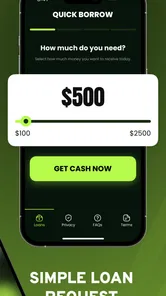
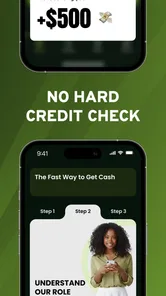
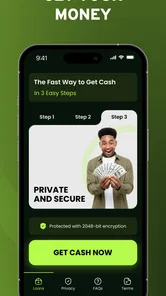

Analysis by Reviewed
Borrowing money through a phone can look simple until a request pauses, an offer does not appear, or the information you entered needs another look. Cash Advance – Quick Borrow is a free finance app from TIMECORE Studio that focuses on connecting users with cash advance and personal loan offers. I approached it as a practical tool rather than a promise of instant approval, and that distinction matters: the app can make the request process more convenient, but the result still depends on the details you provide and the offer available to you.
My first impression is that this is aimed at people who want to begin a borrowing request online without visiting a branch. The store summary presents it as a way to seek quick cash, while the short description reduces the idea to “Cash Advance.” That makes the app easy to understand, but it also means users should go in with realistic expectations. It is best viewed as a starting point for reviewing possible borrowing options, not as a guaranteed source of money.
Where the borrowing process can become difficult
The most likely friction point is not opening the app; it is completing a request carefully enough for the process to move forward. Financial applications depend heavily on accurate personal and financial information. A small typing mistake, an incomplete field, or a mismatch between the information entered and the information used elsewhere can create delays or prevent an offer from appearing.
I would therefore avoid rushing through the form simply because the app is designed for a quick online request. “Quick” describes the convenience of starting digitally, not necessarily the time needed to receive funds or the certainty of receiving an offer. Before beginning, I would have the information normally needed for a financial request close at hand and make sure names, contact details, and employment or income information are entered consistently.
Another point that can catch people off guard is the difference between requesting an offer and accepting a loan. The app’s purpose is to present cash advance and personal loan possibilities, but an offer still needs to be read carefully. The amount, repayment schedule, total cost, and any conditions should be checked before agreeing to anything. A fast application is not automatically a cheap borrowing option.
The app has a 4.8 average from around 920 ratings, with more than 10 thousand installs. Those figures suggest that many people have found the experience useful, but they should not be treated as a prediction of my own result or of yours. A high user score can reflect ease of access and a smooth interface while saying less about whether a particular applicant receives suitable terms.
I also noticed an important practical trade-off in the app’s broad purpose. Cash advances and personal loans can serve different needs. A small short-term gap is not the same as a larger expense that requires structured repayment. If I only needed help covering an urgent bill until my next income arrives, I would compare the repayment burden very carefully. For a longer financial problem, I would look at a conventional lender, credit union, or a budgeting solution before relying on a short-term product.
More From Our News Desk

 Gmail
GmailGmail in a Busy Inbox: Who Benefits Most?
From first account to crowded workday, Gmail earns its place through dependable search and flexible sorting—but its best fit depends on how much inbox maintenance you can tolerate.

 Prime Video
Switching to Prime Video: What Changes in Your Viewing Routine
Prime Video can make a compelling second home for streaming, but switching means learning a different catalog, rental layer, and route from browsing to playback.

 Universal TV Remote Control
Universal TV Remote Control Works Best as a Reliable Backup
A phone remote earns its place through quick setup and reliable habits. Here is how to get more from Universal TV Remote Control—and where its limits show.

 Weather - By Xiaomi
Weather by Xiaomi Review: Clear at a Glance, Less Clear Up Close
Xiaomi’s weather app makes everyday forecasts quick to scan, but its calm surface can leave useful details and recovery paths harder to find than they should be.

 X
XX Under Pressure: Can It Recover When Posting Goes Wrong?
A resilience-focused review of X, examining setup, mistaken posts, interruptions, weak connections, and the gaps that matter when recovery needs to be dependable.

 Clash of Clans
Clash of Clans Is Won Between the Battles
Its raids are quick; its community is a long-term project of coordination, teaching, rivalry, and shared responsibility—with all the friction that entails.
Latest News



What I would check before starting
I would begin by confirming that the phone meets the app’s basic software requirement. Cash Advance – Quick Borrow supports Android 7.0 and newer, so an older device may be the first reason the installation or operation does not go smoothly. The current version is 1.0.7, and keeping the installed copy current is a sensible first step when a request screen behaves unexpectedly.
Next, I would use a stable connection and avoid switching between mobile data and Wi-Fi halfway through a request. A connection change can interrupt a page or leave a user unsure whether a submission went through. If the screen appears to stall, I would wait before tapping the submit control repeatedly. Multiple attempts can make it harder to know which request was actually sent.
Because this is a finance app, I would also slow down around every review screen. I would check spelling, phone numbers, email details, income figures, and the purpose of the request before continuing. This is one of the less obvious ways to reduce friction: the fastest route is usually a complete and consistent application, not the quickest possible tapping.
The application is free to install, which removes an upfront app purchase from the decision. That does not mean borrowing itself is free. The cost of any advance or loan comes from the terms of the offer, so I would separate the price of using the app from the financial cost of accepting an offer. That distinction is easy to miss when a finance app is advertised as free.
The content rating is Everyone, which makes the app broadly accessible from an age-rating perspective. In practice, borrowing decisions still require adult judgment. I would not hand the process to a child or let someone else complete it on my behalf, especially when personal and financial details are involved.
A safer way to move through a request
My preferred workflow would be to decide the maximum amount I can realistically repay before opening the request. I would not start with the amount the app might offer. I would start with my own budget, then compare any available option against that limit. This reverses the tempting but risky habit of allowing an available offer to define what I borrow.
After entering the details, I would read the offer as a complete package rather than focusing only on the amount deposited. The repayment frequency, total repayment, due dates, and consequences of missing a payment matter just as much as the initial cash. If those details are not clear on the screen, I would stop and seek clarification instead of accepting under pressure.
A useful personal safeguard is to take a note of the request stage before leaving the app. I would record whether I had only started the form, submitted information, viewed an offer, or accepted terms. That simple habit helps prevent duplicate submissions and makes it easier to resume the process without guessing. I would never assume that closing the app means the request was cancelled.
If the app returns to an earlier page, I would first check whether the information was retained and whether the submission status changed. I would avoid entering sensitive details again immediately. Instead, I would close and reopen the app once, confirm the connection, and look for the same request state. Repeating the entire process without checking can create confusion, particularly when the first attempt may already have been received.
When a page refuses to load, the basic recovery steps are straightforward: confirm the internet connection, restart the app, and check whether the device has enough free storage and current system support. I would also make sure I am using the latest available app version rather than an outdated installation. These steps do not guarantee that a financial request will succeed, but they separate ordinary technical trouble from an eligibility or offer issue.
When the problem may not be the app
A missing offer does not necessarily mean Cash Advance – Quick Borrow is broken. Financial requests can depend on information review, eligibility checks, or the availability of a suitable offer. If the process completes but no option is shown, I would not keep submitting the same request in the hope that repetition changes the result. I would review the entered details and consider whether another borrowing route is more appropriate.
The same applies to delays. An app can make the request digital without controlling every stage that follows. A user expecting money immediately may feel that the application has failed, when the real issue is that a request still needs review or that the selected option follows a different timeline. I would treat any wording about speed as convenience for applying, not as a promise about approval or delivery.
There is also a difference between an app problem and a device problem. If other apps are losing connection, the phone is low on storage, or the operating system is outdated, changing finance apps may not solve anything. I would test the connection with another trusted service, restart the phone, and try again later rather than repeatedly pressing buttons inside the request flow.
Privacy and security deserve equal attention. I would install the application only through a legitimate app distribution channel, keep the phone protected with a screen lock, and avoid completing a borrowing request on a shared or public device. I would never send personal information to someone claiming to represent the app through an unexpected message. The convenience of a mobile request is useful only when the surrounding habits are careful.
For users comparing alternatives, the usual choices have different strengths. A bank or credit union may take longer to approach but can be better for an established relationship and clearer long-term borrowing options. A credit card may be more flexible for a planned purchase, though its own cost and repayment risks need attention. A budgeting app does not provide cash, but it may be the better answer when the real problem is recurring overspending rather than a one-time emergency.
Cash Advance – Quick Borrow makes the most sense when I need a convenient place to begin comparing a short-term advance or personal loan possibility and I am prepared to inspect the terms myself. It is less suitable when I need guaranteed funds by a specific hour, when I cannot comfortably repay the amount, or when I am looking for detailed financial planning rather than a borrowing request.
A realistic everyday situation
Imagine that an unexpected household bill arrives just before payday. I would open the app only after checking my available balance, the date of my next income, and the amount I could repay without creating another shortfall. I would complete the request once, review any offer in full, and compare the total repayment with alternatives such as asking the provider for more time or using an existing lower-cost option.
If the app did not show an offer, I would not interpret that as a reason to borrow more elsewhere immediately. I would first verify the entered information and check whether the request was actually submitted. If an offer appeared but the repayment would leave too little for rent, food, or transport, I would decline it. In that situation, the app has still helped reveal that the proposed borrowing does not fit my budget, even though it did not solve the bill.
This is where the app’s convenience needs to be balanced with discipline. A simple request flow can make borrowing feel less serious than it is. I would use the app as a comparison and decision point, not as an automatic emergency button. Writing down the repayment date beside the bill it is meant to cover would also help me avoid forgetting the obligation once the immediate pressure had passed.
Who should use it and who should skip it
I think the app is a reasonable fit for an Android user who wants to explore online cash advance or personal loan offers, prefers a mobile-first process, and is willing to read financial terms closely. The free installation and broad age rating make it easy to try, while the current release from TIMECORE Studio gives users a straightforward way to begin on a supported device.
I would recommend caution for anyone who is already juggling several repayments. A new advance may relieve today’s pressure while making the next pay cycle harder. I would also skip it if I could not explain exactly how and when I would repay the amount. That is not a criticism of the app specifically; it is a sign that borrowing is not the right solution for the situation.
It is also not my first choice for someone seeking a long-term personal finance tool. The app is centered on requesting borrowing options, not on replacing a full budget, debt-management plan, or financial adviser. Users who want spending categories, savings goals, or detailed repayment tracking should look for a dedicated tool instead of expecting this app to cover those needs.
My practical verdict after using the workflow
Cash Advance – Quick Borrow is a focused finance app for starting an online request for cash advance and personal loan offers. I like that the purpose is immediately clear and that the app is free to install. Its strongest practical value is convenience: I can begin the process from my phone and organize my information before deciding whether any available option is sensible.
Its main weakness is also tied to that convenience. A quick request can encourage rushed decisions, and the app cannot remove the need to verify details, understand repayment, or judge affordability. Technical recovery is fairly simple—check the connection, restart, update, and avoid duplicate submissions—but no troubleshooting step can create an offer or make unsuitable terms worthwhile.
The app was released on February 27, 2026, and its 4.8 average from around 920 ratings gives it a positive early reception. I would treat that as encouragement to explore the interface, not as a guarantee of approval or favorable borrowing. My recommendation is conditional: use it when you need a convenient starting point and have a clear repayment plan, but compare the result with your bank, credit union, existing credit, or a non-borrowing alternative.
My bottom line: Cash Advance – Quick Borrow can be useful for carefully comparing a borrowing possibility, but the responsible decision happens after the request screen. If the repayment fits your budget and the terms are clear, the app may save time. If the offer creates a new financial gap, the best outcome is to walk away.
Cash Advance – Quick Borrow Frequently Asked Questions
What should I know about the app and its availability before installing it?
Cash Advance – Quick Borrow is a free finance app from TIMECORE Studio, with a store age rating of Everyone. It is available for Android devices running version 7.0 or later, and its current version is 1.0.7. The app is intended for people seeking cash advance or personal loan offers, but downloading it does not guarantee that you will qualify for an offer or receive funds.
Does downloading the app guarantee that I will receive a cash advance?
No. Installing Cash Advance – Quick Borrow lets you make an online request for cash advance or personal loan offers, but an offer and its terms depend on your application and eligibility. Review the details presented to you before accepting anything, including repayment obligations and any applicable costs. Treat the app as a way to request offers, not as a promise of approval or immediate access to money.
What is Cash Advance – Quick Borrow, and how does it work?
Cash Advance – Quick Borrow is a financial app designed to help eligible users request short-term cash advances through a mobile device. After creating an account, you typically provide personal and financial information, choose an available advance amount, and review the repayment terms before submitting a request. Approval, funding speed, and available features may vary depending on your location, eligibility, and the app’s lending partners.
How much money can I borrow with Cash Advance – Quick Borrow?
The amount available through Cash Advance – Quick Borrow depends on several factors, including your application details, income information, repayment history, location, and the provider’s eligibility requirements. New users may receive a lower limit initially, while responsible repayment could affect future offers. Before accepting any advance, carefully check the total repayment amount, fees, due date, and whether the displayed offer is a loan or another type of financial product.
Are there fees, interest, or other costs involved?
Cash Advance – Quick Borrow may involve fees, interest, subscription charges, expedited-funding costs, or other expenses depending on the offer and your location. The exact cost should be shown in the application before you agree to receive funds. Read the complete disclosure carefully rather than relying only on the advertised advance amount. If the repayment total is unclear, contact support or avoid accepting the offer until you understand every charge.
Pros
- Fast application process with minimal paperwork
- Clear repayment schedule shown before accepting an advance
- Useful for covering unexpected short-term expenses
- Simple interface that is easy for first-time borrowers
- Loan options can be reviewed from a single dashboard
Cons
- Approval and loan availability may vary by location
- Fees and interest can make borrowing expensive
- Late payments may lead to additional charges
- Requires access to personal and financial information
- Not suitable as a long-term solution for recurring expenses











