Cartoon Network App
- 50.85K
- 3.4
- Installs
- 10.00M
- Price
- Free

Screenshots
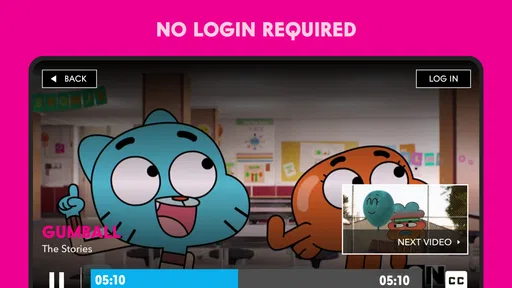
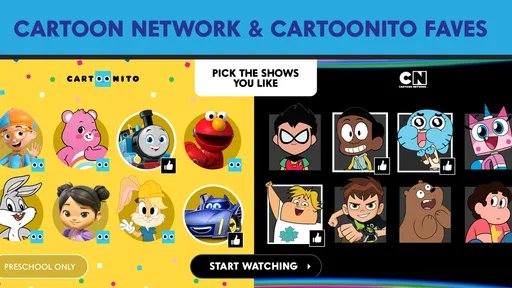
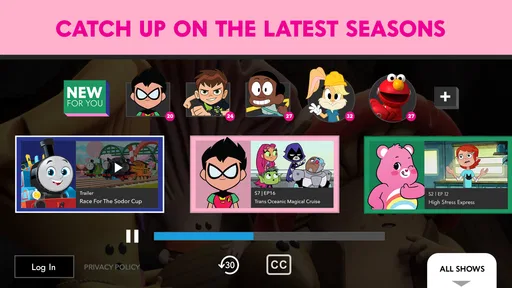
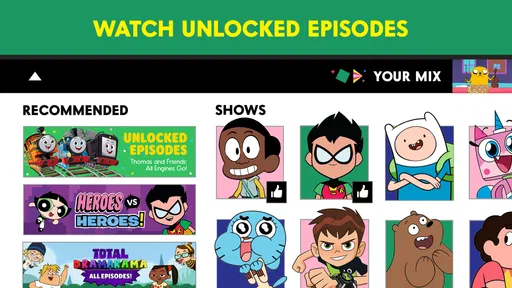
Analysis by Reviewed
I’d treat Cartoon Network as a focused viewing app, not a place to make or edit creative projects. When I want a quick episode from familiar animated shows, that narrow purpose is its strength: I can open it for a specific kind of entertainment rather than sort through a general video service. The trade-off is that it is useful only if Cartoon Network’s programming is what I’m looking for.
A practical fit for short breaks and family routines
For a parent, one workable routine is to choose an episode before a meal or a quiet stretch of travel, then hand over the device with a clear idea of what is on. That is more predictable than letting a child browse a broad video platform, where unrelated recommendations can pull them elsewhere. I would still check the app’s settings and content personally rather than assume any app replaces parental judgement.
The age guidance is Everyone 10+, so I would keep the intended viewer’s age and sensitivities in mind. It may suit a household with older children who already enjoy the channel’s style, while families seeking preschool-only programming may prefer a more narrowly age-targeted option. The app is free, which makes trying it low-commitment, but availability of particular viewing options can depend on access arrangements.
What to expect from a viewing-first app
Compared with broad video players, this one is about finding Cartoon Network material rather than managing a personal video collection or editing clips. That focus can save time when a child already knows what they want to watch. It is less compelling if you want one place for many studios, live television, or a general-purpose player for your own files.
I would also plan around the viewing situation. A stable connection is the safest assumption when starting an episode away from home, and I would test any offline option before a trip instead of relying on it at the last minute. For shared devices, checking that the right profile or viewing area is open before handing the phone over can prevent a child from landing somewhere unexpected.
Features Galore
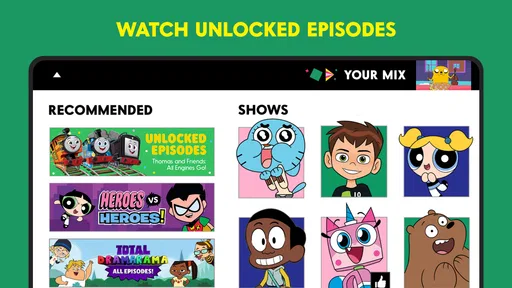
One of the coolest things about the Cartoon Network App is its extensive library of shows. You’re looking at full episodes, clips, and even some sneaky little behind-the-scenes content. What’s more, if you have a cable subscription, you can unlock even more goodies. It’s like having the keys to the kingdom!
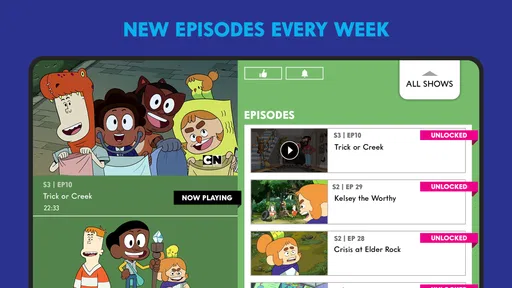
Now, let’s talk navigation. The app is super intuitive. With a colorful, cartoon-styled interface, it’s not just easy on the eyes but also easy to use. Switch between different shows, browse episodes, and even set reminders for upcoming shows with just a few taps. It’s as straightforward as pie, or should I say, as straightforward as pressing play on your favorite cartoon.
More From Our News Desk

 Gmail
Gmail in a Busy Inbox: Who Benefits Most?
From first account to crowded workday, Gmail earns its place through dependable search and flexible sorting—but its best fit depends on how much inbox maintenance you can tolerate.

 Prime Video
Switching to Prime Video: What Changes in Your Viewing Routine
Prime Video can make a compelling second home for streaming, but switching means learning a different catalog, rental layer, and route from browsing to playback.

 Universal TV Remote Control
 Works Best as a Reliable Backup
A phone remote earns its place through quick setup and reliable habits. Here is how to get more from Universal TV Remote Control—and where its limits show.

 Weather - By Xiaomi
Weather by Xiaomi Review: Clear at a Glance, Less Clear Up Close
Xiaomi’s weather app makes everyday forecasts quick to scan, but its calm surface can leave useful details and recovery paths harder to find than they should be.

 X
X Under Pressure: Can It Recover When Posting Goes Wrong?
A resilience-focused review of X, examining setup, mistaken posts, interruptions, weak connections, and the gaps that matter when recovery needs to be dependable.

 Clash of Clans
 Is Won Between the Battles
Its raids are quick; its community is a long-term project of coordination, teaching, rivalry, and shared responsibility—with all the friction that entails.
Latest News



Kid-Friendly and Parent-Approved
For parents, the app offers a peace of mind with its kid-friendly content. The Cartoon Network App ensures that all content is suitable for children, and it even includes parental control settings so you can keep an eye on what your little ones are watching. It’s like having a virtual babysitter who’s always alert and never takes a day off!
Plus, the app’s offline viewing capabilities mean you can download episodes for those long car rides or flights. No more “Are we there yet?” as the kids will be too busy with their favorite shows. It’s a lifesaver, trust me.
Personal Touches
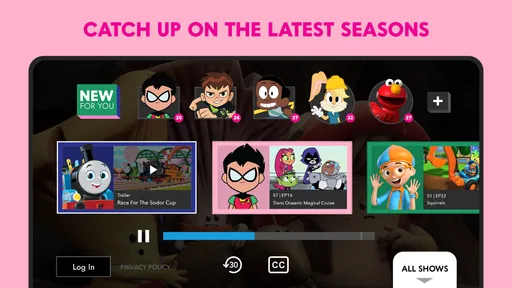
What really sets this app apart is its personalization options. Users can create a watchlist, ensuring they never miss an episode of their favorite shows. Additionally, the app remembers where you left off, so you can jump right back into the action without missing a beat. It’s like the app really gets you!
Also, there are interactive games and activities sprinkled throughout the app. It’s a delightful surprise when you stumble upon a new game featuring your favorite characters. It keeps things fresh and adds a layer of interactivity that’s just plain fun.
Making the most of a session
I find a little preparation helps more than browsing in a hurry. If you already have a show in mind, use the show pages and episode browsing to choose a stopping point before a child starts watching. For a short wait, a clip may be a better fit than starting a full episode; for a longer break, an episode gives the session a natural endpoint. This is a small but useful way to make viewing feel deliberate rather than open-ended.
The app is published by Cartoon Network and sits in the video-player and editing category, although its practical role here is watching the network’s entertainment rather than editing video. It has an average rating of 3.5 from around 135,000 ratings, with more than 10 million installs. Those figures suggest a familiar, widely used option, but they are not a guarantee that every household will find the same content or experience equally satisfying.
Where it fits among alternatives
If the main goal is Cartoon Network episodes, a dedicated app can be more direct than searching a general streaming catalog. If the goal is a broad mix of children’s programming from different providers, a larger streaming service may be a better fit. And if you want to trim, caption, or publish your own videos, choose an actual editing app: this is a viewing destination, not a creative-production workflow.
That distinction matters for expectations. I would not open it expecting a place to upload family videos, build a project, or export finished work. Its handoff is simply getting a selected show ready for someone to watch. For a shared tablet, I’d decide in advance whether the session should be a particular episode or a quick browse, and keep the device’s volume and connection in mind so the viewing experience is comfortable in a waiting room or on a trip.
Who I’d recommend it to
I’d recommend it to viewers who already enjoy Cartoon Network shows and want a dedicated way to watch them, especially families who value familiar characters and a simple choice of what to put on. The minimum operating-system requirement is version 6.0, so it is worth checking an older device before planning around the app. It is free to install, while some access can depend on a cable subscription, so I would not assume every episode is available to every viewer without checking what appears in the app.
I’d skip it if you rarely watch Cartoon Network, need a wide selection from multiple channels, or want a tool for editing and sharing original video. In those cases, another streaming service or a dedicated editor better matches the task. For anyone who does want this particular library, the focused experience is the point: fewer reasons to browse elsewhere, but also less variety than a general-purpose service.
A realistic way to use it at home
Imagine a child has finished dinner early while the rest of the family is still at the table. I’d open the app first, choose an episode that fits the time available, and then let them watch on a shared tablet nearby. That small bit of adult setup matters: it avoids handing over an open-ended browsing session and makes it easier to stop when the meal is ready to clear. For a child who is old enough to navigate independently, I’d still agree on a show or a stopping point beforehand.
For travel, I would treat offline playback as something to verify on the actual device and episode before leaving, rather than assume that every title can be saved. If that plan does not work, a downloaded episode from a service you already use may be the more dependable choice. The practical lesson is to make the decision while you have a connection and time to troubleshoot, not when everyone is already waiting in the car.
Small choices that improve the handoff
When several people share one device, a watchlist can help an adult collect likely choices before a child starts browsing. I’d keep it short and age-appropriate, then let the child pick from that smaller set. This uses the app’s personalization for a household routine rather than treating a watchlist as a complicated library-management task. It also reduces the chance that a quick viewing break turns into a long search for something suitable.
Reminders are most useful if the family follows scheduled programming; they are less valuable if everyone watches only when convenient. I would avoid turning them on just because the option is available. A few relevant reminders can help someone keep track, while too many notifications become noise and make the app feel more demanding than it needs to be.
How I’d judge the content and controls
Parents may wonder whether the age label means every title will suit every child. I would read it as a broad guide, not a personal guarantee. Children differ in what they find funny, intense, or unsettling, so I’d preview unfamiliar shows and check the available controls before leaving the device with a younger viewer. The app can make familiar programming easier to reach, but a parent still has to decide what is a good fit for their household.
Likewise, a child-friendly presentation does not automatically make every route through an app equally simple. I’d show a child how to return to the chosen show and how to stop playback, then keep the device within earshot during the first few sessions. That is a practical way to see whether the navigation works for them without assuming that a colorful interface alone answers every supervision concern.
Where the focused catalog helps—and where it doesn’t
Dedicated network apps and broad streaming services solve different problems. This app makes more sense when the viewer has a particular Cartoon Network show in mind; a multi-provider service is usually a better starting point when the request is simply “find something for kids.” A general video player is better still for personal files, while an editor is the right tool for cutting together clips, adding titles, and preparing a finished video. I would not choose between them by judging which has the most features, but by matching the app to the task.
That focus also means the app may not be the best choice for a family whose viewing habits change from day to day. If one person wants cartoons, another wants films, and a third wants content from different channels, switching between services may be unavoidable. For a Cartoon Network fan, though, a dedicated place can remove the extra step of searching a large catalog and make a familiar pick easier to find.
What to check before settling into a routine
The app is free, but free installation does not necessarily mean every viewing option is available without another form of access; some content may be tied to a cable subscription. I’d open the app and check which episodes are actually available to the household before promising a particular show for a long journey. That is especially useful when a child is attached to one series and would be disappointed if the episode they expect is locked.
It was released on May 16, 2011, and its minimum operating-system requirement is version 6.0. On an older device, I’d check compatibility and try playback before relying on it as the only entertainment option for a trip. Its average rating is 3.5, which feels like a reason to approach it with sensible expectations rather than a verdict on whether it will work for a specific viewer. The developer is Cartoon Network, and the app is aimed at viewers aged Everyone 10+.
Who should look elsewhere
I would steer away from this app if the goal is to create a video, organize a personal media archive, or send an edited project to someone else. Its role is watching network programming, so it does not replace a mobile video editor or a cloud library. Creators who need a dependable brief-to-export workflow should choose a tool built around importing footage, revising a timeline, and delivering a file; using a viewing app for that would be a category mistake.
It may also be a poor match for very young children who need a tightly preschool-focused catalog, or for viewers who want broad access to several studios in one subscription. In those situations, a service organized around age-specific selections or a wider streaming catalog can be more convenient. The best reason to install this one is specific interest in Cartoon Network, not a general need for children’s entertainment.
In conclusion, the Cartoon Network App is more than just an app; it’s an entertainment hub for kids and the young-at-heart. Whether you’re reliving the nostalgic days of your favorite cartoons or introducing a new generation to the colorful world of animation, this app has you covered. It’s a must-have for anyone who loves cartoons. So go ahead, download it, and let yourself be swept away into the animated universe of Cartoon Network.
Cartoon Network App Frequently Asked Questions
Does Cartoon Network App stream full episodes?
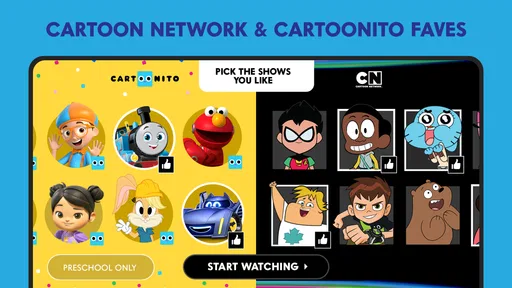
Yes. Cartoon Network App is for watching full episodes of Cartoon Network and Cartoonito shows, making it a straightforward choice for viewers who want these programs on a mobile device. The app is focused on video rather than general-purpose entertainment tools. What you can watch may depend on the show and the viewing options available in the app.
Is Cartoon Network App suitable for children?
Cartoon Network App is aimed at fans of animated shows, and its content rating is Everyone 10+. That rating can help families decide whether the app suits a particular child, but it is still worth checking the shows together and using family device settings where appropriate. The app is free to download, so families can explore its offering before deciding how it fits their viewing routine.
What devices and operating systems can run Cartoon Network App?
Cartoon Network App is available for Android and iOS devices, including compatible phones and tablets. Android users need version 6.0 or later to install it. Before downloading, check that your device meets the operating system requirement and has enough room for the app. Once installed, you can browse and stream its video content on a supported device.
What content is available on the Cartoon Network App?
The Cartoon Network App offers a vast library of content including full episodes, clips, and exclusive shorts from popular Cartoon Network shows such as "Adventure Time," "The Amazing World of Gumball," and "Teen Titans Go!". Users can also access live TV through the app with their cable provider login, providing a comprehensive entertainment experience for fans.
Is the Cartoon Network App free to use?
The Cartoon Network App is free to download and offers a selection of content at no cost. However, to unlock all episodes and live TV features, users typically need to log in with their cable provider credentials. Some content may require in-app purchases or subscriptions for full access, so it's important to check the details upon downloading.
Pros
- Free access to popular Cartoon Network shows.
- User-friendly interface for easy navigation.
- Available on both Android and iOS platforms.
- Provides offline viewing for downloaded content.
- Parental controls for safe viewing experience.
Cons
- Limited content without a cable subscription.
- Ads may interrupt viewing experience.
- Not all shows are available for offline viewing.
- Requires a stable internet connection for streaming.
- Some content may not be suitable for younger kids.