Cape Cod Times, Hyannis, Mass.
- 64.00
- 3.4
- Installs
- 10.00K
- Price
- Free

Screenshots






Analysis by Reviewed
The first time I opened Cape Cod Times, I understood its appeal quickly: it puts a regional newspaper experience on a phone without asking me to build a complicated news routine. The app belongs to the News & Magazines category, comes from USA TODAY Co., and focuses on coverage connected with Cape Cod while also bringing in broader reporting, photography, and video. That mix makes it more useful than a single-topic local bulletin, but its real test is whether it remains worth checking after the first burst of curiosity fades.
I approached it as an everyday reader rather than someone looking for a one-off headline. I wanted to know whether it could help me keep up with local events, provide enough wider context to justify opening it regularly, and stay manageable when my attention was limited. My overall impression is that Cape Cod Times works best as a local-news habit for people with a direct connection to the area. It is less convincing as a universal news replacement, especially if I already have a preferred national news app.
From an easy first look to a more deliberate news habit
The first-week appeal comes from relevance. National news apps can be polished and busy, but they often leave a reader knowing a great deal about distant events while missing what is happening nearby. A Cape Cod-focused publication serves a different purpose. If I live in the region, work there, visit often, or have family there, local reporting can answer questions that large general-interest services usually cannot.
That local focus also changes how I read. Instead of opening the app only when a major story is trending, I can use it to scan the area around me: community developments, local decisions, regional concerns, and stories whose importance may be obvious to residents before they attract wider attention. The value is not simply that the stories are “local.” It is that local reporting gives ordinary events a level of context that a national feed rarely has room to provide.
The broader material helps prevent the experience from feeling too narrow. The app combines regional coverage with national news, so I do not have to leave immediately whenever I want a wider view. In practice, that makes it a convenient first stop in the morning. I can check what matters close to home and then decide whether I need another source for deeper national or international coverage.
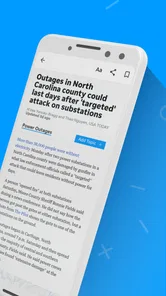
The visual side is another reason the app can make a strong first impression. Photography and video give the publication more texture than a stream of plain headlines. A well-chosen image can help me understand the setting of a story before I read it, while video can be more useful for events where seeing the scene matters. I would not install the app solely for visual presentation, but these elements make a short reading session feel less flat.
One practical habit I found useful was separating “quick check” reading from “sit-down” reading. During a busy morning, I can scan headlines and save the more relevant subjects mentally for later. When I have more time, I can return to the stories that affect my town or interests. This approach matters because a local newspaper app is not necessarily designed to replace every other source; it works better when I give it a clear role in my routine.
More From Our News Desk

Weather by Xiaomi Review: Clear at a Glance, Less Clear Up Close

X Under Pressure: Can It Recover When Posting Goes Wrong?

Clash of Clans Is Won Between the Battles

Android Auto Makes the Case for Quieter Car Software

MobiOffice: Transforming Mobile Productivity with Seamless Integration

EA SPORTS FC™ Mobile Soccer: Redefining Mobile Sports Gaming
For someone deciding whether to try it, the commitment is low. It is free to install, intended for Everyone, and supports devices running Android 8.0 or later. The app has been available since July 9, 2015, and its current version is 8.10.3. Those details make it approachable for a broad range of Android users, although the presence of optional purchases means “free” should not be confused with every part of the reading experience being cost-free.
The store shows an average rating of 3.4 from around 138 ratings, with about 64 written reviews. I read that as a sign to keep expectations realistic rather than as a reason to dismiss the app. A middling score often reflects the friction people encounter around news apps: loading, presentation, account or subscription decisions, notifications, and whether the content matches their location. The rating suggests that the app will not feel perfect to everyone, so I would test it against my own reading needs before making it central to my day.
A realistic weekday use case
Imagine that I live in Hyannis and have ten minutes before work. I open the app, scan the local headlines, and choose one story connected to the community rather than jumping straight into a national breaking-news cycle. Later, I return to a video or photo-led report when I have a longer pause. That pattern gives the app a practical job: it helps me stay oriented locally without requiring a long reading session every time.
The same workflow can help someone who no longer lives on Cape Cod but still has family, property, or regular travel there. In that case, I would not expect the app to replace the news service I use for my current city. Instead, I would treat it as a regional window that I open at selected times. That distinction is important because it prevents disappointment. The app has a clear geographic identity, and its usefulness rises sharply when that identity matches my life.
What remains valuable after the novelty wears off
Month-to-month value depends on whether local reporting continues to answer questions I actually have. The novelty of installing a regional news app disappears quickly. After that, I need recurring reasons to return: developments in my community, stories that affect daily plans, visual coverage of local events, and enough national material to make the app convenient rather than isolated.
For me, the strongest long-term case is routine awareness. Local news is often most useful before I realize I need it. A change in a community issue, a regional event, or a developing story can affect plans even when it is not part of my usual search history. By checking the app at a consistent time, I can reduce the chance of learning about important local developments only through social media fragments or conversations with friends.
That does not mean I would trust one app as my entire information diet. The national section is useful for continuity, but readers who want extensive international reporting, specialized business coverage, or highly customizable topic feeds may prefer a large general news platform. Those alternatives usually offer a wider range of sources and stronger personalization. The trade-off is that they can be less satisfying for local detail. I see Cape Cod Times as complementary rather than competitive with every national service.
Its photography and video can also support repeat visits, but they are not automatically a reason to open the app every day. Visual content is most valuable when it adds evidence, atmosphere, or a clearer sense of place. If I am only looking for a fast headline list, the extra presentation may feel unnecessary. If I want to understand an event or see how a story connects to the local setting, it becomes more worthwhile.
A useful long-term technique is to decide what “enough news” means before opening the app. I can read two or three relevant items and leave, rather than allowing the feed to turn into an endless scroll. This protects the app’s value because it keeps local awareness from becoming background noise. The best recurring use is not necessarily the longest session; it is the one that gives me meaningful context and lets me move on with my day.
The optional purchase range, from $19.99 to $69.99 per item, is another factor in the month-to-month decision. I would examine the purchase screen carefully before committing, especially if I only want occasional local updates. A reader who depends on the publication and wants a more complete experience may view that cost differently from a visitor or former resident who checks in only now and then. The important point is to match the payment decision to actual reading frequency rather than to the excitement of a new installation.
Who gets the most lasting value
I would recommend it most readily to Cape Cod residents, people in Hyannis and nearby communities, seasonal visitors, and anyone who needs a continuing connection to the area. It can also suit relatives who want a straightforward way to follow local developments without searching the web repeatedly. For these readers, the app’s regional identity is not a limitation; it is the reason to keep it installed.
I would be more cautious with someone who wants one app to cover every city, every subject, and every perspective in equal depth. A large national aggregator may be better for that purpose. I would also hesitate to recommend making this the only source for urgent or highly consequential information. A responsible reading routine should compare important claims with additional reputable sources, particularly when a story could affect health, safety, travel, or finances.
Maintenance, friction, and the reasons readers may tire of it
The maintenance burden is fairly simple but still real. News apps depend on a habit, and habits need boundaries. If I allow notifications or headline checking to interrupt the whole day, the app can become tiring even when the journalism is useful. I would keep alerts limited to the level of urgency I genuinely want and use scheduled check-ins for ordinary reading. That makes the app serve my routine instead of controlling it.
Another maintenance task is deciding whether the app still matches my location and interests. A person who moves away from Cape Cod may find that the regional focus gradually becomes less relevant. The same can happen to a seasonal visitor after a trip ends. Rather than leaving it installed out of habit, I would reassess after a few weeks: am I learning something I would otherwise miss, or am I opening it simply because it is there?
Storage and device age can also influence the experience, even though the app supports Android 8.0 and later. On an older phone, image-heavy pages and video may feel less comfortable than a lightweight text-first news source. That is not a reason to reject the app automatically, but it is a useful trade-off for readers who prioritize speed and low visual load over presentation.
The app’s average rating indicates that some users encounter enough friction to leave a less-than-enthusiastic impression. I would pay attention to how smoothly articles open, how clearly the app distinguishes free reading from optional purchases, and whether the layout makes it easy to return to a story. These details matter more over a month than they do during a five-minute first look. A news app can have relevant journalism and still lose a place on my phone if the basic reading path feels inconvenient.
Video can create a similar trade-off. It adds immediacy and helps certain stories, but it may be a poor fit when I am on mobile data, in a quiet public place, or trying to read quickly. My practical approach would be to treat video as an optional layer rather than the default reason to visit. For text-focused sessions, I would prioritize written reports and use visual material when it genuinely improves understanding.
There is also the risk of local-news fatigue. Community coverage can feel repetitive when the same issue develops slowly or when several stories overlap. That does not necessarily mean the reporting lacks value; it may simply mean I need to adjust my schedule. Checking once a day instead of repeatedly can preserve interest. If a particular subject dominates my attention, I can read the key report and wait for meaningful updates rather than consuming every small change.
How it compares with familiar alternatives
Compared with a broad news aggregator, Cape Cod Times offers a clearer regional purpose and a more focused sense of place. An aggregator is usually better when I want many publishers, rapid topic switching, or extensive personalization. This app is better when I want one identifiable local publication to act as an anchor for Cape Cod news.
Compared with reading the newspaper through a mobile browser, a dedicated app can feel more convenient for repeat visits, particularly when I want a familiar starting point for local coverage. The browser remains the better choice for someone who dislikes installing separate apps or only checks the publication occasionally. The app earns its space when I return often enough that a direct, consistent entry point saves effort.
Compared with social media, the app gives me a more deliberate reading environment. Social feeds are faster for discovering that something happened, but they can mix commentary, incomplete context, and unrelated distractions. A local publication is more useful when I want a report I can read as a complete item. I would still use social platforms to notice emerging conversations, but I would not treat them as a substitute for structured local reporting.
Compared with a national newspaper app, the choice is mainly about depth versus breadth. A national service may offer more extensive coverage outside the region, while Cape Cod Times gives local stories a central role. I would keep both only if they serve different purposes. Otherwise, readers should choose the one that answers the questions they ask most often, not the one with the most impressive-looking feed.
My long-term verdict
After the first-week appeal fades, the app’s lasting value comes down to a simple question: do I need a dependable Cape Cod news habit? If the answer is yes, I think it earns a place on an Android phone. Its combination of local reporting, national context, photography, and video gives it more staying power than a narrowly focused headline feed, and its free entry point makes trying it straightforward.
I would not describe it as a perfect all-purpose news solution. The middling average rating, optional purchases, possible visual or video friction, and regional focus all call for a little judgment. Readers outside the area may run out of reasons to return, while people seeking highly personalized worldwide coverage will probably be happier with a broader alternative. Even local readers should decide how much of their news routine they want to place inside one publication’s app.
My recommendation is to install it with a specific purpose and evaluate it through actual use rather than the first impression. Give it a regular check-in time, limit unnecessary interruptions, and notice whether its local stories change what you know or how you plan your day. If it becomes the easiest way to stay connected with Cape Cod, that recurring usefulness is enough to justify keeping it. If it only repeats headlines I already see elsewhere, I would remove it without much regret.
The app earns lasting space when local relevance is part of my everyday life, not merely when the first launch looks interesting. For residents, frequent visitors, and people maintaining ties to Hyannis and the surrounding area, that is a meaningful strength. For everyone else, it is a specialized news companion rather than a complete replacement for the broader services they already use.
Cape Cod Times, Hyannis, Mass. Frequently Asked Questions
Is the Cape Cod Times app available for my phone or tablet?
The Cape Cod Times app is listed for devices running iOS 8.0 or later, so check your device’s operating-system version before downloading. It is a News & Magazines app from USA TODAY Co. The app’s current version is 8.10.3, and keeping your device and app updated can help ensure you have access to the latest available features.
Who publishes the Cape Cod Times app, and is it intended for all ages?
The app is published by USA TODAY Co. and is intended for readers interested in Cape Cod news, including coverage relevant to Hyannis and surrounding communities. Its content rating is Everyone, making it broadly suitable for general audiences. As with any news app, individual stories may discuss serious events or public issues, so parents may still want to guide younger readers.
What is the Cape Cod Times app, and what type of content does it provide?
The Cape Cod Times app is a mobile news service focused on Cape Cod, Massachusetts, including Hyannis and surrounding communities. It provides local and national news, along with spectacular photography and rich video content. It is designed for readers who want convenient access to regional news while traveling, commuting, or following events across the Cape.
Is the Cape Cod Times app free to download and use?
The app is free to download, allowing users to explore the publication and access selected content. However, not every article or feature is necessarily available without limits. Some stories may require a subscription or account, particularly premium journalism and full digital-edition access. In-app purchases range from $19.99 to $69.99 per item, so review the current pricing and access terms before subscribing.
Do I need a subscription to read articles in the Cape Cod Times app?
A subscription may be required to read all available articles and use certain premium features. The app typically offers a mixture of accessible content and stories protected by a digital paywall, depending on the publisher’s current policy. Subscribers may receive broader access, while non-subscribers can often view selected news, headlines, or limited articles before being asked to register or subscribe.
Pros
- Covers local Cape Cod news
- events
- and community issues in one place.
- Useful reporting for residents
- visitors
- and people following the area remotely.
- Digital access makes articles available without carrying a printed newspaper.
- Helps readers stay informed about local politics
- schools
- and public safety.
- Familiar newspaper brand with a strong regional focus and local perspective.
Cons
- Some articles or features may require a paid subscription to access fully.
- Coverage is highly local
- so it may feel limited for broader national news needs.
- Advertising and subscription prompts can make the reading experience feel busy.
- Content availability may depend on an active internet connection.
- The app may offer fewer interactive features than larger national news platforms.













