Caller Times
- 55.00
- 4.0
- Installs
- 10.00K
- Price
- Free

Screenshots


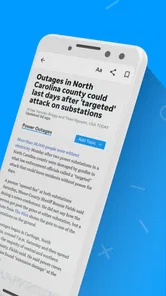




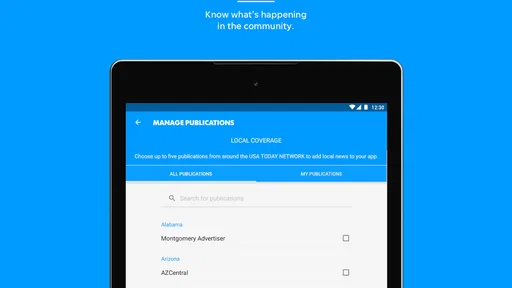
Analysis by Reviewed
I approached Caller Times as a reader who wants local reporting without giving up national headlines, photographs, and video. It is a free News & Magazines app from USA TODAY Co., aimed at Everyone 10+ and available for Android devices running Android 8.0 or newer. The app has been around since its release on December 6, 2010, and its current version is 8.10.3.
My overall impression is that it works best as a focused news companion rather than a complete replacement for every source you already use. The local angle gives it a clear purpose, while the broader coverage and visual material make it more useful when I want a quick look at what is happening beyond my immediate area. The main challenge is not understanding the basic idea; it is getting a smooth routine when loading, account-related steps, or content access do not behave as expected.
Getting past the first points of friction
The first thing I would check is whether the device meets the app’s basic requirement. A phone running an older Android release can create problems before the app itself gets a fair chance, so checking the operating system is a sensible first step. I would also make sure there is enough free storage for the installation and that the device has a stable connection during the initial launch.
Because the app is free to install but includes in-app purchases ranging from $14.99 to $69.99 per item, I would pay attention to every screen that discusses access, subscriptions, or optional content. That does not make the app unsuitable for casual reading, but it does mean I would not tap through a purchase-related screen automatically. I prefer to understand what is being offered before confirming anything.
Another useful setup habit is to open the app on a reliable Wi-Fi connection the first time. News applications often need to retrieve a mixture of text, images, and video, and a weak mobile signal can make a normal loading process look like a broken installation. If the first screen appears incomplete, I would wait briefly, move to a stronger connection, and try again before changing settings.
I also recommend closing other demanding apps during the first run on an older phone. This is not a special requirement of Caller Times; it is a practical way to reduce memory pressure while an app is loading visual content. If the device is already struggling with several open apps, the news reader may appear slower than it really is.
What I check before blaming the app
When a story refuses to load, I first distinguish between an app problem and a connection problem. I test another ordinary webpage or app, then return to Caller Times. If everything else is slow, restarting the connection is more useful than repeatedly tapping the same story. If other services work normally, I close and reopen the news app and try the article again.
More From Our News Desk

Weather by Xiaomi Review: Clear at a Glance, Less Clear Up Close

X Under Pressure: Can It Recover When Posting Goes Wrong?

Clash of Clans Is Won Between the Battles

Android Auto Makes the Case for Quieter Car Software

MobiOffice: Transforming Mobile Productivity with Seamless Integration

EA SPORTS FC™ Mobile Soccer: Redefining Mobile Sports Gaming
Images and video deserve a little patience. A text headline may appear before the visual material, especially on a busy connection. I do not treat a delayed photograph as proof that the whole app has failed. Waiting for the page to settle, switching networks, and reopening the item are simple checks that often separate temporary loading friction from a larger issue.
The app’s subject matter also affects how I use it. Breaking local news can change while I am reading, so a page that was available moments earlier may refresh or move as coverage develops. I find it more reliable to return to the main news view rather than relying on an old screen that has been sitting open for a long time.
For readers who mainly want headlines, the visual side may feel heavier than necessary. For me, the photography and video are part of the appeal, but they also make the experience more dependent on connection quality and device performance. Someone with limited data or an older handset should treat those elements as a reason to use Wi-Fi when possible.
Recovering a routine when reading is interrupted
A realistic everyday situation is checking the app during a short lunch break. I open it expecting a quick scan, but one item stalls, a video takes longer than expected, or the page returns to an earlier state. My recovery routine is deliberately simple: go back to the main view, reopen the story, and use a stable connection if the media still does not appear. I avoid repeatedly refreshing because that usually adds frustration without explaining the cause.
If the application behaves strangely after an update or after a long period in the background, I fully close it and launch it again. On Android, I would also check whether the app is current through the normal app store update screen. Since the installed version is 8.10.3, keeping that version up to date matters when the developer has issued a correction or compatibility improvement.
I would not immediately uninstall the app if one session goes badly. Reinstalling can remove local state and force me through setup again, while doing nothing for a temporary network or service interruption. I reserve that step for repeated failures after reopening the app, checking the connection, and restarting the phone. It is a last practical reset, not my first response.
There is also a useful distinction between losing a place in an article and losing access to the article itself. If I can open the story but the reading position is not where I left it, I simply locate the last section again. If the content will not open at all, I test another story. One failed item suggests a narrower issue; several failed items point toward a broader loading or service problem.
Readers who are concerned about accidental charges should slow down during recovery. If an access screen appears after reopening the app, I read it instead of assuming that tapping back or forward is harmless. The free installation does not mean every optional offering inside the app is free, so careful confirmation is part of a sensible workflow.
How the app fits into a broader news habit
I would use Caller Times as the local layer of my news routine. In the morning, I can scan the main stories, look for coverage relevant to my area, and open a photograph or video when the visual context adds something. Later, I might return for a developing story rather than spending the day constantly checking every headline.
That approach is more practical than treating one news app as the sole authority for every subject. Local reporting can tell me what matters nearby, while a national news application, a public broadcaster, or a specialist source may be better for national politics, international events, weather details, business, or technical subjects. Caller Times has a clear role, but its role is not necessarily to replace all of those alternatives.
The local focus is also its strongest reason to choose it over a general headline aggregator. Aggregators are convenient when I want many publishers in one stream, but they can make nearby reporting feel indistinguishable from everything else. Here, I get a more direct local-news experience, supported by broader material and rich media. The trade-off is that I may have less variety than in an app built around collecting sources from across the web.
Compared with reading news through a mobile browser, a dedicated app feels more intentional. I can open one place for the publication’s coverage instead of searching repeatedly. On the other hand, a browser is often better when I want to compare several outlets quickly or avoid adding another app to my phone. My choice depends on whether local continuity matters more than maximum flexibility.
I would also separate the app from social media feeds. Social platforms are fast at surfacing developing stories, but they can mix reporting with commentary, repetition, and unrelated posts. Caller Times gives me a more focused reading environment. The cost of that focus is that I may need another source when I want a wider range of opinions or a rapid cross-check.
Small decisions that improve everyday use
My first practical tip is to use the app for planned check-ins instead of leaving it open all day. This reduces the chance of returning to a stale or partially loaded screen and makes the service feel less demanding. A morning scan and a later update are enough for many readers who want awareness without constant interruption.
My second tip is to open visual stories when I have a dependable connection. The app’s photography and video are valuable when they clarify an event, but they are less convenient when I am on a weak signal or trying to conserve mobile data. I would read text first and save the richer media for a better moment rather than judging the entire experience from a poor connection.
My third tip is to compare a troublesome item with another item before taking action. If one story is slow while several others open normally, restarting the entire phone or reinstalling the app is unnecessary. This simple test prevents a lot of wasted setup work and helps identify whether the difficulty is isolated to a particular piece of content.
My fourth tip is to keep purchase awareness separate from reading enthusiasm. A compelling story can make me tap quickly, especially when I am trying to continue reading. I treat any screen involving optional paid access as a pause point. The available purchase range is significant enough that I would want to make an informed decision rather than assume the app’s free download covers every form of access.
My fifth tip is to judge performance on the device I actually use, not on a newer phone belonging to someone else. Android 8.0 compatibility makes the app accessible to older devices, but compatibility does not guarantee identical speed across every handset. If scrolling feels heavy or media takes too long, the limitation may be the phone’s age, available memory, or connection rather than the publication’s content.
When a different option makes more sense
I would skip this app if my main goal is a single universal feed combining many publishers, topics, and viewpoints. A general aggregator is likely to suit that workflow better. I would also look elsewhere if I rarely read local news and only want occasional national headlines, because the app’s local identity may not provide enough value for that pattern.
It may not be the best match for someone who wants a very lightweight text-only reader. The inclusion of photography and video is a strength for readers who appreciate context, but it can feel unnecessary to someone who wants the fastest possible headline list. In that case, a simpler news source may be more comfortable, particularly on an older device or a limited connection.
I would also choose another source when I need specialized depth. A local publication can be useful for nearby developments, but a dedicated financial, scientific, sports, or international outlet may provide more detail in its own field. I see Caller Times as a strong part of a personal news mix, not as a reason to stop using every other source.
The app’s average rating is 4.0 from around 215 ratings, with 55 written reviews, and it has passed 10 thousand installs. Those figures suggest a modest but established audience rather than a universal news platform. I read that as a reason to evaluate the app by fit: its value depends heavily on whether its local coverage and presentation match the way I consume news.
My practical verdict after using it
Caller Times is worth trying if you want local and national news in one publication-focused app, especially when strong photography and video make a story easier to understand. I like that it gives local coverage a central place instead of burying it inside an enormous stream. The free entry point also makes it easy to test whether the reading experience belongs in your daily routine.
My recommendation comes with a clear condition: use it thoughtfully. Check the operating system, give the initial loading process a stable connection, and do not confuse a slow video or one unavailable story with a complete app failure. When something goes wrong, returning to the main view and testing another article is usually a better first move than reinstalling everything.
The most important trade-off is focus versus breadth. This app is more purposeful than a generic feed, but less universal than an aggregator. It is more visual than a stripped-down headline reader, but that richness can demand more from your connection and device. It is free to install, while optional in-app purchases mean I would read access screens carefully.
For me, the app succeeds when I want a dependable local-news stop during the day, with enough national context and visual reporting to keep the experience from feeling narrow. I would pair it with other sources for specialized or broader coverage, but I would not dismiss it simply because it is not an all-purpose news platform. If local relevance is the reason you open a news app, Caller Times is a sensible addition; if maximum variety and minimal media are your priorities, another format may serve you better.
Caller Times Frequently Asked Questions
What devices and operating systems can run Caller Times?
Caller Times is a mobile news app for phones and tablets, and its minimum operating-system requirement is version 8.0. Before downloading, check that your device meets this requirement and has enough available storage for the app and its content. Keeping your operating system current can also help with compatibility and provide access to device security features.
Who publishes Caller Times, and what kind of news does it offer?
Caller Times is published by USA TODAY Co. and belongs to the News & Magazines category. Its coverage includes local and national news, with photography and video alongside written stories. That mix makes it useful for readers who want to follow current events and explore visual reporting in one app, whether they are checking headlines or spending more time with a story.
What is Caller Times, and what can I use it for?
Caller Times is a news app focused on delivering local and regional coverage, with an emphasis on stories relevant to the Caller-Times audience. After installing it, you can browse breaking news, community updates, sports, entertainment, opinion articles, and other reports in one place. It is designed for readers who want convenient access to journalism while using a phone or tablet.
Is Caller Times free to download and use?
The Caller Times app is free to download, but access to all articles may depend on the publication’s subscription policy. Some content may be available for free, while frequent reading or premium stories can require a digital subscription or account. The app offers in-app purchases priced from $14.99 to $69.99 per item, so review the purchase options before subscribing or buying content.
Does Caller Times send breaking-news notifications?
Yes, the app may offer push notifications for breaking news, important local developments, sports results, and other selected updates. Notifications are useful if you want to stay informed without opening the app repeatedly, although frequent alerts can become distracting. During setup, you can usually allow or deny notifications, and device settings let you change alert permissions later.
Pros
- Clear local coverage of Corpus Christi and the Coastal Bend
- Breaking-news alerts help users follow developing local stories
- Includes sports
- weather
- politics
- and community reporting
- Digital articles are easy to browse on phones and tablets
- Subscription may provide access to premium local journalism
Cons
- Many articles may require a paid subscription to read fully
- Some content can feel narrowly focused on the local region
- Frequent notifications may become distracting for some users
- App performance and loading speed may vary by device or connection
- Coverage depth depends on the availability of local newsroom resources













