Bulldog Blocker AI Porn Filter
- 1.38K
- 4.3
- Installs
- 500.00K
- Price
- Free

Screenshots



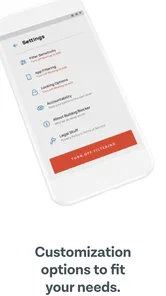
Analysis by Reviewed
I approached Bulldog Blocker AI Porn Filter as a practical lifestyle app rather than a novelty download. Its purpose is clear: reduce access to porn across an Android device and make unwanted browsing harder to start or continue. That sounds simple, but the real test is what happens after the first few days, when the initial motivation fades and the app becomes part of an ordinary routine.
My overall impression is that this is most useful when I treat it as one layer in a personal plan, not as a magic switch. The app comes from Ever Accountable, is free to install, and has built a solid audience with a 4.3 average from around 23 thousand ratings. It is listed for Everyone, runs on Android 11 or newer, and includes optional purchases ranging from $2.99 to $149.99 per item. Those details matter because the experience is accessible, but the long-term cost can depend on which extras or subscription-style options are offered in the app.
What the first week feels like
The strongest part of the first week is the clarity of the goal. I do not have to turn the app into a complicated productivity system or learn a large collection of unrelated tools. The central idea is blocking access to adult material throughout the device, with AI presented as part of the filtering approach. That makes the app easy to understand for someone who is deliberately trying to change a habit and wants a direct barrier between an impulse and a website or search result.
During the first setup, I would recommend slowing down instead of tapping through every screen automatically. A blocker is only useful when it has enough authority to do its job, so the important part is not the visual design but the choices that determine what the app can monitor or restrict. I also suggest testing the result with ordinary browsing before relying on it. Try a few normal searches, open the apps you use every day, and check whether the protection creates unexpected friction. This small test can prevent a frustrating discovery later, especially if the phone is also used for work, study, or shared household tasks.
The AI angle is appealing because adult content does not always arrive through an obvious domain name. A filter that can recognize more than a short list of manually entered websites has a practical advantage over a basic blacklist. Still, I would not interpret “AI” as perfect judgment. Images, wording, links, and new websites can vary, and no automated filter should be treated as an absolute guarantee. My advice is to see it as a way to add distance and reduce easy access, while keeping personal boundaries and other safeguards in place.
A realistic first-week scenario is someone who usually reaches for a phone late at night. The useful change is not merely that a particular page fails to load. The interruption gives that person a moment to put the phone down, leave the room, or switch to a planned activity. That pause is where the app can have more value than a simple list of blocked addresses. It turns an automatic action into a decision, which is often the part a person is trying to recover.
There is also an important emotional detail. A blocker can feel reassuring on a motivated day, but it can feel restrictive when I am tired or irritated. That reaction does not necessarily mean the app is failing; it may mean the barrier is doing exactly what it was installed to do. Even so, I would not recommend installing it impulsively and expecting the first week to solve everything. The better approach is to decide in advance what behavior the tool is supporting and what I will do when an urge or workaround appears.
More From Our News Desk

Weather by Xiaomi Review: Clear at a Glance, Less Clear Up Close

X Under Pressure: Can It Recover When Posting Goes Wrong?

Clash of Clans Is Won Between the Battles

Android Auto Makes the Case for Quieter Car Software

MobiOffice: Transforming Mobile Productivity with Seamless Integration

EA SPORTS FC™ Mobile Soccer: Redefining Mobile Sports Gaming
Where it beats ordinary browser controls
Compared with relying only on a browser’s private mode, search settings, or a manually maintained blocklist, this app aims at a broader device-level solution. Those usual alternatives can be useful, but they often depend on remembering to configure each browser or on recognizing every site that should be restricted. A dedicated blocker is more convenient for someone who wants one central layer instead of repeatedly adjusting separate apps.
That convenience has a trade-off: broader protection can also mean broader interference. A browser setting may be easier to turn off and easier to understand, while a dedicated filter is designed to make bypassing less casual. If you only want a light safety setting for a child’s device or a temporary search filter, the simpler option may be enough. If your goal is personal accountability and reducing impulsive access across the phone, the more forceful approach makes better sense.
What remains useful after the novelty fades
The month-to-month question is more important than the first impression. Once the app has been installed for a while, its value depends on whether it quietly supports a routine instead of demanding constant attention. A good blocker should become background protection: present when needed, but not something I have to think about every hour.
For me, the lasting benefit is the reduction of low-effort access. Habits often depend on speed. If a person can move from an impulse to explicit material in a few taps, there is little time for reflection. A filter adds friction at that exact point. It does not remove the underlying thought, but it can prevent the automatic sequence from completing. That is a modest result, yet it is more realistic and sustainable than expecting software to change motivation by itself.
The app is especially relevant for people who use one Android phone for several parts of life: browsing, social media, entertainment, and communication. A browser-only solution can leave gaps when the same material is discovered through another app or an embedded link. A device-wide approach is more coherent for that kind of user. It also reduces the mental burden of asking which browser or application is currently safe.
One non-obvious advantage is that the filter can help reveal triggers rather than only blocking destinations. If I notice that most failed attempts happen during a particular routine, such as lying in bed, being alone after work, or scrolling without a plan, the blocked request becomes useful feedback. I can then change the routine itself: charge the phone outside the bedroom, replace aimless scrolling with a specific playlist, or keep a book within reach. The software is not the complete solution, but it can expose the moments where a solution is needed.
Another practical use is temporary protection during a deliberate reset. Someone may not want a permanent, highly restrictive digital environment, but may want stronger boundaries while rebuilding control. In that situation, the app can serve as a commitment device. The important point is to define the period and the reason beforehand. Otherwise, the blocker can become an object of daily negotiation, which weakens its purpose.
I would also keep expectations realistic about shared devices. The Everyone age rating makes the app broadly suitable from a store-classification perspective, but that does not mean I would install it on a family phone without testing its behavior and discussing who controls the settings. A personal recovery or habit-change tool is different from a child-safety product, and the needs are not identical. Parents looking for content supervision may prefer a platform designed around family accounts, reports, and age-specific controls.
How to keep the protection from becoming background noise
Long-term value improves when I review the setup occasionally instead of constantly changing it. I would check whether normal websites still work, whether the phone has changed through an operating-system update, and whether the app remains active after routine maintenance. I would also avoid adding unnecessary restrictions simply because they are available. Overblocking creates resentment, and resentment makes people more likely to search for ways around the whole system.
A useful maintenance habit is to separate technical review from emotional review. The technical question is whether the blocker still operates as expected. The personal question is whether the current level of protection still matches my goal. Mixing the two can lead to poor decisions, such as disabling protection after one annoying false positive or buying an upgrade simply because I feel discouraged. Taking a few minutes to consider each issue separately leads to better judgment.
The developer’s current version is listed as 12.43.239-Aug-2026, and the app has been available since Jul 6, 2020. I see that history as a sign that this is not a brand-new experiment, but it does not remove the need for ordinary upkeep. Android behavior can change, websites can change, and filtering systems can make mistakes. I would keep the application updated through the normal store process and test important everyday functions after a major change.
It is also worth deciding how to handle the purchase prompts. The free entry point is helpful for evaluating whether the basic approach fits my needs, but in-app items can range from $2.99 to $149.99 each. I would not pay for an extended option until I know exactly what problem it solves for me. A longer commitment may be worthwhile for someone who wants a serious accountability structure, while a person who only needs a modest barrier could reasonably remain with the free experience or choose a simpler device setting.
Where fatigue and frustration can appear
The main source of fatigue is not necessarily the blocking itself. It is the repeated need to decide whether a blocked page was correctly identified, whether a normal result should have been allowed, and whether a workaround has appeared. Any filter that tries to recognize content rather than only match fixed addresses faces this tension. More flexible detection can cover more situations, but it can also feel less predictable than a short, manually controlled list.
False positives are particularly tiring when I use the phone for research, health information, education, or news. A page may contain a word or image that looks suspicious to an automated system while being completely legitimate in context. If that happens often, the protection begins to feel like an obstacle rather than support. This is where a conventional DNS filter or browser-level setting might be better for someone who values transparent rules and easy exceptions over stronger personal friction.
Another weakness is psychological. When a person views the app as an opponent, every blocked attempt can become a challenge to defeat. That mindset can turn technical restrictions into a cycle of testing and bypassing. I think the better use is to make the app one part of an agreed plan, perhaps alongside a trusted person, counseling, journaling, exercise, or changes to nighttime phone use. The exact companion strategy is personal, but the principle is important: software works better when it supports a decision that already exists.
There is also a privacy consideration in the broad sense, even without making assumptions about the app’s internal handling. A device-wide filter naturally occupies a sensitive place in a person’s digital life. Before committing to paid features or using it in a shared environment, I would read the current permissions and privacy explanations presented by Ever Accountable and make sure they fit my comfort level. That is not a reason to reject the app; it is a sensible step for any tool involved in personal browsing habits.
People who need absolute certainty should skip this category altogether. No content filter can promise flawless detection across every site, application, image, link, and future change. Someone who needs a tightly managed child device may be better served by a family-control system with explicit supervision features. Someone who only wants to reduce distractions may find a general focus blocker less intrusive. And someone who dislikes recurring purchase decisions may prefer a one-time, narrowly defined technical solution.
My long-term verdict on Bulldog Blocker AI Porn Filter
After the first-week appeal wears off, I think the app earns lasting space only when the user values friction more than convenience. Its strongest role is not to make a dramatic promise, but to interrupt an established pattern at the moment when access would otherwise be effortless. The device-wide ambition makes it more useful than relying on a single browser, while the AI-based positioning gives it a chance to address content that a simple address list might miss.
My recommendation is therefore specific. I would suggest it to an adult who has identified a recurring porn-browsing habit, wants a straightforward Android barrier, and is willing to combine the tool with changes in routine. I would not present it as a cure, a substitute for support, or a perfect shield. The person most likely to benefit is someone who wants fewer impulsive opportunities and can accept occasional friction in exchange for that distance.
The free price makes experimentation easier, and the broad Android compatibility is practical for many current phones. The 500 thousand-plus install level also shows that it has reached a substantial user base, while the 4.3 average suggests generally positive reception. I would still judge it by personal fit rather than popularity. A filter that interrupts essential browsing or encourages constant battles is not a good long-term tool for that particular user, even if many others find it helpful.
My final advice is to treat installation as the beginning of a routine, not the end of one. Test normal browsing, decide what boundaries you want, watch for false positives, and review paid options carefully before spending. Then ask after a month whether the app is helping you pause and choose differently, or merely creating another source of stress. The lasting value is the habit it helps protect, not the novelty of having a blocker on the phone.
For that reason, I see this Lifestyle app as a credible choice for personal accountability on Android, with meaningful limitations that should be understood before relying on it. It is worth trying for the right user, especially one who wants a stronger alternative to scattered browser settings. It is not right for everyone, but when its level of friction matches the goal, it can remain useful well beyond the first enthusiastic week.
Bulldog Blocker AI Porn Filter Frequently Asked Questions
Who develops Bulldog Blocker AI Porn Filter, and what is the app for?
Bulldog Blocker AI Porn Filter is a Lifestyle app developed by Ever Accountable. It is designed to help block porn on a device using AI-based filtering. It may suit people looking for an added layer of protection while browsing, including families who want to reduce exposure to adult content. As with any filter, it works best as part of a broader approach to safe and responsible device use.
How do I set up Bulldog Blocker AI Porn Filter after downloading it?
After installation, users generally configure protection settings, permissions, and blocked categories. Take time to review the setup choices and consider testing the filter with the websites and apps used most often on the device. The available settings and setup experience can vary between Android and iOS. For a family device, it is helpful to decide together which restrictions are appropriate and explain how the filter is intended to help.
Is Bulldog Blocker AI Porn Filter free to download, and are there in-app purchases?
Bulldog Blocker AI Porn Filter is free to download, with optional in-app purchases ranging from $2.99 to $149.99 per item. The free download gives users a way to try the app, while purchases may relate to additional access or features. Check the purchase details shown in the app before confirming any transaction, particularly if a child or another family member uses the device.
Which devices and operating systems can use Bulldog Blocker AI Porn Filter?
Bulldog Blocker AI Porn Filter is an app in the Lifestyle category, developed by Ever Accountable. Its listed minimum operating-system requirement is version 11, so check your device’s software version before downloading. App compatibility and available settings can vary by platform, and the way filtering works may differ between Android and iOS. Make sure you choose the version intended for your device.
What is Bulldog Blocker AI Porn Filter and how does it work?
Bulldog Blocker AI Porn Filter is designed to help reduce access to adult and explicit content on a device. It uses filtering tools, website blocking, and AI-based content detection to identify potentially inappropriate pages or images. After installation, users generally configure protection settings, permissions, and blocked categories. Its effectiveness can vary depending on the browser, operating system, app permissions, and the type of content being accessed.
Pros
- Uses AI to identify and block explicit images and videos.
- Can help reduce accidental exposure to adult content.
- Useful for parents seeking an extra layer of online protection.
- May support healthier browsing habits and digital wellbeing.
- Simple filtering can work quietly in the background.
Cons
- AI filters may occasionally block harmless or educational content.
- Protection can vary across browsers
- apps
- and private browsing modes.
- Some features may require a subscription or in-app purchase.
- Filtering performance depends on device permissions and internet access.
- It is not a complete replacement for parental supervision or safe-search tools.












