

Bitcoin Price for Wear OS
- 0.00
- 0.0
- Installs
- 100.00
- Price
- $0.49

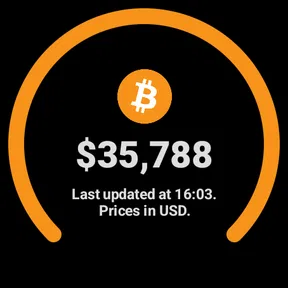
Screenshots
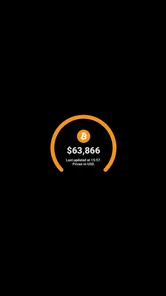
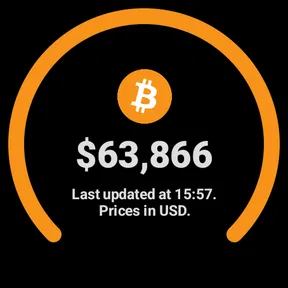
Analysis by Reviewed
I think the main appeal of Bitcoin Price for Wear OS is the glance: it brings a Bitcoin quote onto a smartwatch, where checking it can be quicker than taking out a phone. That convenience is useful, but it also calls for a clear-eyed view of what a wrist display can—and cannot—tell you. I’d treat it as a quick reference, not as a trading terminal or a reason to make a rushed financial decision.
Who benefits from a Bitcoin glance
The best fit is someone who already follows Bitcoin and wants a small, convenient way to check its price during the day. If you find yourself reaching for your phone just to answer “has it moved?”, a watch display can make that check less disruptive. The benefit is modest but specific: you can satisfy curiosity while your phone stays in your pocket.
That convenience is most useful when you have a reason to keep an eye on the market but do not need a full trading setup at every moment. A person waiting for a bus, taking a break between tasks, or heading out for a run can glance at the watch and move on. The display is not a substitute for deciding what a price change means; it simply lowers the effort of checking.
I’d skip it if Bitcoin is only an occasional interest, if watching price movements makes you uneasy, or if you need a broader view of digital assets. A watch dedicated to one coin can feel limiting when you want to compare several markets. In those situations, opening a finance app on a phone—or checking less often—may be a better use of your attention and money.
What a wrist-sized view leaves out
A watch makes information easy to reach by making the view smaller. That trade-off matters with a volatile asset: a number or compact trend line can draw attention to a movement without giving you enough room to judge its importance. I’d use the wrist view to decide whether I want to investigate further, not to decide whether a particular move is a buying or selling opportunity.
For example, imagine checking the app while walking to a meeting and noticing a sharp change. The sensible next step is not to act from that glance. I’d wait until I could look at a more complete source on my phone, consider the context, and check any transaction details there. This extra pause is useful even for experienced users because convenience can otherwise encourage impulsive decisions.
A further trade-off is that a single-asset tool suits a focused habit, not a complete portfolio routine. If your question is simply whether Bitcoin has moved, a compact display may be enough. If your question is how Bitcoin compares with other assets, what a longer period looks like, or what a transaction would involve, the usual phone-based alternatives are better suited to the job.
More From Our News Desk

 Gmail
GmailGmail in a Busy Inbox: Who Benefits Most?
From first account to crowded workday, Gmail earns its place through dependable search and flexible sorting—but its best fit depends on how much inbox maintenance you can tolerate.

 Prime Video
Switching to Prime Video: What Changes in Your Viewing Routine
Prime Video can make a compelling second home for streaming, but switching means learning a different catalog, rental layer, and route from browsing to playback.

 Universal TV Remote Control
Universal TV Remote Control Works Best as a Reliable Backup
A phone remote earns its place through quick setup and reliable habits. Here is how to get more from Universal TV Remote Control—and where its limits show.

 Weather - By Xiaomi
Weather by Xiaomi Review: Clear at a Glance, Less Clear Up Close
Xiaomi’s weather app makes everyday forecasts quick to scan, but its calm surface can leave useful details and recovery paths harder to find than they should be.

 X
XX Under Pressure: Can It Recover When Posting Goes Wrong?
A resilience-focused review of X, examining setup, mistaken posts, interruptions, weak connections, and the gaps that matter when recovery needs to be dependable.

 Clash of Clans
Clash of Clans Is Won Between the Battles
Its raids are quick; its community is a long-term project of coordination, teaching, rivalry, and shared responsibility—with all the friction that entails.
Latest News



This is also why I would not use a displayed quote as an automatic instruction. A price can prompt a closer look, but it cannot account for your budget, plans, risk tolerance, or the details of a transaction. Keeping that distinction clear helps preserve the app’s useful role as a quick reference without expecting it to make financial decisions for you.
Trust starts with choices you can inspect
For a finance-related app, I separate the value of the information from the question of trust. A Bitcoin quote is not the same as a place to hold or move money. I would not enter wallet credentials into a price-checking tool, and I would not assume that a finance category by itself proves anything about privacy, security, or data handling.
Before installing, I’d look at the permissions shown in the device’s settings and consider whether each one makes sense for what I intend to use the app for. I’d also pay attention to the choices presented during setup and the controls available on the watch. Those are practical checks a user can make directly, rather than assumptions based on the app’s short description.
My approach is to keep sensitive actions separate from quick viewing. I’d use the watch to check a quote, then turn to a source I already trust if I needed to research a decision or review a transaction. If an app asks for access that seems unrelated to showing a price, I’d pause and decide whether I’m comfortable granting it instead of tapping through automatically.
Make the glance fit your day
One non-obvious way to get more value from a watch price display is to decide in advance what you want the check to answer. “Has Bitcoin moved enough that I should look at the bigger picture?” is more useful than repeatedly checking without a purpose. That small habit can keep a quick reference from becoming a constant interruption.
Alerts need the same restraint. If you use a price threshold, I’d choose one that corresponds to a point when I genuinely plan to review the market, rather than creating a cluster of notifications for every minor movement. A wrist buzz can interrupt a conversation or a quiet moment; it is worth asking whether the reminder will lead to a considered check or just more screen time.
It also helps to think about the watch’s role in your routine. If you depend on it for calls, navigation, or health-related use, price checks should remain secondary. I would not prioritize market updates over the watch’s more important everyday jobs. A glance works best as an occasional convenience, not as a reason to keep monitoring the display throughout the day.
A small tool, with a narrow job
This is a finance app from Theseus Techs, released on April 14, 2024. It costs $0.49, is rated for Everyone, and has over 100 installs. Those details help set expectations: this is a paid, focused utility rather than a broad crypto platform. The short description points to Bitcoin, so I’d consider whether a single-asset glance is what I want before choosing it over a phone app that follows several coins.
For trust, I look for concrete things I can verify rather than assuming a finance label means a particular level of privacy or security. I would check the permissions shown by the device’s app settings and the choices presented during setup, then decide whether they make sense for a watch-face price display. I wouldn’t enter wallet credentials or treat a price widget as a place to manage funds. A quote on your wrist is not the same thing as custody, a trading account, or financial advice.
Using a Bitcoin quote on your wrist
First things first, installing Bitcoin Price for Wear OS was a breeze. Just a few taps and it was up and running on my smartwatch. The app integrates smoothly with Wear OS, offering a clean and intuitive interface. You don’t have to be a tech whiz to navigate through it, which is always a bonus in my book.
Quick checks, not trading decisions
One of the standout features of this app is its ability to provide real-time Bitcoin price updates. It's like having a live ticker tape on your wrist. Whether you’re at a coffee shop or on a morning run, you can stay updated with the latest fluctuations in the crypto market. Just a quick glance, and you’re in the know!
Not only does it show the current price, but it also gives a neat little graph that shows the price trend over the past 24 hours. I find this particularly handy when I’m trying to decide if it’s the right time to buy or sell. The app makes it easy to spot trends without having to pull out my phone.
In everyday use, I’d check that chart to put a sudden price move in context, then open a trusted source on my phone before acting. A short window can look dramatic while leaving out the wider picture, and a watch is a poor place to compare order details or fees. If I’m commuting or exercising, a glance can satisfy curiosity; if I’m planning a purchase, I’d rather slow down and review the details on a larger screen.
Making alerts work for you
Another feature that I really appreciate is the customization options. You can set alerts for specific price points, ensuring you never miss out on a good trading opportunity. The alerts are subtle, just a gentle buzz on the wrist, which is enough to catch your attention without being intrusive.
To make an alert useful instead of distracting, I’d choose a level tied to a decision I actually intend to revisit, rather than setting several thresholds for every small movement. A vibration can prompt a check, but it can’t tell me whether the move is meaningful or whether an exchange is offering the same quote. If you prefer not to receive market nudges during work or sleep, consider when alerts are appropriate and use the watch’s available notification controls.
Plus, you can customize the watch face to display different information, such as the percentage change in price or even the market cap. It’s these little touches that make the app truly user-friendly.
Battery, data, and practical limits
Now, you might be wondering about battery life. After all, frequent updates can be a drain, right? Surprisingly, Bitcoin Price for Wear OS is quite efficient. It manages to update regularly without eating up your battery, which is a huge plus for those of us who hate having to charge our devices constantly.
Still, I wouldn’t assume that a watch can refresh continuously in every situation. Wearables depend on their connection and power settings, so I’d check whether the displayed quote appears current before relying on it, especially after being away from the phone or network. Battery use is also a trade-off: more frequent checking may be convenient, but keeping a watch available for health, calls, or navigation matters more to many people than tracking a volatile price all day.
If you’re wondering whether this replaces a regular crypto app, I’d say no. A phone-based finance app is the better choice when you need broader market coverage, detailed charts, research, or a way to review a transaction carefully. This watch app makes more sense for someone who already follows Bitcoin and wants a compact check without turning every moment into a phone session. If you rarely look at Bitcoin prices, or alerts would make you anxious, the extra wrist display may not be worth paying for.
A cautious recommendation
In conclusion, if you’re into Bitcoin and own a Wear OS device, this app is a must-have. It’s practical, easy to use, and keeps you informed at all times. So go ahead, give it a try and keep that crypto game strong!
My recommendation is more measured: I’d consider it if a Bitcoin glance genuinely fits my routine, while keeping a phone-based source for decisions that need context. The price and focused purpose are easy to weigh against that convenience. Before installing, I’d review the permissions and on-device controls for myself; after that, I’d use it as a prompt to check, not as a signal to trade.
Bitcoin Price for Wear OS Frequently Asked Questions
What does Bitcoin Price for Wear OS cost, and is it suitable for everyone?
Bitcoin Price for Wear OS is a paid Finance app from Theseus Techs, priced at $0.49. Its content rating is Everyone, so it is intended for a broad audience. It focuses on displaying Bitcoin pricing on a Wear OS smartwatch, making it worth considering if you want a price-checking companion on your wrist rather than a general-purpose cryptocurrency service.
What is Bitcoin Price for Wear OS designed to do?
Bitcoin Price for Wear OS is an app for Wear OS smartwatches, with the short description “Bitcoin Price” and the store summary “Real-time crypto prices on your wrist.” Its main appeal is quick access to Bitcoin price information from a watch. It is a finance utility for checking prices, rather than an app whose stated purpose is buying or selling cryptocurrency.
What features does the Bitcoin Price for Wear OS app offer?
Bitcoin Price for Wear OS provides a convenient way to keep track of the latest Bitcoin prices directly from your smartwatch. This app offers real-time price updates, historical data charts, and price alerts, ensuring you never miss a market movement. It also supports multiple currencies, allowing you to view Bitcoin prices in your preferred currency for better financial decision-making.
Is the Bitcoin Price for Wear OS app secure to use?
Yes, the Bitcoin Price for Wear OS app is designed with user security in mind. It does not require any personal information or access to your Bitcoin wallet. The app strictly retrieves Bitcoin price data from secure and reliable sources, ensuring your privacy and security are maintained while using the app.
How can I customize notifications on the Bitcoin Price for Wear OS app?
The app allows you to set customizable notifications for when Bitcoin reaches certain price thresholds. You can adjust these alerts directly from the app settings on your smartwatch, giving you the flexibility to stay informed about significant market changes that matter to you without constantly checking your device.
Pros
- Real-time price updates
- Simple interface design
- Customizable notifications
- Low battery consumption
- Supports multiple currencies
Cons
- Limited chart options
- No in-depth analysis
- Requires constant internet
- No portfolio tracking
- Ads in free version











