Bitcoin Gpu miner - btc mine
- 5.00
- 3.6
- Installs
- 500.00
- Price
- $0.99

Screenshots
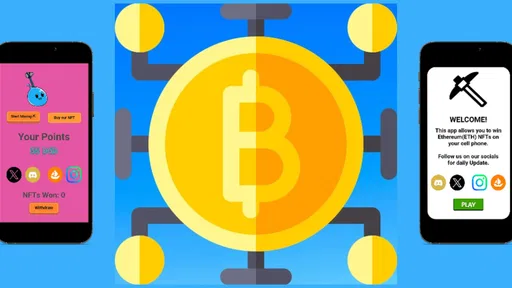
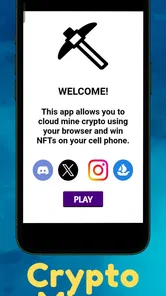
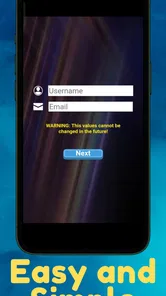
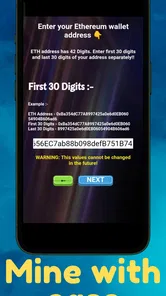
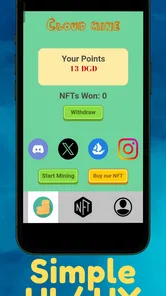
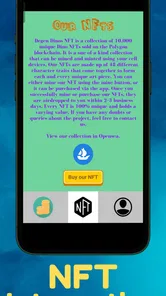
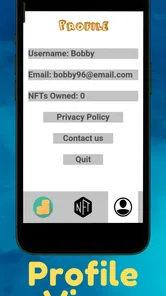
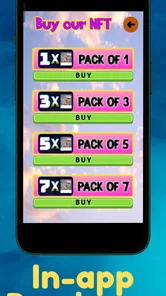
Analysis by Reviewed
I’d approach Bitcoin Gpu miner - btc mine as a small, phone-based way to explore a mining-themed tool, not as a dependable route to income. The idea of checking a mining session from a handset is appealing, but it helps to separate an interesting on-screen activity from the economics of Bitcoin mining. I found that distinction is the most useful starting point for deciding whether this app fits your expectations.
What the current version is suited to
This is a finance app from Chainmerry Labs, currently at version 2.2.4, with a listed release date of November 27, 2023. It costs $0.99 to download, and it also offers in-app purchases priced from $0.99 to $79.99 per item. The age rating is Everyone, and the minimum operating system is 7.0. Those details make it worth checking the purchase screen carefully before you commit: the initial price is not the only possible cost.
Its audience is fairly specific. If you are curious about how a mining interface feels, want to inspect progress from your phone, or already understand that mining involves more than watching a counter rise, it may be a convenient experiment. If you expect a phone app to produce meaningful Bitcoin income without equipment, energy costs, and careful scrutiny of the terms, I would choose a different route. A dedicated wallet or a reputable educational resource is a better fit for learning how Bitcoin works without conflating that with mining.
Mining on a phone: expectations and trade-offs
The word “GPU” naturally invites comparisons with desktop mining hardware, but a phone remains a constrained device: battery capacity, heat, and everyday responsiveness all matter. Treat any session as something to monitor rather than leave running without thought. A practical approach is to try it while the phone is plugged in and nearby, check whether the device becomes warm, and stop if it interferes with calls, navigation, or other tasks. That gives you a more useful impression than leaving it active overnight and assuming the displayed progress represents a worthwhile return.
For a realistic everyday test, I’d open it during a quiet period at home, note what the app shows, then pause before heading out. That small routine helps you judge whether the experience is understandable and whether keeping the app active feels like a reasonable trade-off. It also avoids discovering a battery or heat issue when you need your phone away from a charger. I would not use a work phone or a device that must remain available for emergencies as a mining experiment.
Costs, alternatives, and sensible checks
Compared with a standard Bitcoin wallet, this app has a different purpose: a wallet is for holding or managing assets, while a miner-style app centers on a mining process. Compared with desktop mining software, a phone-first option may be easier to try but is not a substitute for dedicated hardware or a clear understanding of operating costs. Before buying anything beyond the download, I’d ask what a paid item changes, whether the expected benefit is explained in terms I can evaluate, and whether I’m comfortable spending that amount even if the experience remains mainly educational.
The app has an average rating of 3.6 from around 70 ratings, alongside 5 written reviews, and more than 500 installs. I read that as a modest footprint rather than broad proof of performance. Ratings can help flag recurring concerns, but they do not establish that a mining app will suit your device or produce a particular result. I’d look for recent, specific feedback about usability and purchases, and avoid making a financial decision based on a general star score or a rising in-app figure.
More From Our News Desk

 Gmail
Gmail in a Busy Inbox: Who Benefits Most?
From first account to crowded workday, Gmail earns its place through dependable search and flexible sorting—but its best fit depends on how much inbox maintenance you can tolerate.

 Prime Video
Switching to Prime Video: What Changes in Your Viewing Routine
Prime Video can make a compelling second home for streaming, but switching means learning a different catalog, rental layer, and route from browsing to playback.

 Universal TV Remote Control
 Works Best as a Reliable Backup
A phone remote earns its place through quick setup and reliable habits. Here is how to get more from Universal TV Remote Control—and where its limits show.

 Weather - By Xiaomi
Weather by Xiaomi Review: Clear at a Glance, Less Clear Up Close
Xiaomi’s weather app makes everyday forecasts quick to scan, but its calm surface can leave useful details and recovery paths harder to find than they should be.

 X
X Under Pressure: Can It Recover When Posting Goes Wrong?
A resilience-focused review of X, examining setup, mistaken posts, interruptions, weak connections, and the gaps that matter when recovery needs to be dependable.

 Clash of Clans
 Is Won Between the Battles
Its raids are quick; its community is a long-term project of coordination, teaching, rivalry, and shared responsibility—with all the friction that entails.
Latest News



One useful tip is to separate three questions during a first session: can you understand what the screen is telling you, can you pause when you want, and does the phone remain comfortable to use? Those checks are more actionable than chasing a number without context. If the app does not make the costs and meaning of progress clear to you, stop before buying add-ons; uncertainty is a reason to slow down, not to spend more.
How it has developed, and what existing users should watch
The current version number gives existing users a concrete way to identify the build they have, while the release date places the app’s launch in late 2023. I would not treat a version number alone as evidence of a particular feature, security improvement, or change in mining results. If you already use it, compare what you see after updating and keep your own notes about any change that affects how you operate it. That is especially helpful before spending on an optional item or relying on a workflow you have not checked recently.
For anyone deciding whether to install, the key questions are practical: does the interface explain what its progress represents, can you stop without hassle, and are the purchase options clear before you pay? I would also consider whether you are comfortable running a finance-related app on the same phone you use for banking and personal accounts. Use the normal protections on your device, keep its operating system current, and do not share wallet credentials or recovery information with an app or another user unless you have independently verified why they are needed.
Where it fits—and where it does not
Bitcoin Gpu miner - btc mine is best approached as a low-commitment experiment for people interested in the idea of mobile mining, with the understanding that its small install base and mixed average rating offer limited reassurance. It is not my pick for someone whose main goal is predictable earnings, who cannot afford extra in-app purchases, or who needs a phone to stay cool and available all day. For those users, a conventional wallet, a learning app, or researching dedicated mining equipment is a more sensible alternative, depending on the goal.
My advice is to begin with the basic experience, watch how it affects your normal phone use, and make no purchase until you can explain what you would be paying for. If it helps you explore a niche corner of crypto and you enjoy checking a mining interface, that may be enough to justify trying it. If you want measurable returns or a clear path to profitable Bitcoin mining, I would look beyond a smartphone app.
Getting Started with Ease
First things first, downloading and setting up the Bitcoin Gpu miner - btc mine app was a breeze. Available on both Android and iOS, the app boasts a user-friendly interface that even the newest of newbies can navigate without breaking a sweat. Once I had it installed, I was greeted with a neat layout that made it easy to understand the mining process right from the get-go.
Mining Capabilities
Now, onto the main event – mining! The app utilizes your device's GPU to mine Bitcoin, which is quite a unique feature considering most similar apps rely on CPU power. This means that if you have a device with a decent GPU, you might just see better mining performance. During my trial, I noticed that the app efficiently managed the device resources, ensuring that it didn't overheat or lag, which is a huge plus.
One thing that caught my attention was how the app provided real-time stats on mining progress. It was thrilling to watch those numbers tick upwards, giving a tangible sense of achievement. Plus, the app also includes an option to pause mining, allowing you to conserve battery life when needed, which I found to be a thoughtful addition.
Security and Reliability
Security is a big deal when it comes to anything crypto-related, and I was glad to see that the app takes this seriously. It employs encryption protocols to protect user data and mining activities. Throughout my use, I didn’t encounter any bugs or crashes, which speaks volumes about the app’s reliability.
Moreover, the app has been regularly updated with new features and security patches, which further reassures users about its commitment to providing a safe mining experience.
The Community and Support
Being part of a mining community is part of the fun, and this app doesn't disappoint in that department. It features a community forum where users can share tips, tricks, and their own experiences with the app. I found this incredibly helpful, especially as a beginner in the world of crypto mining.
Additionally, if you run into any issues or have questions, the support team is just a message away. They were prompt in their responses, which is always a great sign of a well-managed app.
Overall, Bitcoin Gpu miner - btc mine is a solid choice for anyone looking to dip their toes into the world of Bitcoin mining, right from the convenience of their smartphone. It combines ease of use with effective mining capabilities and robust security features, making it a must-try for both new and seasoned miners. So, if you’re ready to join the crypto craze, give it a shot and watch as your digital wallet starts to grow.
A careful first-session routine
I’d make the first session a test of the app’s explanations, not a test of how long I can keep the phone busy. Before starting, I would check the price and any optional purchase prompts, then look for an explanation of what the progress display means. During the session, I’d note whether the app distinguishes activity from a confirmed Bitcoin balance. That distinction matters: a changing display is not, by itself, evidence that funds have been earned or can be withdrawn.
Afterward, I’d close or pause the session and see whether the phone behaves normally for the tasks I rely on most. This is a useful check for someone who uses one handset for navigation, banking, messaging, and work authentication. If an app makes ordinary phone use inconvenient, the novelty of watching a mining screen is unlikely to compensate. A spare device may sound like an easy workaround, but it is only sensible if you are comfortable with the cost and understand what the app is doing.
Who is most likely to find it useful
The strongest fit is a curious crypto beginner who wants a hands-on interface to prompt questions about mining, hardware, and costs. I can also see the appeal for someone who already follows Bitcoin and simply enjoys monitoring a mining-themed process on mobile, provided they treat the experience as an experiment rather than an investment plan. In either case, I’d keep a written note of what the app calls progress and what, if anything, it says about converting that progress into an asset.
It is a weaker fit for anyone comparing apps mainly by expected returns, anyone uncomfortable with optional spending, or anyone who needs a phone to remain cool and consistently available throughout the day. A person trying to learn safe wallet habits would be better served by a wallet designed for custody and transactions, while someone studying the technical side of mining should use materials that explain hardware, network difficulty, and electricity costs. Those options answer different questions more directly than a mobile mining interface.
Reading the screen without overreading it
One easily missed habit is to separate what the app visibly reports from what you can independently verify. If a counter rises, record the label attached to it and check whether the app explains the unit, payout conditions, and any threshold involved before treating it as money. If those terms are not clear, I would regard the figure as an in-app indicator only. This is not a reason to assume something is wrong; it is a reason to avoid making a purchase or financial decision based on an ambiguous number.
I would also take screenshots or brief notes at the start and end of a trial rather than relying on memory. That makes it easier to compare sessions after an update and to notice whether the same labels, controls, and purchase prompts are still present. This simple record is particularly useful for existing users because a new version number can identify a build, but it does not tell you which parts of the experience changed. The meaningful test is what you can see and understand on your own device.
What to check as the app evolves
For future releases, I’d pay attention to clear explanations of progress, straightforward pause and stop controls, and transparent descriptions of optional purchases. Those are practical signs of a better user experience, not promises about profitability. Existing users should review the purchase screen again when the app changes and avoid assuming that a previous understanding of an item still applies. If the app’s wording or behavior becomes less clear, it is reasonable to stop using paid options until you understand them.
My overall view remains cautious but not dismissive. As a small mobile finance app with a mining focus, it may offer an interesting way to explore the subject, but its value depends on your expectations and on how clearly its own screens explain what is happening. I’d try it only with money I can comfortably spend, keep an eye on how it affects the handset, and choose a wallet, learning resource, or dedicated hardware research instead whenever the real goal is custody, technical understanding, or dependable mining economics.
Bitcoin Gpu miner - btc mine Frequently Asked Questions
What does remote mining mean in Bitcoin GPU Miner?
The app is described as helping users mine remotely using a cell phone, so it is aimed at people who want to access a mining setup from a mobile device. Before downloading, distinguish remote access from running intensive mining calculations directly on your phone: the app’s short description does not explain exactly how the remote connection is arranged, so review its setup prompts carefully and understand what account or mining settings it asks you to configure.
How much does Bitcoin GPU Miner cost, and are there additional purchases?
Bitcoin GPU Miner is listed at $0.99, with in-app purchases ranging from $0.99 to $79.99 per item. Check the purchase details in your app store before installing or buying anything, and consider whether the available features justify the cost for your needs. Mining returns are uncertain, so avoid treating an app purchase or an optional item as a promise of Bitcoin earnings.
What is Bitcoin GPU Miner and how does it work?
Bitcoin GPU Miner is an application that allows users to mine Bitcoin using their device's graphics processing unit (GPU). It works by leveraging the processing power of the GPU to perform complex mathematical calculations that contribute to the validation and addition of transactions to the blockchain. This process, known as mining, is crucial for maintaining the decentralized nature of the Bitcoin network. Users need to create an account, configure their mining settings, and connect to a mining pool to start earning Bitcoin.
Is Bitcoin GPU Miner safe to use on my device?
While Bitcoin GPU Miner is designed to be safe, users should exercise caution and ensure they download the application from a reputable source to avoid malicious software. Mining can put a significant load on your GPU, potentially leading to overheating and hardware damage if not properly managed. It's important to monitor your device's temperature and performance while using the app and to follow the developer's guidelines for safe operation.
What are the system requirements for Bitcoin GPU Miner?
Bitcoin GPU Miner requires a device with a dedicated GPU that supports mining operations. The specific requirements may vary depending on the version of the application, but generally, a modern GPU with high processing power and sufficient cooling capabilities is recommended. Additionally, users should ensure their device has a stable internet connection and adequate power supply to handle the increased energy consumption associated with mining. The app is listed for Android devices running version 7.0 or later, so check your device’s compatibility before downloading.
Pros
- Efficient GPU utilization for mining
- User-friendly interface
- Regular updates
- Low energy consumption
- Supports multiple cryptocurrencies
Cons
- High initial setup cost
- Limited to compatible GPUs
- Requires technical knowledge
- Potential overheating issues
- Depends on market volatility