

BitCloud: MineServer
- 22.00
- 3.9
- Installs
- 50.00K
- Price
- Free

Screenshots
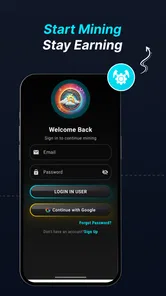
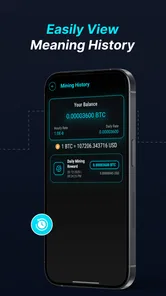
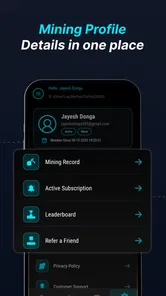
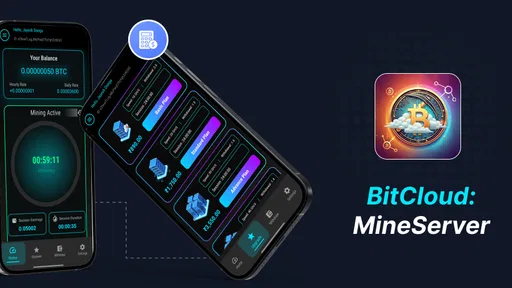
Analysis by Reviewed
Cloud-mining apps are easy to misunderstand, so I approached BitCloud: MineServer with a fairly practical question: does it make the idea of mining from a phone easier to follow, or does it simply make a complicated subject look effortless? After spending time with it, my view is mixed but useful. It is approachable enough for someone curious about BitCloud-style mining, yet it should be treated as an exploratory finance app rather than a dependable income tool.
That distinction matters. The app is free to install, aimed at everyone, and designed for mobile use, which lowers the barrier to trying it. At the same time, cloud mining involves trust, account expectations, possible payments, and the difference between a displayed balance and money that can actually be withdrawn. I would not recommend opening it with the assumption that a phone can produce guaranteed returns. I would recommend it to a careful beginner who wants to understand the workflow and is willing to verify every step before spending anything.
How BitCloud: MineServer feels in its current form
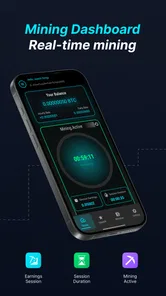
BitCloud: MineServer is a finance app from SR INFOSOFT LTD focused on starting cloud-based BitCloud mining from a phone. Its central appeal is simplicity: instead of dealing with physical mining equipment, heat, electricity use, or technical setup, the user interacts with a mobile service intended to represent the mining process.
In everyday use, that makes the app less intimidating than traditional cryptocurrency tools. A newcomer can approach the idea through a phone rather than first learning about hardware, wallets, pools, and operating costs. The mobile-friendly design also suits short sessions. You can check the account, review the mining state, and decide what to do next without sitting at a computer.
My caution is that simplicity can hide important questions. A clean screen does not automatically explain how the underlying mining activity works, what conditions apply to earnings, or how a balance becomes usable funds. With a finance app, those details are more important than visual polish. I would therefore read every screen carefully, especially anything connected with upgrades, withdrawals, account verification, or payments.
The app has an average rating of 3.9 from roughly 391 ratings, with 22 written reviews visible in its public reception. That suggests a product people are trying, but not one I would describe as universally convincing. Its install count is above 50 thousand, enough to show interest without making popularity a substitute for due diligence.
A simple entry point, not a replacement for a crypto wallet
The most important way to understand this app is to separate mining activity from the rest of your financial setup. A cloud-mining interface is not automatically the same thing as a full exchange, a personal wallet, a portfolio tracker, or a payment app. If your main goal is to buy and hold established cryptocurrency, a conventional exchange or wallet may be more appropriate. If your goal is to monitor several assets, a dedicated portfolio tool will usually give you a broader view.
More From Our News Desk

 Gmail
GmailGmail in a Busy Inbox: Who Benefits Most?
From first account to crowded workday, Gmail earns its place through dependable search and flexible sorting—but its best fit depends on how much inbox maintenance you can tolerate.

 Prime Video
Switching to Prime Video: What Changes in Your Viewing Routine
Prime Video can make a compelling second home for streaming, but switching means learning a different catalog, rental layer, and route from browsing to playback.

 Universal TV Remote Control
Universal TV Remote Control Works Best as a Reliable Backup
A phone remote earns its place through quick setup and reliable habits. Here is how to get more from Universal TV Remote Control—and where its limits show.

 Weather - By Xiaomi
Weather by Xiaomi Review: Clear at a Glance, Less Clear Up Close
Xiaomi’s weather app makes everyday forecasts quick to scan, but its calm surface can leave useful details and recovery paths harder to find than they should be.

 X
XX Under Pressure: Can It Recover When Posting Goes Wrong?
A resilience-focused review of X, examining setup, mistaken posts, interruptions, weak connections, and the gaps that matter when recovery needs to be dependable.

 Clash of Clans
Clash of Clans Is Won Between the Battles
Its raids are quick; its community is a long-term project of coordination, teaching, rivalry, and shared responsibility—with all the friction that entails.
Latest News



BitCloud: MineServer makes more sense for a narrower use case: exploring a mining service through a mobile interface. That can be useful for someone who wants to learn the sequence of starting, checking, and managing a cloud-mining account. It is less suitable for a person who needs detailed market analysis, advanced trading, tax records, or a complete personal custody solution.
I also would not confuse “cloud” with “risk-free.” Cloud mining removes the need to own and maintain hardware, but it does not remove service risk, market risk, withdrawal conditions, or the possibility that costs outweigh eventual value. The convenience is real, but it shifts the kind of risk you are taking rather than eliminating risk altogether.
What the current version tells us
The current version is 1.9, and the app was released on January 21, 2026. Those details give the product a relatively early position in its life rather than the feel of a long-established financial platform. I see that as a reason to judge the present experience on its own merits while avoiding confident predictions about where it will go.
A version number by itself does not prove that the service has solved the hard parts of cloud mining. What matters to me is whether the app communicates account status clearly, keeps actions understandable, and gives users enough context before they commit funds or personal effort. The current release is therefore best viewed as a working starting point, not evidence of a mature ecosystem.
The minimum operating requirement is Android 7.0, which keeps the technical entry barrier fairly low for Android users. That is helpful if you are testing the app on an older spare phone. Still, I would avoid using an outdated device for financial activity if its operating system no longer receives meaningful security updates. Compatibility is convenient; security habits remain your responsibility.
What appears to have changed and how existing users should react
Because the app is already at version 1.9, it has moved beyond a first release, but I would not invent a detailed change log from that number alone. The safe conclusion is that the developer, SR INFOSOFT LTD, has continued publishing iterations rather than leaving the product at its initial build. That is encouraging, but it does not tell us whether the most important improvements concern stability, account handling, mining controls, or payment flows.
For an existing user, the practical lesson is to recheck the app after updates instead of assuming that familiar screens behave exactly as before. Look at the mining status, account balance, available actions, and any wording around purchases or withdrawals. Take screenshots of important account information for your own records, but do not treat a screenshot as proof that funds are redeemable. It is simply a way to compare what you saw at different times.
Another useful habit is to update your personal notes whenever the interface changes. Record when you started, what action you selected, whether a balance moved, and what conditions were shown. This is especially valuable in a financial app because memory is unreliable when numbers change slowly. A short log can reveal whether the service is understandable and consistent from your perspective.
New users should begin with observation rather than payment. Install it, examine the account flow, read the screens surrounding mining activation, and identify what the app expects from you before entering any financial details. If you cannot explain the process in your own words, you are not ready to pay for an upgrade or mining package. That is not pessimism; it is a basic safeguard for any unfamiliar financial service.
The free entry point and the cost question
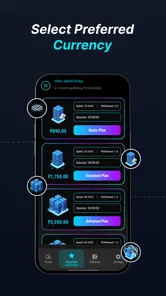
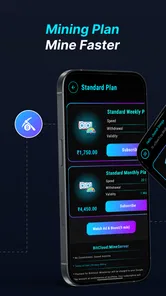
The app itself is free, but it includes in-app purchases ranging from $4.49 to $649.99 per item. That is a very wide span, and it changes how I would use the application. The free installation may let you explore the interface, but the presence of expensive purchase options means the real decision is not whether downloading costs anything. The real decision is whether any paid action has a clear, understandable value for your situation.
I would never jump from a free trial experience to the highest-priced option. Start by identifying exactly what a purchase provides, whether it changes mining capacity or duration, what conditions apply, and how the result is measured. If the wording is vague, stop there. A low entry price can still be a poor deal, and a larger purchase magnifies that problem.
One non-obvious trade-off is the difference between activity and profitability. An app can show that mining is active without proving that the activity will produce a worthwhile return after purchase costs, time, and any conversion or withdrawal conditions. I would calculate the break-even point before spending: how much value would need to be received, how long that might take under the displayed terms, and what could make the estimate change.
Do not use rent money, emergency savings, or borrowed funds for this kind of experiment. I would also avoid making a decision based on a growing in-app number alone. The useful question is not “how quickly is the balance increasing?” but “what can this balance actually do, under which conditions, and what have I paid to reach it?”
A realistic everyday scenario
Imagine someone who hears about cloud mining during a commute and installs the app on an older Android phone. They want to check it during lunch and after work, not run hardware at home. The sensible workflow would be to use the free version as an orientation tool, read the mining and account screens, and write down the exact steps needed to start or stop activity. They should then review the purchase screen without buying, compare the stated cost with a conservative return estimate, and investigate the withdrawal path before committing.
That person might find the app useful if the goal is learning how a mobile mining service is organized. They might also decide that a standard wallet is better if their real goal is simply holding digital assets. The value of the test is not necessarily earning money; it is discovering which tool matches the actual need.
A second scenario involves an existing user who has already paid for a mining option. After an update, they should verify that their account is signed in correctly, check whether the displayed balance and mining state remain understandable, and avoid repeatedly purchasing anything just because the interface presents another opportunity. If a support or account issue appears, keep records of dates, screens, and transaction details before contacting the developer.
Where the experience still needs caution
The biggest gap for me is not the idea of mobile mining itself. It is the distance between a simple interface and the financial explanations a careful user needs. Beginners need plain language around earnings, eligibility, account access, and withdrawals. Without that context, a polished mining screen can encourage overconfidence.
There is also a difference between being secure in a technical sense and being financially safe. The store summary presents the service as simple, secure, and mobile-friendly, but I would still use a unique password, protect the phone with a lock screen, avoid sharing account credentials, and be cautious about messages asking for payment or recovery information. “Secure” should make you attentive, not careless.
Another limitation is specialization. This is not the app I would choose for comparing multiple cryptocurrencies, placing trades, tracking a diversified portfolio, or preparing detailed financial records. A conventional exchange may be better for buying and selling, while a non-custodial wallet may be better for direct control of assets. A spreadsheet can even be better for a transparent return calculation because it forces you to record costs and assumptions instead of relying on a single app screen.
I would also skip it if you need predictable returns, immediate access to funds, or a service with a long and extensively documented operating history. Cloud mining is inherently dependent on the service model and the value of the mined asset. Someone looking for certainty should not interpret an easy setup as a promise of dependable income.
Who should try it and what to watch next
BitCloud: MineServer is most suitable for a curious Android user who wants a straightforward introduction to cloud-mining activity and is comfortable treating the experience as speculative. It can be a reasonable learning tool when used slowly, with no assumption that a displayed balance equals cash. The free download makes initial exploration easier, and the Everyone age rating keeps the audience broad, although financial responsibility still matters at any age.
I would recommend skipping it if your purpose is ordinary banking, established-asset investing, professional trading, or secure personal custody. Those needs call for tools built around those functions. I would also skip it if you feel pressure to buy quickly, cannot understand the purchase terms, or would be financially harmed by losing the amount spent.
The most useful things to watch are not flashy interface changes. Watch whether future versions make mining status easier to interpret, explain account and withdrawal steps more clearly, and present purchase conditions before the point of commitment. Pay attention to whether existing users can understand what changed after updates. Those improvements would matter more to me than extra visual effects or more aggressive prompts.
For now, my recommended routine is simple: explore without paying, document what you see, calculate costs conservatively, protect your account, and compare the app with a wallet or exchange before deciding that mining is actually what you need. Keep the amount at a level you can genuinely afford to lose, and never treat an in-app figure as realized profit until the complete withdrawal process has worked under the applicable conditions.
My final opinion is cautiously positive for learning and cautious for money. The app gives the cloud-mining concept a convenient mobile doorway, and its current release shows an actively evolving product from SR INFOSOFT LTD. But convenience should not outrank clarity. The best way to use BitCloud: MineServer is as a controlled experiment, not as a guaranteed earning machine. If later updates improve transparency around purchases, balances, and withdrawals, it could become easier to recommend. Until then, I would keep expectations modest and choose a different finance app whenever your priority is certainty, broad investment management, or direct control of your assets.
BitCloud: MineServer Frequently Asked Questions
What devices and operating systems can run BitCloud: MineServer?
BitCloud: MineServer is an Android app with a minimum operating system requirement of Android 7.0. Check that your device meets this requirement before downloading, as an older Android version may prevent installation or reliable use. The app is free to download, though optional in-app purchases are available. It is rated for Everyone.
Who makes BitCloud: MineServer, and what kind of app is it?
BitCloud: MineServer is a finance app developed by SR INFOSOFT LTD. Its short description is “BitCloud,” while its summary presents it as a simple, secure, mobile-friendly way to start cloud mining. The name may suggest server management, but the app is presented as a cloud-mining service, so consider whether that is the kind of tool you are looking for before installing it.
What is BitCloud: MineServer and how does it work?
BitCloud: MineServer is an Android-focused app designed to let users manage or interact with a cloud-based Minecraft server environment from a mobile device. After opening the app, users can typically review server information, control basic hosting functions, and access management tools without relying entirely on a desktop computer. The exact options available may depend on the selected plan, server configuration, and the version of Minecraft being used.
Is BitCloud: MineServer free to use, or does it require payment?
The app may be available to download without an upfront charge, but server hosting and certain management features can require payment. Costs may vary according to storage, memory, player capacity, server duration, or premium tools. Before creating a server, it is important to check the current pricing, trial conditions, renewal terms, and any in-app purchases shown in the store listing or inside the application. In-app purchases range from $4.49 to $649.99 per item, so review each purchase carefully before proceeding.
Can I use BitCloud: MineServer to play with friends on Minecraft?
BitCloud: MineServer is intended to help users create or manage a multiplayer Minecraft server, making it possible to play with friends when the server is correctly configured and online. However, compatibility depends on the Minecraft edition, game version, account requirements, network settings, and server software. Friends may also need the correct address, port, and any required mods or add-ons to connect successfully.
Pros
- Simple interface makes server management easy for beginners.
- Cloud-based setup reduces the need for powerful local hardware.
- Useful tools help monitor server activity from a mobile device.
- Supports remote access when you are away from your computer.
- Can simplify basic server administration tasks on the go.
Cons
- Some features may require a paid plan or in-app purchases.
- Performance depends heavily on your internet connection quality.
- Mobile controls may feel limited for advanced server configuration.
- Background monitoring can increase battery and data consumption.
- Compatibility may vary across devices
- server types
- and operating systems.











