Biblia Reina Valera en español
- 4.79K
- 4.8
- Installs
- 1.00M
- Price
- Free

Screenshots
Analysis by Reviewed
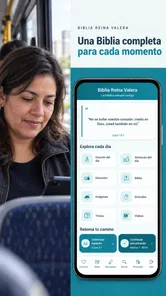
I like Bible apps best when they make it easy to return to a passage without turning a quiet reading moment into a hunt through menus. Biblia Reina Valera en español is built around the Reina-Valera 1960 text, with reading, listening, search, and personal study tools in one place. That makes it a practical option for Spanish-speaking readers who want a familiar translation close at hand, whether they are opening it for a few minutes or settling in for a longer study session.
A quick routine works better than browsing aimlessly
For a short daily reading, I would open the passage I want, adjust the text to a comfortable size, and use a note or highlight only when something feels worth returning to. That small habit is more useful than marking every interesting line: after a week, a few deliberate notes are easier to revisit than a screen full of highlights. Search is handy when I remember a phrase or reference but not exactly where it appears, though it works best when I have a distinctive word or a likely book in mind.
The app is free, and its Everyone age rating makes it suitable for a broad audience. It comes from Aplicaciones Cristianas, a developer focused on Christian apps. Its 4.8 average across around 67,000 ratings and more than a million installs suggest that many readers have found a use for it, but I would still judge it by whether the Reina-Valera 1960 wording and its reading tools fit my own routine.
Features that Stand Out
One of the most impressive aspects of the Biblia Reina Valera en español is its user-friendly interface. Navigating through the app is a breeze, even for those who aren't particularly tech-savvy. The developers have done an excellent job of ensuring that users can find their way around without any hiccups. You can easily jump between the Old and New Testaments, and the app's search function is a lifesaver when you're trying to locate a specific verse or passage.
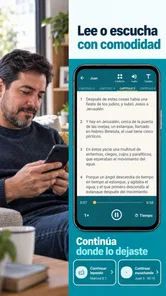
Another feature worth mentioning is the availability of audio. For those who prefer listening to reading, the app provides an audio option that lets you hear the Bible being read aloud. This is fantastic for people who might be driving, working out, or simply relaxing. It’s like having a personal narrator right in your pocket!
Customization and Personal Experience
Customization is key when it comes to personalizing your experience with this app. You can adjust the font size to suit your reading comfort, which is a small but significant detail. Additionally, the app allows you to highlight verses and add your own notes, making it easier to reflect on specific passages or share your thoughts with others.
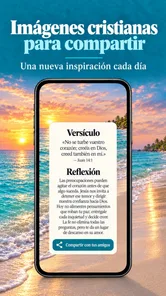
For those who enjoy studying with others, you can easily share verses and insights via social media or messaging apps. This sense of community is a wonderful addition to the app's functionalities, allowing users to connect and engage with their faith in a more interactive way.
More From Our News Desk

Weather by Xiaomi Review: Clear at a Glance, Less Clear Up Close

X Under Pressure: Can It Recover When Posting Goes Wrong?

Clash of Clans Is Won Between the Battles

Android Auto Makes the Case for Quieter Car Software

MobiOffice: Transforming Mobile Productivity with Seamless Integration

EA SPORTS FC™ Mobile Soccer: Redefining Mobile Sports Gaming
Offline Access and Usability
One of the standout features is the ability to access the Bible offline. This is particularly useful for those who might not always have a stable internet connection. Whether you're traveling or in a remote location, the app ensures that you have the Word of God at your fingertips.
In terms of usability, the app runs smoothly on both Android and iOS devices. I didn’t experience any crashes or glitches during my time using it, which speaks volumes about its reliability. Plus, it’s lightweight, so it doesn’t take up much space on your device.
Listening, studying, and handling busy moments
The audio option is most useful when I treat it as a separate listening session rather than a substitute for every kind of reading. For example, I might listen to a chapter while getting ready in the morning, then open the same passage later to mark a verse or write a note. That split makes it easier to stay engaged: listening fits a hands-busy routine, while reading is better when I want to compare wording or pause over a sentence. I would not use audio while driving as a reason to handle the phone; set it up before starting and keep attention on the road.
During heavier use, such as searching for a passage, reading several chapters, and adding notes in one sitting, I would keep the workflow simple. Search first, read the surrounding context rather than stopping at a verse fragment, then save only the observations I may want later. Offline access is especially helpful on a commute or in a place with unreliable reception, but it is sensible to open the passage before going offline instead of assuming every part of the experience will behave identically without a connection.
Making notes useful beyond a single reading
A practical way to get more from the notes and highlights is to give each one a clear purpose. I might mark a verse because it raises a question, then write a short note that captures the question rather than trying to record a full interpretation on a small screen. When I return later, the highlight points me to the passage and the note reminds me what I wanted to think through. This is more manageable than treating a phone app as a complete study journal.
Sharing can also work better when I use it selectively. If I send a verse to a family member or study group, I would include enough of the reference for the other person to find it again, rather than sending an isolated line with no context. That small step makes the app’s sharing tools more useful for conversation and less likely to turn a passage into a slogan detached from what comes before and after it.
Who will get the most from it
This is a strong fit for someone who already prefers Reina-Valera 1960 and wants a Bible within reach for personal reading, listening, or sharing a verse with family. It can also suit a new reader who wants to explore scripture without paying for an app. If your church group studies this translation, having the same wording on your phone can make it easier to follow along and discuss a passage together.
I would choose a different Bible app if I needed several translations side by side, detailed scholarly tools, or a structured course with guided lessons. This app’s appeal is its focused Spanish Bible experience, not a promise to replace every study resource. Readers who prefer paper may also find a printed Bible more comfortable for long sessions, especially when they want to write freely in the margins or avoid screen distractions.
How it compares with other ways to read
Compared with a general Bible app that emphasizes many translations, reading plans, and study references, this one makes more sense when the Reina-Valera 1960 text is the main reason you are opening the app. A broader platform may be a better choice for a group that regularly compares translations or for a reader who wants commentary and guided lessons alongside the text. Here, the appeal is a more direct route to Spanish reading, audio, and personal annotations.
It also fills a different role from a physical Bible. A phone is easier to carry, search, and use for a quick passage between errands, while a printed edition can be calmer for an extended session and easier for handwritten marginal notes. I would keep both options in mind rather than expecting an app to suit every kind of reading. If screen notifications distract you, setting the phone aside after opening a passage—or choosing paper for focused study—may make a bigger difference than any app feature.
Speed, reliability, and device fit
For ordinary tasks—opening a passage, changing text size, searching, or adding a note—the experience feels straightforward rather than demanding. My impression of its light footprint is useful for older or storage-conscious phones, though any app can feel different depending on the device and what else is running. The current version is 43.1, and the minimum operating-system requirement is 8.0, so it is worth checking compatibility before installing on an older device.
If the app ever seems slow or stops responding, I would first close and reopen it, then check that the phone has enough free storage and that its system software is compatible. For an offline reading plan, I would test access while connected before relying on it during travel. Those are simple precautions, not signs of a known reliability problem; in my use, the app remained smooth and I did not encounter crashes or glitches.
A realistic day with the app
On an ordinary morning, I could choose a chapter before leaving home and listen while making breakfast, then return to the text during a quiet break to read a passage more carefully. If a line stands out, I can highlight it and add a brief note; later, search gives me a route back when I remember the wording but not the chapter. This is a modest routine, but it uses the app’s different tools for different situations instead of asking audio, notes, and search to do the same job.
For a reader with limited data or an unpredictable connection, I would prepare by opening the Bible while online and checking that the intended reading is available offline. That is a useful travel habit, especially before a commute or a visit somewhere with weak reception. It also sets a realistic expectation: offline access helps with reading, but I would not assume every sharing or connected activity will work in the same way without a connection.
Questions worth settling before installing
If you are wondering whether it costs anything, it is free to use. If you are choosing it for a child or sharing a device with family, its Everyone rating makes it suitable for a broad audience, though a parent should still decide what is appropriate for their household. The main choice is less about age or price and more about whether Reina-Valera 1960 is the wording you want to read.
It can be used for brief reading as well as longer sessions, and the available text-size adjustment, search, notes, and highlights support different habits. Audio is a helpful alternative when your hands are occupied, while text is better when you want to pause, reread, or make a careful note. If your priority is comparing translations or following a formal study curriculum, I would look for a resource built around those needs instead of expecting this focused Bible app to cover them all.
Its release date was October 3, 2016, and it has accumulated around 4,800 written reviews alongside its much larger rating count. Those figures are useful context, but they do not answer the personal questions that matter most: whether the translation suits you, whether audio fits your day, and whether the available study tools are enough. I would install it for its direct, accessible approach, then spend a few minutes testing search, notes, audio, and offline reading before making it part of a daily routine.
In conclusion, the Biblia Reina Valera en español app is a fantastic resource for anyone looking to deepen their spiritual journey. It combines the traditional text of the Bible with modern technology, offering a seamless experience that caters to both readers and listeners. Whether you're a devout Christian or someone exploring the faith, this app is a valuable tool to have in your digital library. So, why not give it a try and see how it enhances your spiritual life?
Biblia Reina Valera en español Frequently Asked Questions
What language is the Biblia Reina Valera en español app in?
The app is centered on the Spanish-language Reina Valera 1960 Bible, so it is intended for readers who want to read or listen to scripture in Spanish. Its focus is useful for Spanish-speaking users as well as people learning the language or comparing Bible translations. The app’s description highlights reading and listening as ways to engage with the text.
Who develops Biblia Reina Valera en español, and what kind of app is it?
Biblia Reina Valera en español is a Books & Reference app developed by Aplicaciones Cristianas. Its purpose is to put the Reina Valera 1960 Bible on a mobile device for reading and listening. The app is free and has an Everyone content rating, making it a straightforward option for people looking for a digital Spanish Bible rather than a general-purpose reading app.
Is Biblia Reina Valera en español the Reina Valera 1960 Bible?
Yes. Biblia Reina Valera en español offers the Reina Valera 1960 Bible in Spanish, with a focus on reading and listening. It is a Books & Reference app from Aplicaciones Cristianas, and its straightforward purpose makes it suitable for people who want the Spanish Bible available on a phone or tablet. The app is free to download and is rated for everyone.
What features does the Biblia Reina Valera en español app offer?
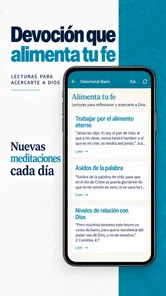
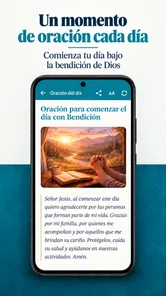
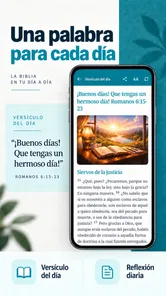
The app provides a comprehensive digital version of the Reina Valera Bible in Spanish, offering features like offline access, daily verses, bookmarks, and a search function. Users can easily navigate through books, chapters, and verses, and adjust font sizes for better readability. Audio versions and reading plans may also be available, enhancing the study experience.
Is the Biblia Reina Valera en español app free to use?
Yes, the Biblia Reina Valera en español app is free to download and use. However, certain features such as audio Bible, ad-free experience, or additional reading plans might require in-app purchases or subscriptions. Users should check the app store listing for detailed information on any costs associated with premium features.
Pros
- Easy to navigate interface.
- Comprehensive Bible study tools.
- Offline access available.
- Regular content updates.
- Customizable reading plans.
Cons
- Ads can be intrusive.
- Limited language options.
- Some features require payment.
- Occasional app crashes.
- Slow response time on older devices.











