Beat Tune - Offline Music
- 18.00
- 3.1
- Installs
- 1.00M
- Price
- Free

Screenshots
Analysis by Reviewed
If you're like me and find yourself constantly on the hunt for a music player that suits all your offline needs, then you'll want to check out Beat Tune. This app has been making waves among music aficionados who prefer storing their tunes locally rather than streaming. Here's my take on everything Beat Tune offers.
Easy Navigation and User Interface
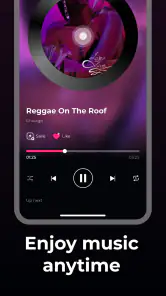
First things first, I have to mention how intuitive the user interface is. The moment I opened the app, I was greeted with a slick, minimalist design that made navigation a breeze. The developers clearly had the user in mind, ensuring that every feature is just a tap away. The color scheme is easy on the eyes, making it a joy to use even in low-light settings.
Offline Playback: Enjoy Your Music Anywhere
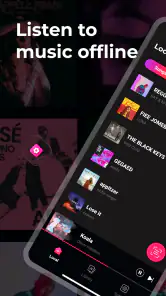
One of the standout features of Beat Tune is its offline playback capability. I tested this out by downloading some of my favorite albums and was pleasantly surprised at how seamlessly the app handled transitions between tracks. There was zero lag, and the sound quality remained top-notch throughout my listening experience. If you're planning to go off the grid or just want to save on data, this app has got you covered.
Customizable Equalizer and Sound Quality
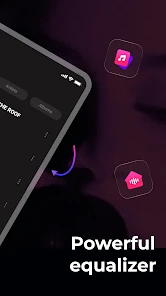
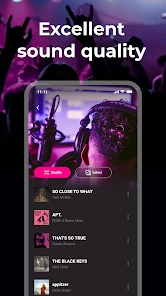
Now let's talk sound quality. Oh boy! This app does not disappoint. With a built-in customizable equalizer, I could tweak my music's bass, treble, and more to perfection. Whether you're into heavy bass or crisp highs, Beat Tune allows you to mold your sound exactly how you like it. Trust me, your ears will thank you.
Playlist Management Made Easy
Creating and managing playlists is a snap with this app. I found it particularly helpful that I could organize my music by artist, album, and even mood. The drag-and-drop feature for playlist creation is a nice touch, making it easier than ever to curate the perfect soundtrack for any moment. Plus, the app supports a wide range of audio formats, so I never had to worry about compatibility issues.
Battery Efficiency
When it comes to battery consumption, Beat Tune is surprisingly efficient. I went through a whole day of moderate use without noticing any significant drain on my phone's battery life. It's clear the developers put a lot of thought into optimizing the app's performance, allowing you to enjoy your music without constantly searching for a charger.
In conclusion, Beat Tune is a fantastic choice for anyone who wants to enjoy their music offline without sacrificing quality or user experience. Its intuitive design, robust features, and efficient performance make it a standout in the realm of offline music apps. So, if you're tired of streaming and ready to take control of your music library, give this app a try. You won't be disappointed!
More From Our News Desk

Clash of Clans Is Won Between the Battles

Android Auto Makes the Case for Quieter Car Software

MobiOffice: Transforming Mobile Productivity with Seamless Integration

EA SPORTS FC™ Mobile Soccer: Redefining Mobile Sports Gaming

How Microsoft OneDrive Became a Mobile Productivity Giant

How Google Translate Breaks Language Barriers Effortlessly
Beat Tune - Offline Music Frequently Asked Questions
What is Beat Tune - Offline Music and how does it work?
Beat Tune - Offline Music is a mobile application that allows users to listen to their favorite music tracks without an internet connection. Once you download the app, you can import your music files or playlists directly onto your device. The app supports various audio formats and offers a seamless offline listening experience with features like customizable playlists, audio equalizers, and more.
Is Beat Tune - Offline Music free to use?
Beat Tune - Offline Music offers both a free version and a premium version. The free version allows users to access basic features like offline listening and playlist management. However, for an ad-free experience and additional features such as advanced sound controls and unlimited playlist creation, users need to upgrade to the premium version, which typically requires a subscription fee.
How can I import my music into Beat Tune - Offline Music?
Importing music into Beat Tune - Offline Music is a straightforward process. Users can easily import their music files from their device's storage or cloud services such as Google Drive or Dropbox. The app supports various audio formats, ensuring that you can enjoy your music regardless of the file type. Detailed instructions are available in the app's help section.
Does Beat Tune - Offline Music support all audio file formats?
Beat Tune - Offline Music supports a wide range of audio file formats, including MP3, WAV, AAC, and FLAC, among others. This extensive format support allows users to play almost any music file they have on their devices. However, it's always a good idea to check the specific format compatibility listed in the app's description to ensure your files are supported.
What are the key features of Beat Tune - Offline Music?
Beat Tune - Offline Music is packed with features designed to enhance your listening experience. Key features include offline playback of music, customizable playlists, an advanced audio equalizer, and support for various audio formats. The app also offers a user-friendly interface, making it easy to navigate through your music collection. For those seeking more, the premium version adds ad-free listening and advanced sound customization options.
Pros
- Offline music playback available
- User-friendly interface
- High-quality sound
- Customizable playlists
- Battery efficient
Cons
- Limited song library
- No online streaming
- Ads in free version
- In-app purchases required
- Occasional app crashes

- Category
- Music & Audio
- Version
- 1.0.1